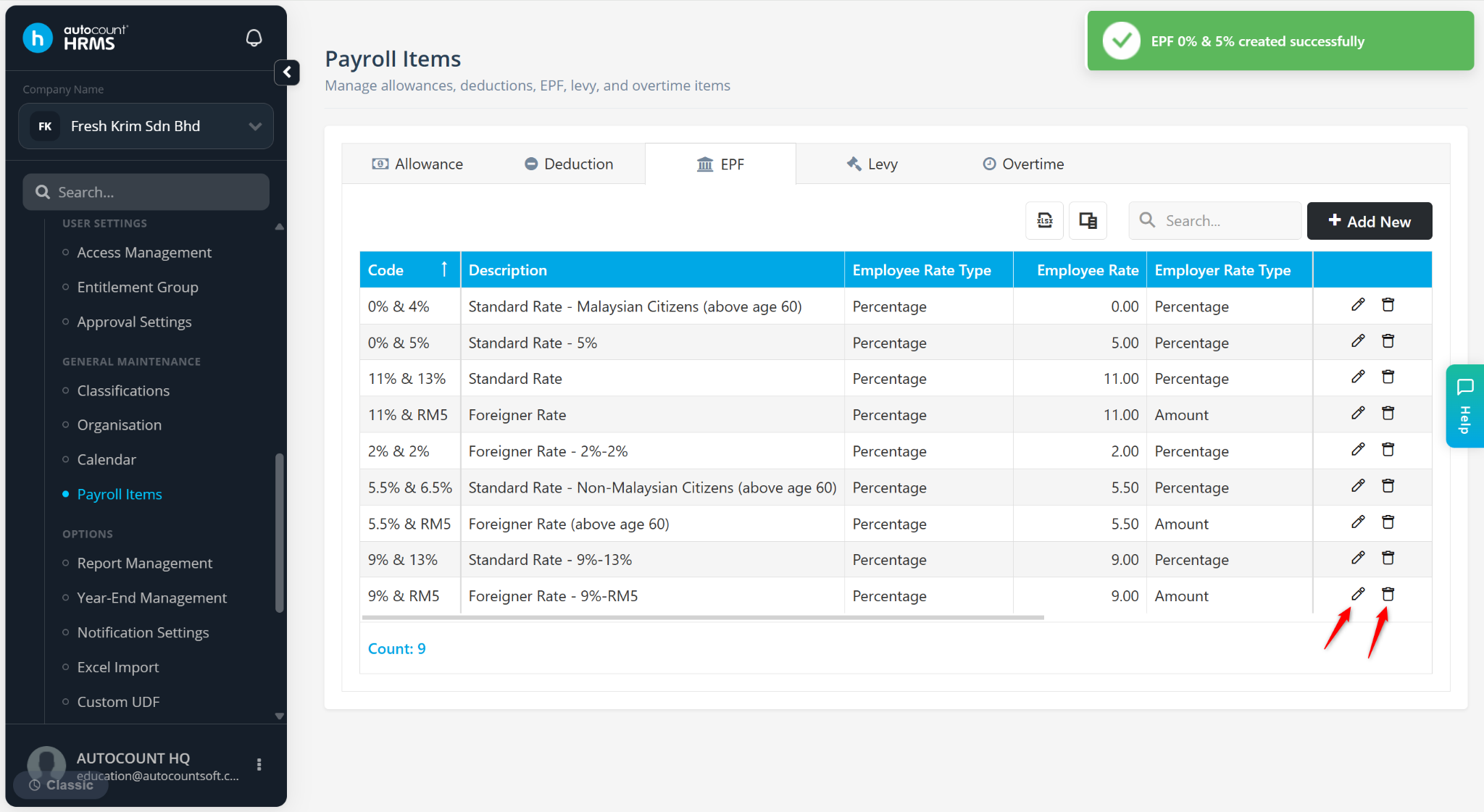
The EPF Rate feature allows users to create and maintain Employee Provident Fund (EPF) contribution rates used in payroll calculations. These rates determine the contribution amounts payable by both employees and employers.
Steps to Create a New EPF Rate:
Go to Tools > Payroll Items.
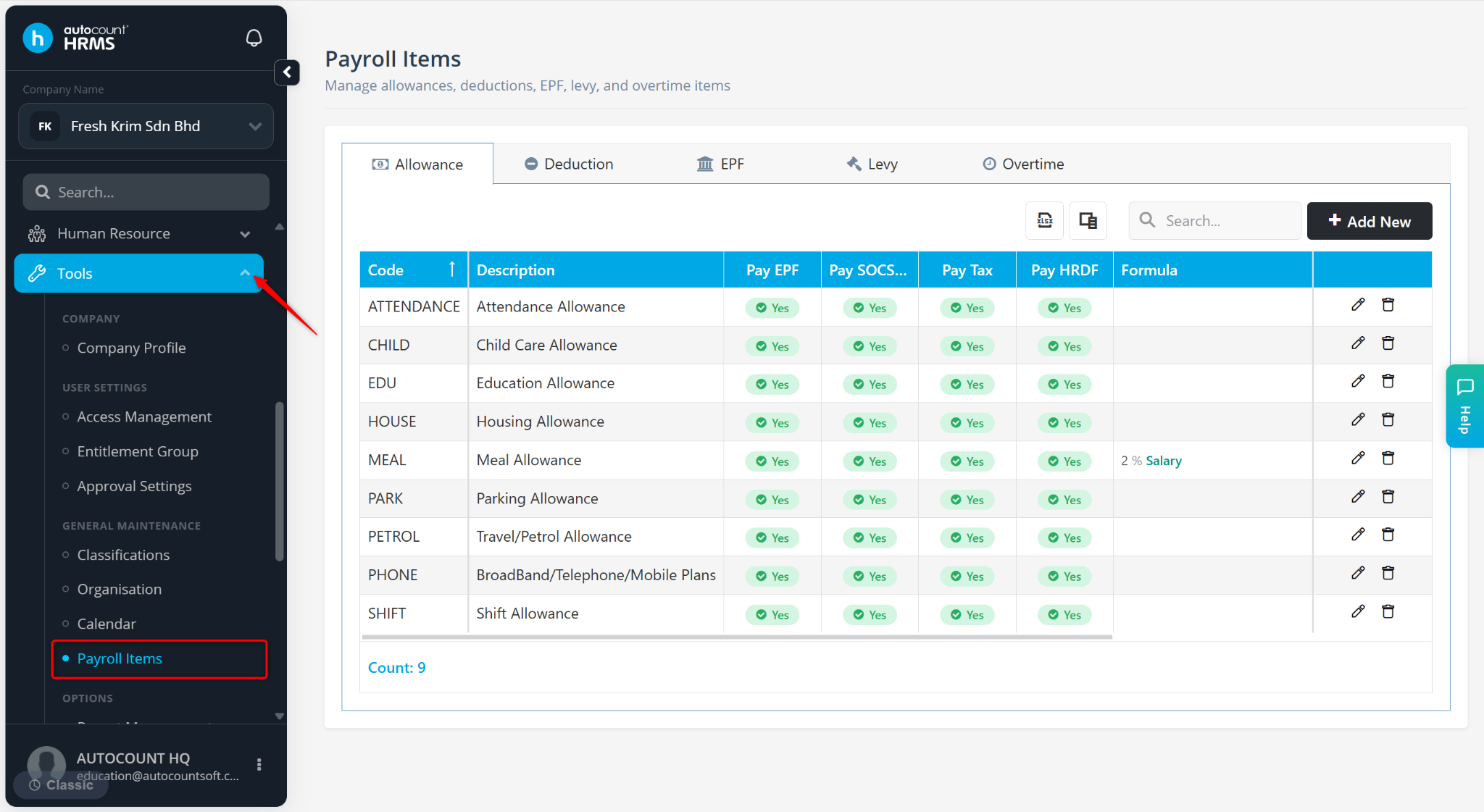
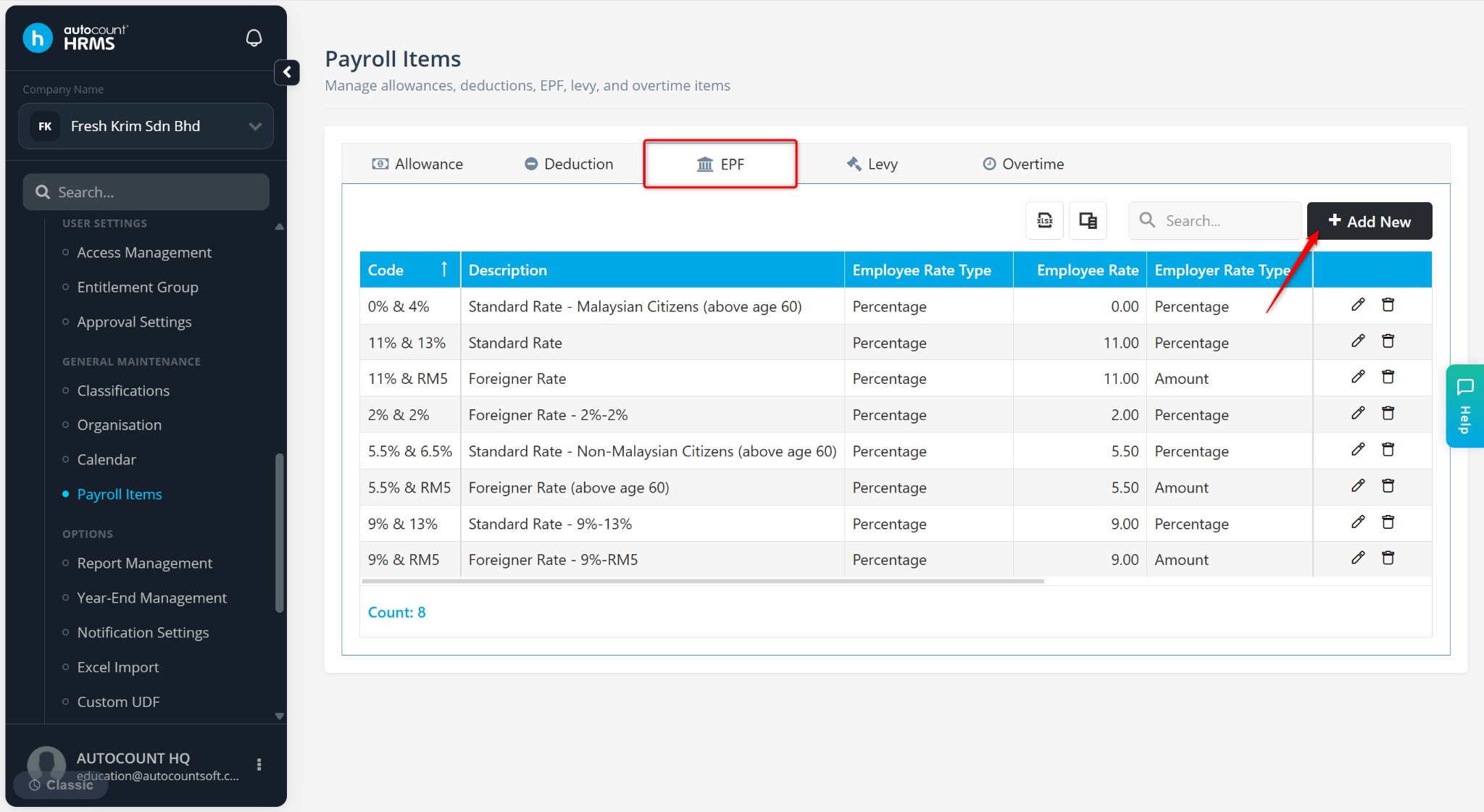
Go to the EPF tab.
Click Add New.
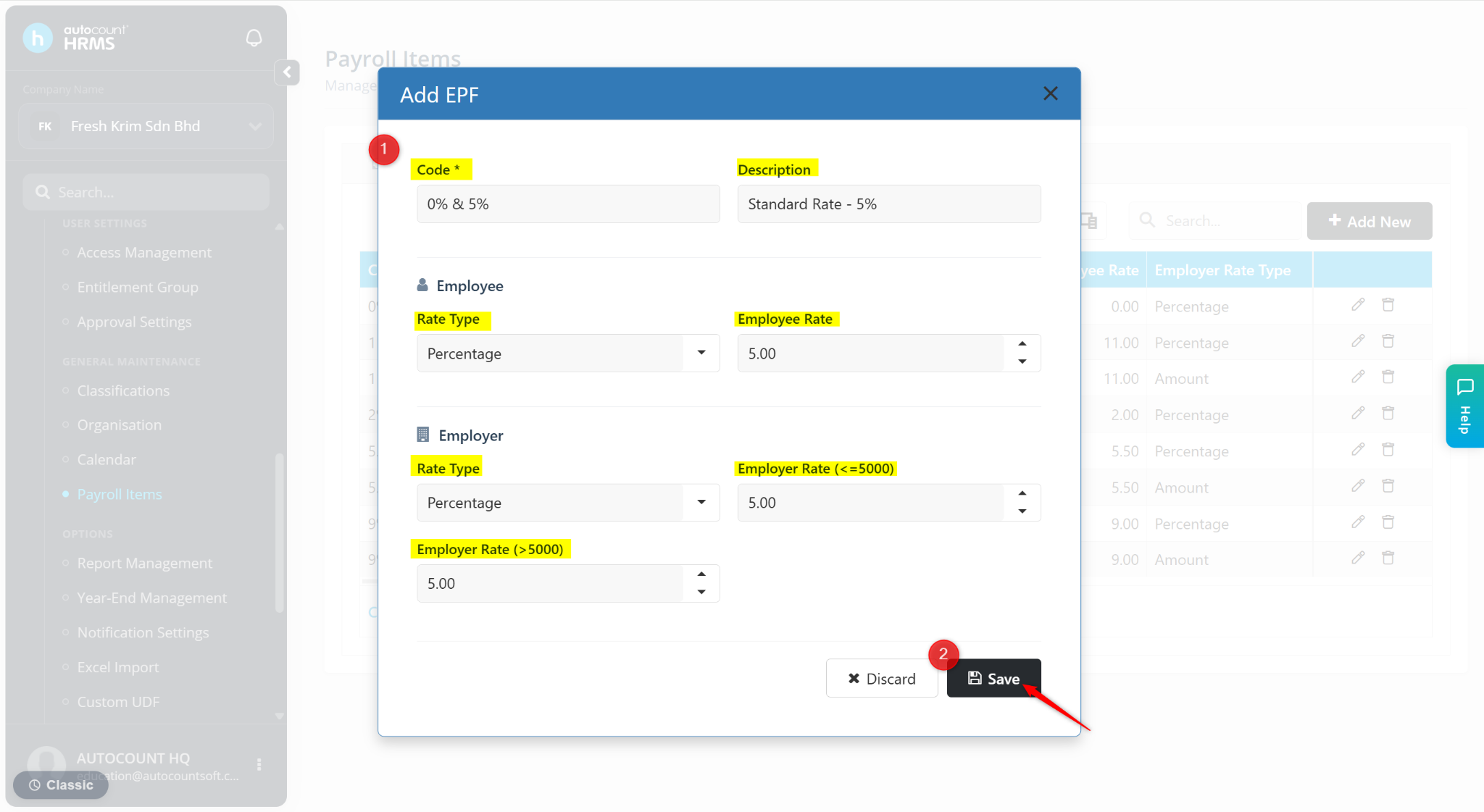
Enter the Code and Description of the EPF rate.
Under Employee section:
Rate Type – Select Percentage or Amount.
Employee Rate – Enter the EPF rate.
Under Employer section:
Rate Type – Select Percentage or Amount.
Employer Rate (<=5000) – Enter employer contribution rate for salaries RM5,000 and below.
Employer Rate (>5000) – Enter employer contribution rate for salaries above RM5,000.
Click Save.
The EPF Rate will be created.
Click the pencil icon to edit.
Click the trash bin icon to delete.