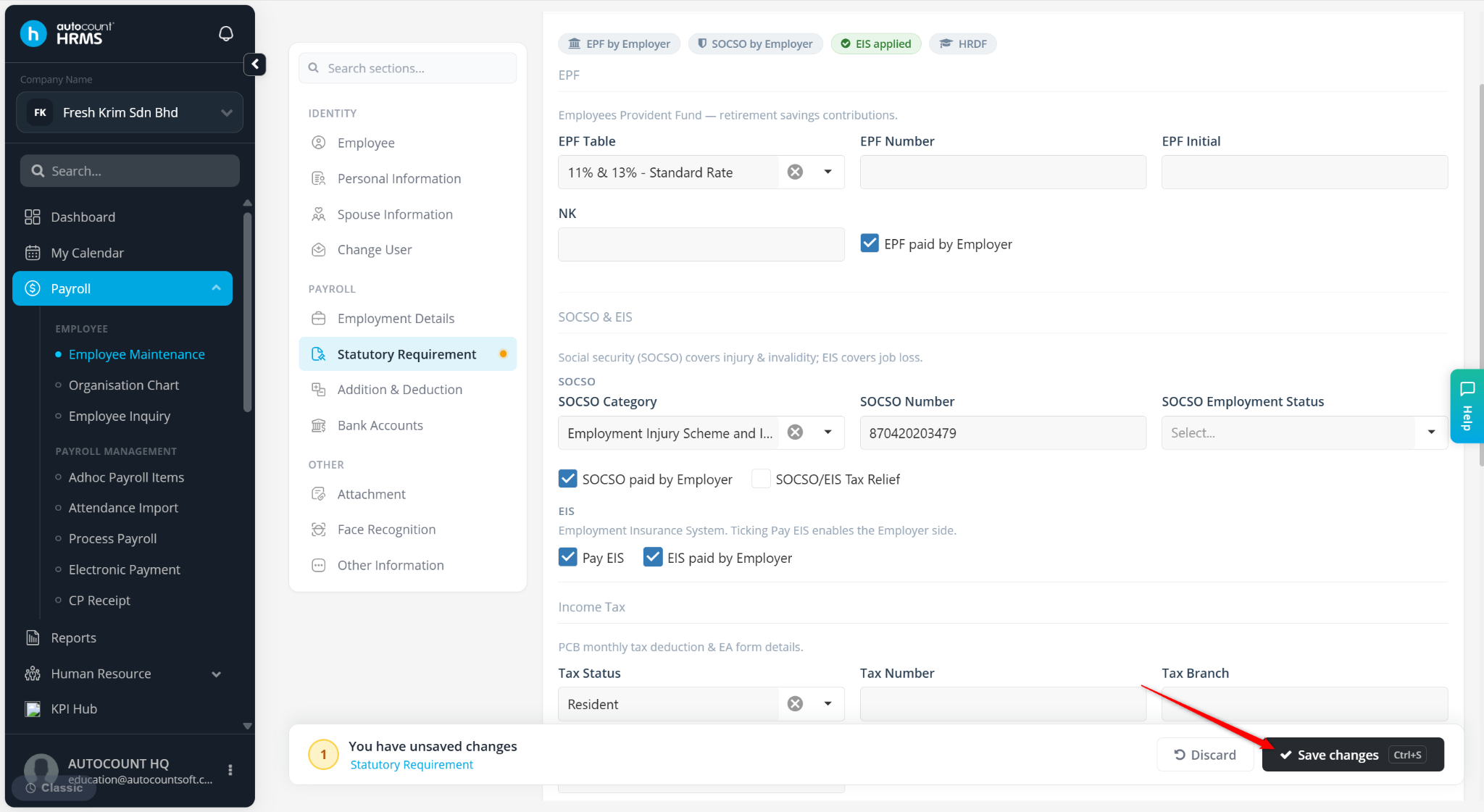
The EPF Rate setting allows users to assign a specific Employee Provident Fund (EPF) contribution rate to an employee. This is useful when an employee requires a contribution rate that differs from the default statutory rate.
EPF rates must be created and maintained under Tools > Payroll Items > EPF before they can be assigned to employees.
Steps to Assign an EPF Rate to an Employee:
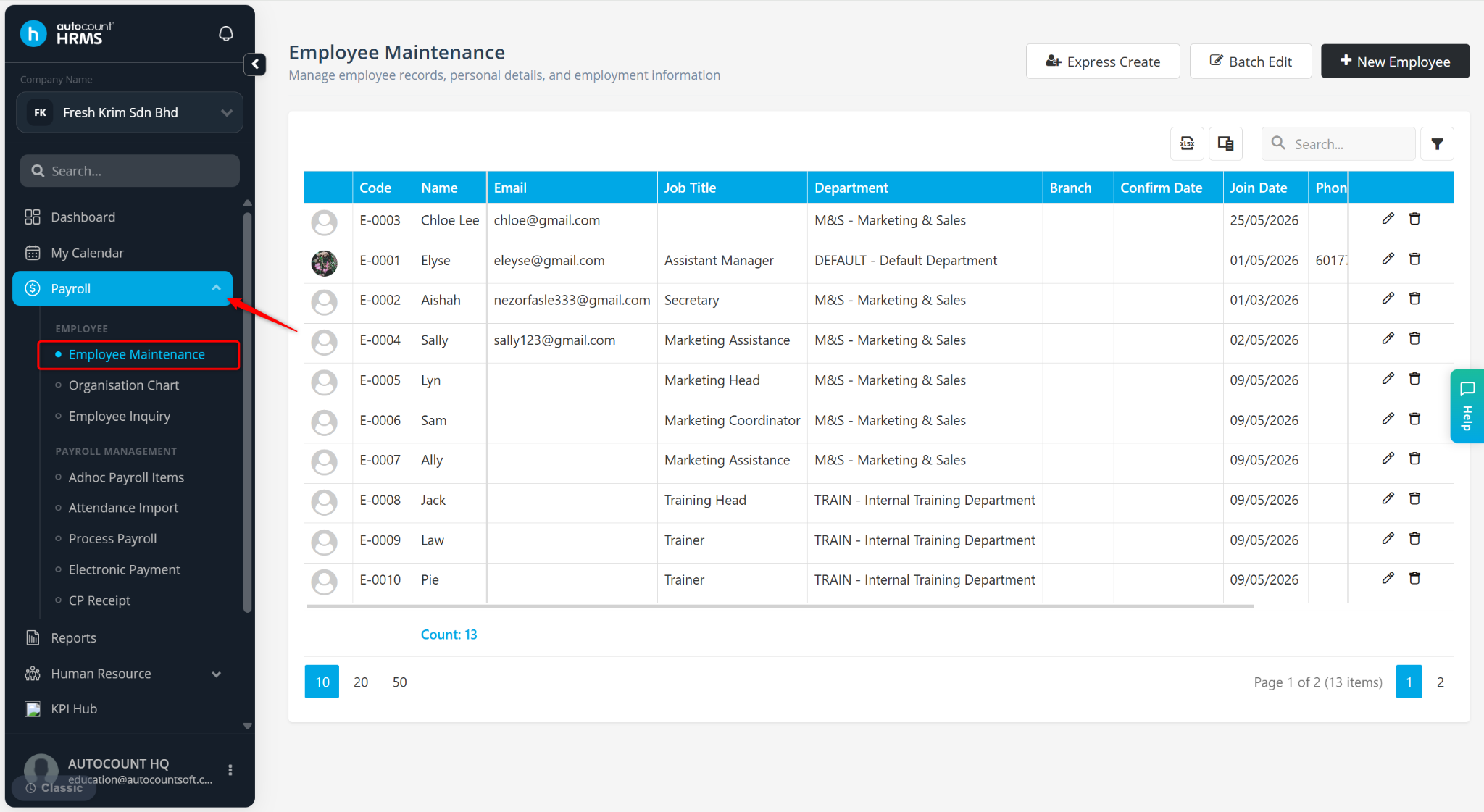
Go to Payroll > Employee Maintenance.
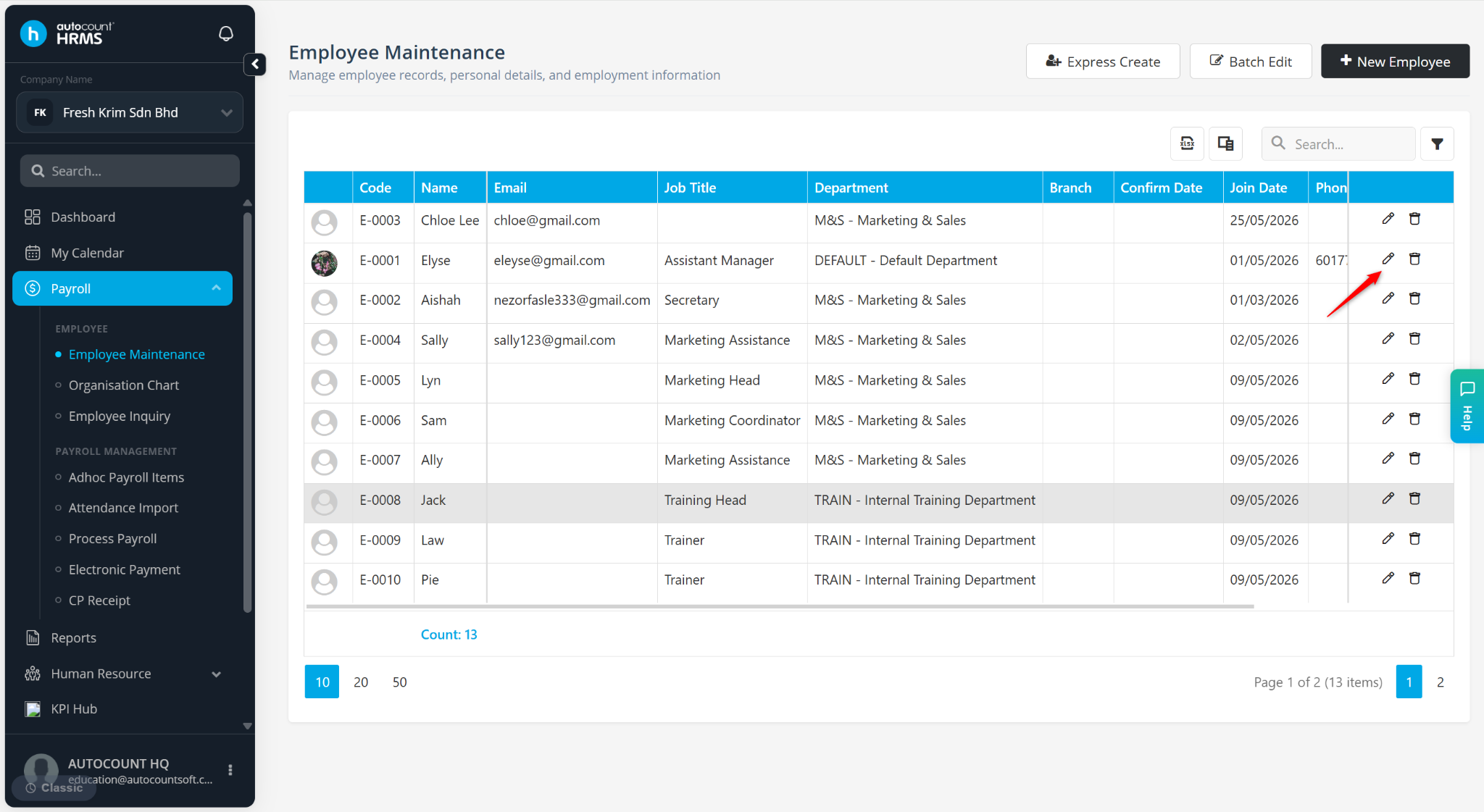
Locate the employee and click the pencil icon next to the employee.
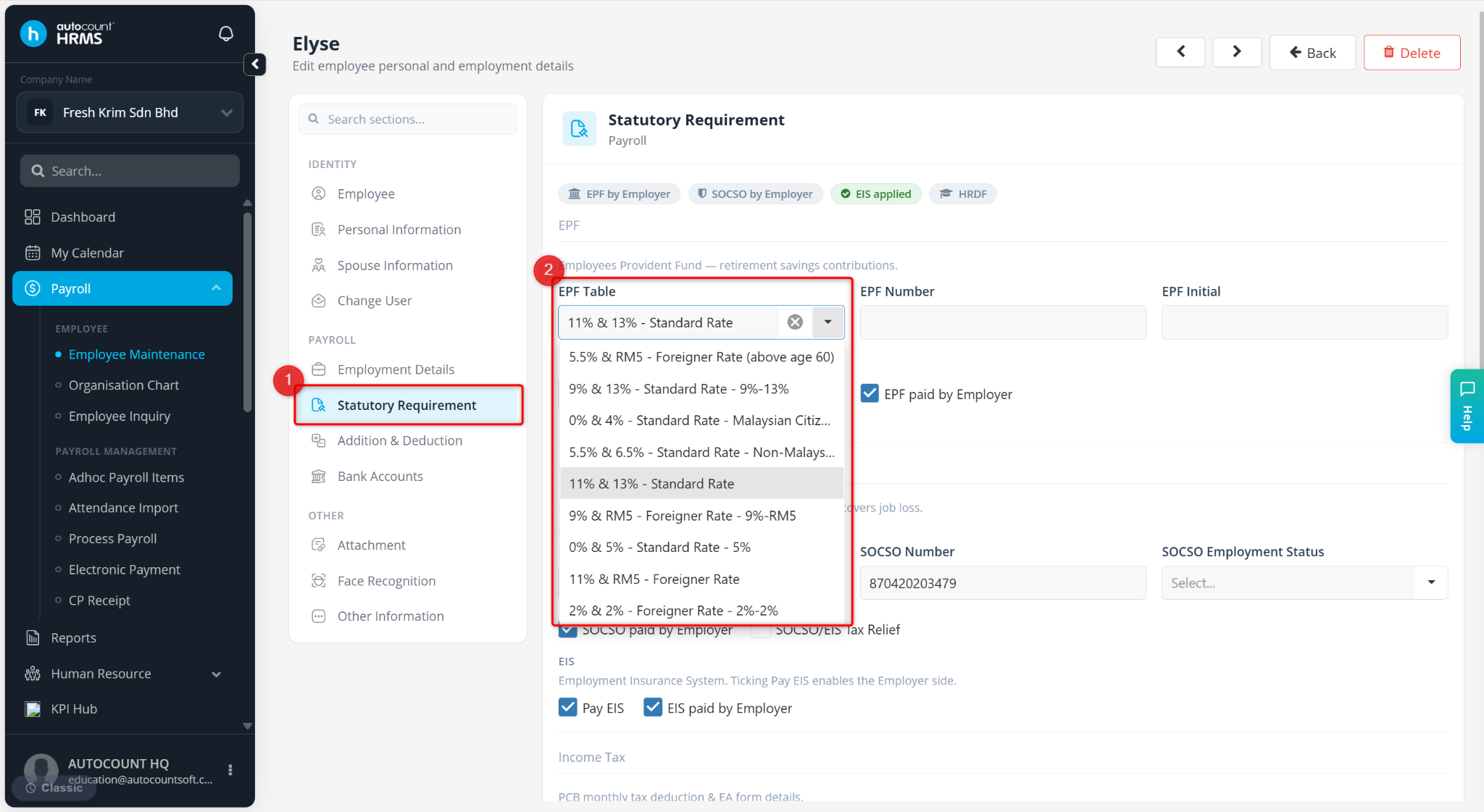
Select the appropriate EPF Rate from the dropdown list under the EPF Table field.
Click Save changes to apply.