The Levy feature is used to define and maintain statutory charges, taxes, or fees imposed on employees or employers, such as foreign worker levies and other regulatory contributions. These amounts are included automatically during payroll processing based on company and statutory requirements.
Steps to Create a New Levy:
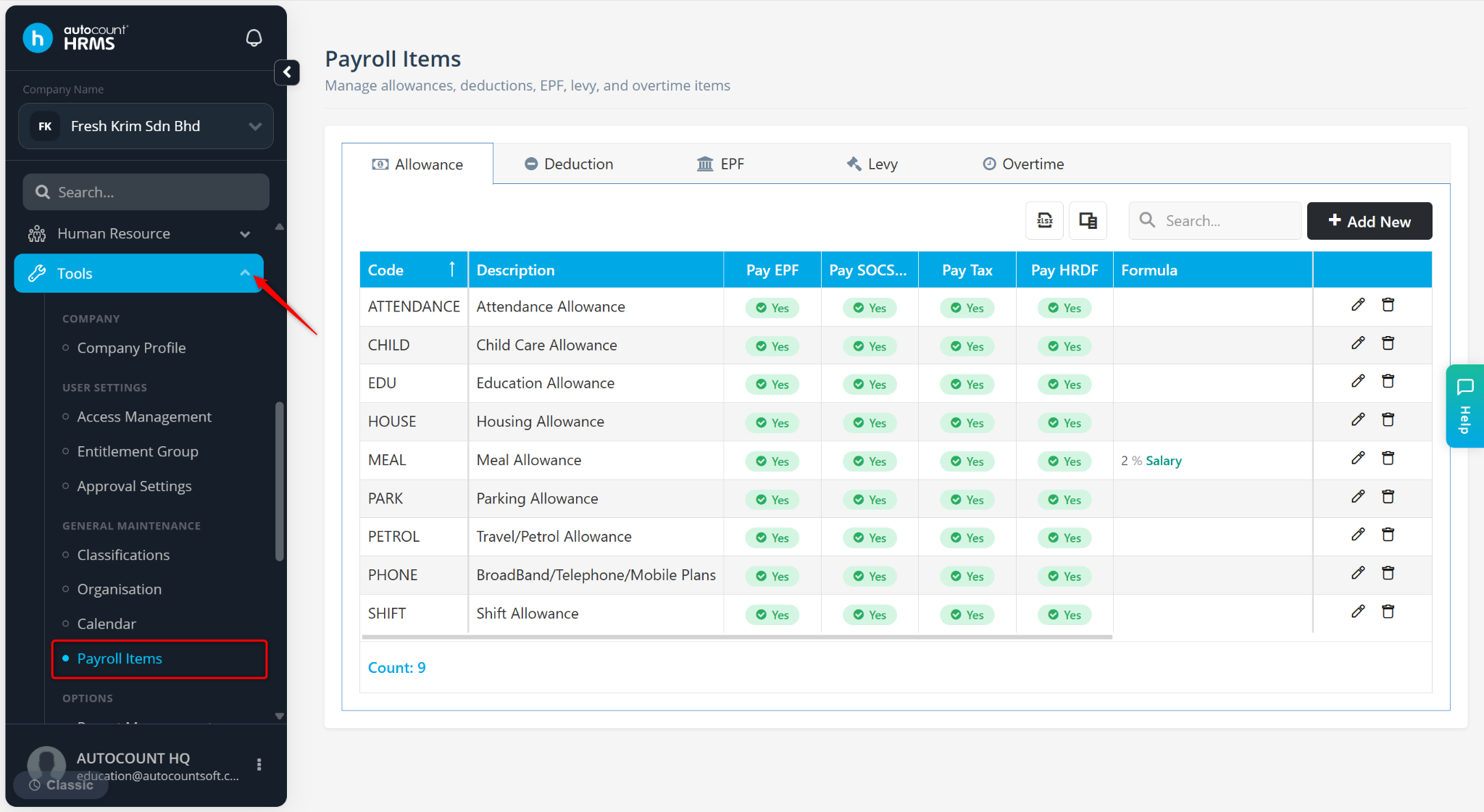
Go to Tools > Payroll Items.
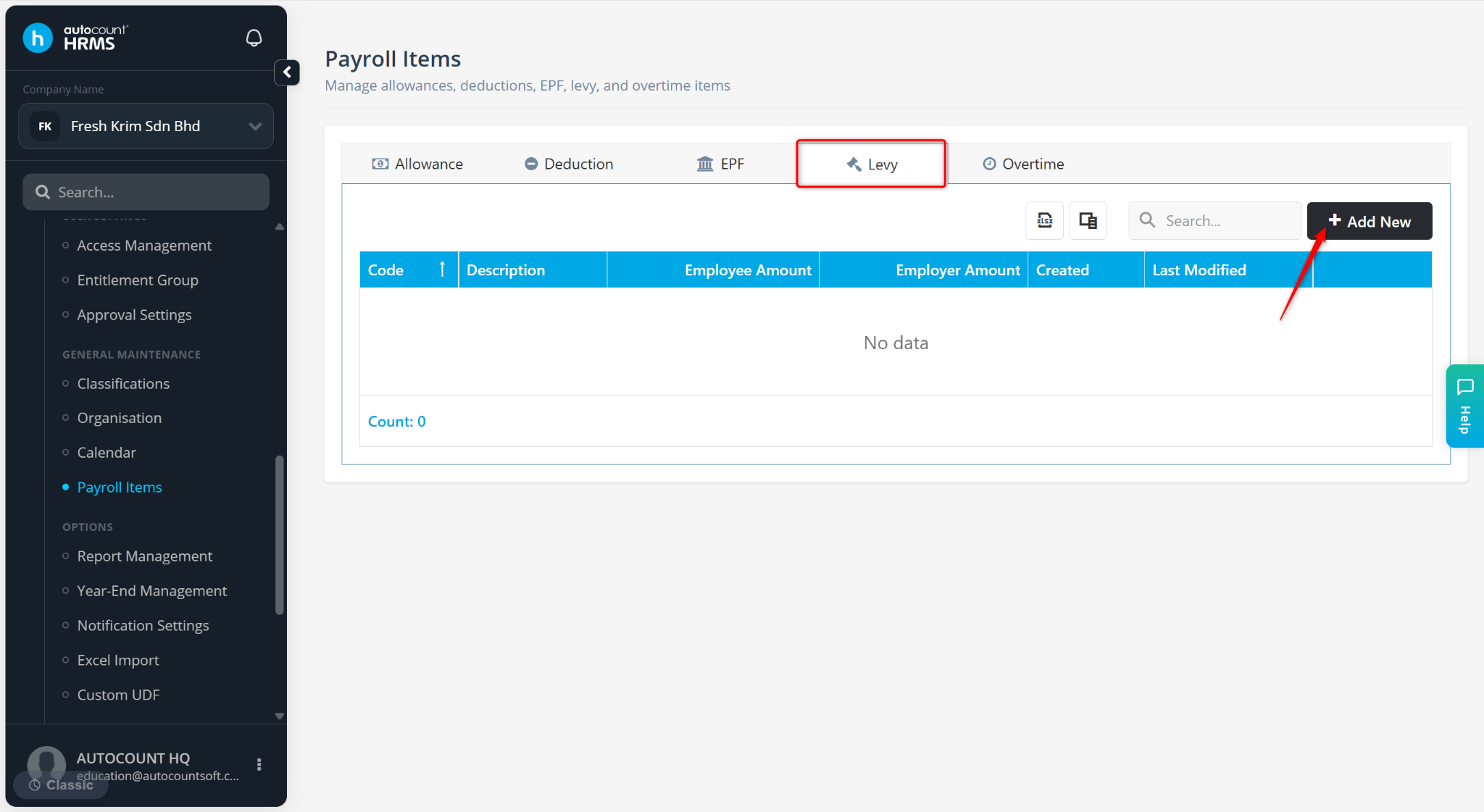
Go to the Levy tab.
Click Add New.
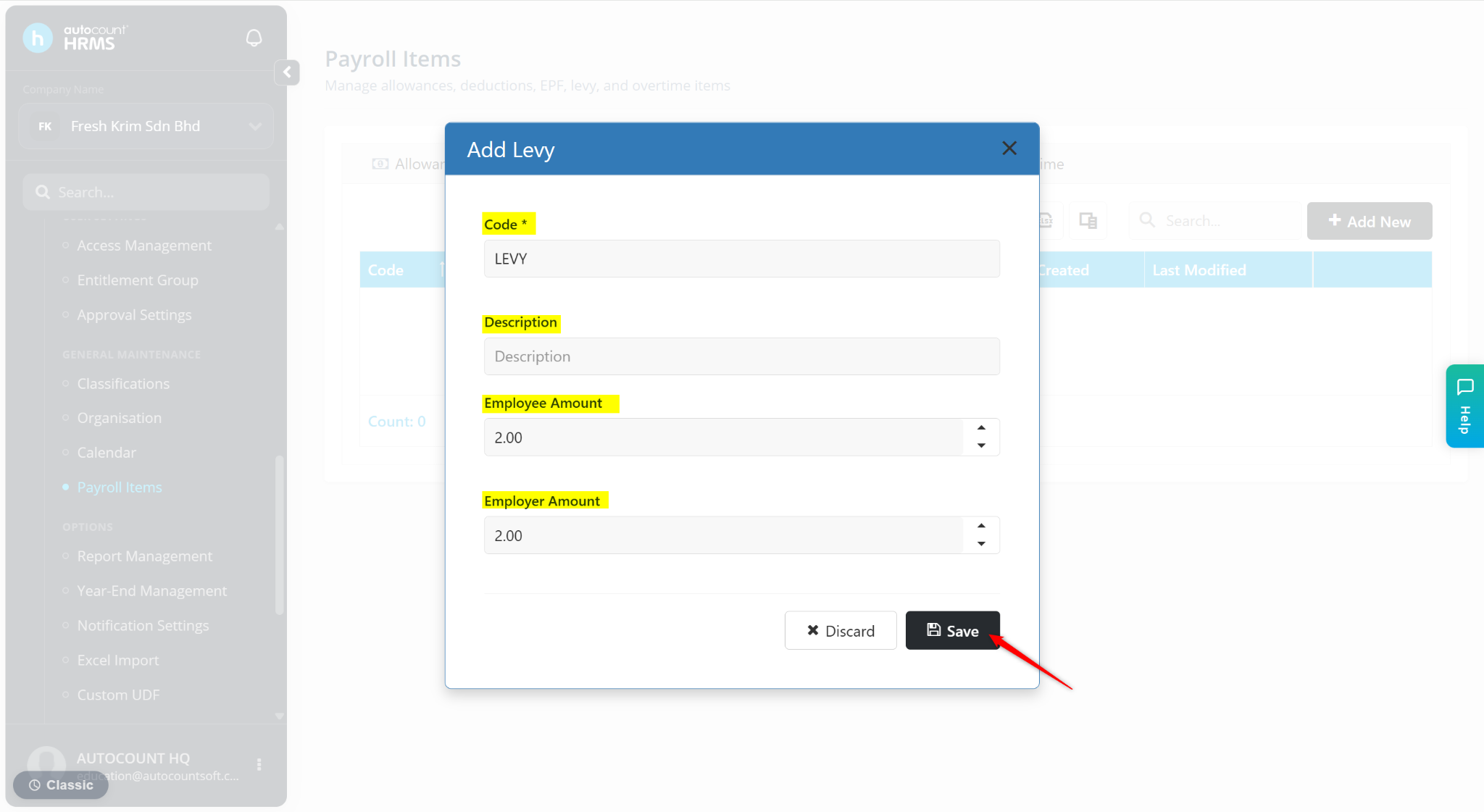
Enter the Code, Description, Employee Amount and Employer Amount.
Click Save.
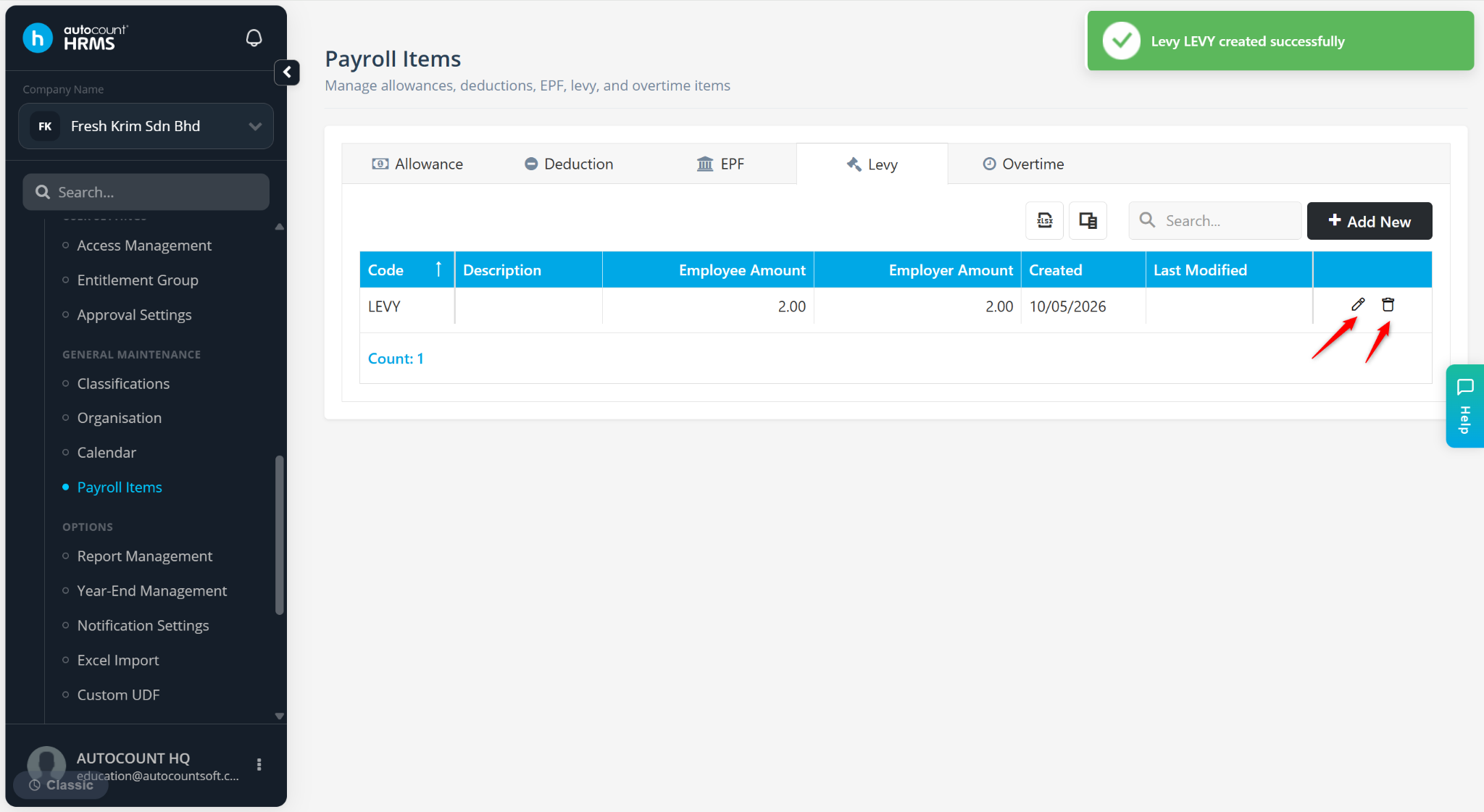
The levy will be created and available for payroll processing.
Use the pencil icon to edit the allowance.
Use the trash bin icon to delete the allowance.