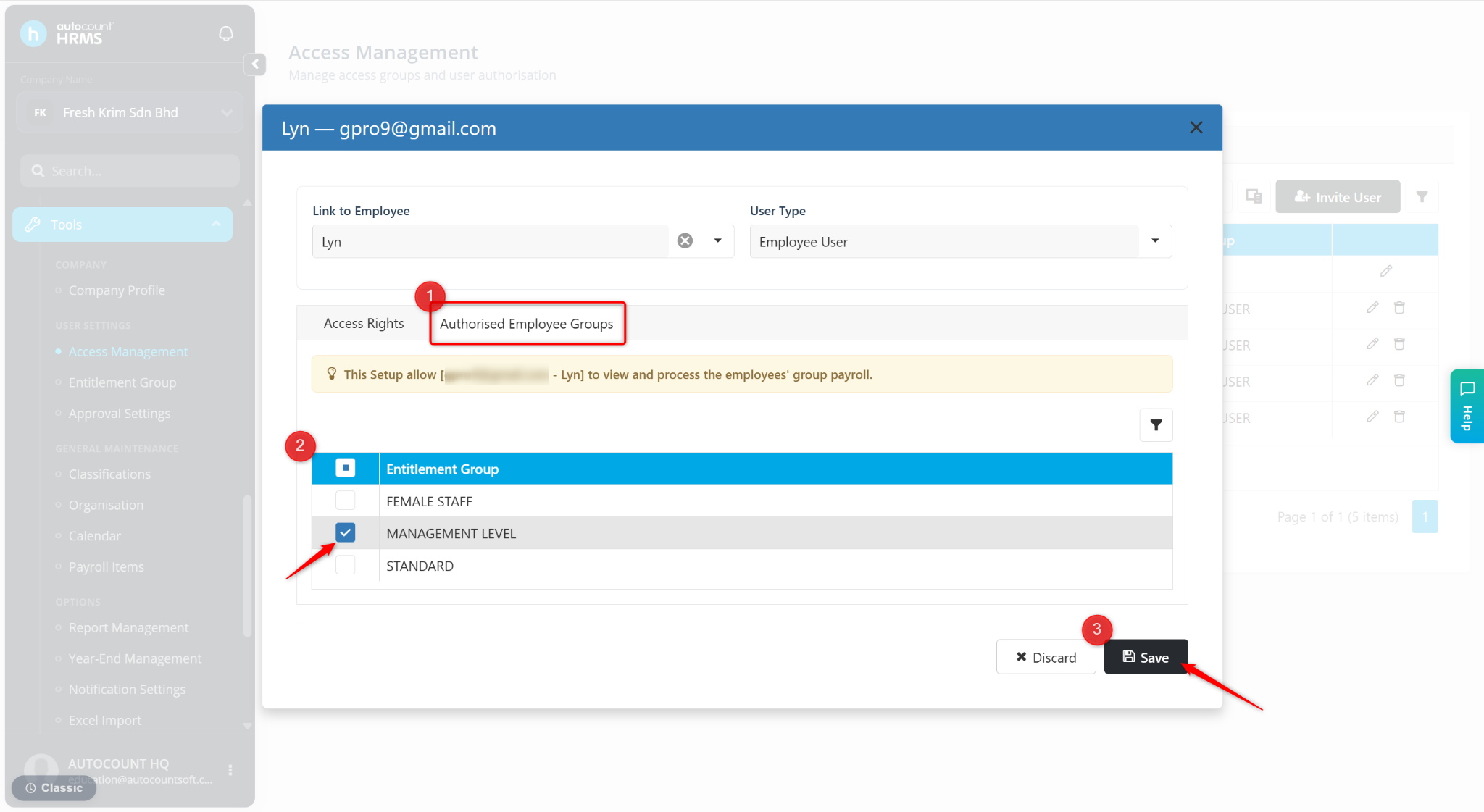
You can restrict users from viewing all employees by assigning them access only to specific Employee Groups. Once configured, the user will only be able to view employees belonging to the authorised groups.
Steps to Restrict Employee Visibility by Employee Group:
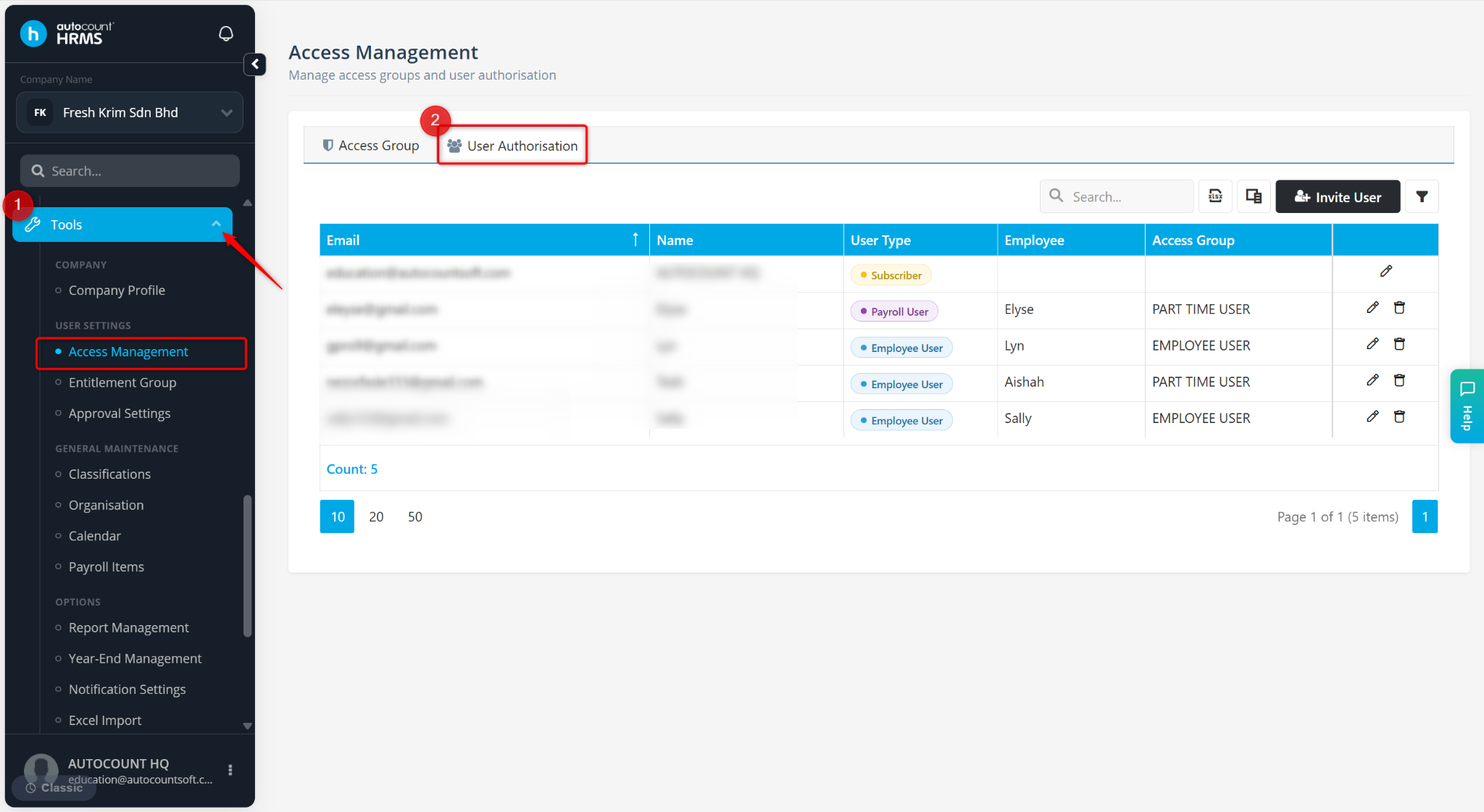
Go to Tools > Access Management.
Go to User Authorisation.
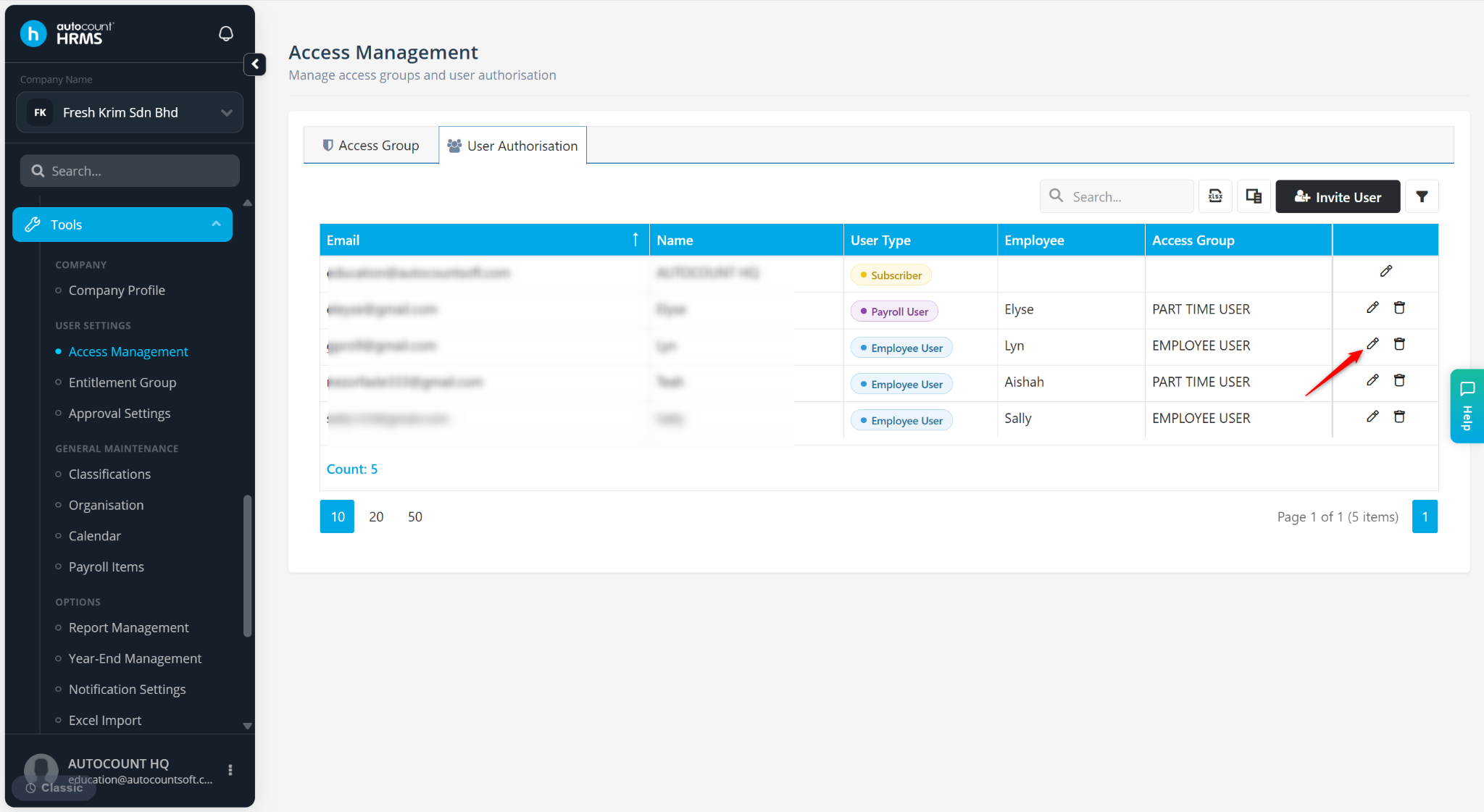
Locate the user and click the pencil icon.
Go to the Authorised Employee Groups tab, tick the Entitlement Group and click Save.