If you start using AutoCount Cloud Payroll in the middle of the year, you should import your employees' previous payroll data using the YTD PRTrans template. This ensures statutory calculations, such as PCB (Monthly Tax Deduction), are calculated accurately for the remaining payroll periods of the year.
Steps to Upload Year-To-Date Payroll Transactions:
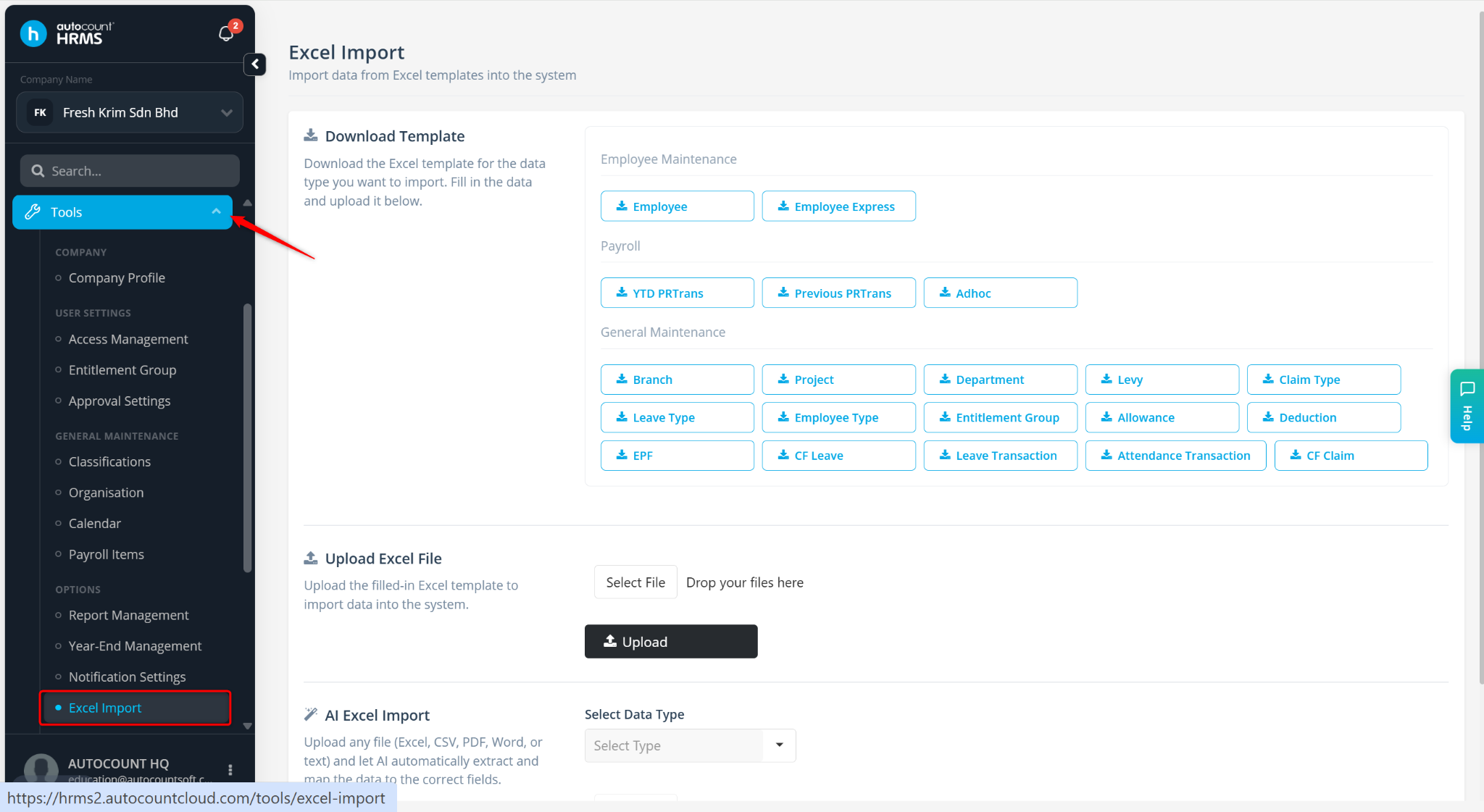
Go to Tools > Excel Import.
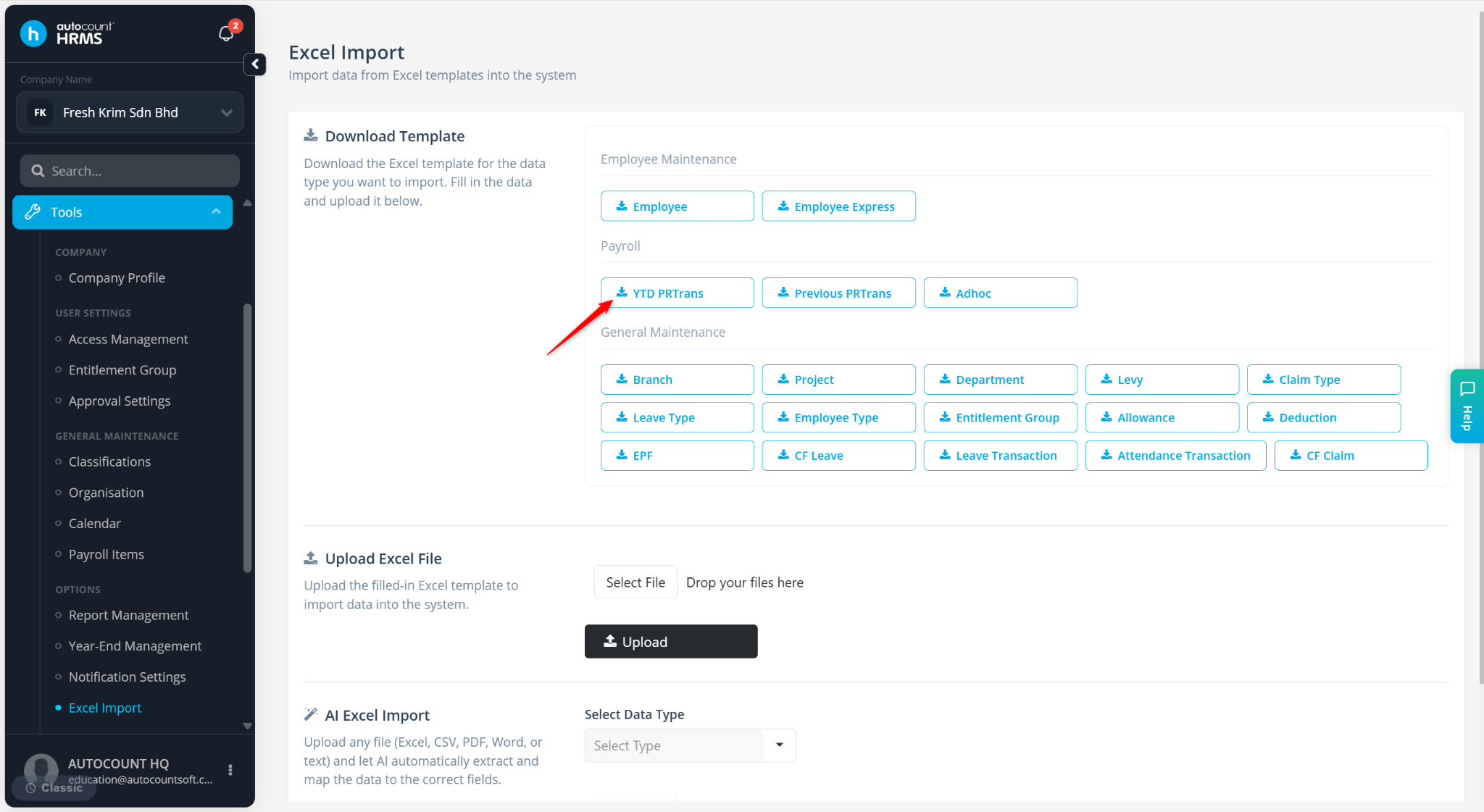
Click YTD PRTrans to download the template.
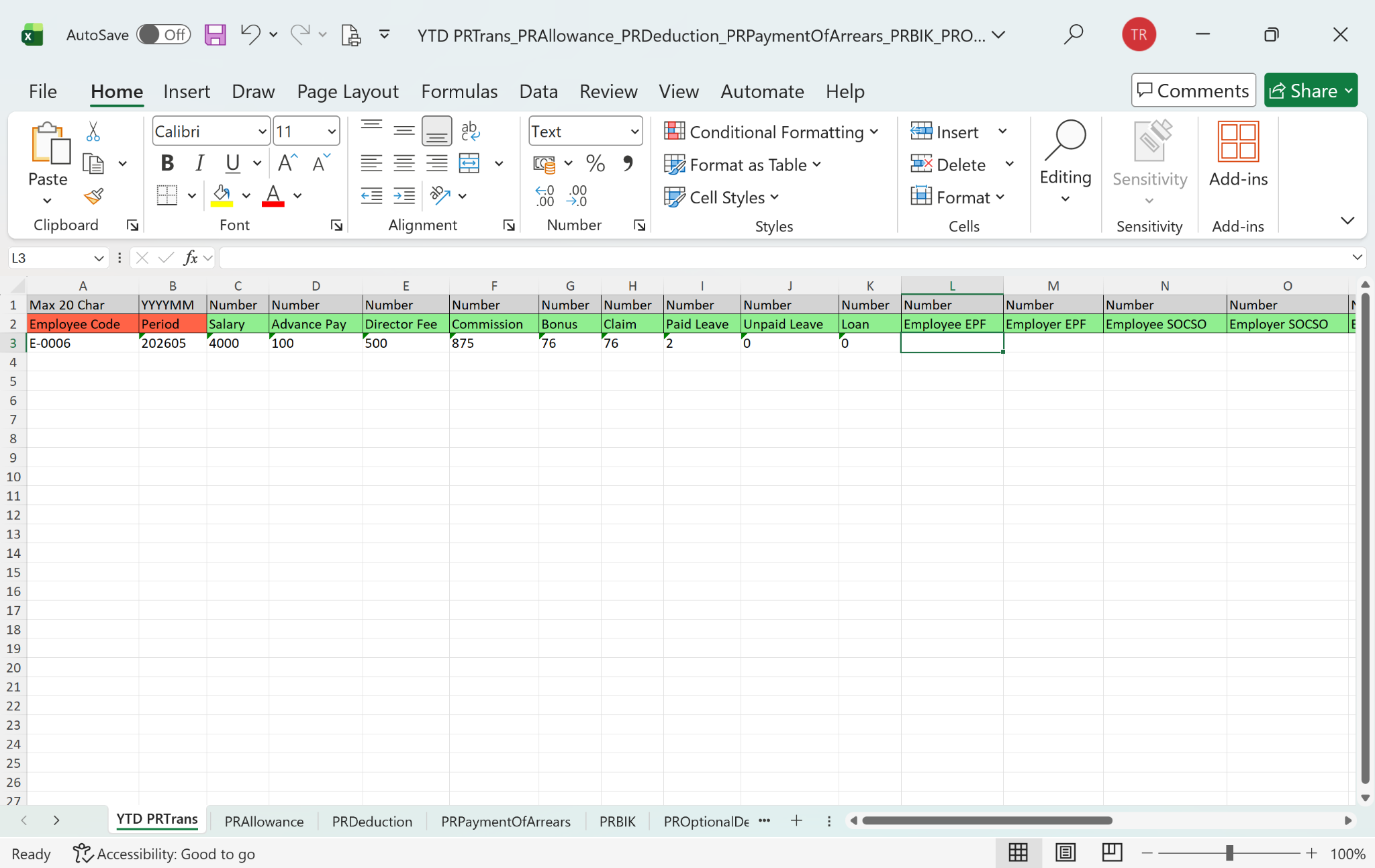
Open the Excel file and fill in the required information:
Red fields are mandatory.
Green fields are optional.
Save the completed file.
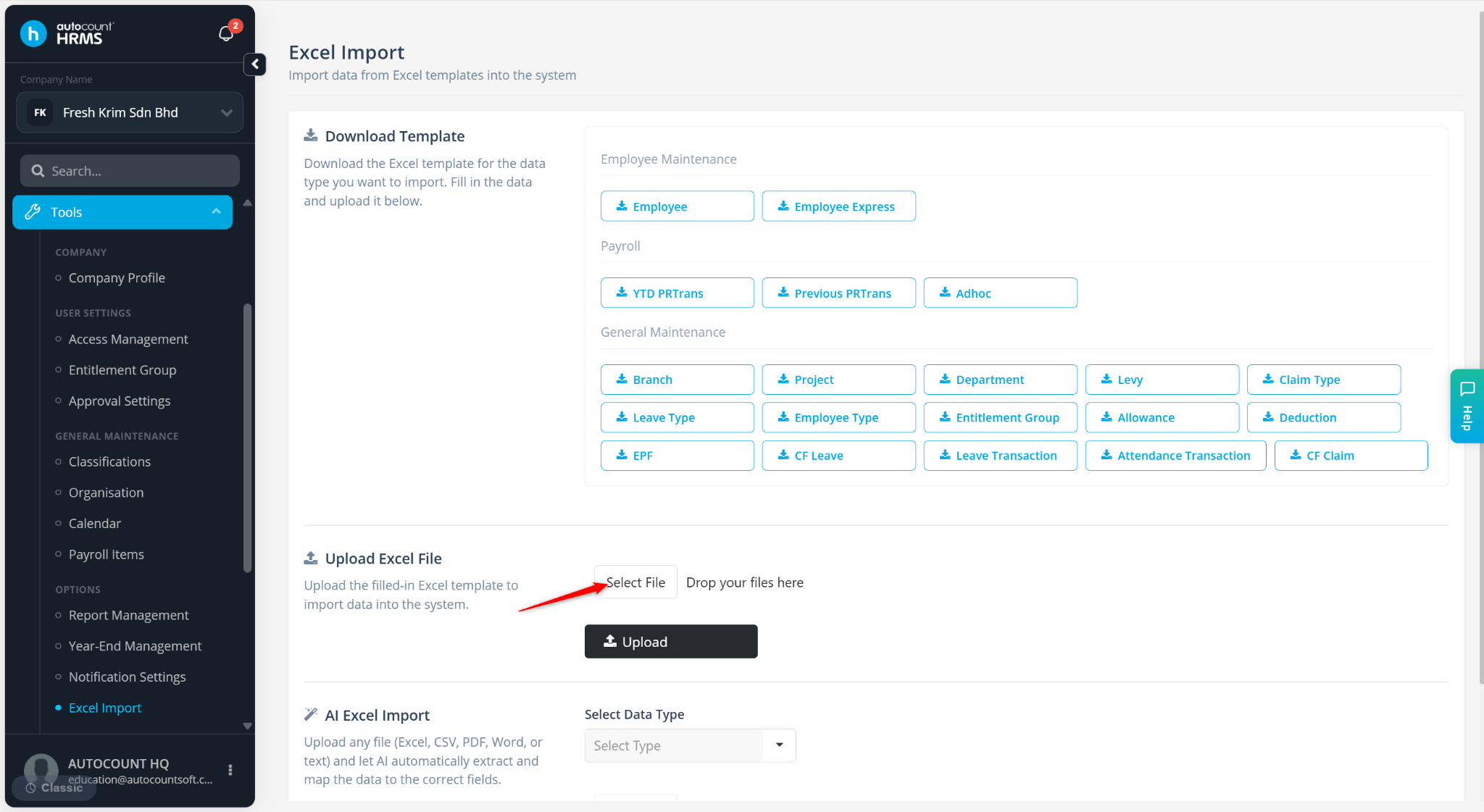
Return to the Excel Import page and click Select File.
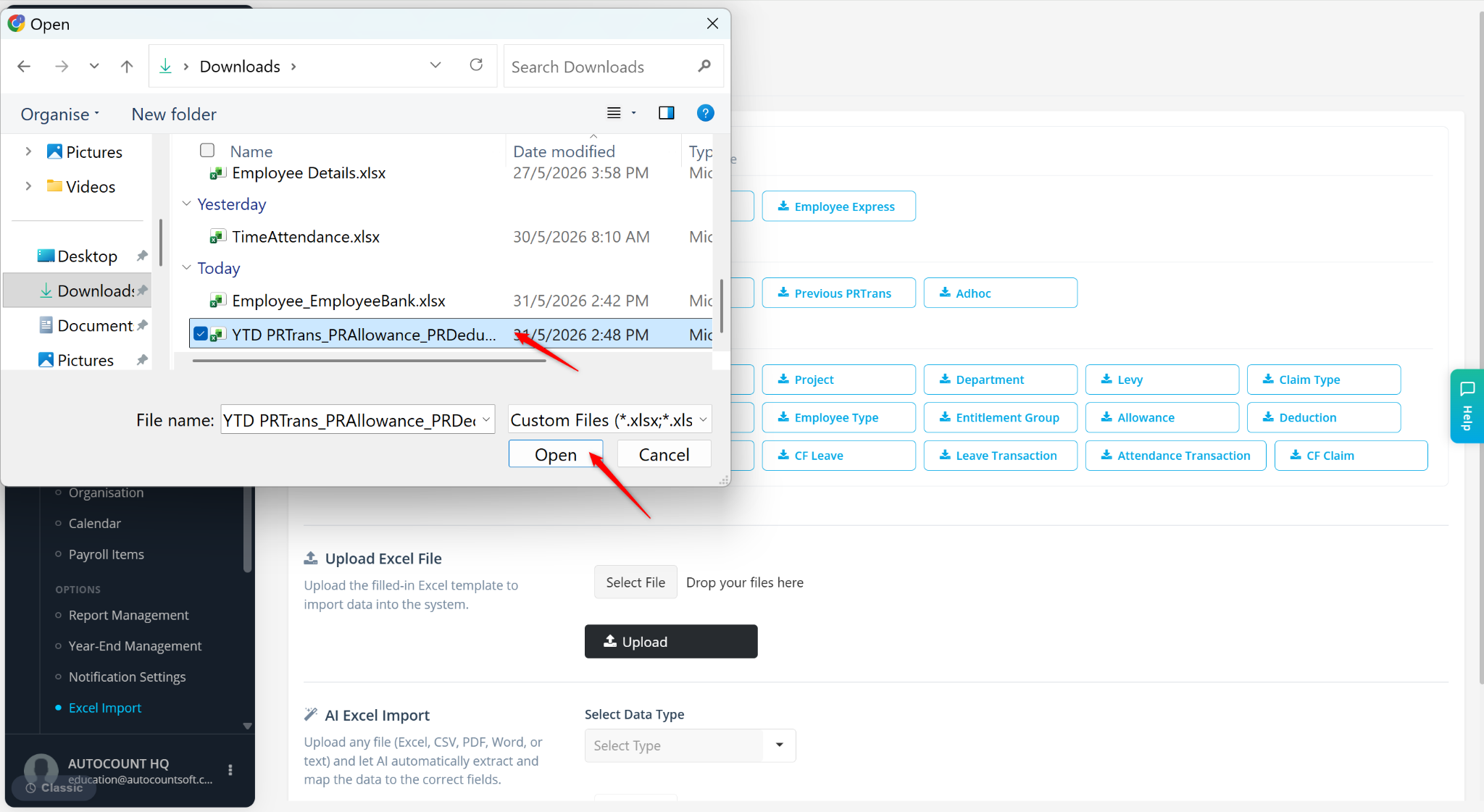
Select the updated YTD PRTrans file and click Open.
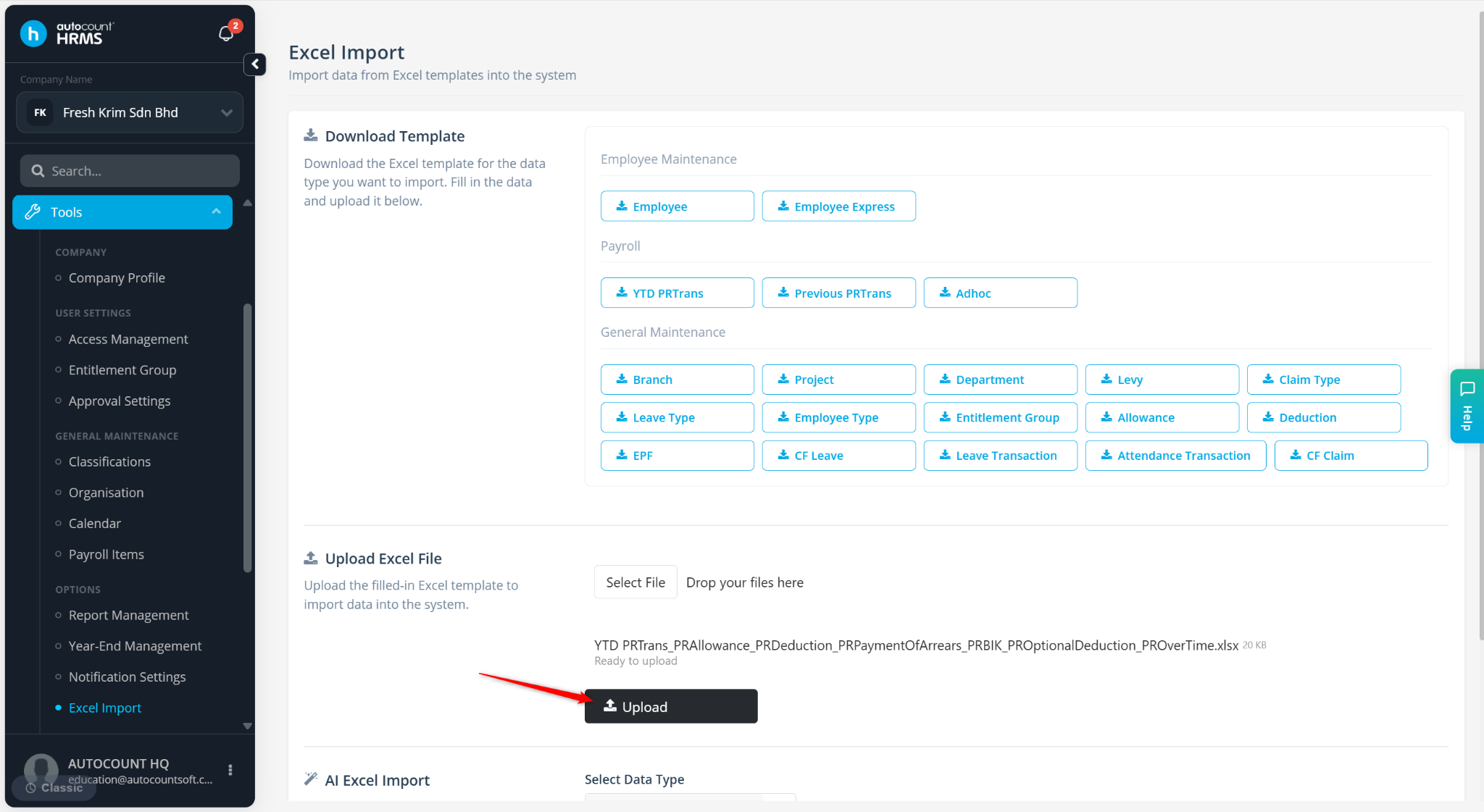
Click Upload.
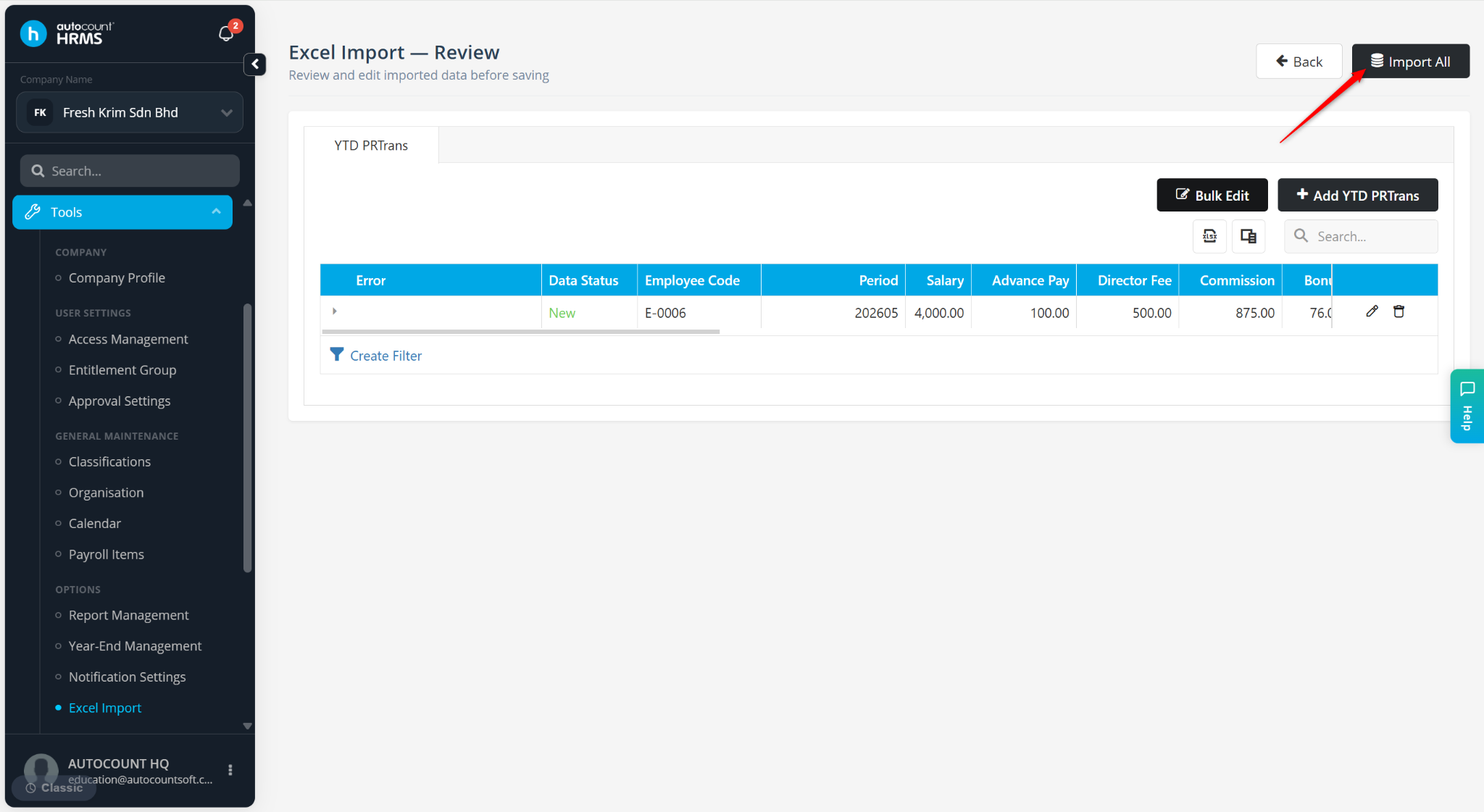
Review the imported data.
Click Import All to complete the process.