The Attachment feature allows users to upload and store employee-related documents in a central location. This helps maintain a complete employee record and simplifies document management.
Steps to Add an Employee Attachment:
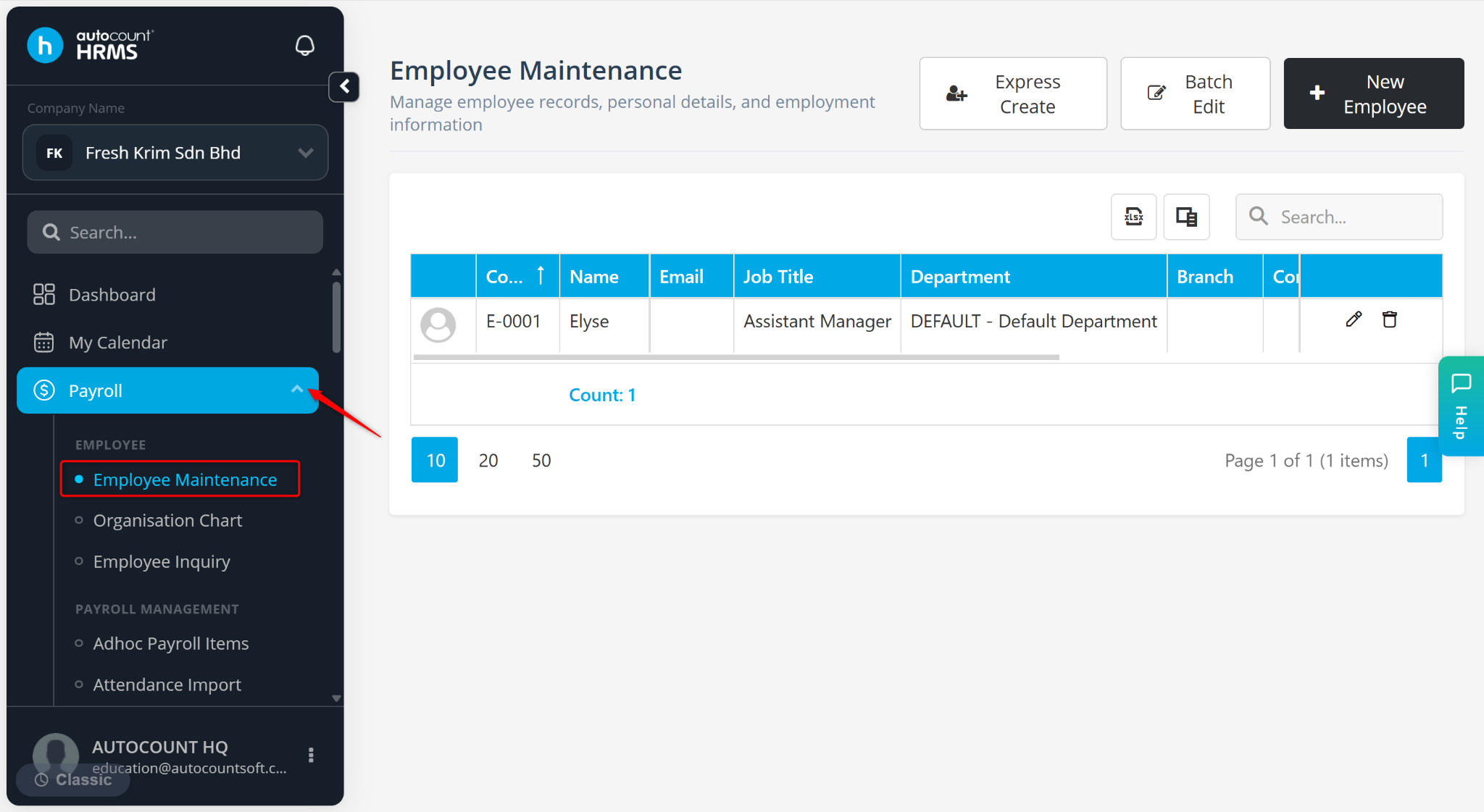
Go to Payroll > Employee Maintenance.
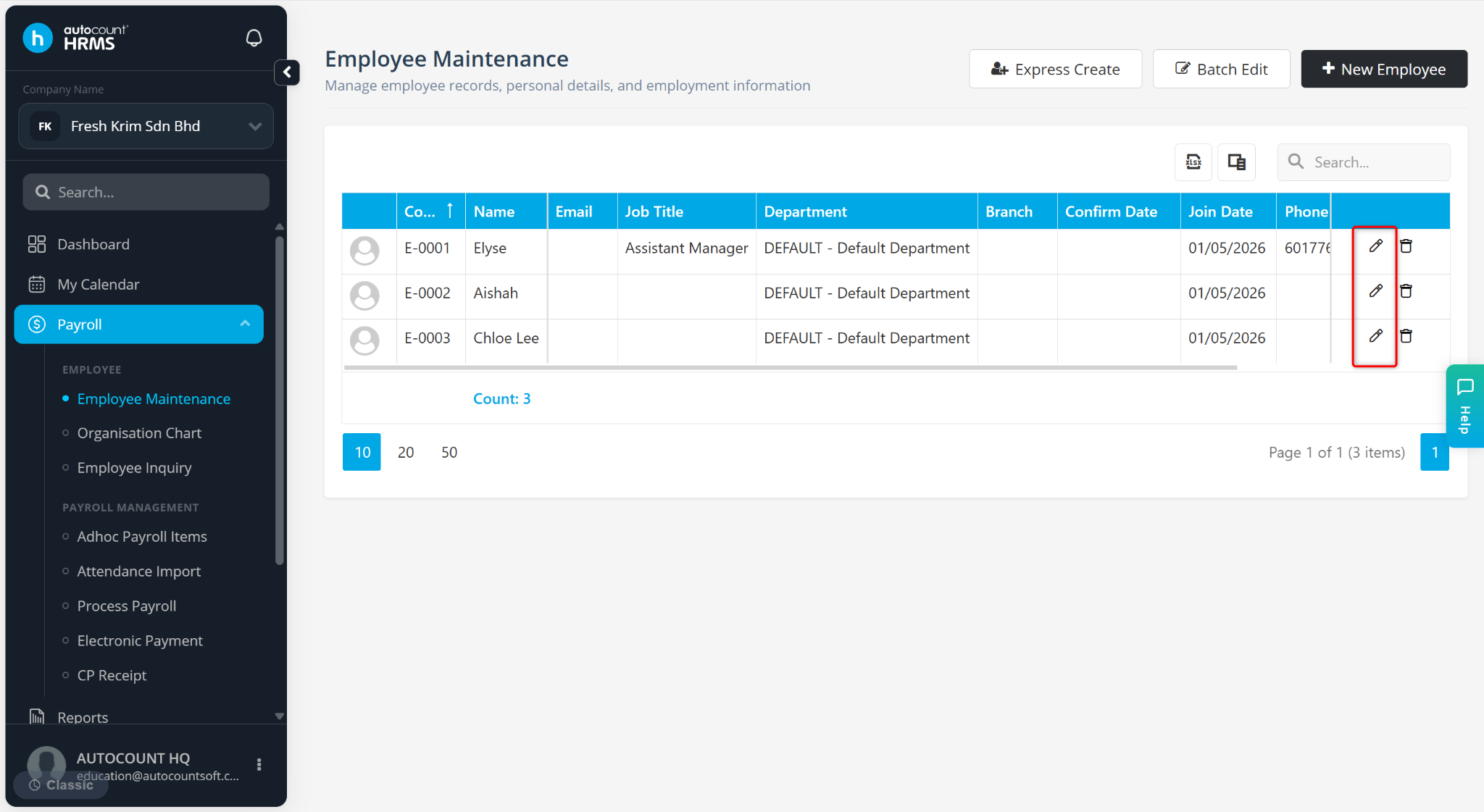
Click the pencil icon next to the employee’s name.
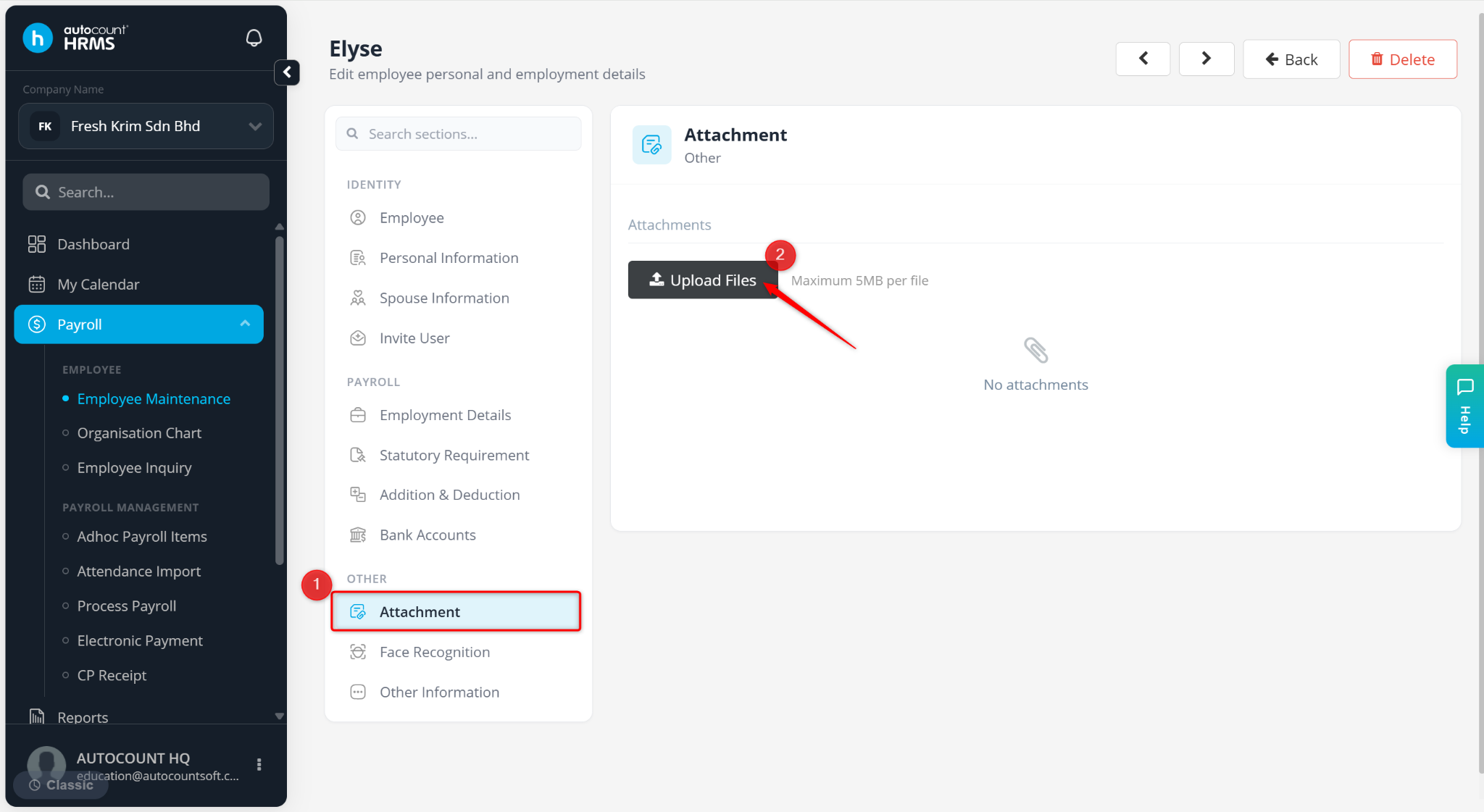
Go to the Attachment tab.
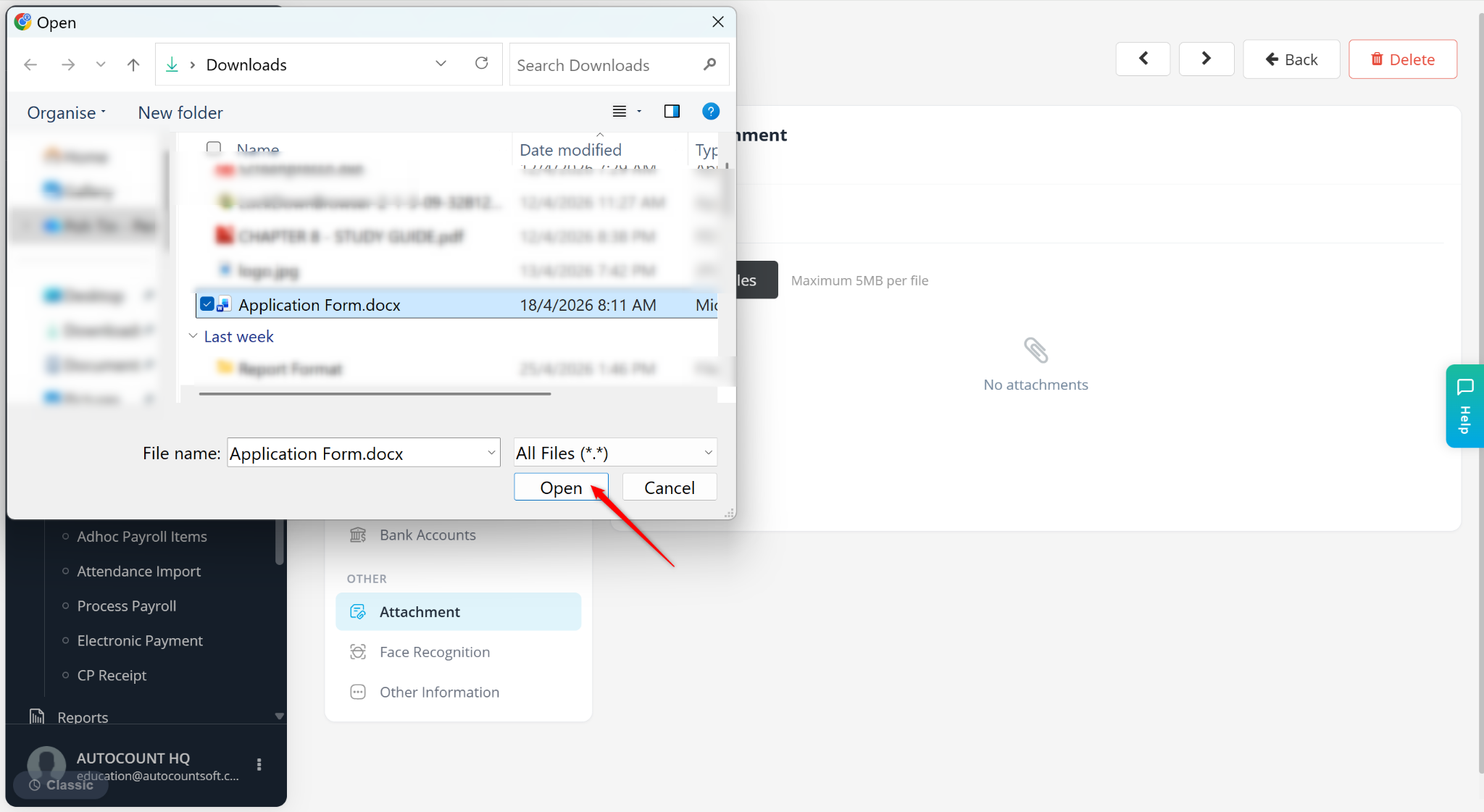
Click Upload Files.
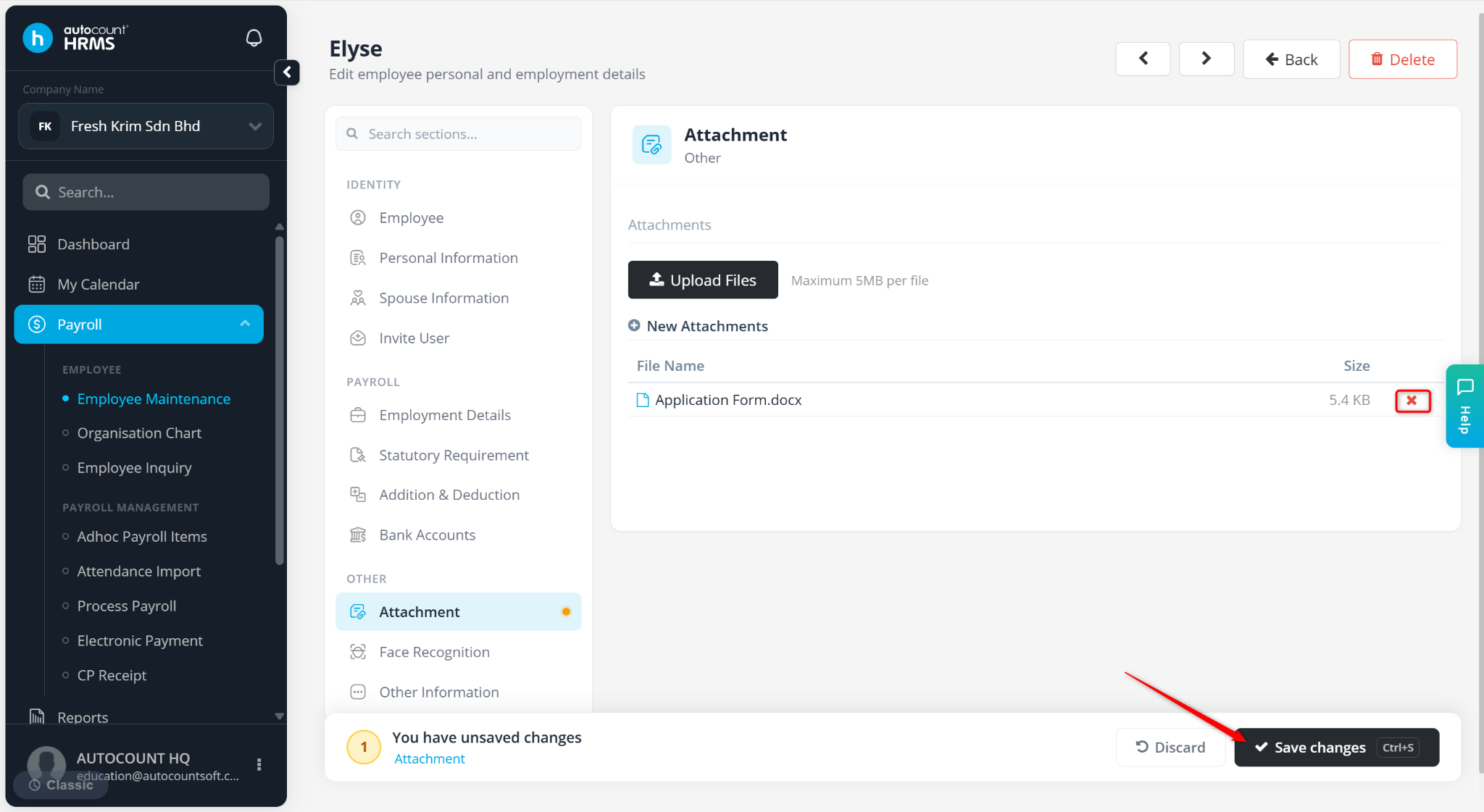
Select a file and click Open.
Click Save Changes.
ℹ️ Tip: Click on the cross icon next to the file to remove the uploaded document.