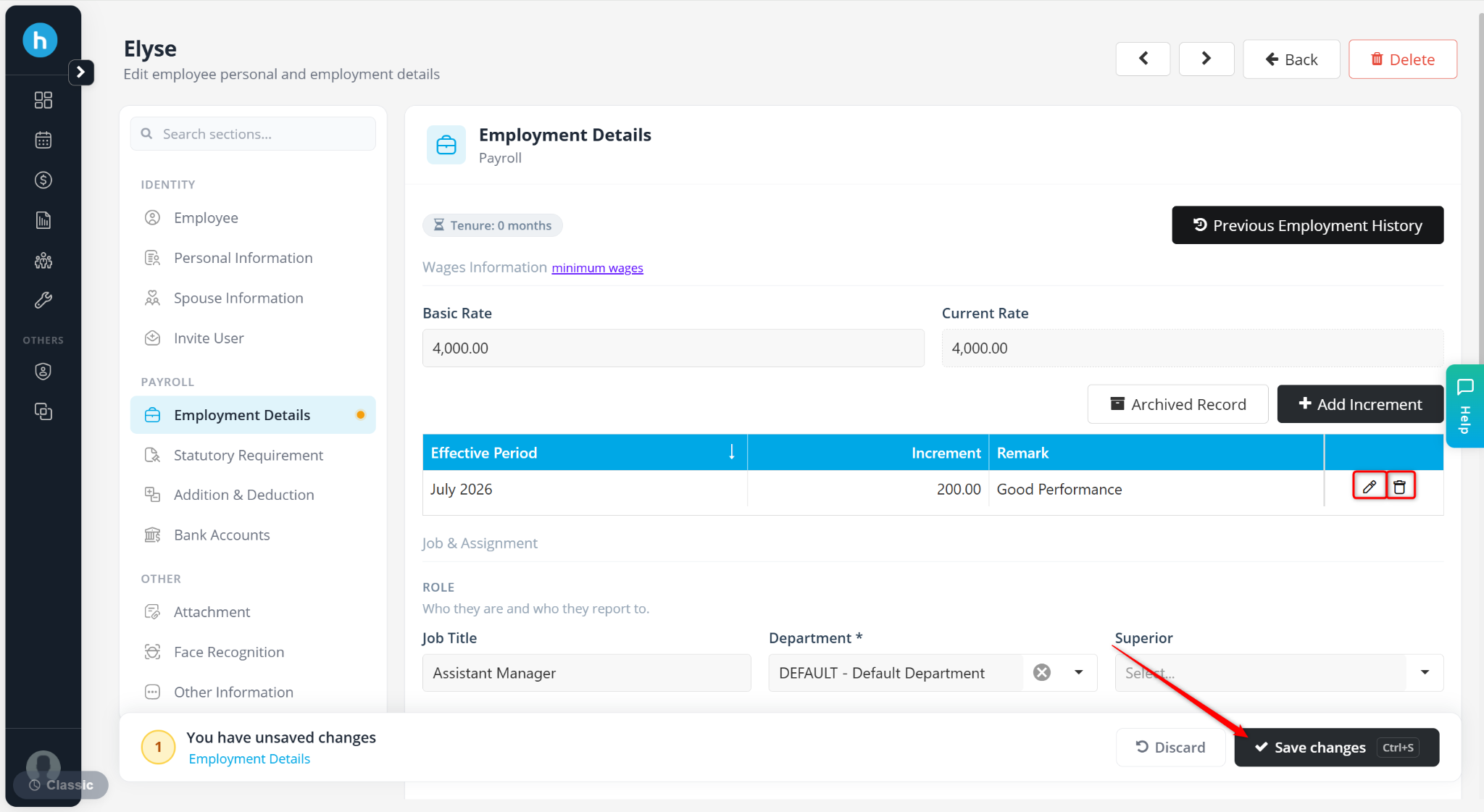
The Increment feature allows users to record employee salary increases while maintaining a history of salary adjustments. Instead of directly changing the employee's salary, increments are recorded with an effective date, enabling the system to automatically update the employee's Current Rate when the increment takes effect.
Steps to Maintain Default Overtime Settings:
Go to Payroll > Employee Maintenance.
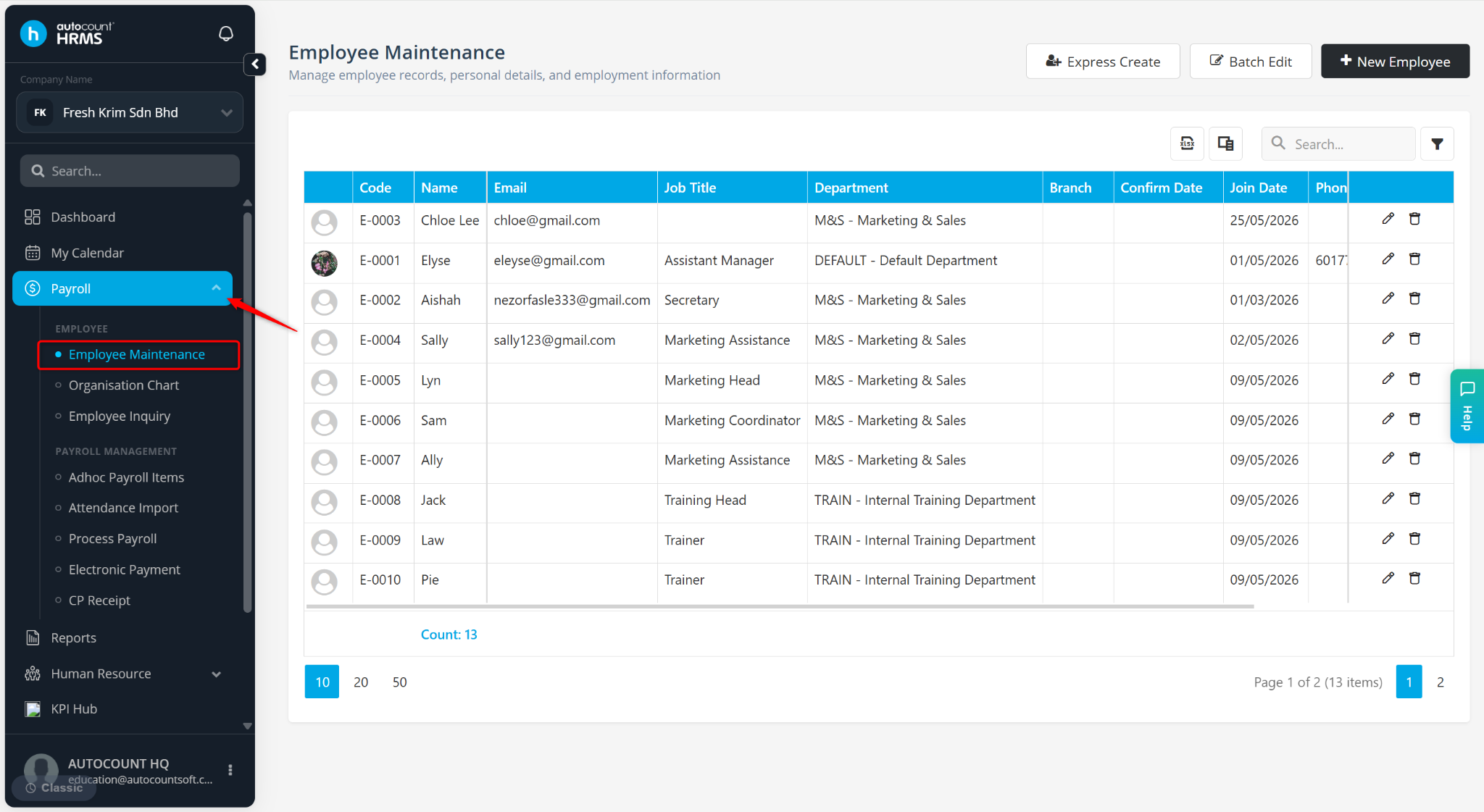
Locate the employee and click the pencil icon next to the employee.
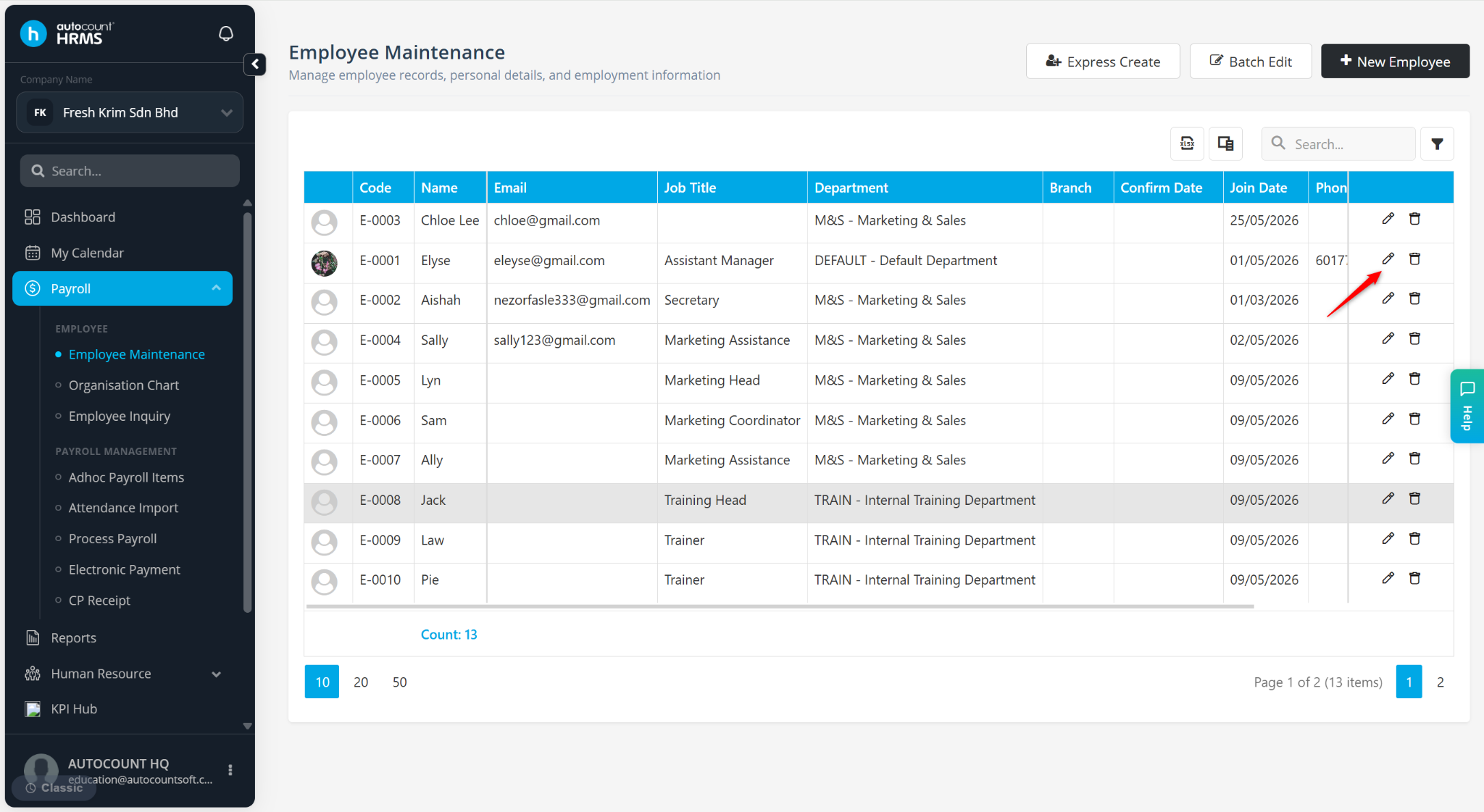
Go to Employment Details.
Click Add Increment.
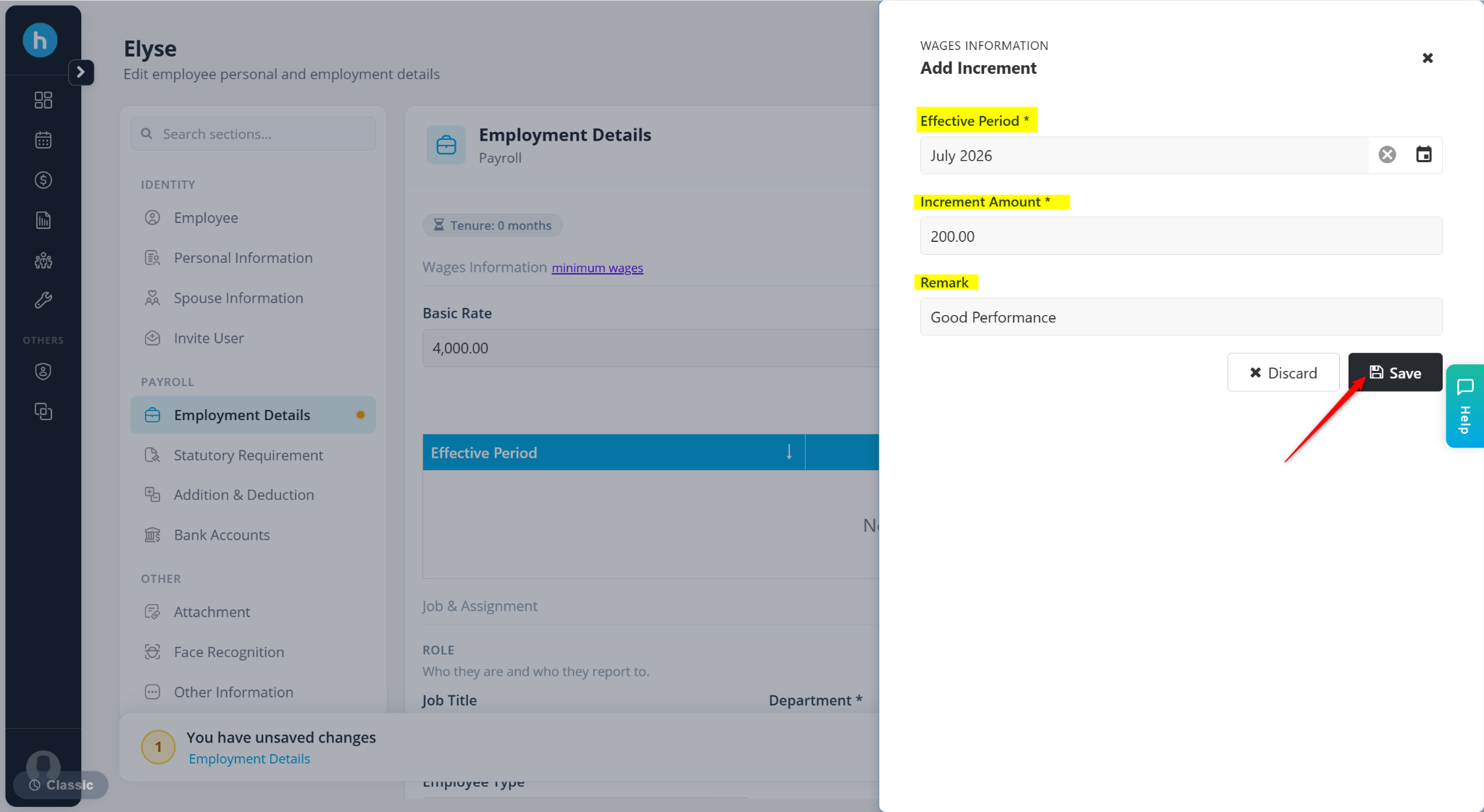
Enter the details:
Effective Period – Select the starting month of the new salary rate.
Increment Amount – Enter the salary increase amount.
Remark – Enter a short description for reference.
Click Save.
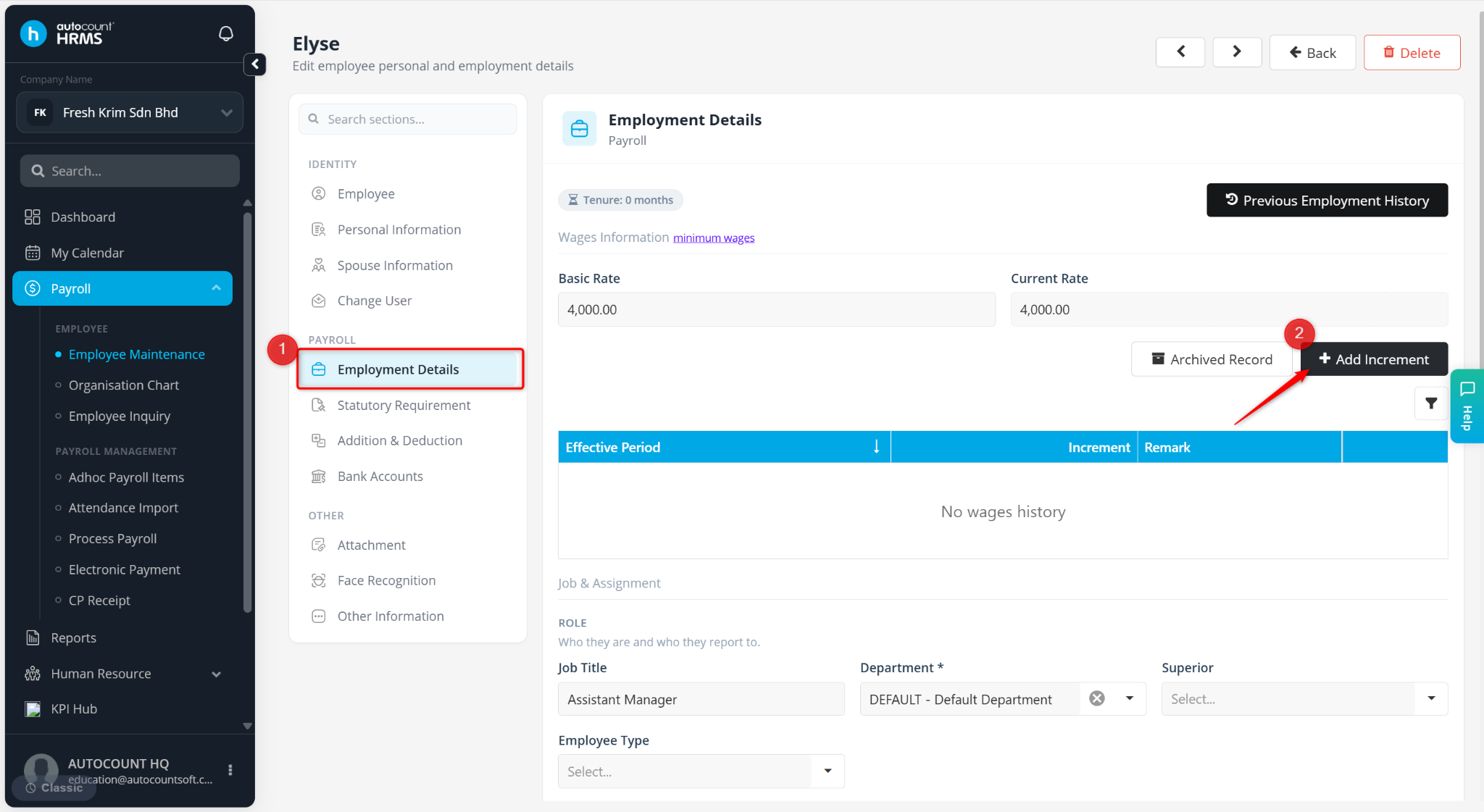
The employee's Current Rate will be updated automatically based on the effective period.
Click Save Changes to apply.
Use the pencil icon to edit an increment.
Use the trash bin icon to delete an increment, then click Yes to confirm deletion.