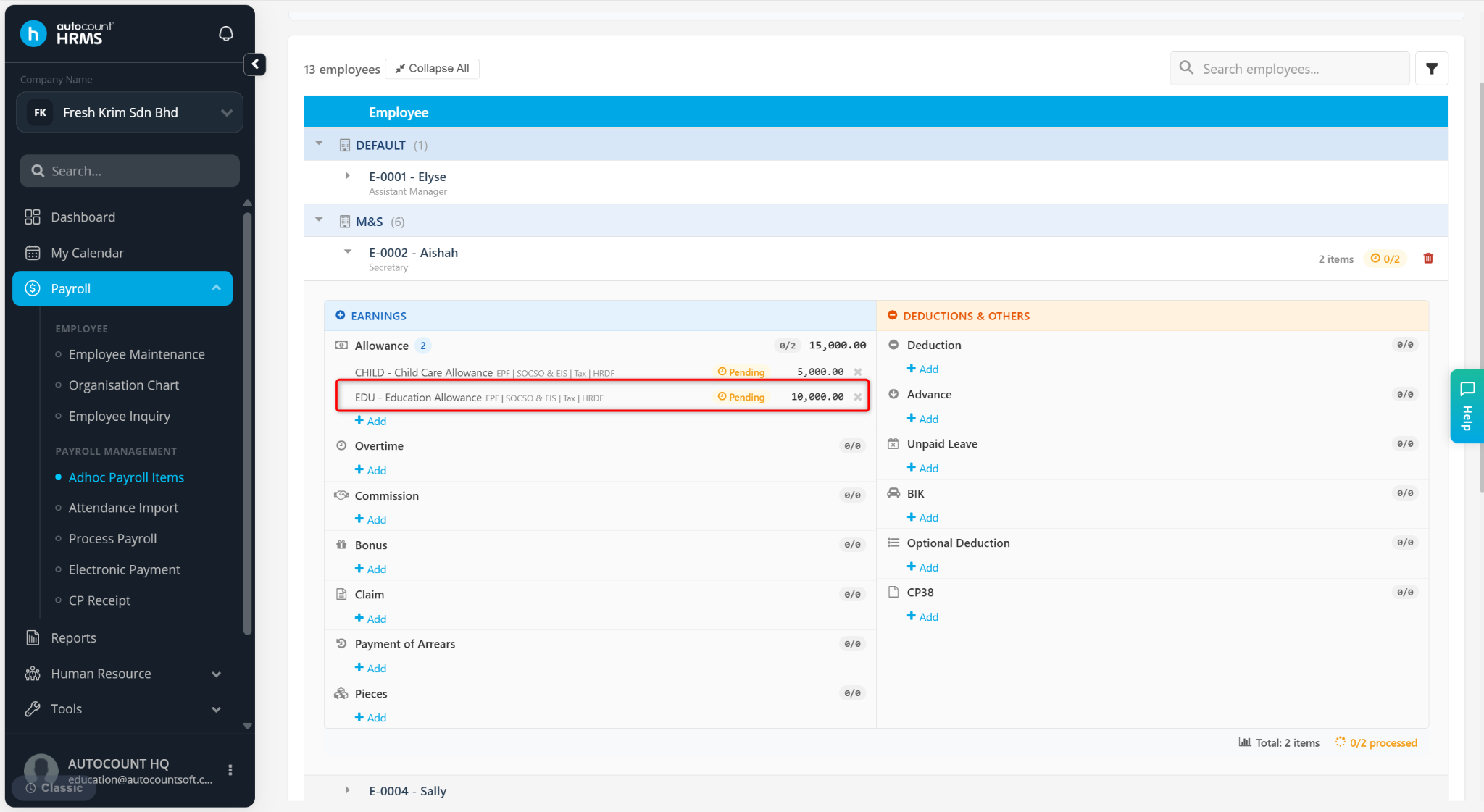
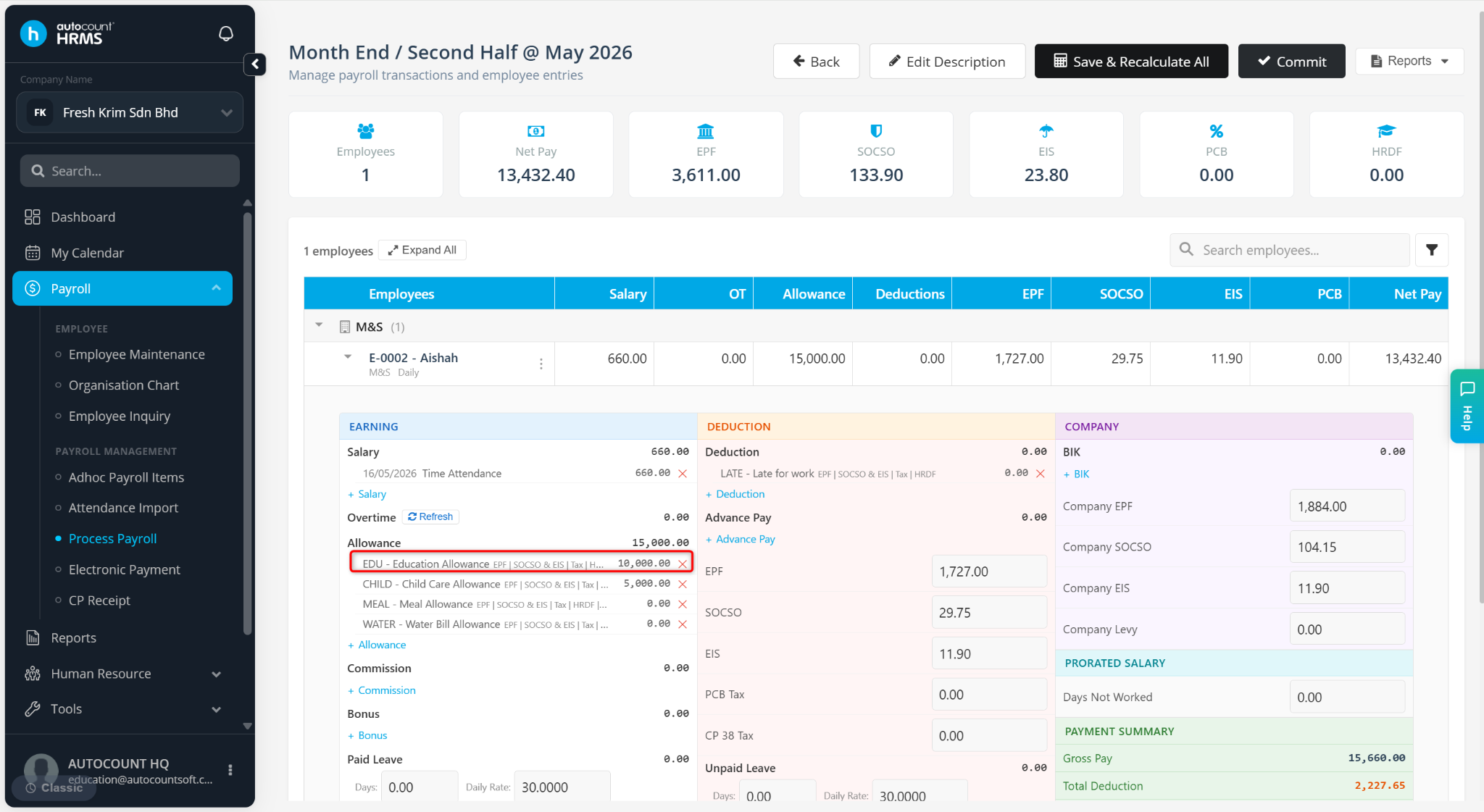
An Ad-hoc Payroll Item is used to record one-time or non-recurring payroll transactions that are not maintained as fixed payroll items in an employee's profile. These items are included in payroll processing for the selected payroll period only.
Common uses include additional payments, deductions, statutory adjustments, and special payroll transactions.
Steps to Add an Ad-hoc Payroll Item:
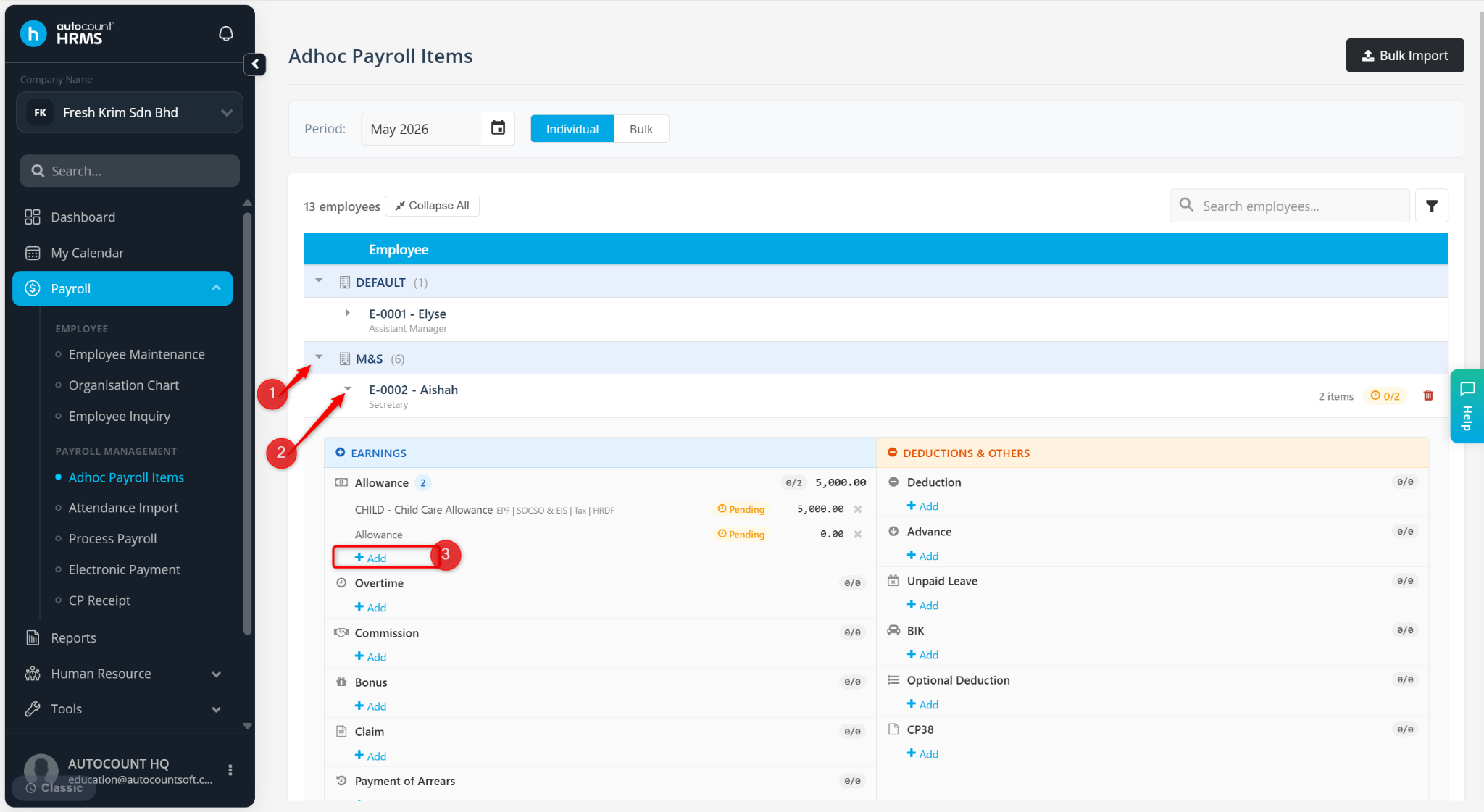
Go to Payroll > Ad-hoc Payroll Item.
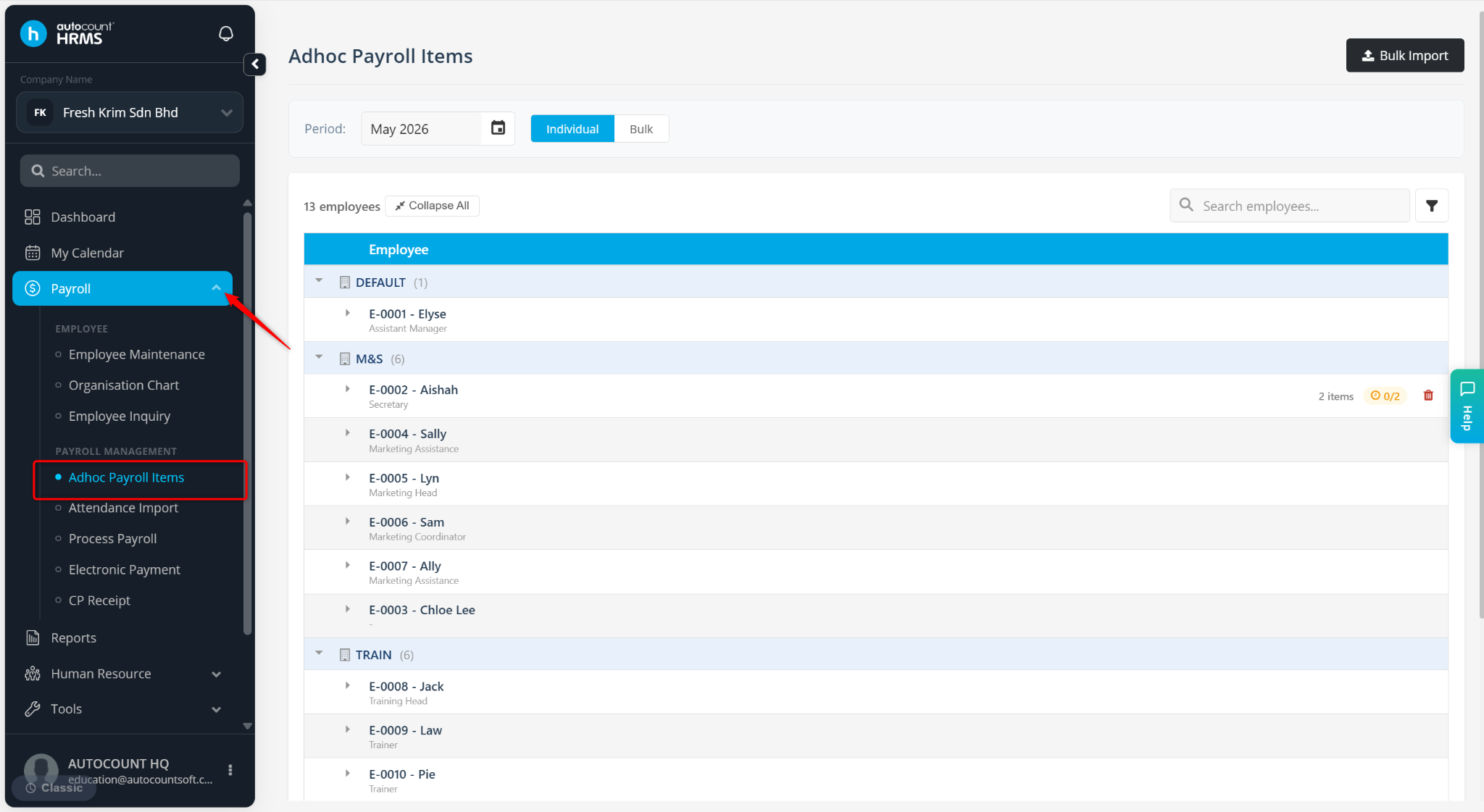
Select the Payroll Period.
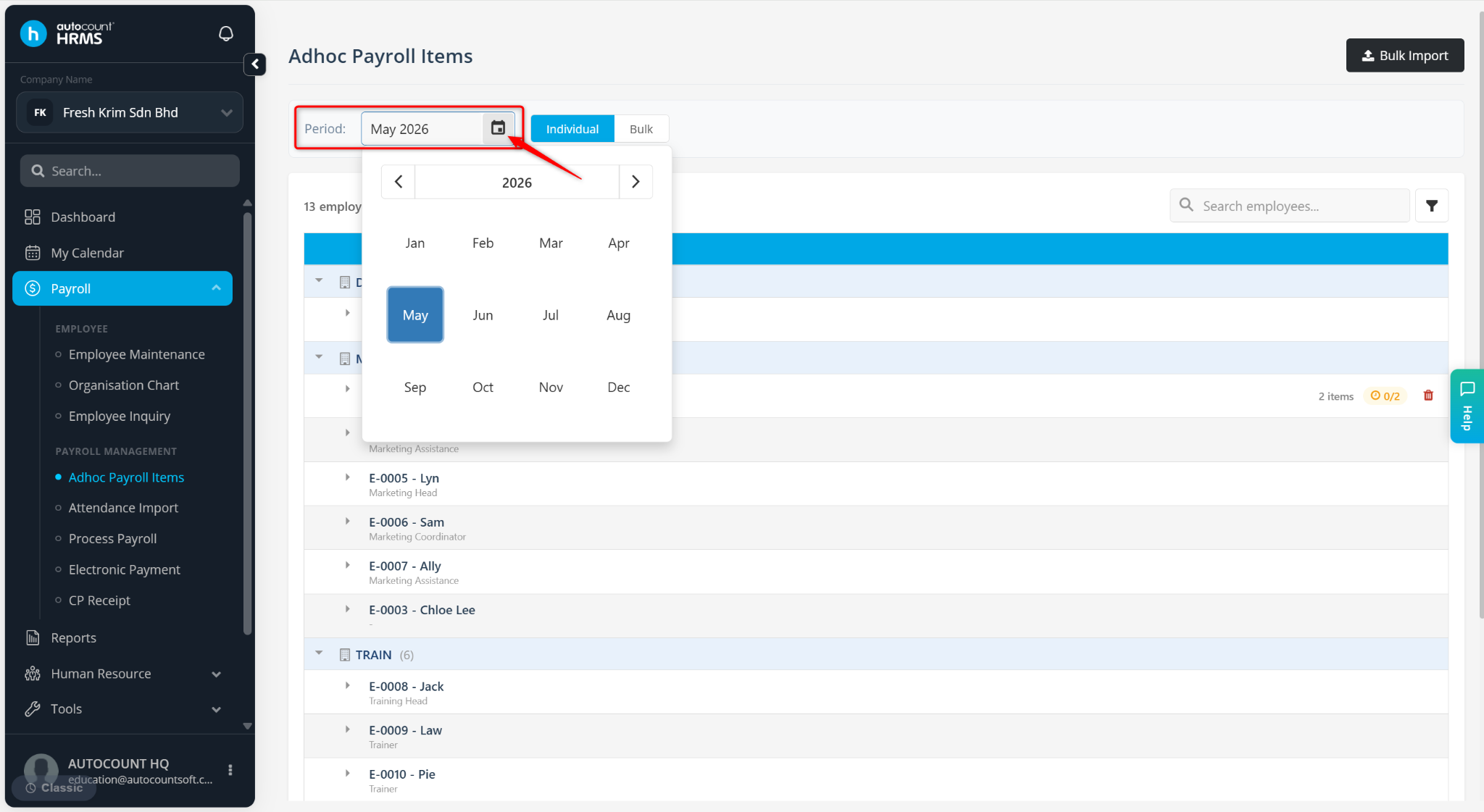
Click the arrow icon to expand the department and the relevant employee.
Select + Add under the item you wish to assign for the employee.
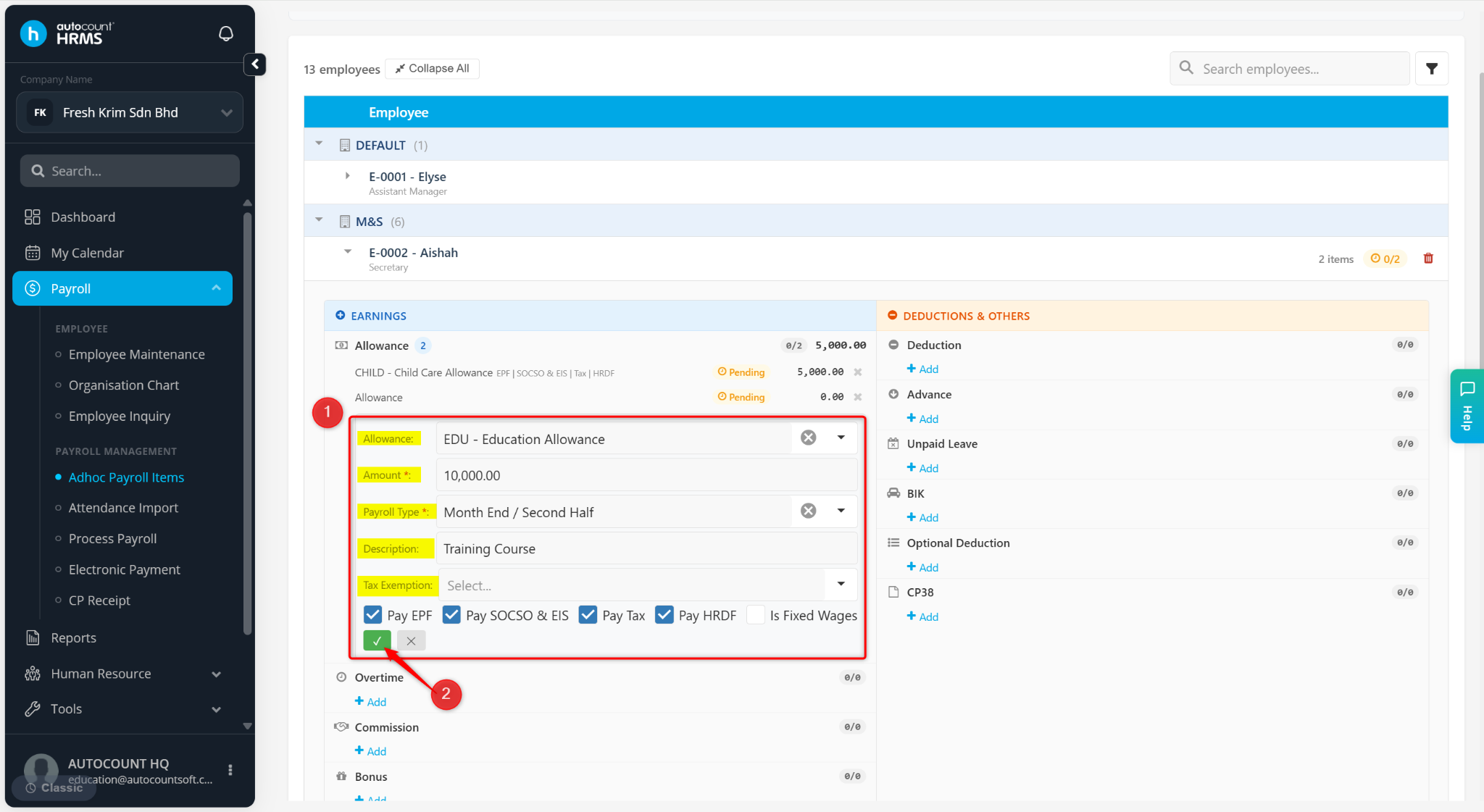
Enter the details:
Item Type – Select the relevant type maintained at Tools > Payroll Item (e.g., Shift Allowance).
Amount – Enter the payment amount.
Payroll Type – Select First Half or Month End / Second Half.
Description – Enter a short remark if necessary.
Tax Exemption – Select the applicable tax exemption, if any.
Statutory Requirements – Enable EPF, SOCSO & EIS, Tax, HRDF if applicable.
Is Fixed Wages – Enable this option if the item is part of a fixed wage.
Click the tick icon to save.
The ad-hoc payroll item is added. You may proceed with payroll processing, and the item will be included automatically.