
Users can record Advance Salary Payments made to employees before the payroll period is processed. The advance amount will be deducted automatically from the employee's salary during payroll processing.
Example:
Employee A has a monthly salary of RM3,000 and receives an advance salary payment of RM500 before payday. During payroll processing, the system will deduct the RM500 advance, resulting in a net salary payment of RM2,500 (subject to other payroll adjustments and statutory deductions).
Steps to Record Advance Salary Payment:
Steps to Record Advance Salary Payment:
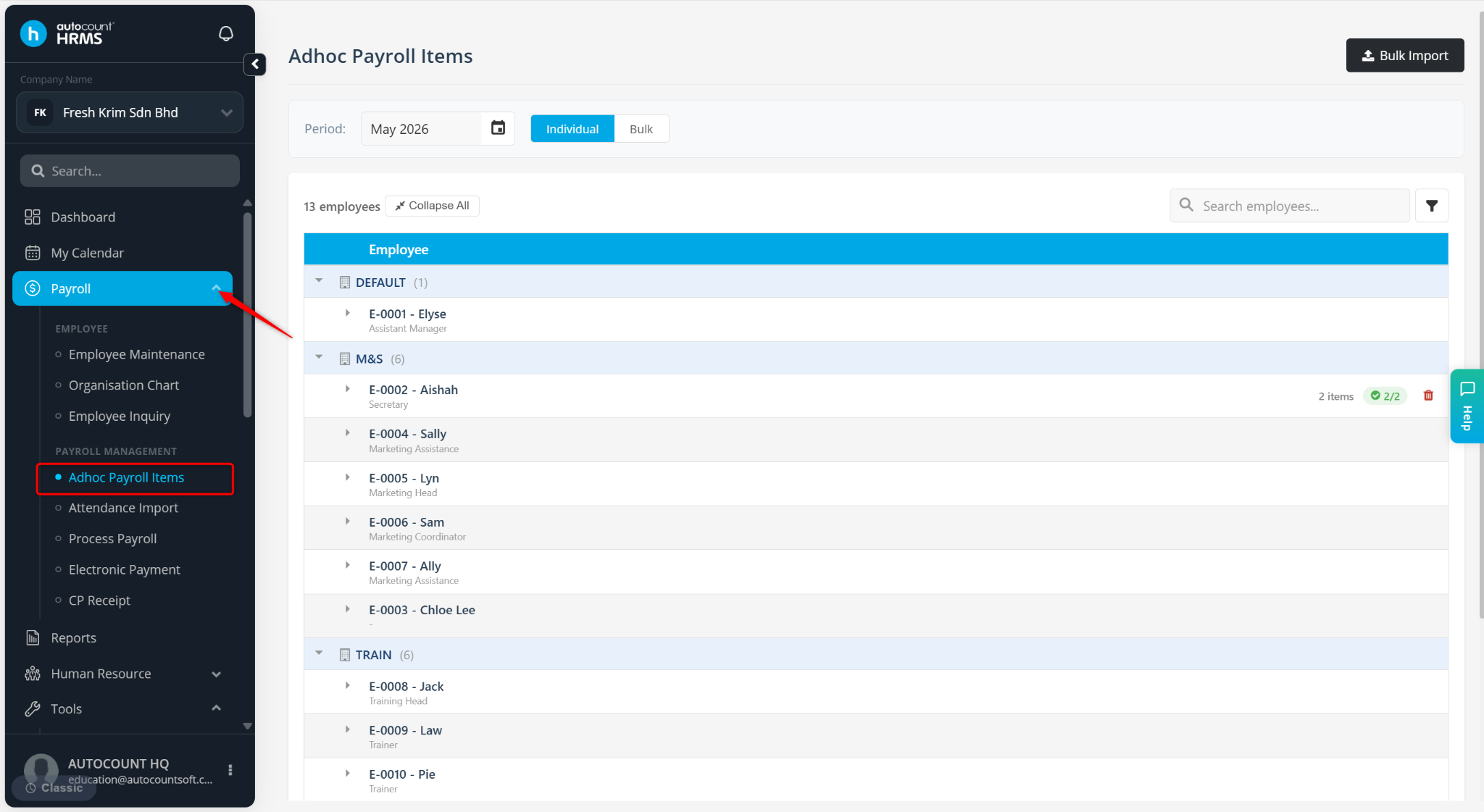
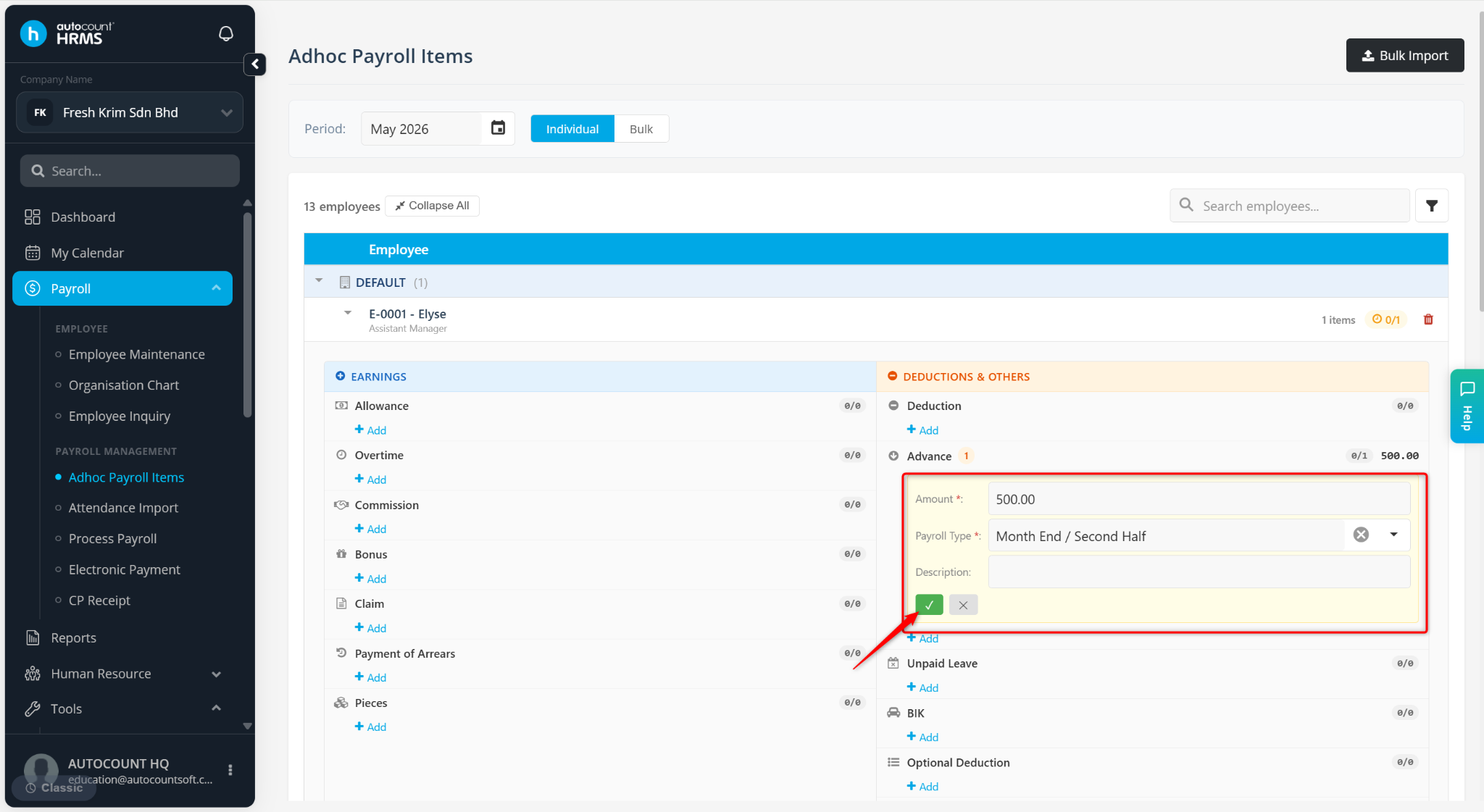
Go to Payroll > Adhoc Payroll Items.
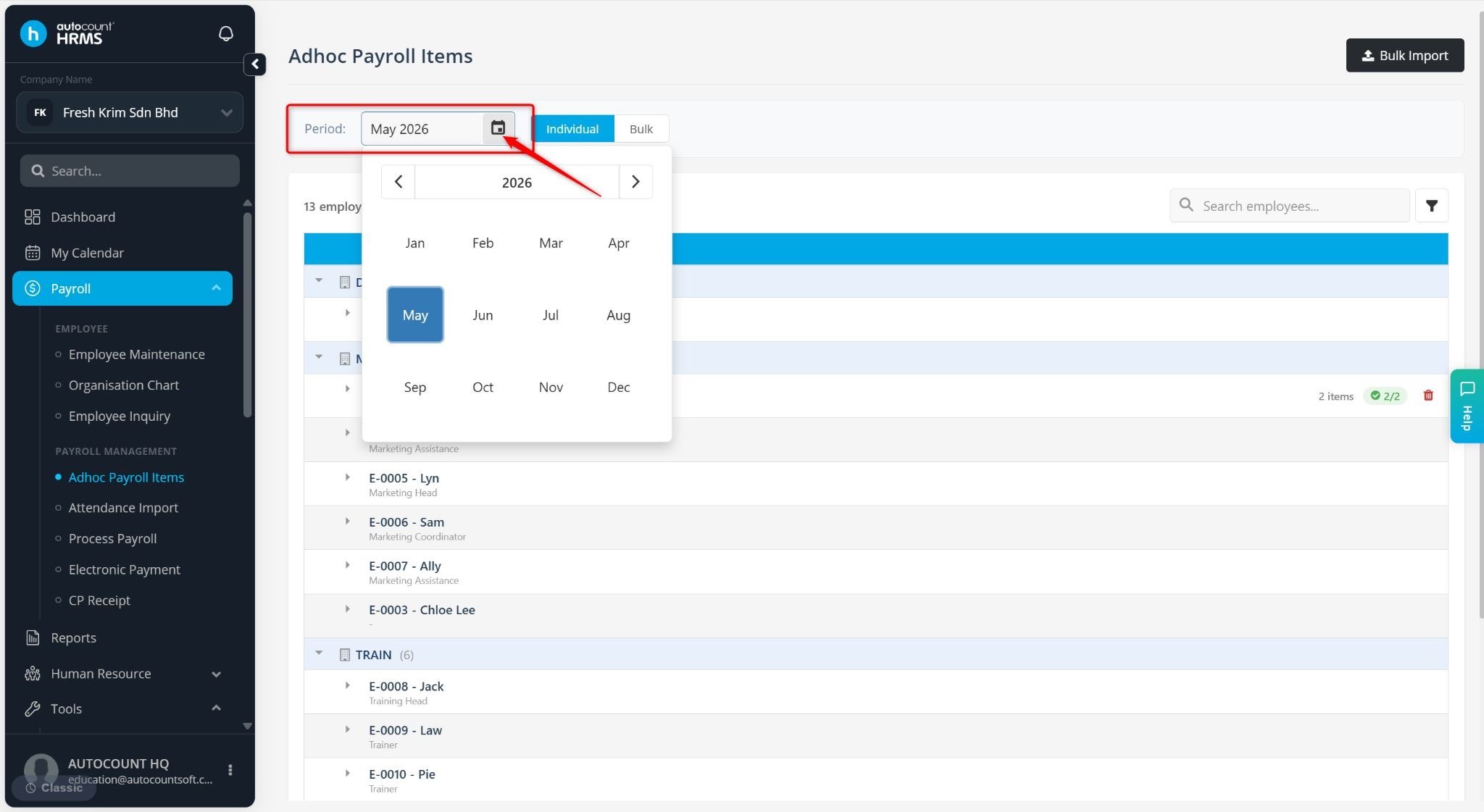
Select the appropriate payroll period.
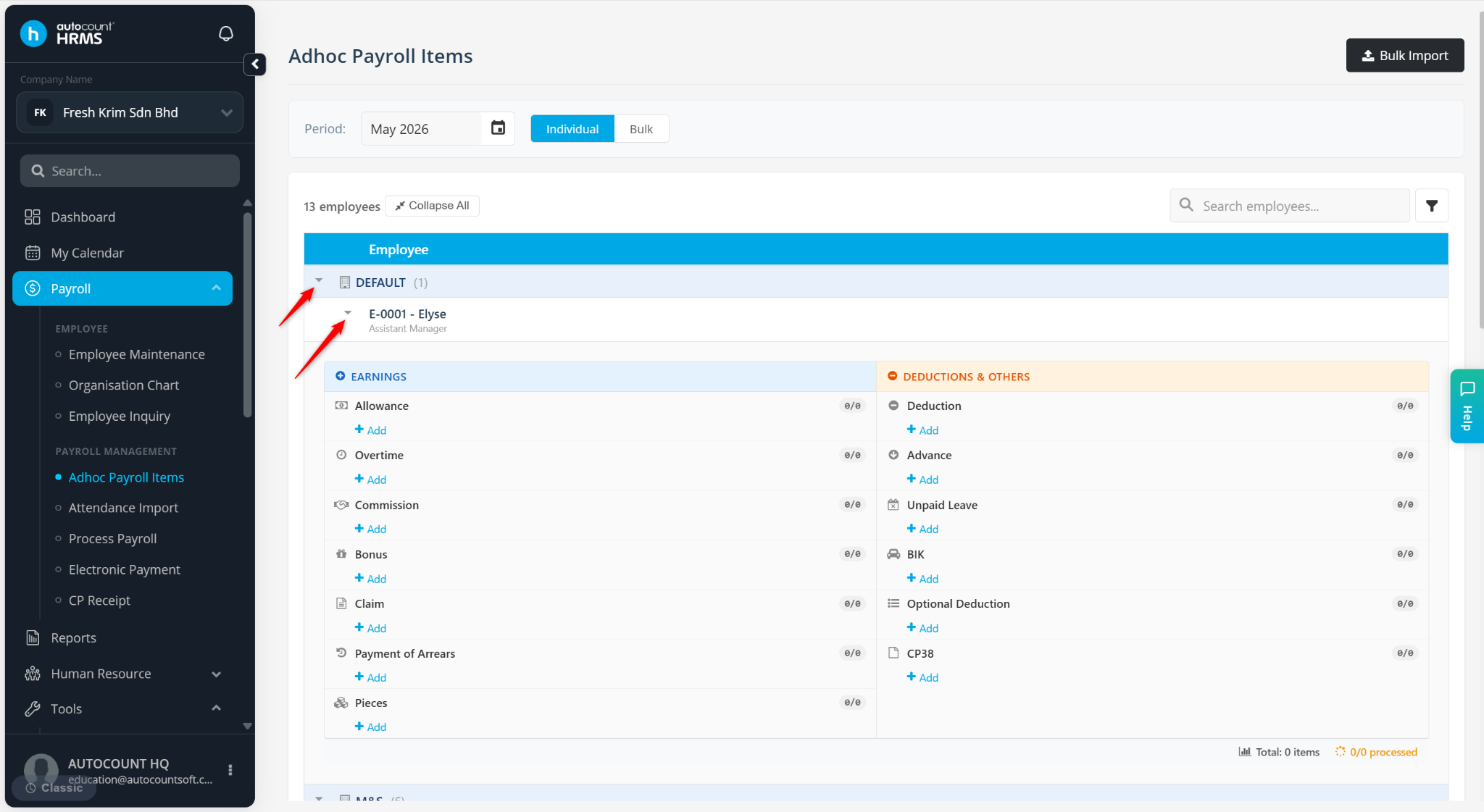
Expand the department and the relevant employee.
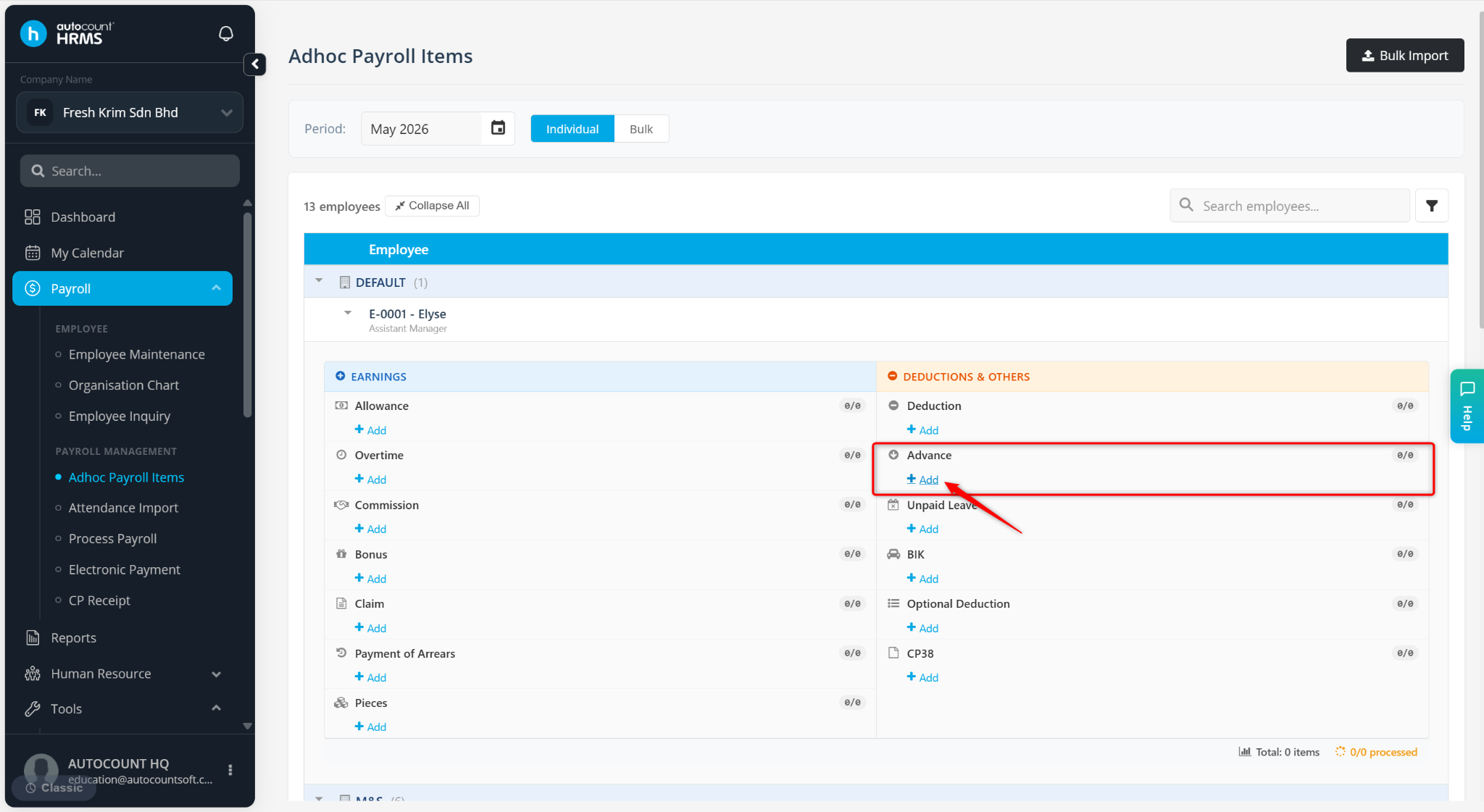
Under DEDUCTIONS & OTHERS, click + Add under Advance.
Select First Half or Month End / Second Half at the Payroll Type field. Enter the Amount and Description.
Click the tick icon to save.
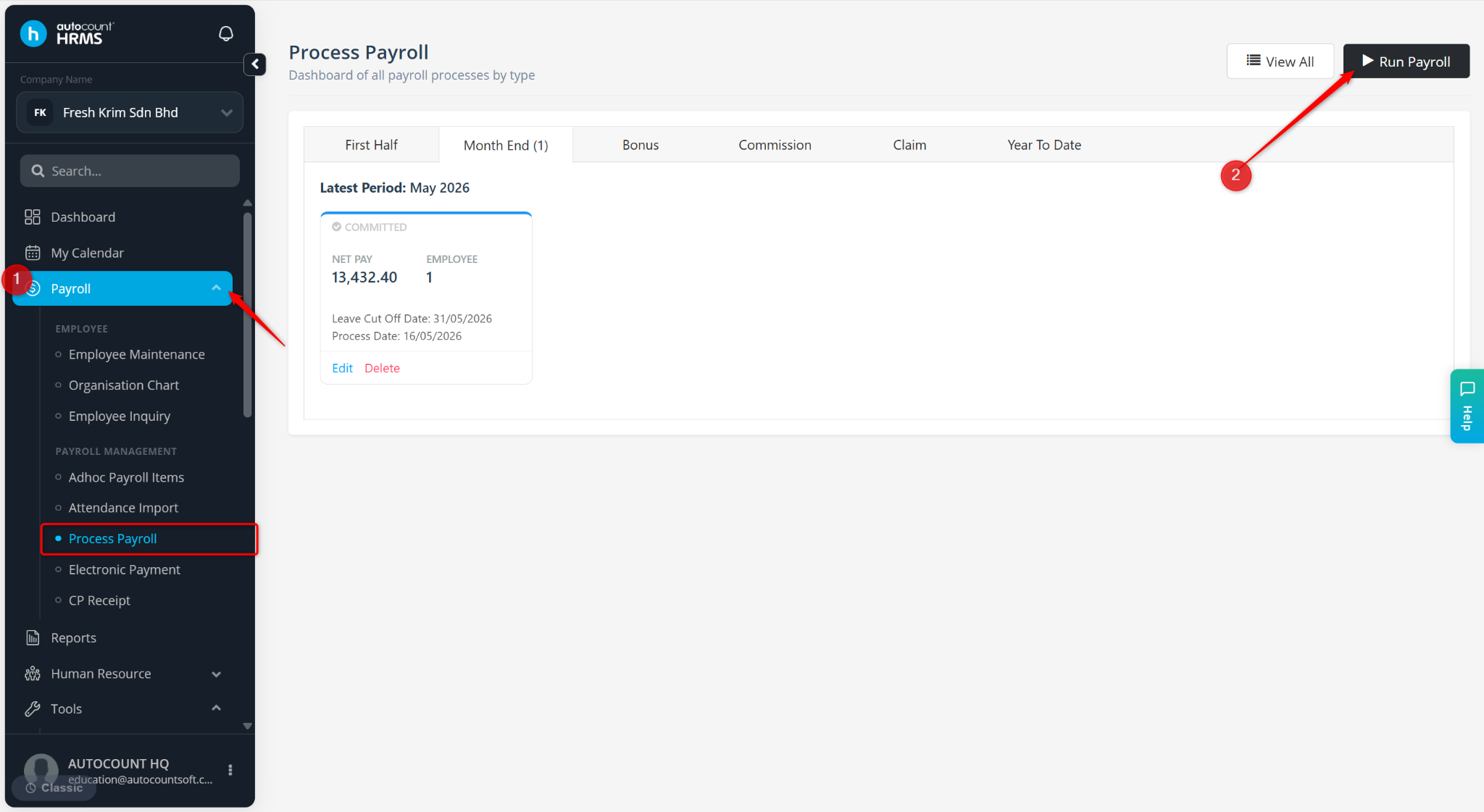
Go to Payroll > Process Payroll.
Click Run Payroll.
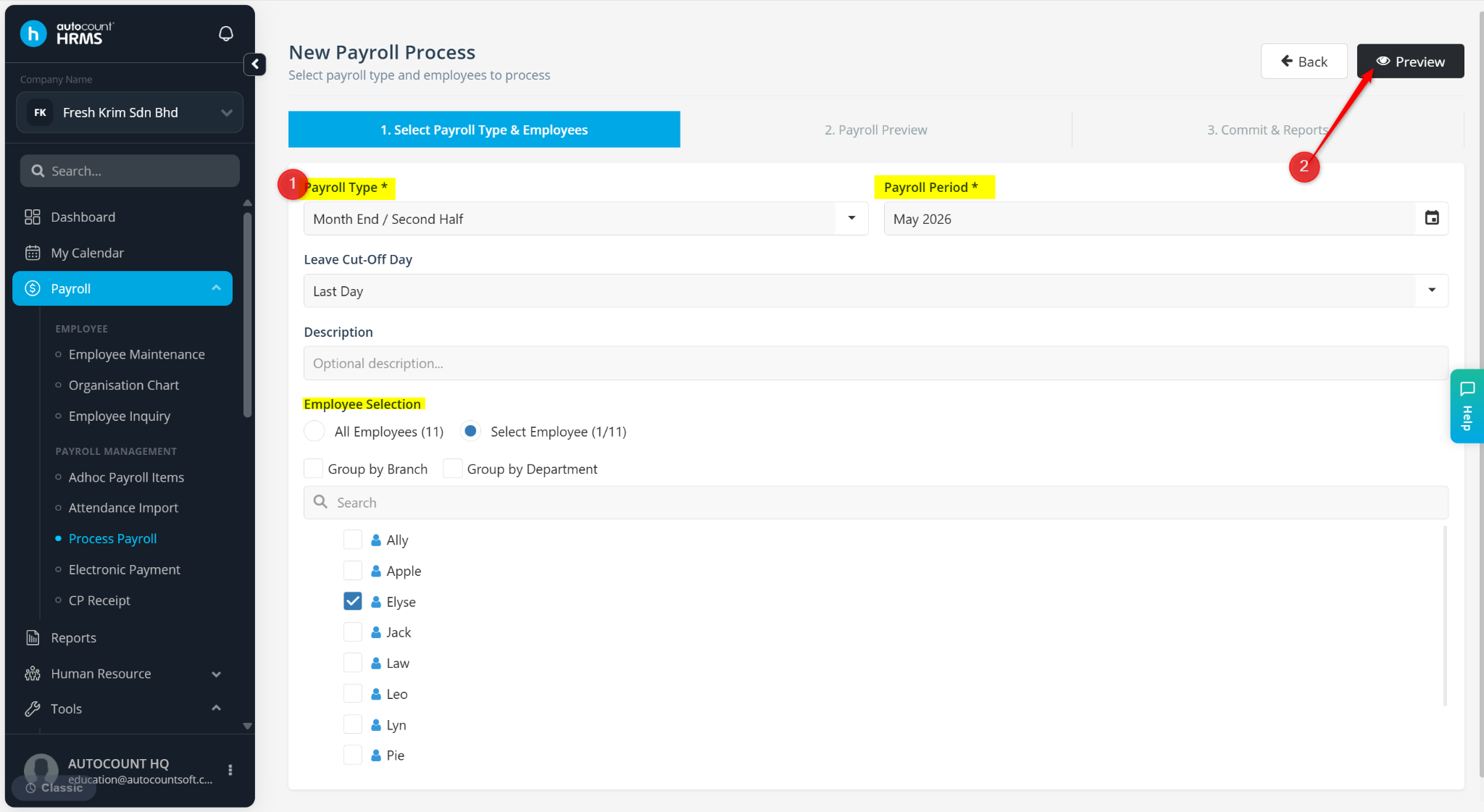
Enter the details:
Payroll Type – Select Month End / Second Half or First Half. This selection must match the settings used when recording the Advance.
Payroll Period – Select the relevant payroll month.
Employee – Select the employee to be included in the payroll process.
Click Preview.
Review the Ad-hoc details for the employee and click Process if all information is correct.
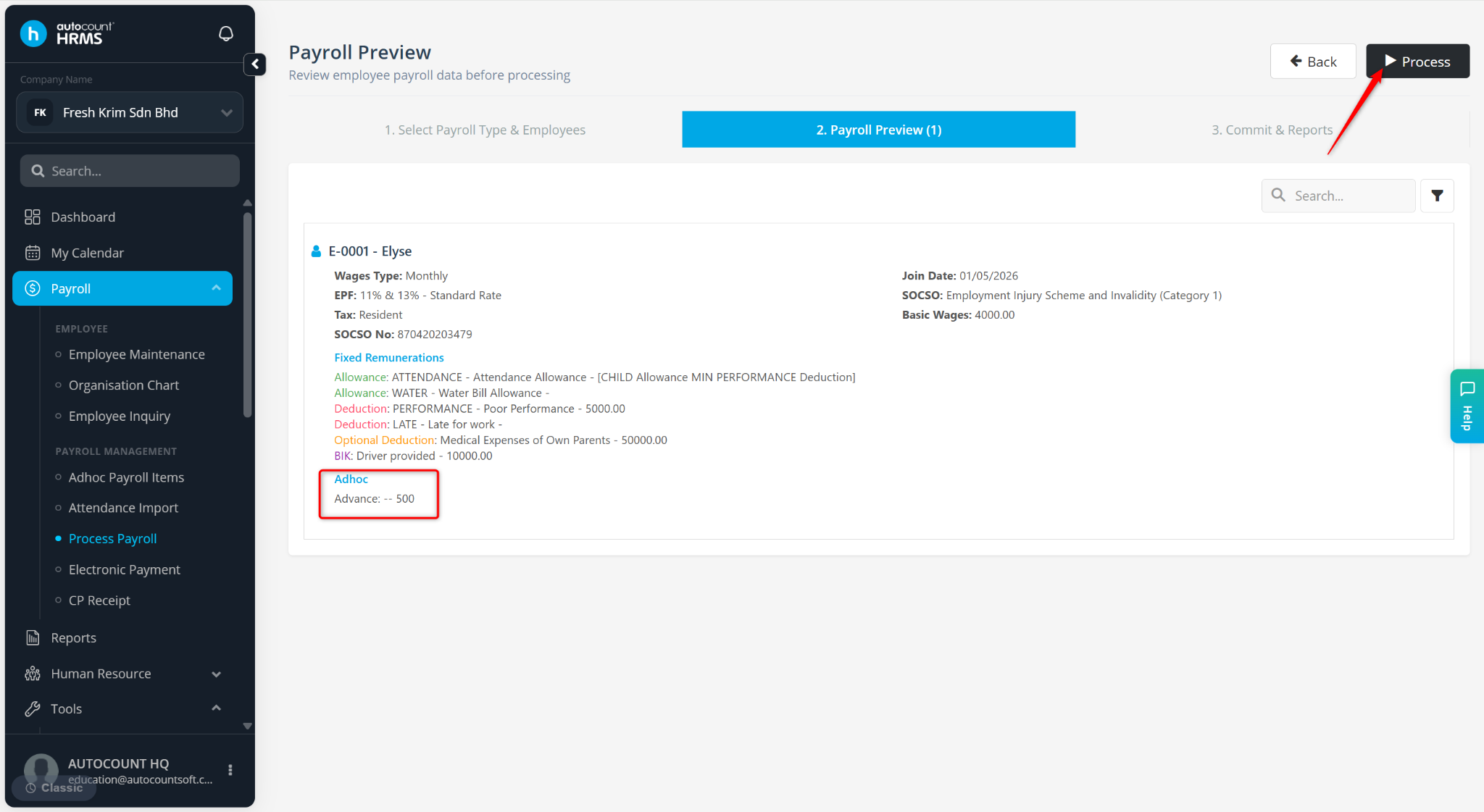
The advance amount will appear under the Deductions section, indicating that it has been paid to the employee prior to the payday.
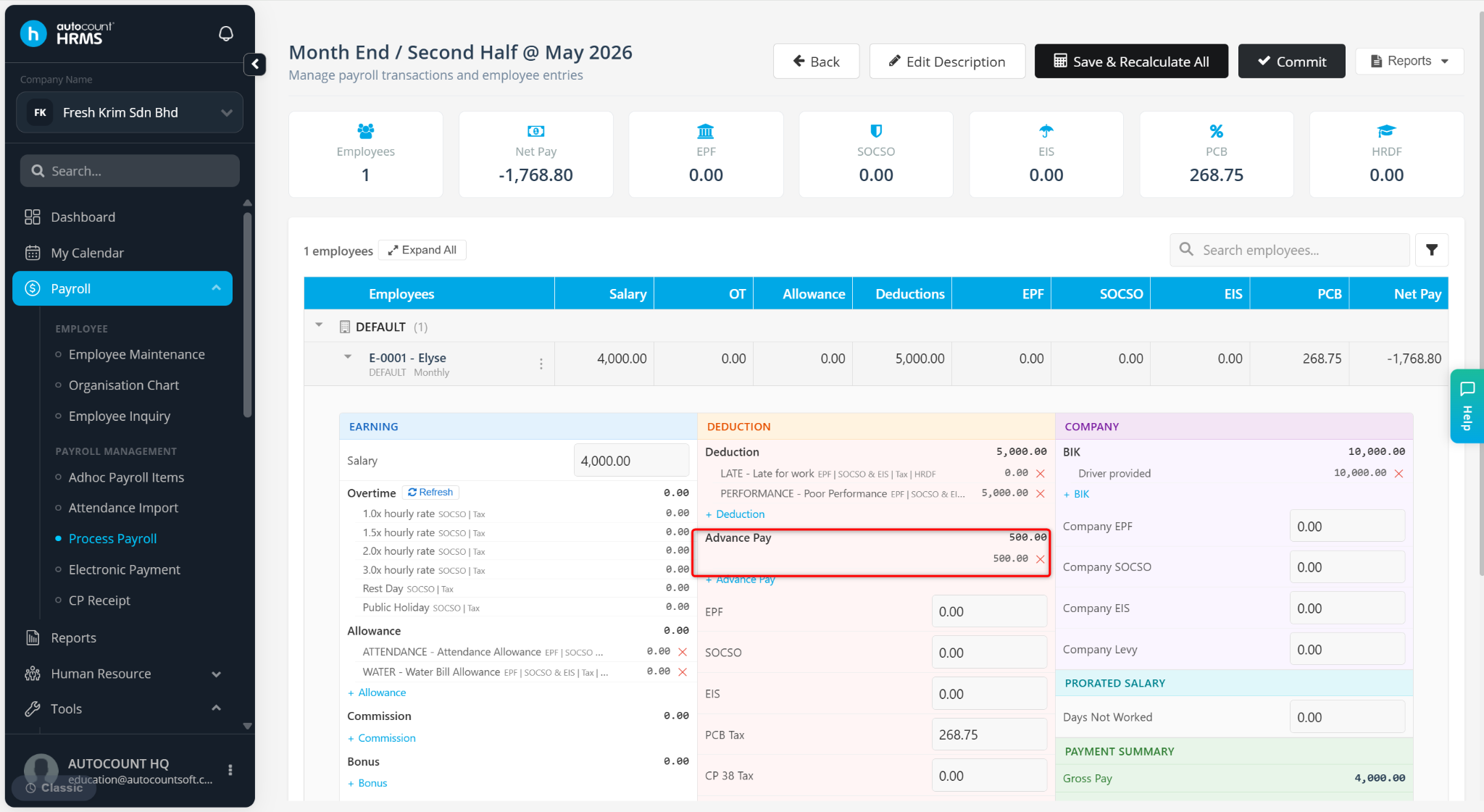
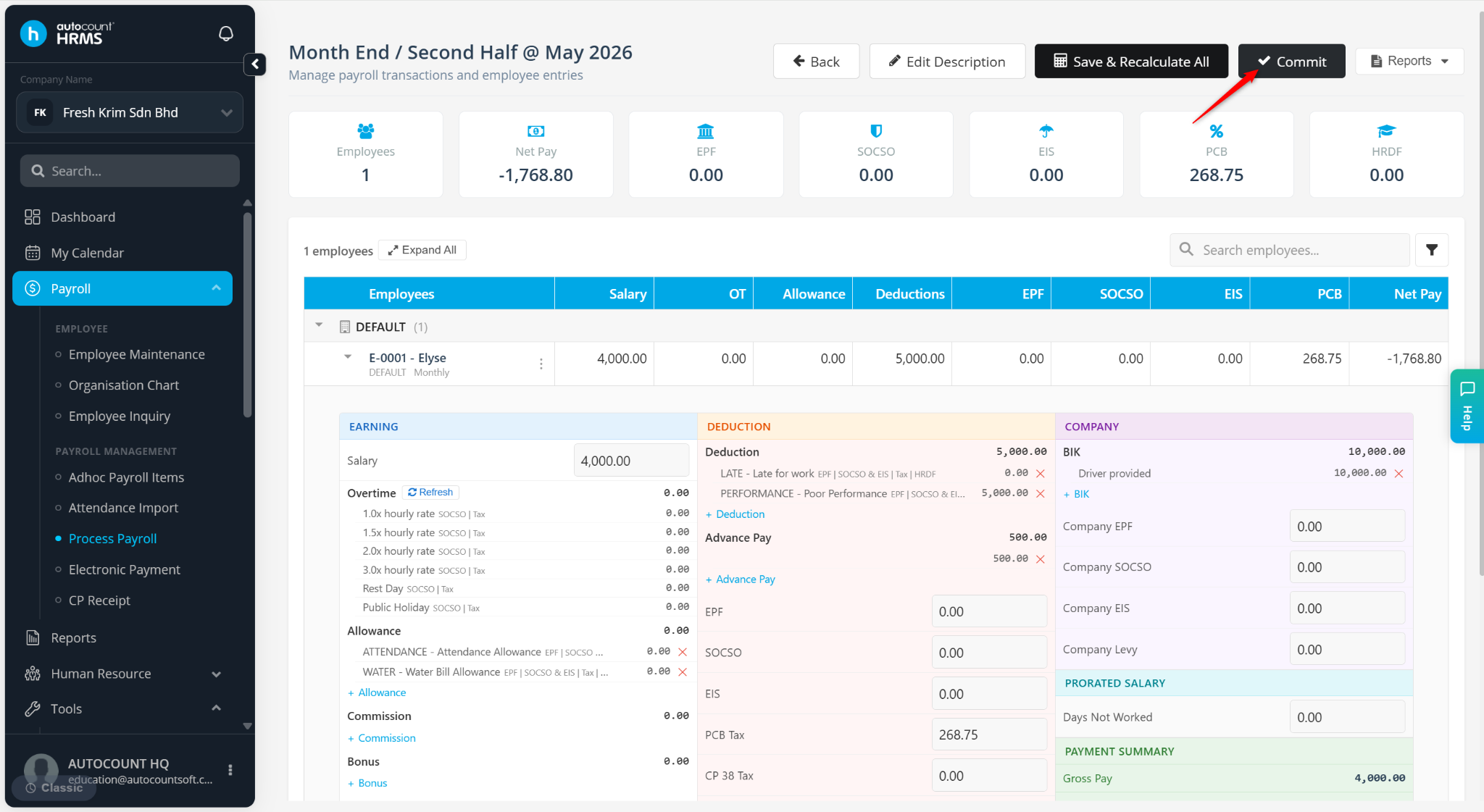
Verify the details, then click Commit All to finalise and save the payroll.
Proceed to Electronic Payment to process and credit the remaining salary to the employee’s account.