The Leave Requires Attachment setting allows employers to make supporting documents mandatory when employees apply for a specific leave type.
When this setting is enabled, employees must upload an attachment before the leave application can be submitted.
Steps to Mandate Supporting Documents for Leave Application:
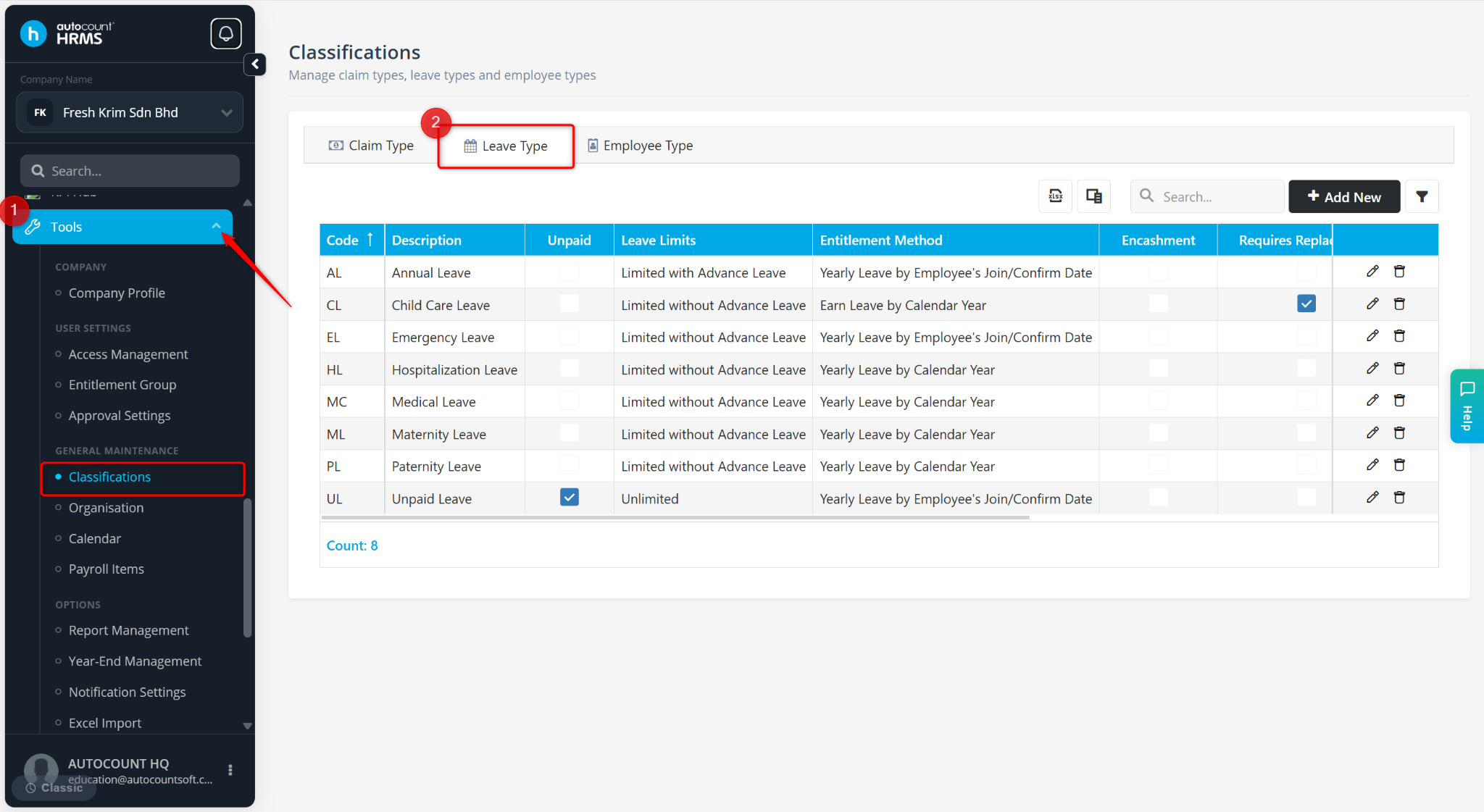
Go to Tools > Classification.
Go to Leave Type.
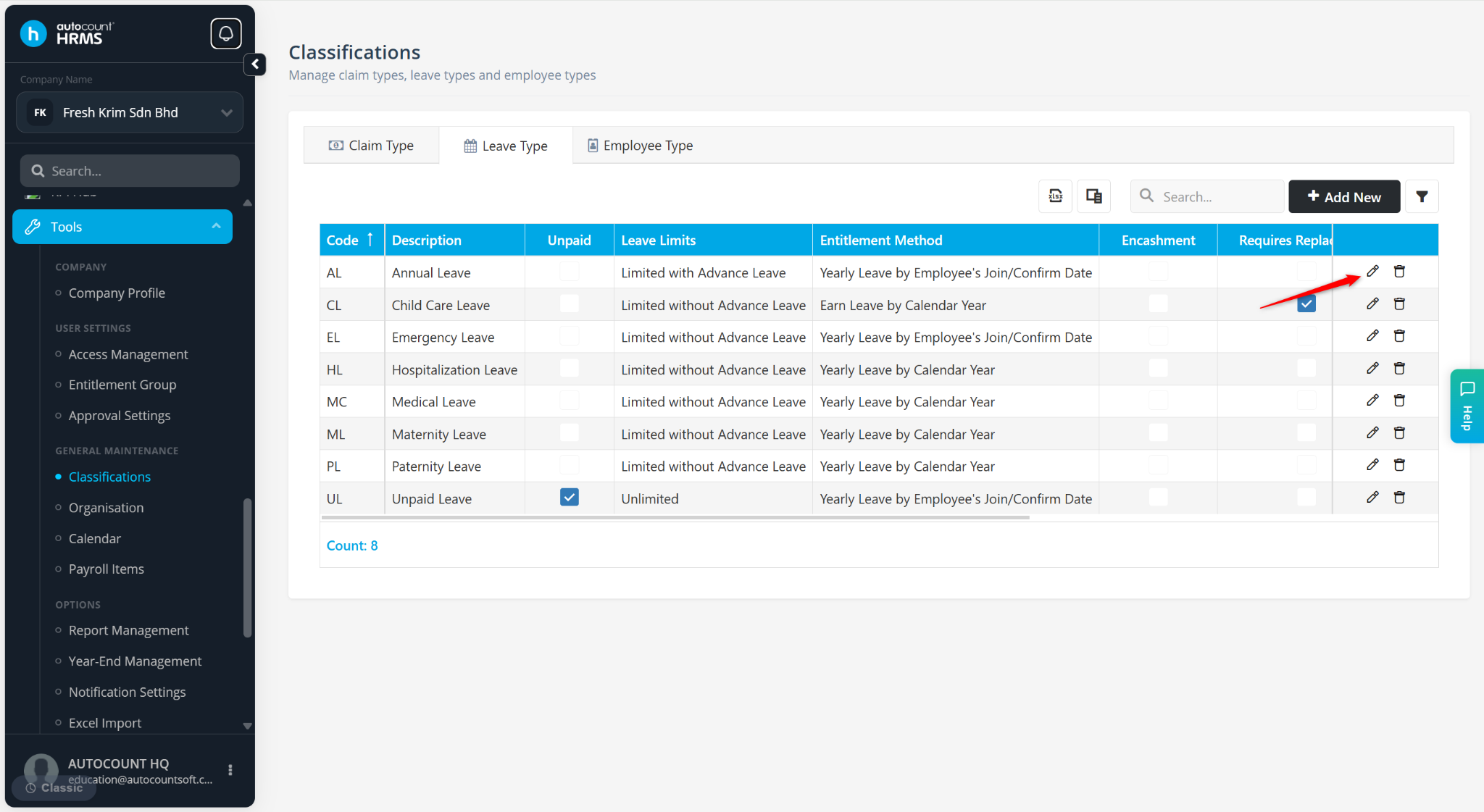
Locate the leave type and click the pencil icon.
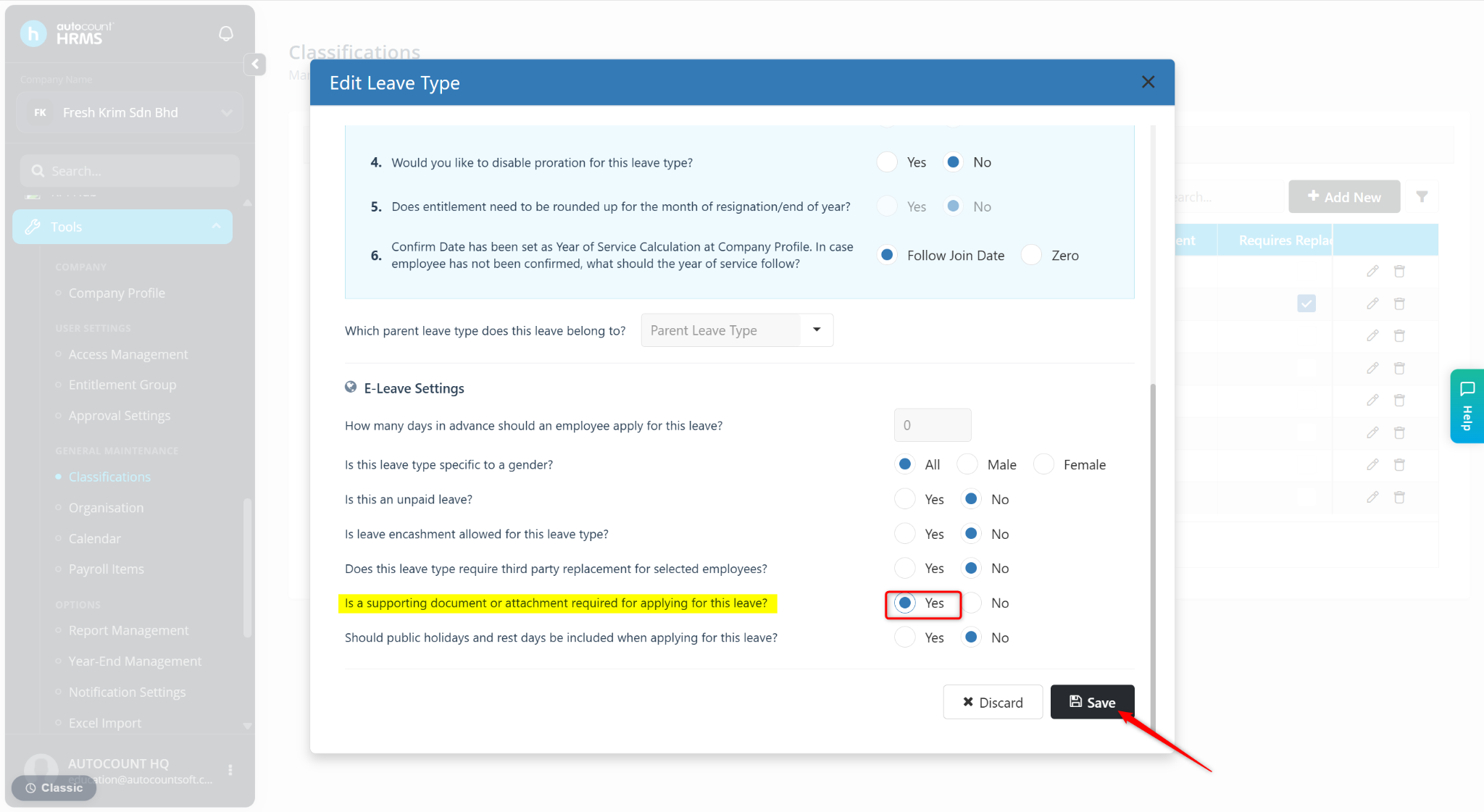
At the field, Is a supporting document or attachment required for applying for this leave?, select Yes.
Click Save.