
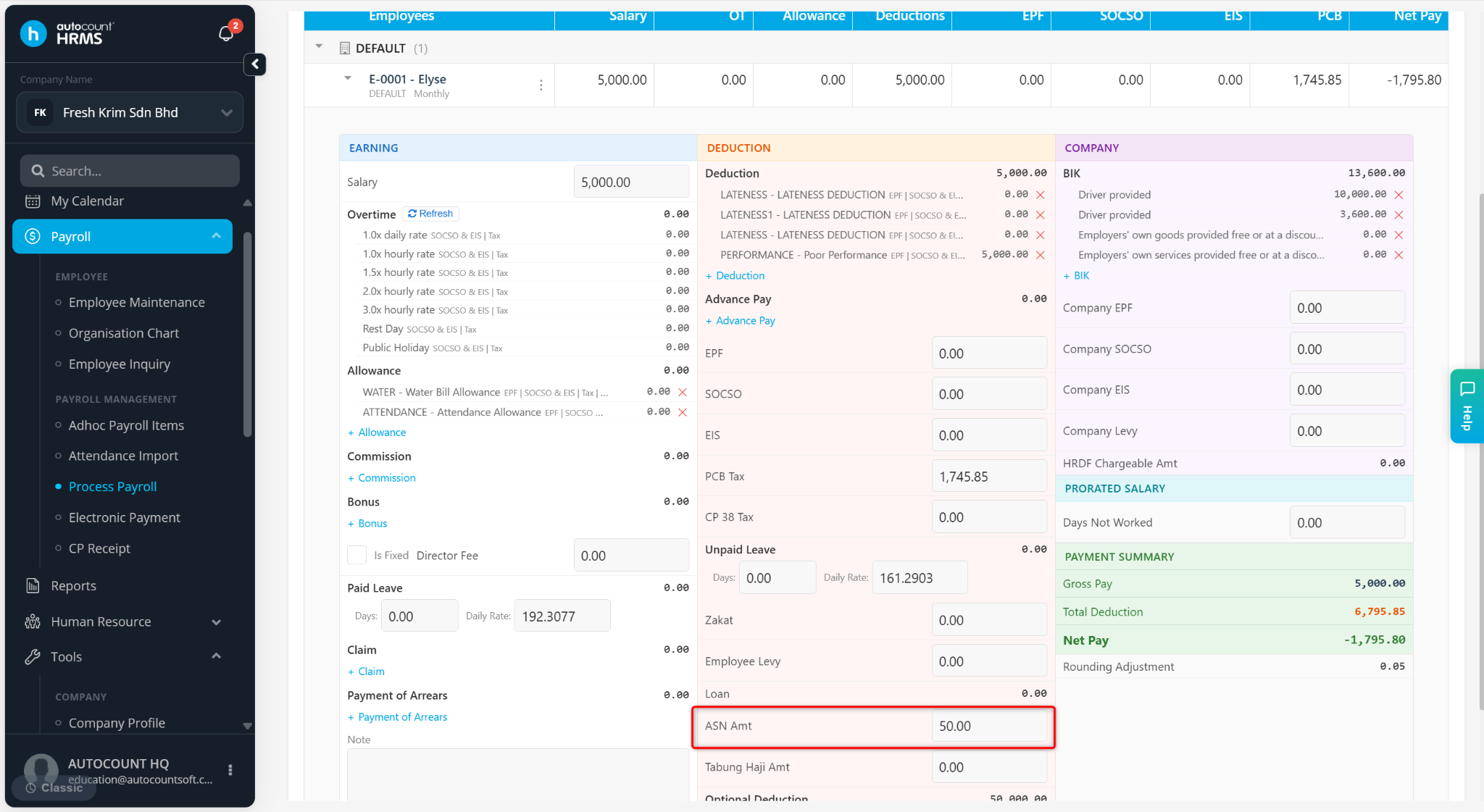
Amanah Saham Nasional (ASN) deduction is a voluntary employee contribution where a fixed amount is deducted from the employee's salary and allocated to their ASN account.
Steps to Set Up ASN Deduction:
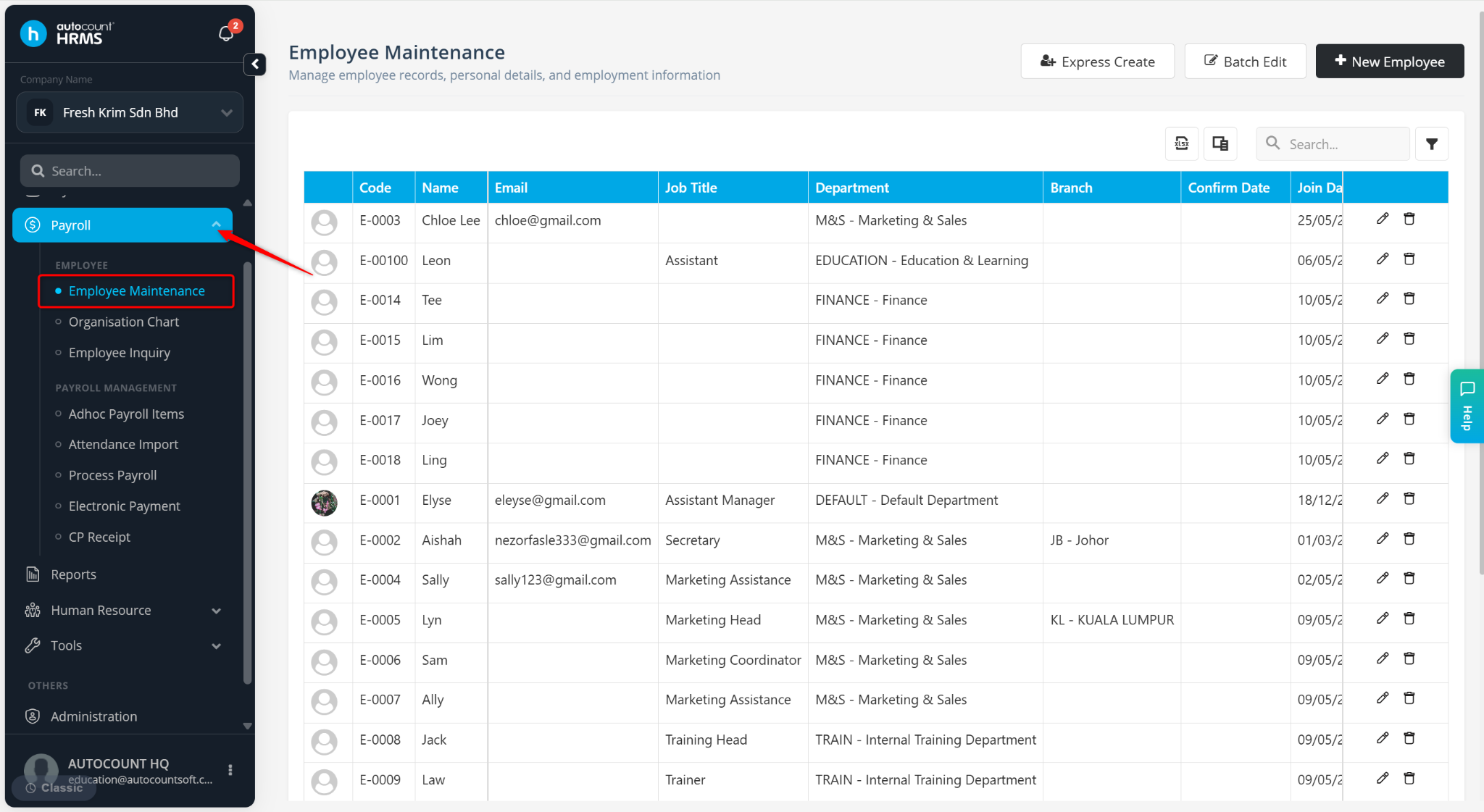
Go to Payroll > Employee Maintenance.
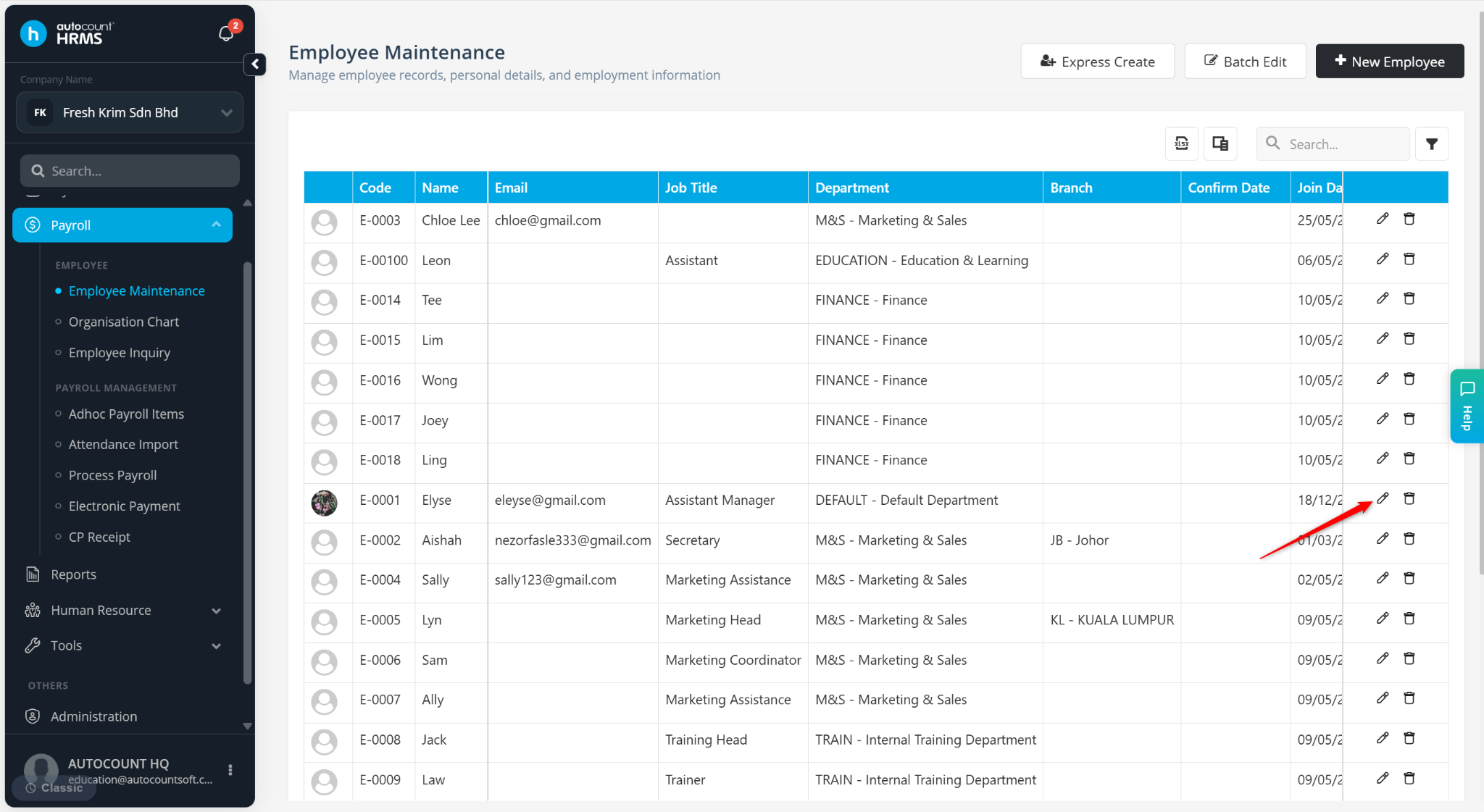
Locate the employee and click the pencil icon.
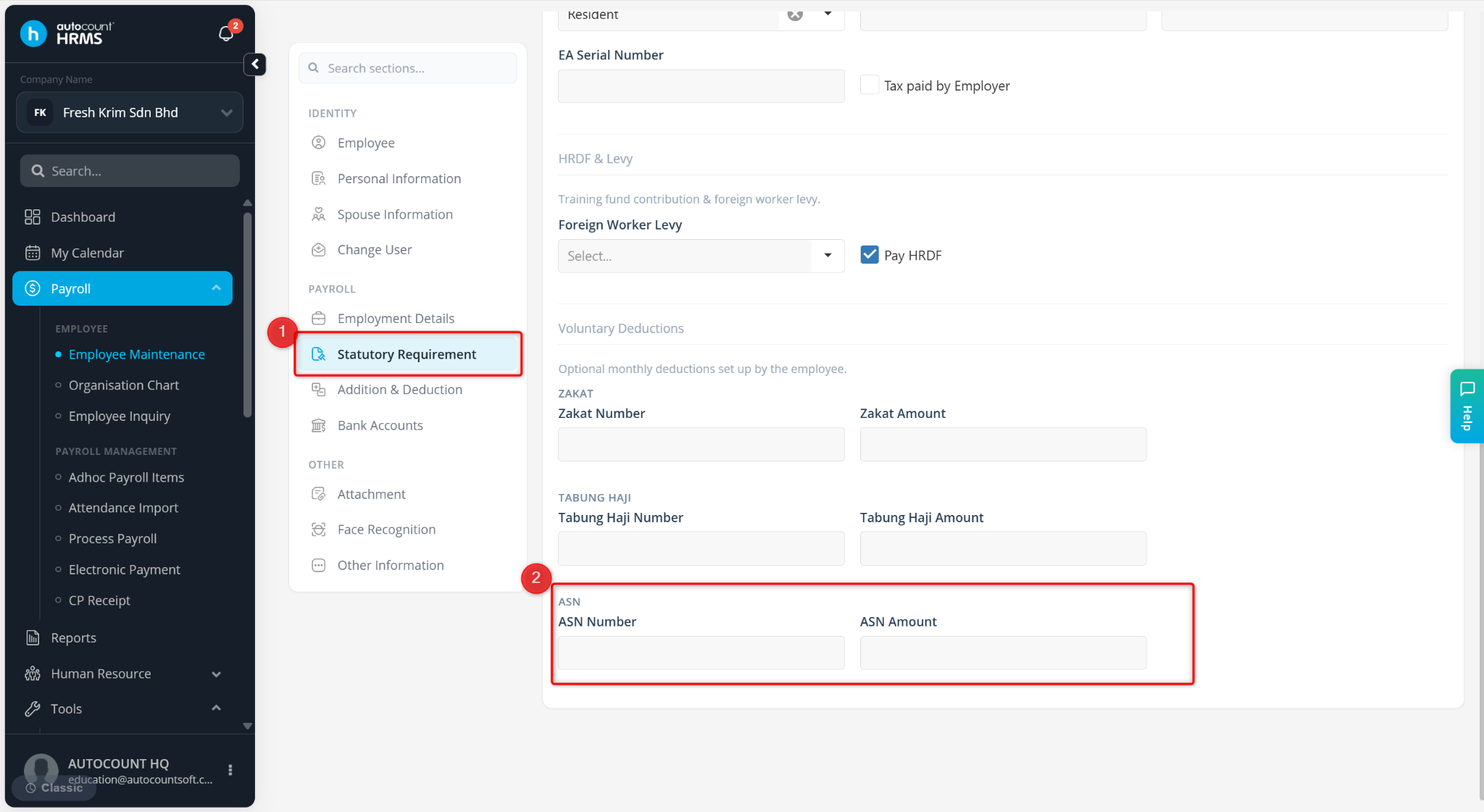
Navigate to Statutory Requirements.
Enter or update the ASN Number and ASN Amount.
Click Save Changes.
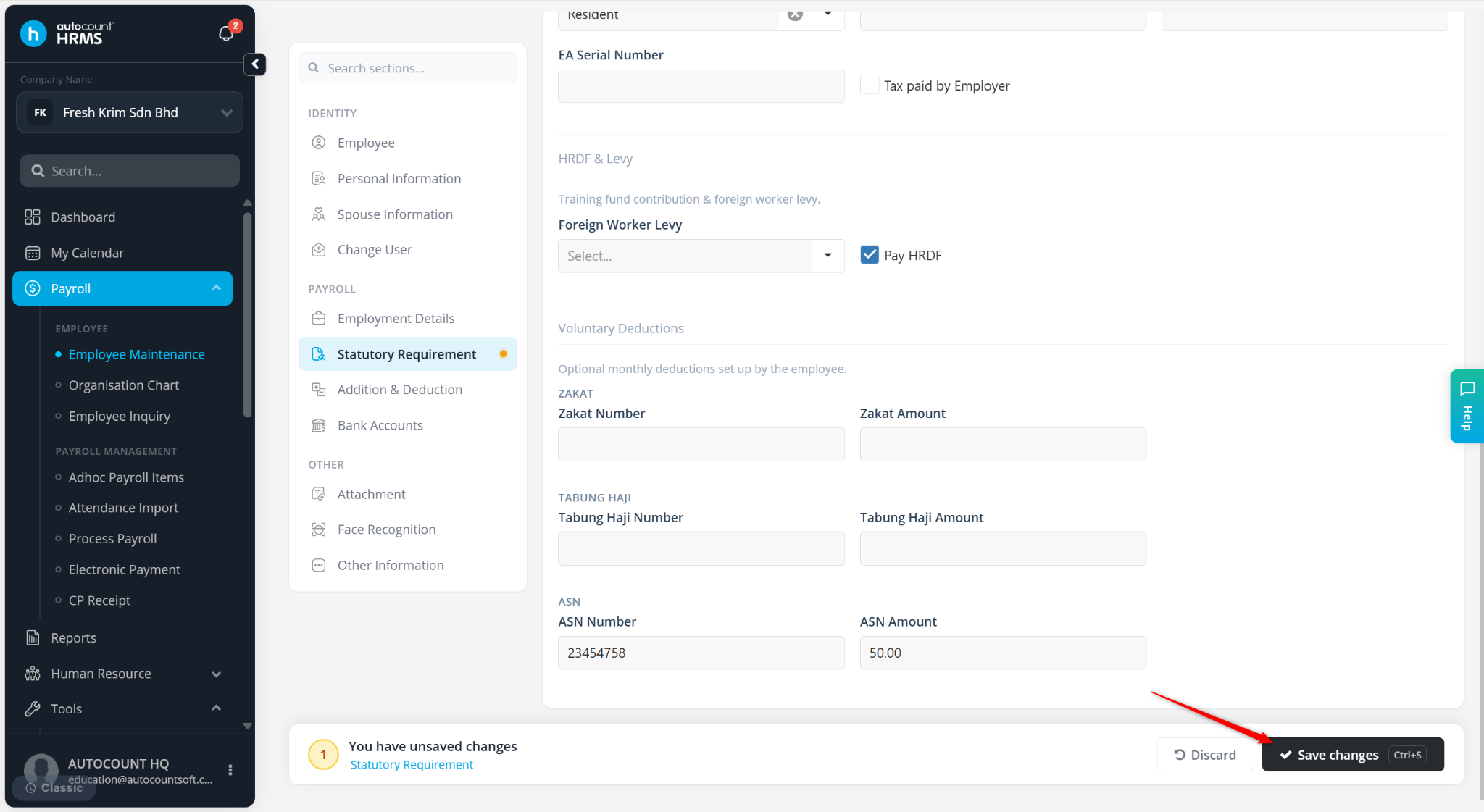
The ASN details will be saved successfully and the deduction amount will be reflected automatically during payroll processing.
Written by: Wai Kit (20251008)
Reviewed by: Azirah (20251022)