
This issue usually occurs because an Overtime Group has not been assigned to the employee in Employee Maintenance. Although the overtime hours have been imported successfully from the Time Attendance module, Payroll cannot calculate the overtime amount without an assigned Overtime Group.
Scenario:
The Time Attendance Import shows OT hours under OT for Work Days, but the Payroll Process displays an overtime amount of 0.00.
Steps to Show Overtime Amount in Payroll:
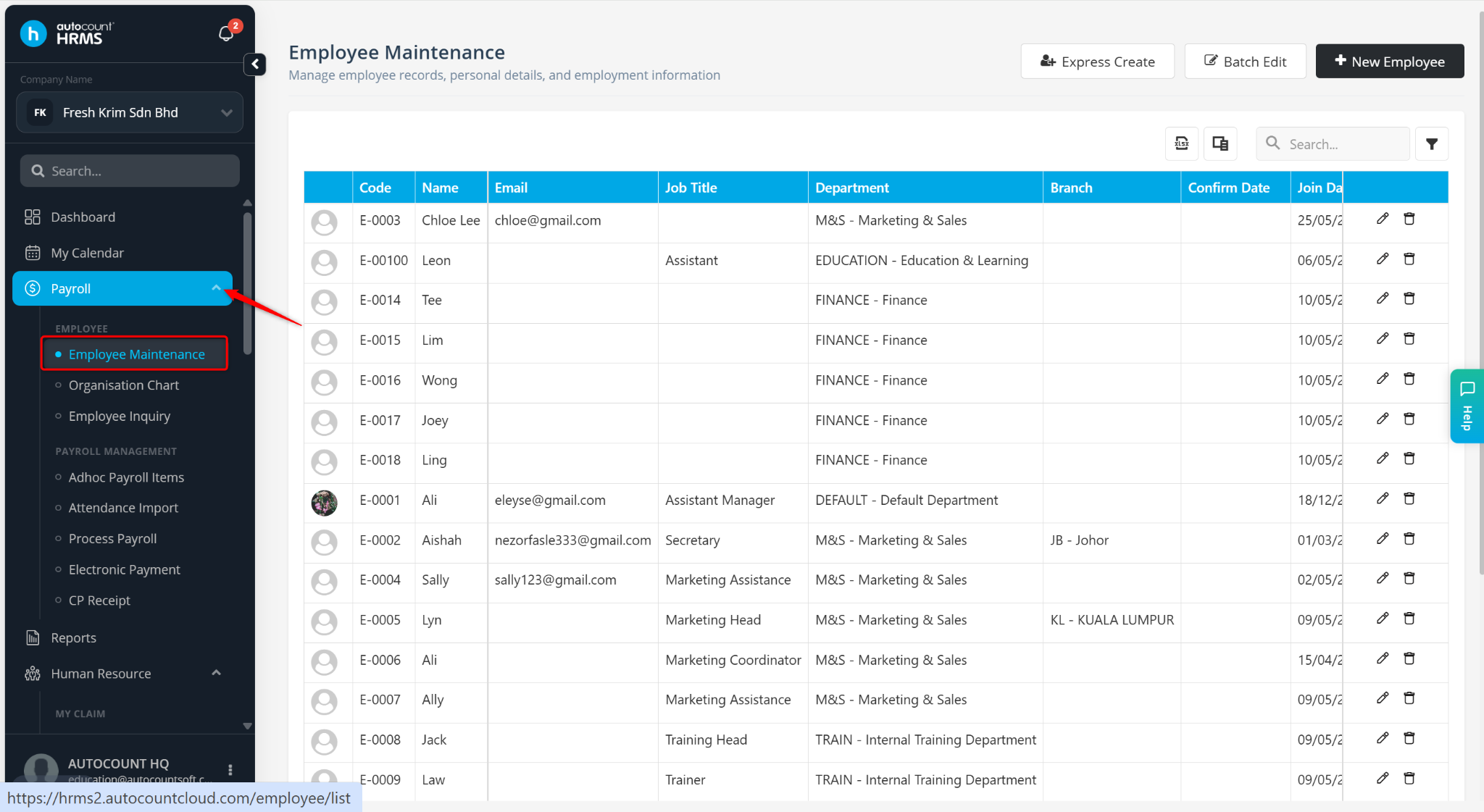
Go to Payroll > Employee Maintenance.
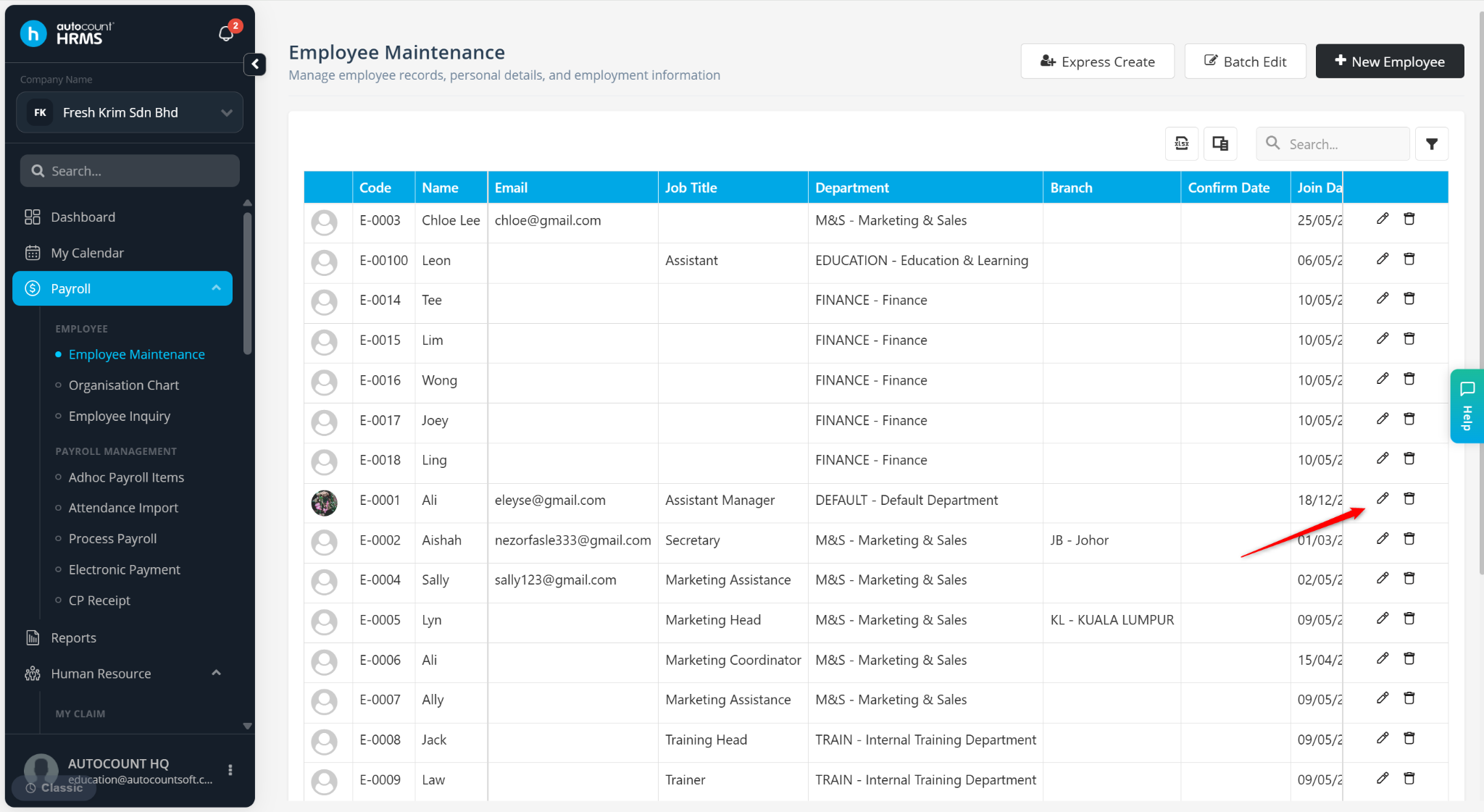
Locate the employee and click the pencil icon.
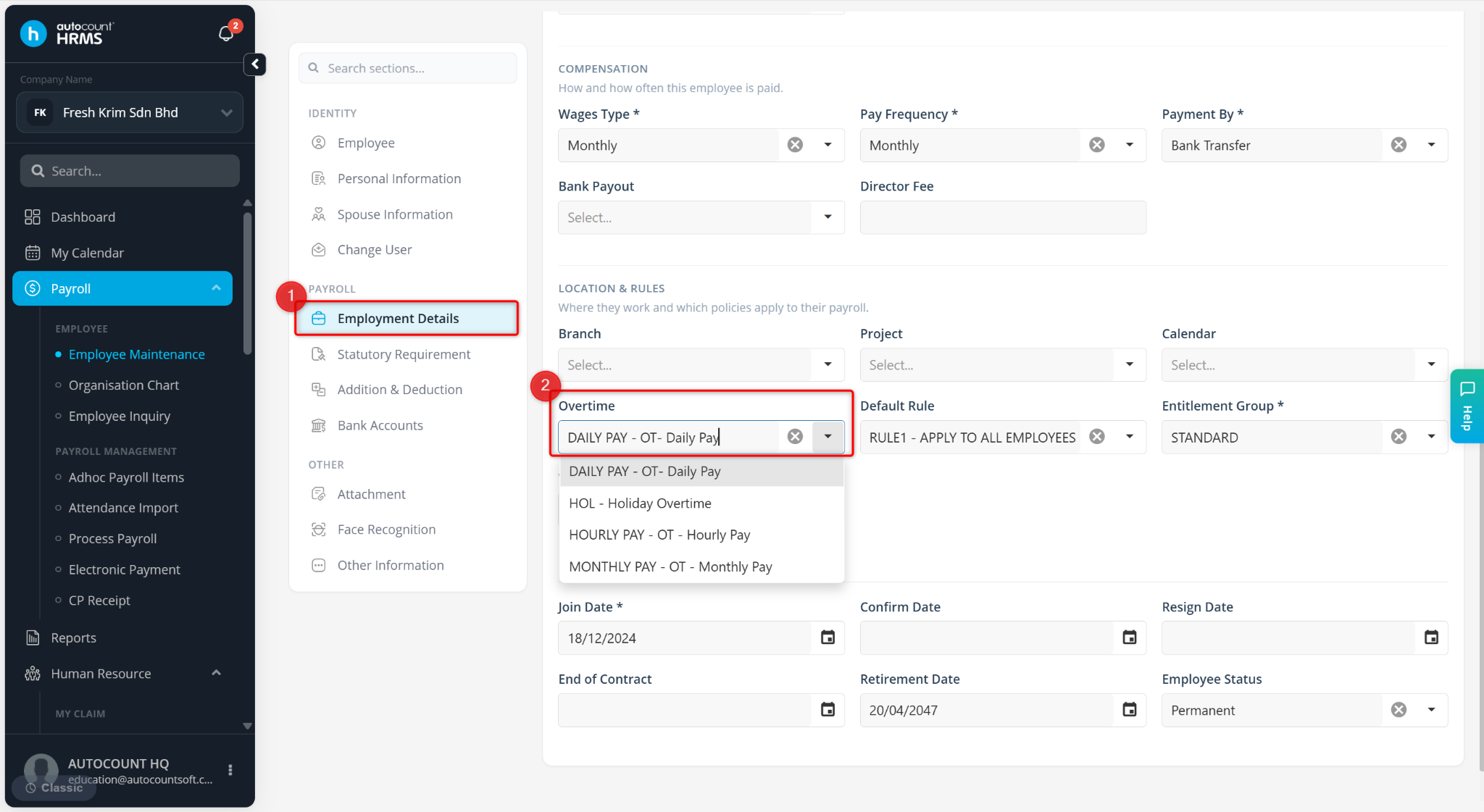
Under Employment Details, assign the appropriate Overtime Group.
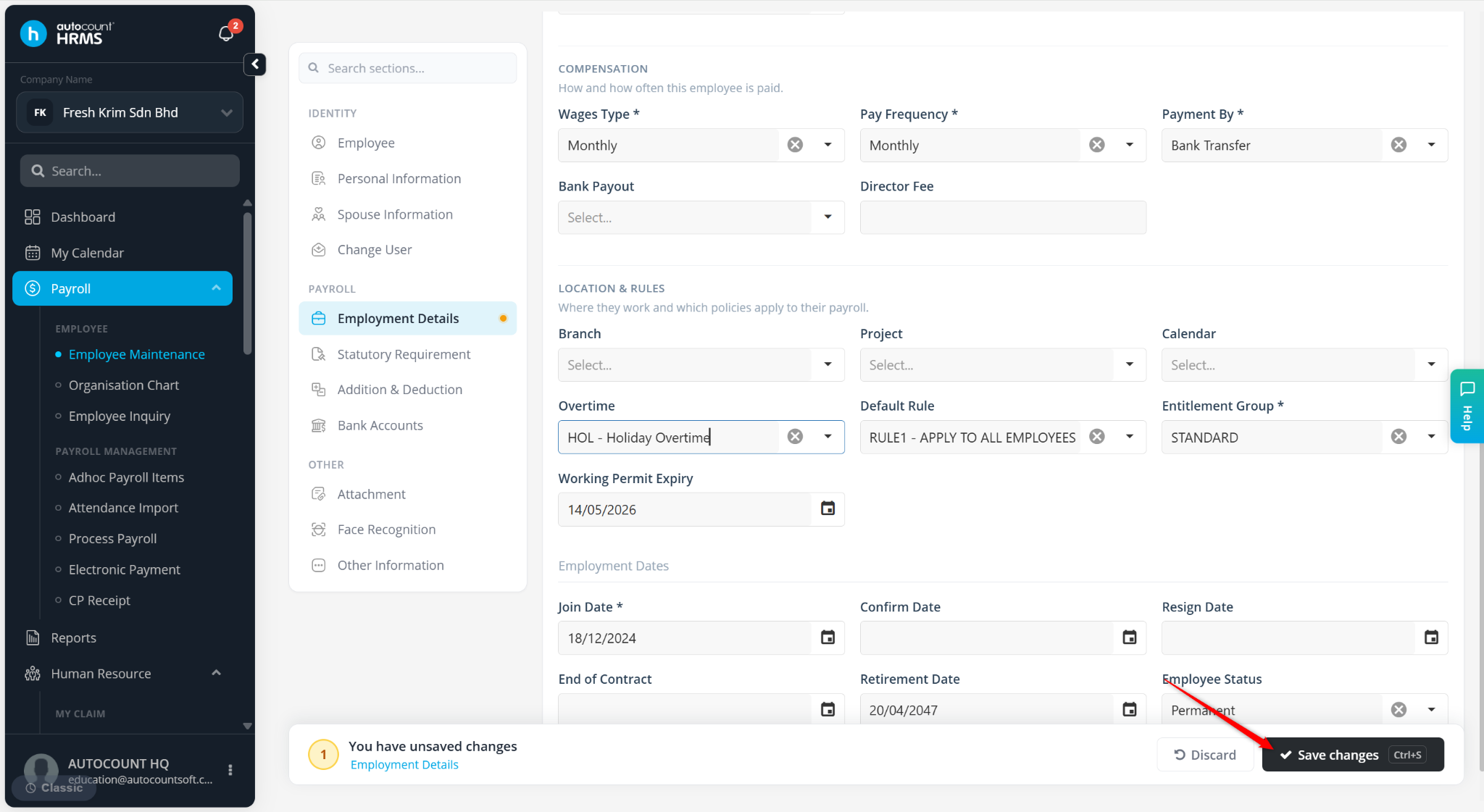
Click Save Changes.
Go to Payroll > Process Payroll and click Edit on the payroll process.
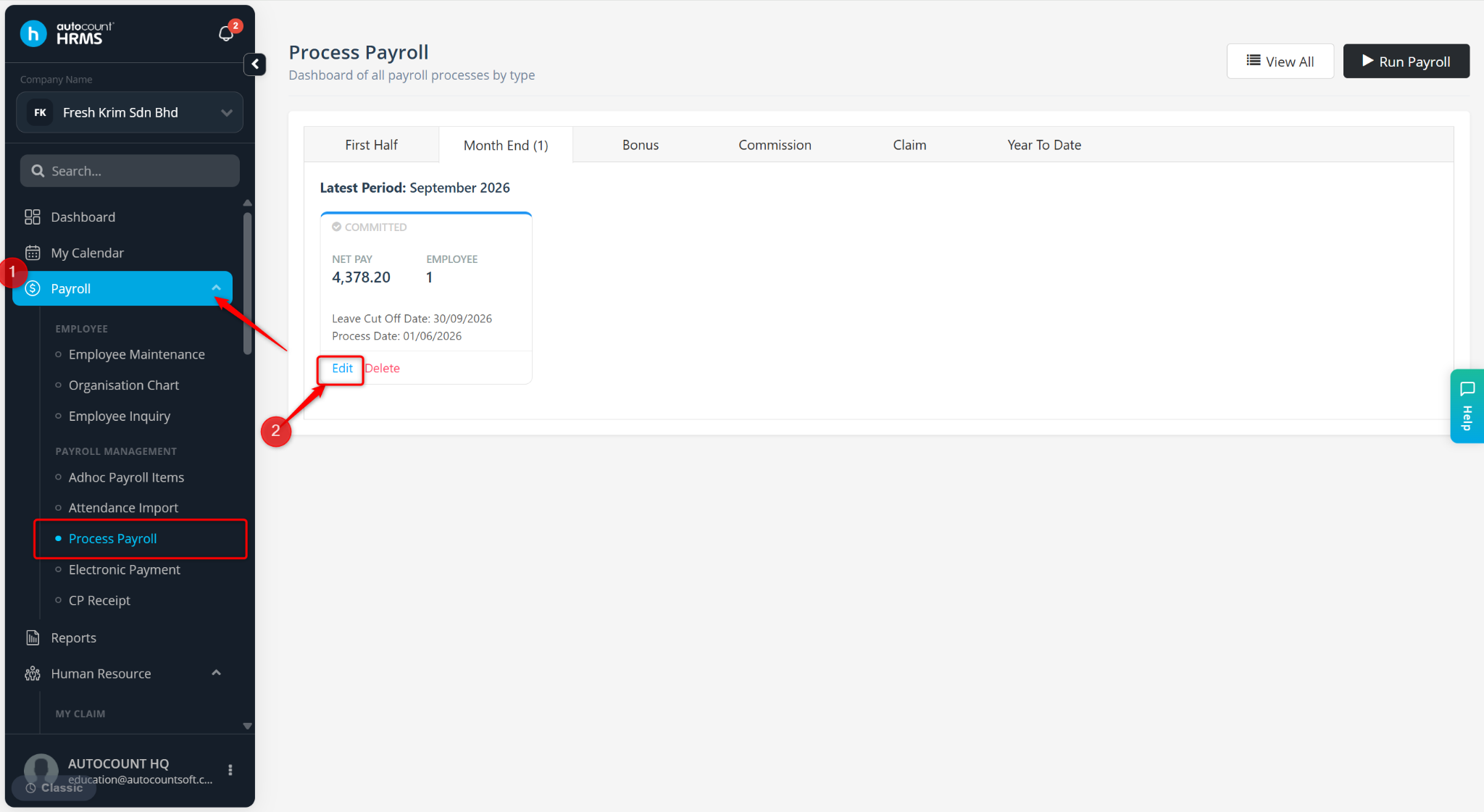
Locate the employee and click Reset.
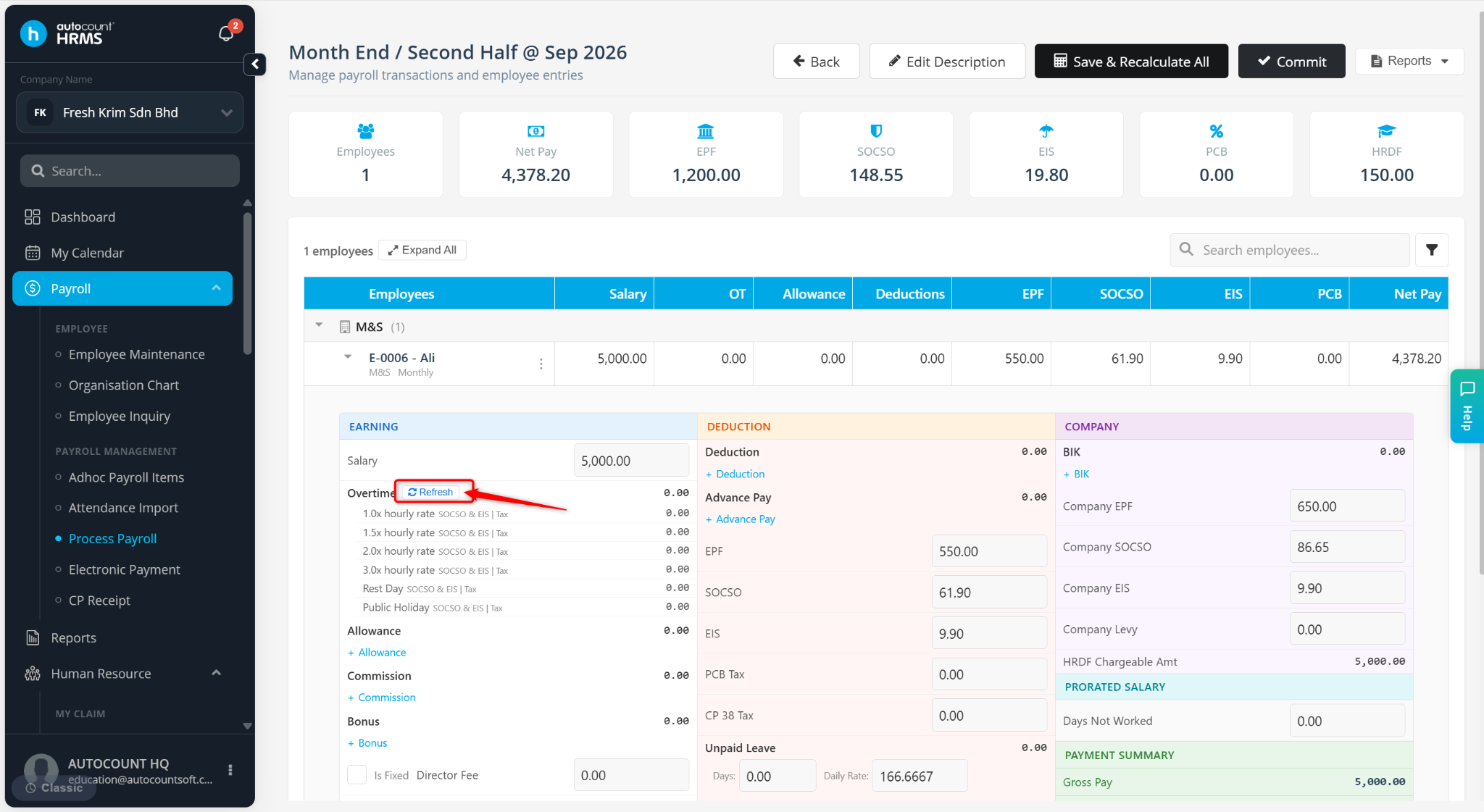
The payroll will be recalculated based on the assigned Overtime Group, and the overtime amount should now be displayed correctly.
Written by: Azirah (20260522)