
This issue usually occurs because the Time Attendance Import has not been processed. The Overtime Report only displays overtime hours captured from the Time Attendance module. Before overtime can be calculated and reflected in Payroll, the attendance data must first be imported into the payroll module.
Scenario:
The Overtime Report shows overtime hours for employee Ali, but the Payroll Process shows an overtime amount of 0.00.
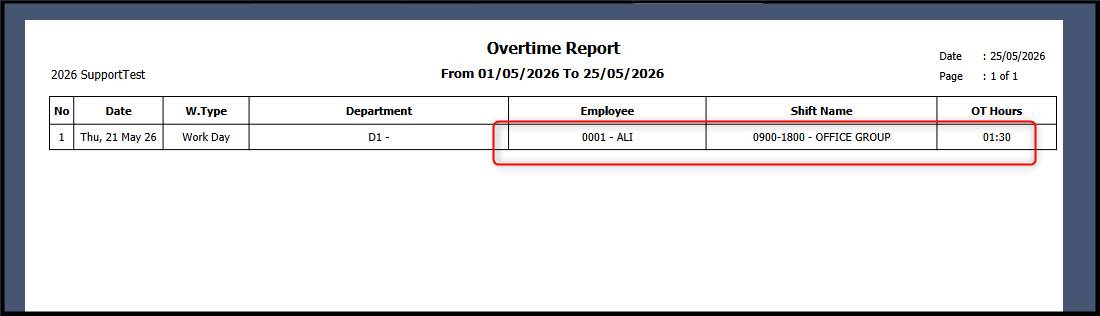
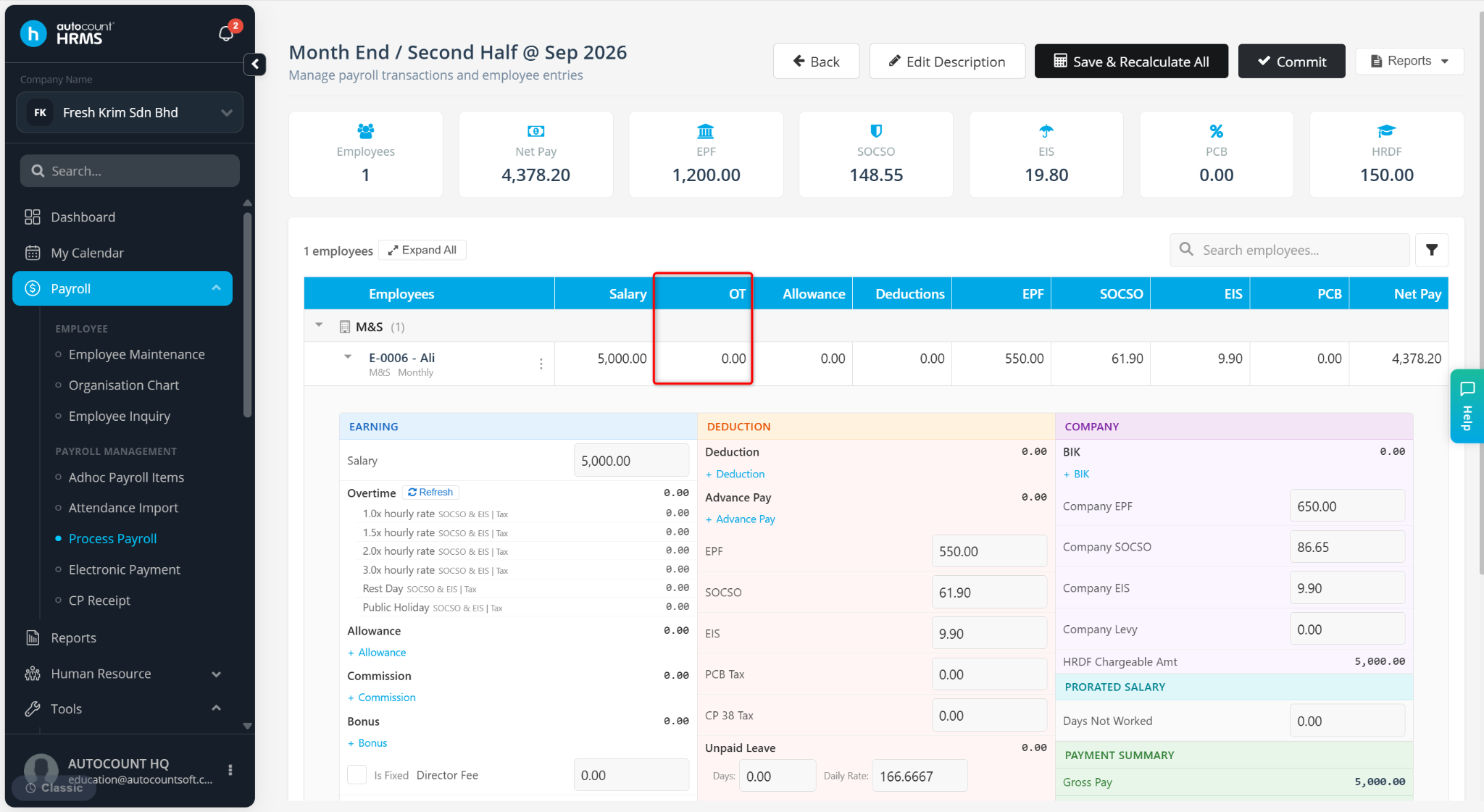
Steps to Show Overtime Amount in Payroll:
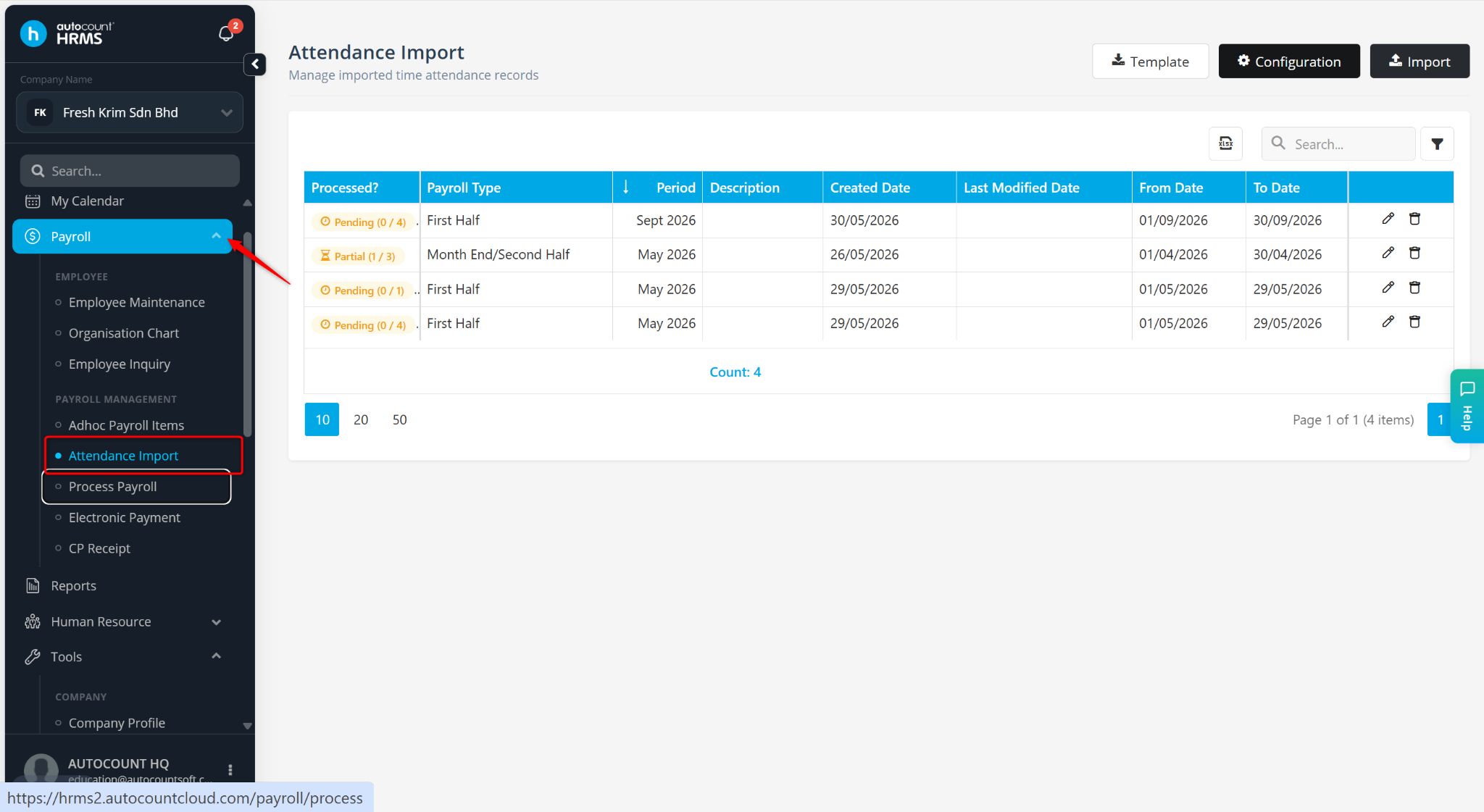
Go to Payroll > Attendance Import.
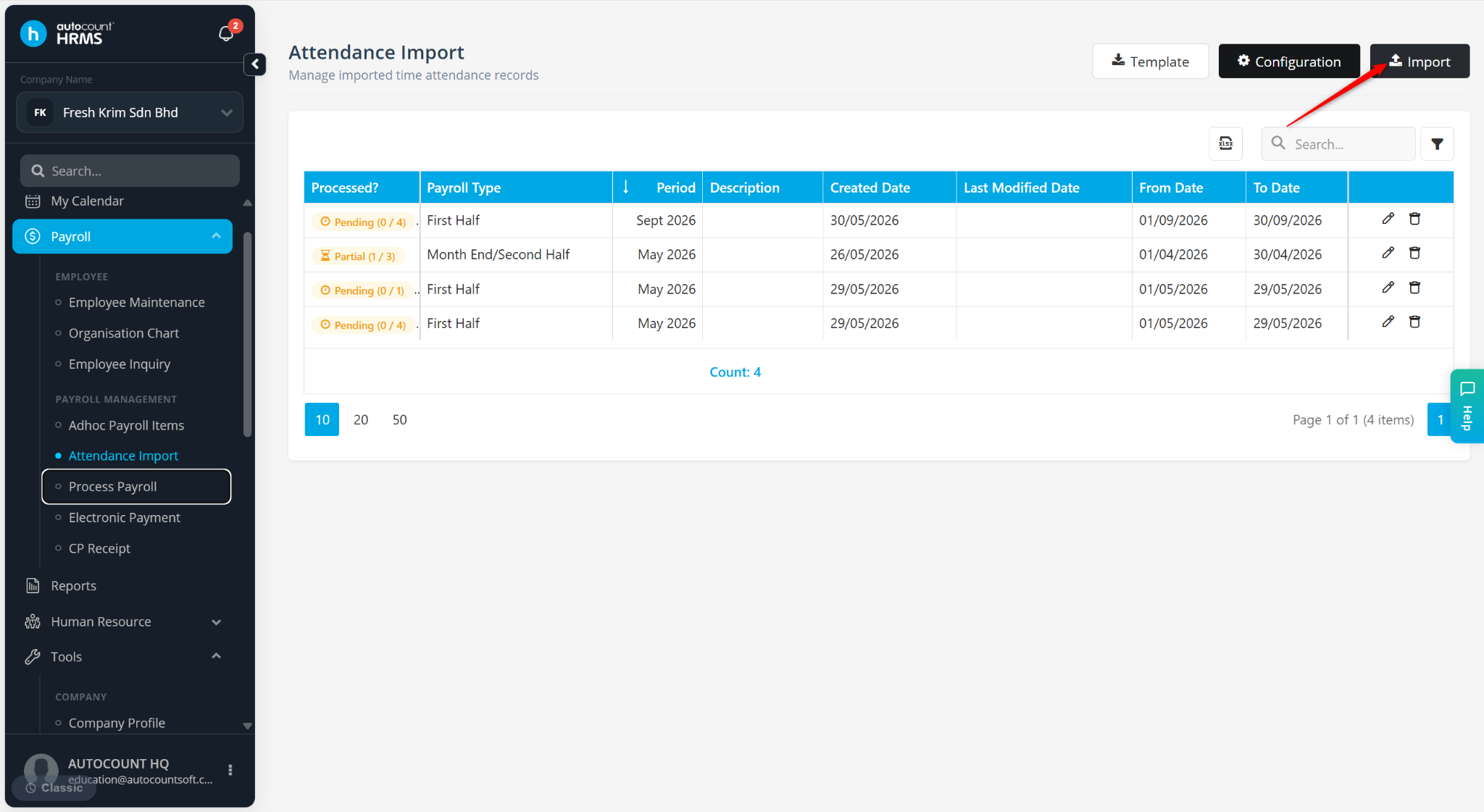
Click Import.
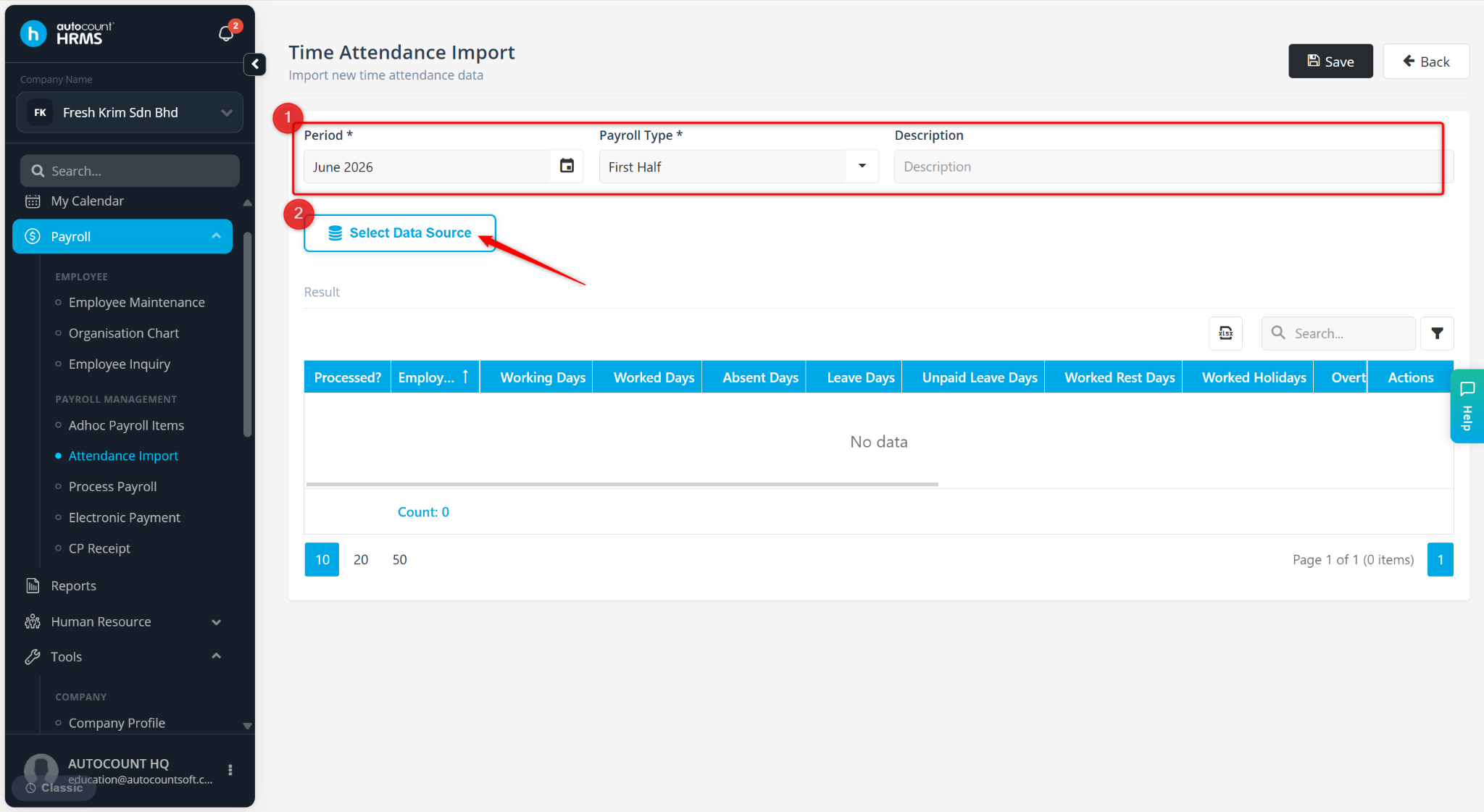
Ensure the Period and Payroll Type are selected correctly, then click Select Data Source.
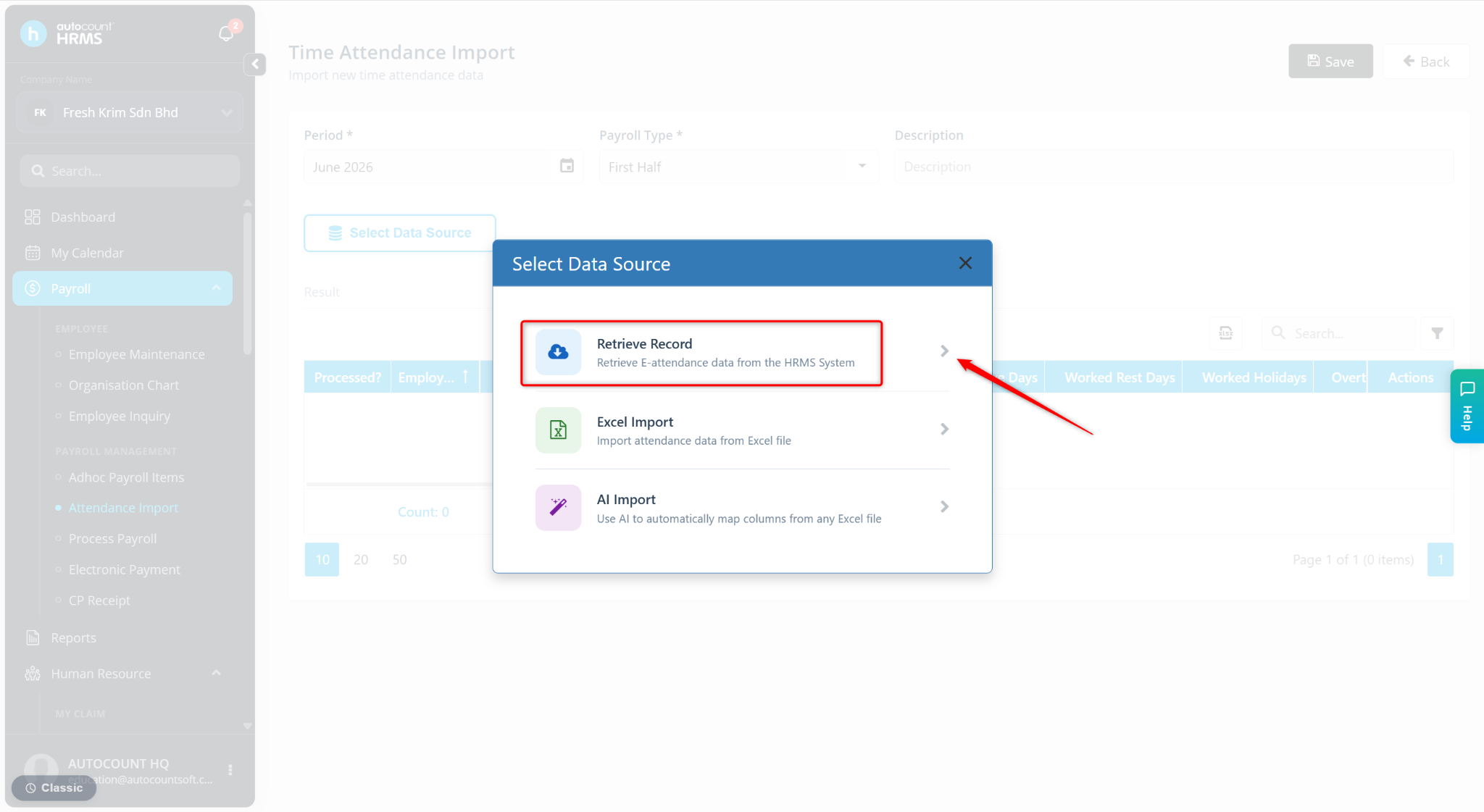
Click Retrieve Import.
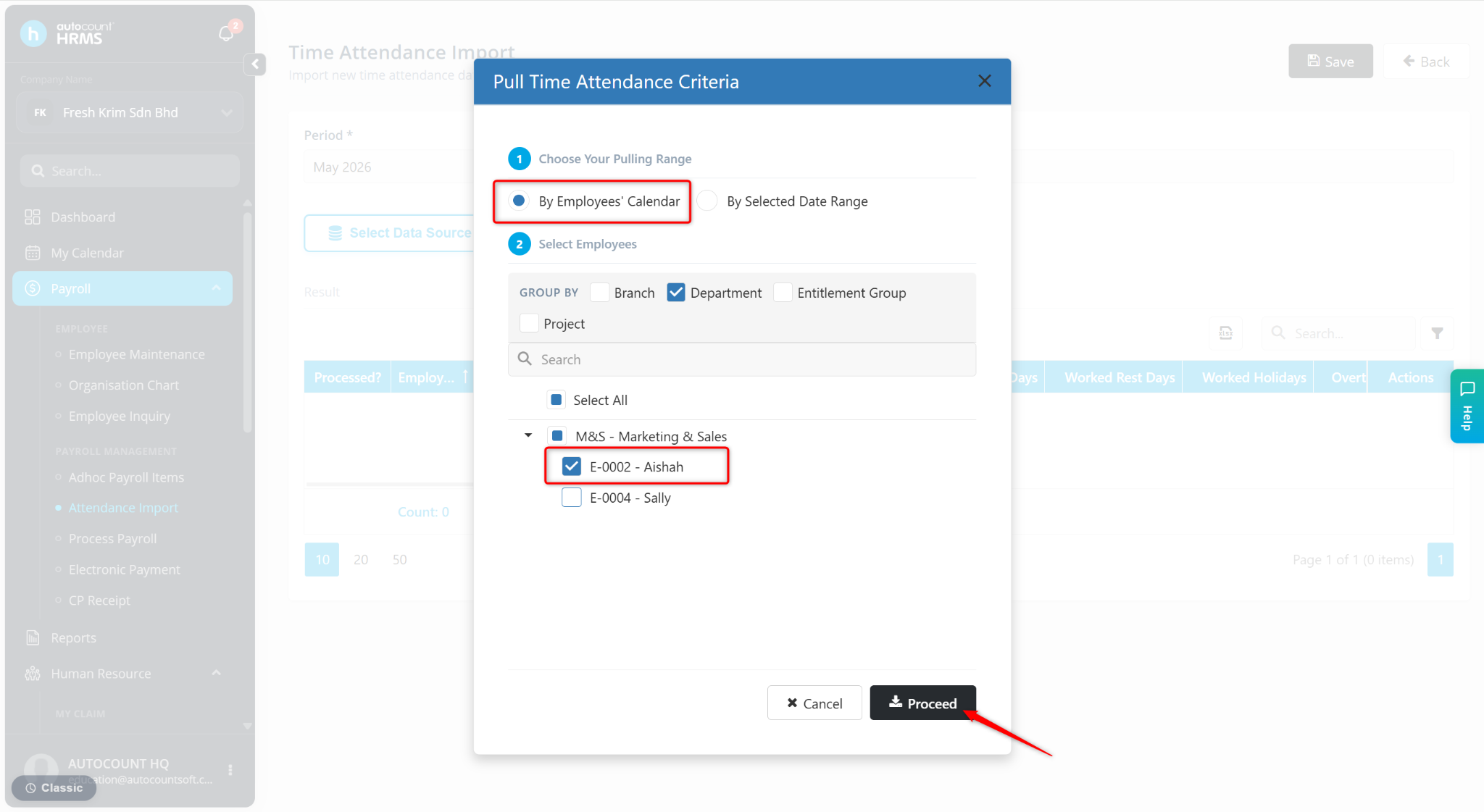
Select the required time attendance criteria and click Proceed.
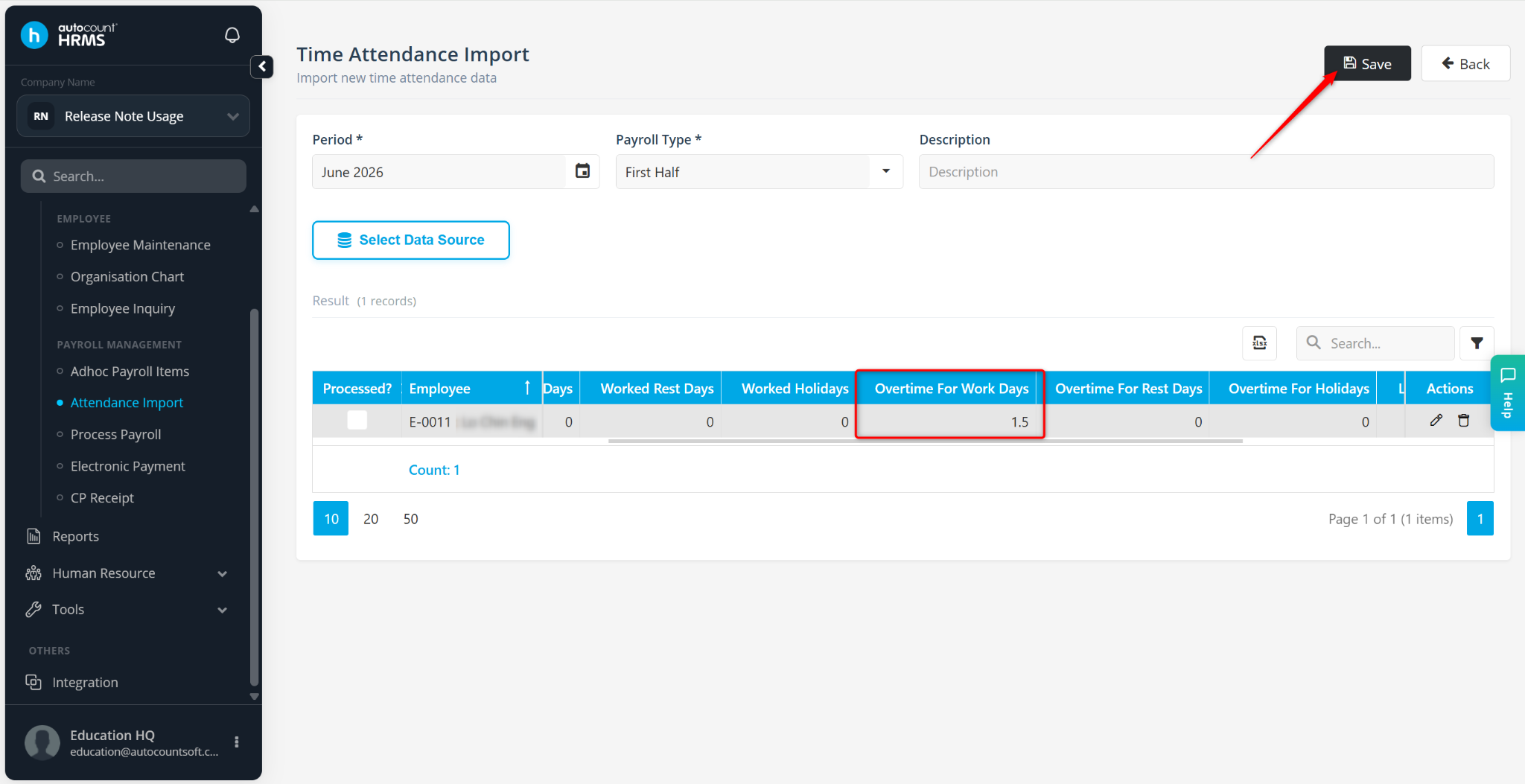
Review the imported details and click Save.
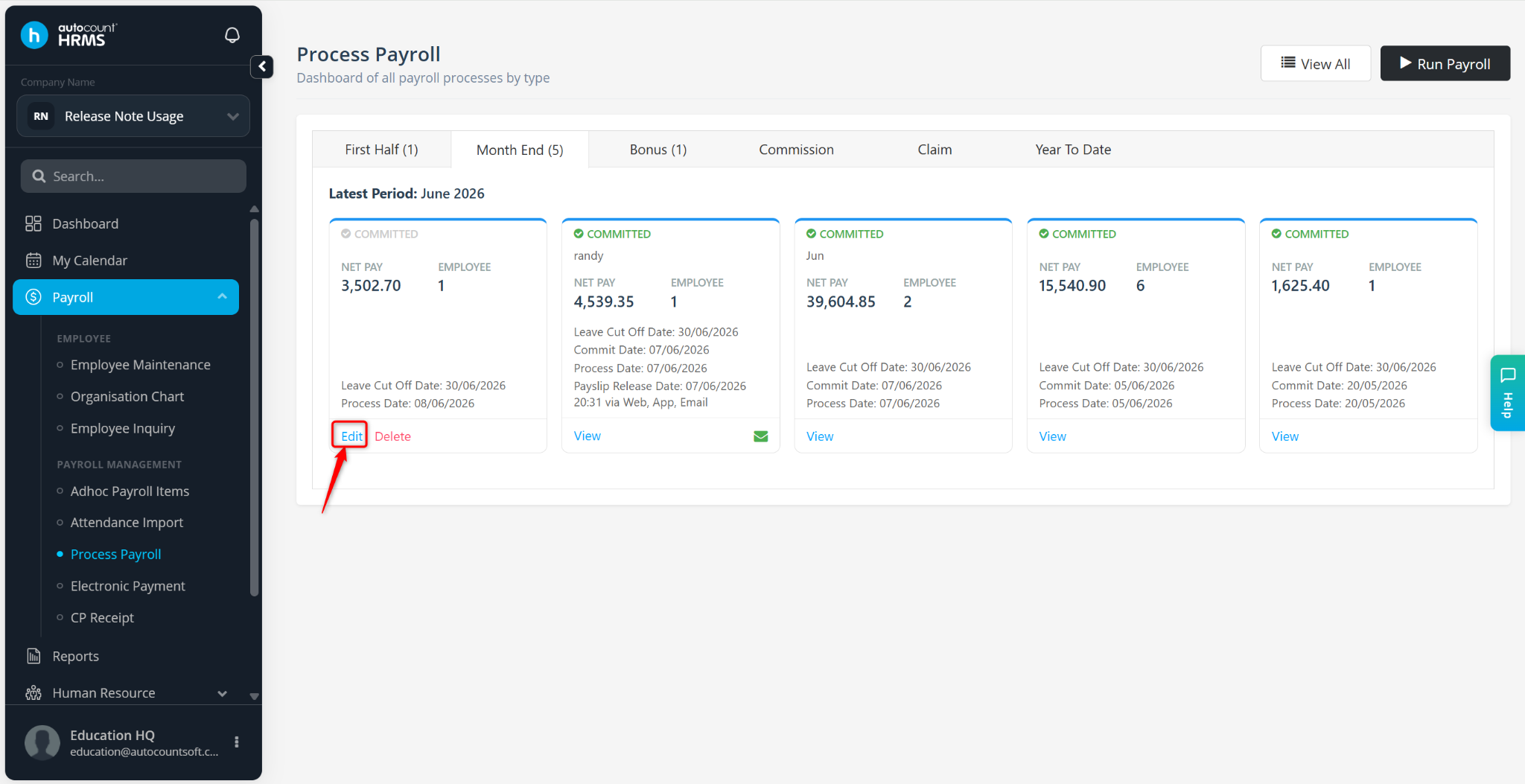
Go to Payroll > Process Payroll.
Click Edit to edit the payroll process.
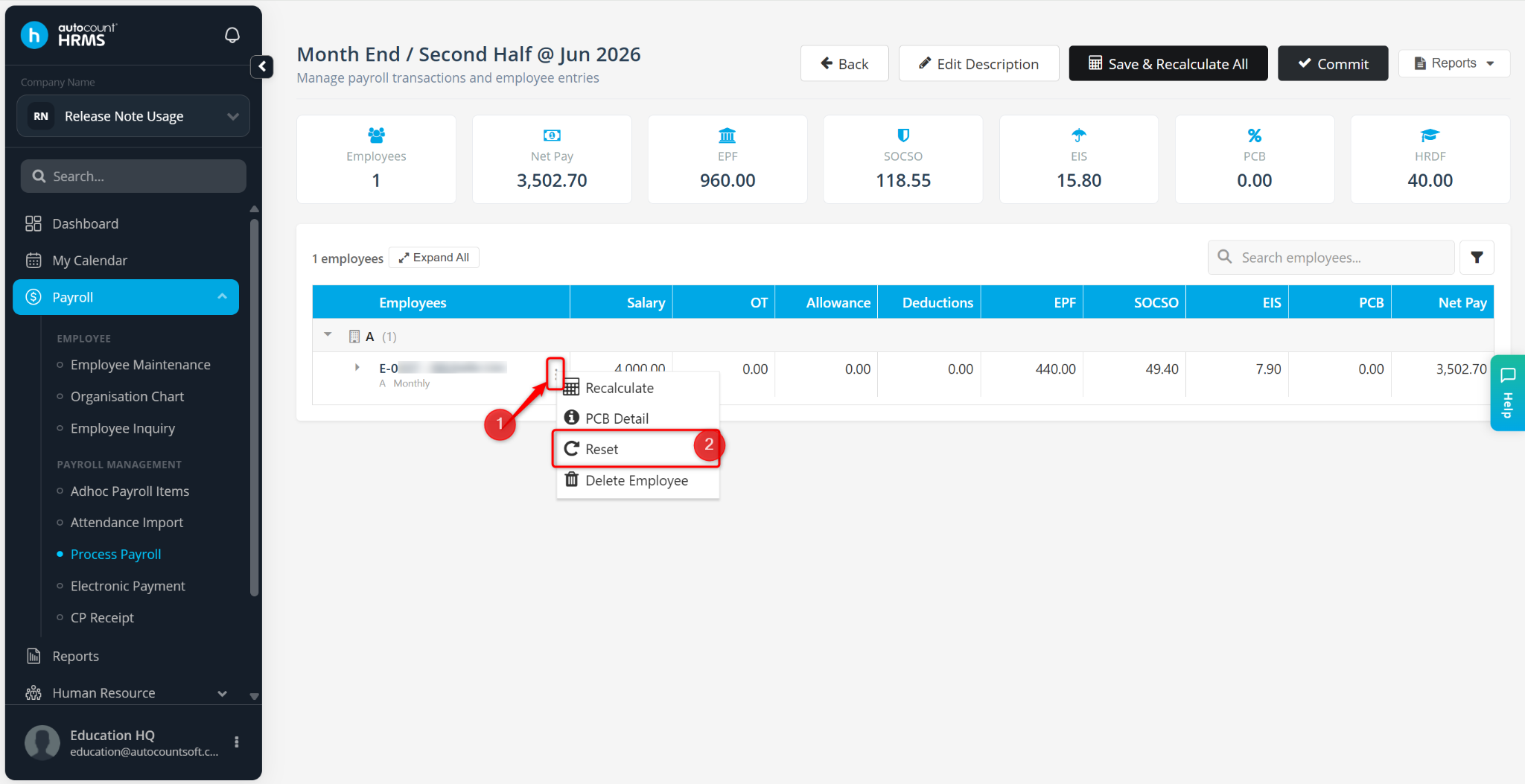
Locate the employee, click the three-dot icon, and select Reset.
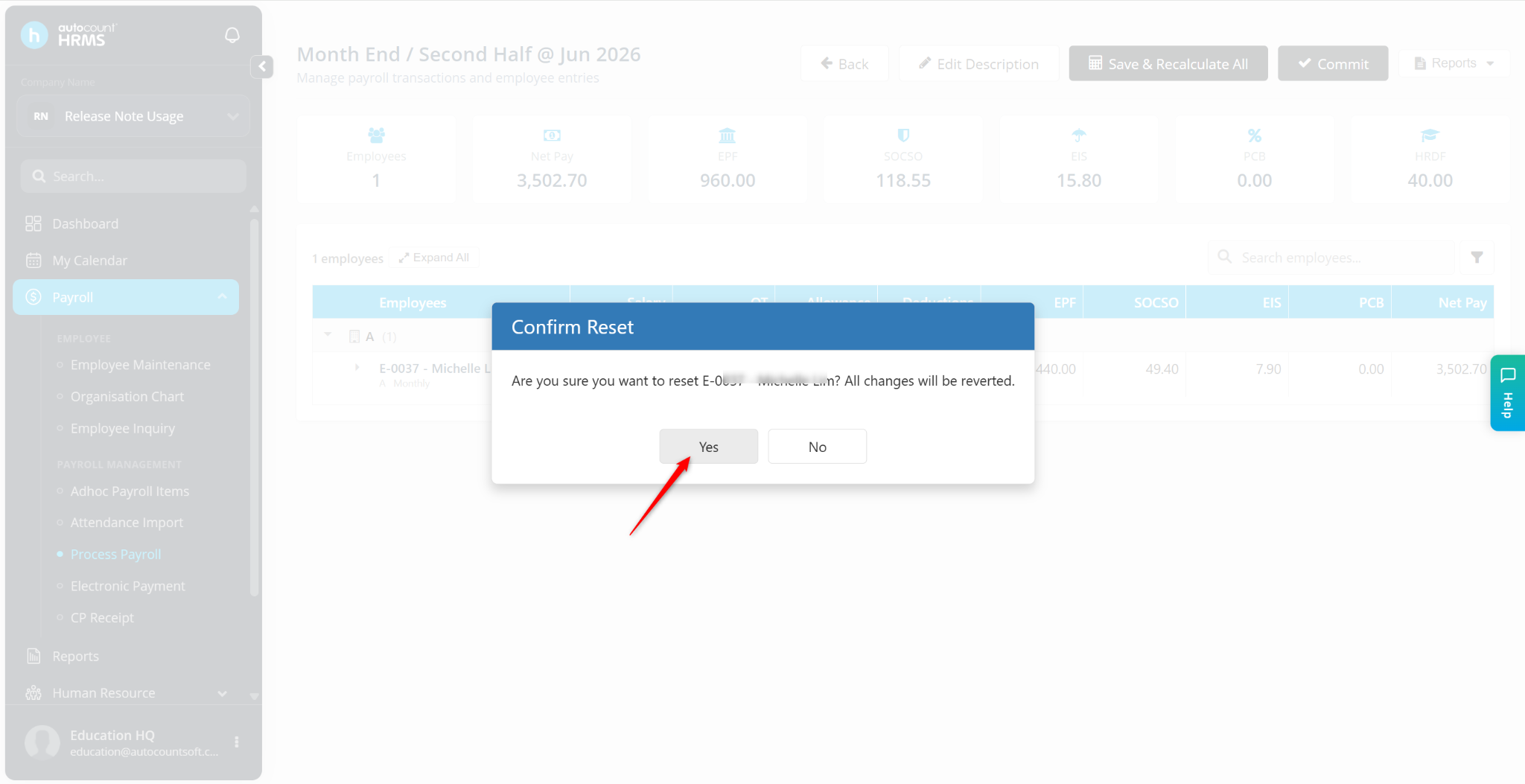
Click Yes to proceed.
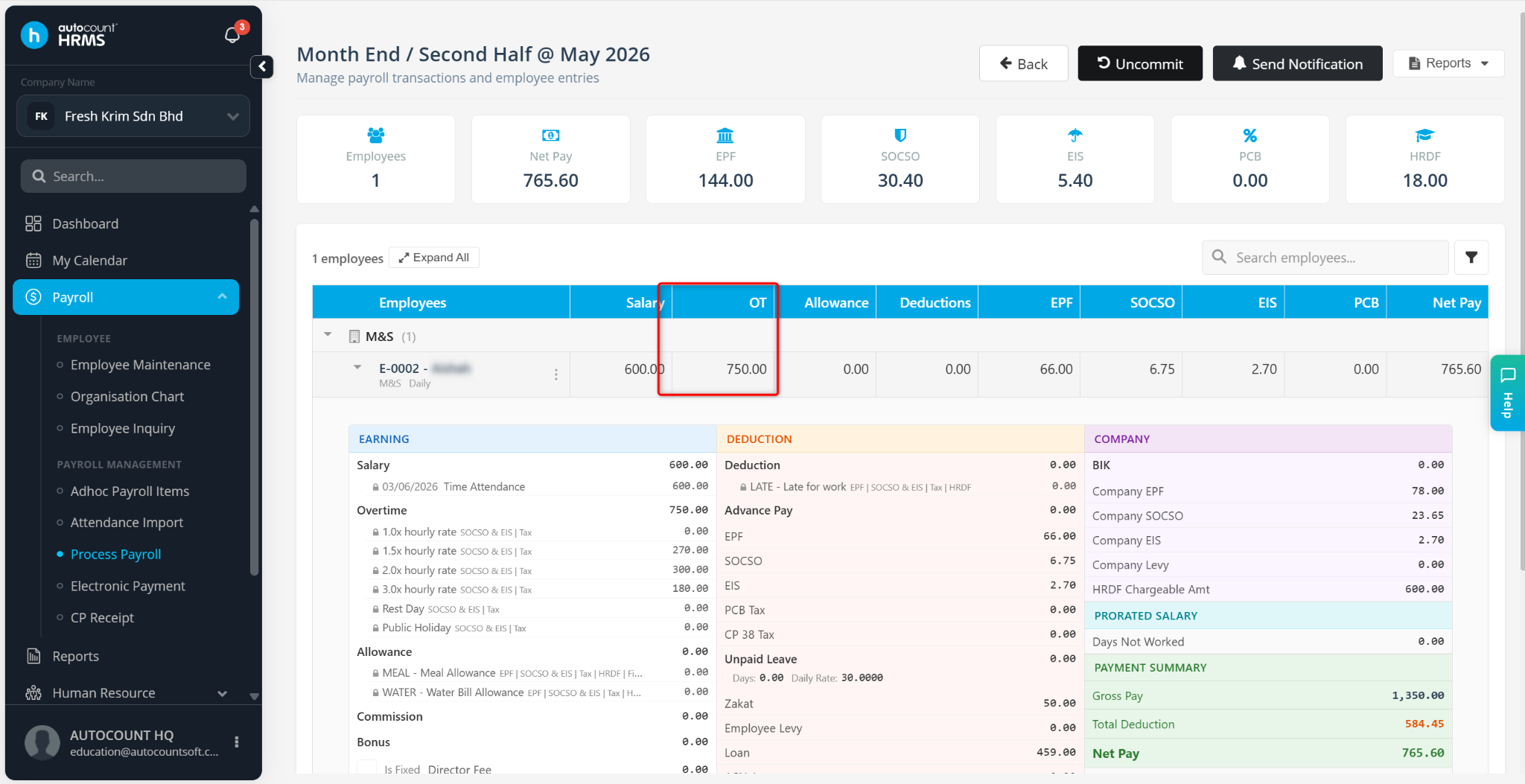
The payroll will be recalculated using the imported attendance data, and the overtime amount should now be reflected correctly in the payroll process.
Written by: Azirah (20260522)