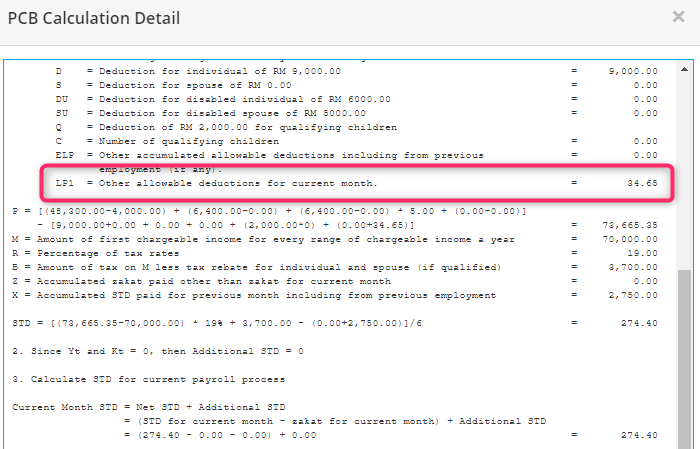
This feature automatically includes an employee's SOCSO and EIS contributions for tax relief purposes under Optional Deduction – Contributions to PERKESO
(Tax relief is limited to RM350.00 per year.)
Previously, users were required to manually update the tax relief amount after payroll calculation. With this enhancement, the system will automatically include the employee's SOCSO and EIS contributions in the PCB tax relief calculation.
A) Enable Claim Employee's SOCSO & EIS Tax Relief
Steps to Enable this Feature:
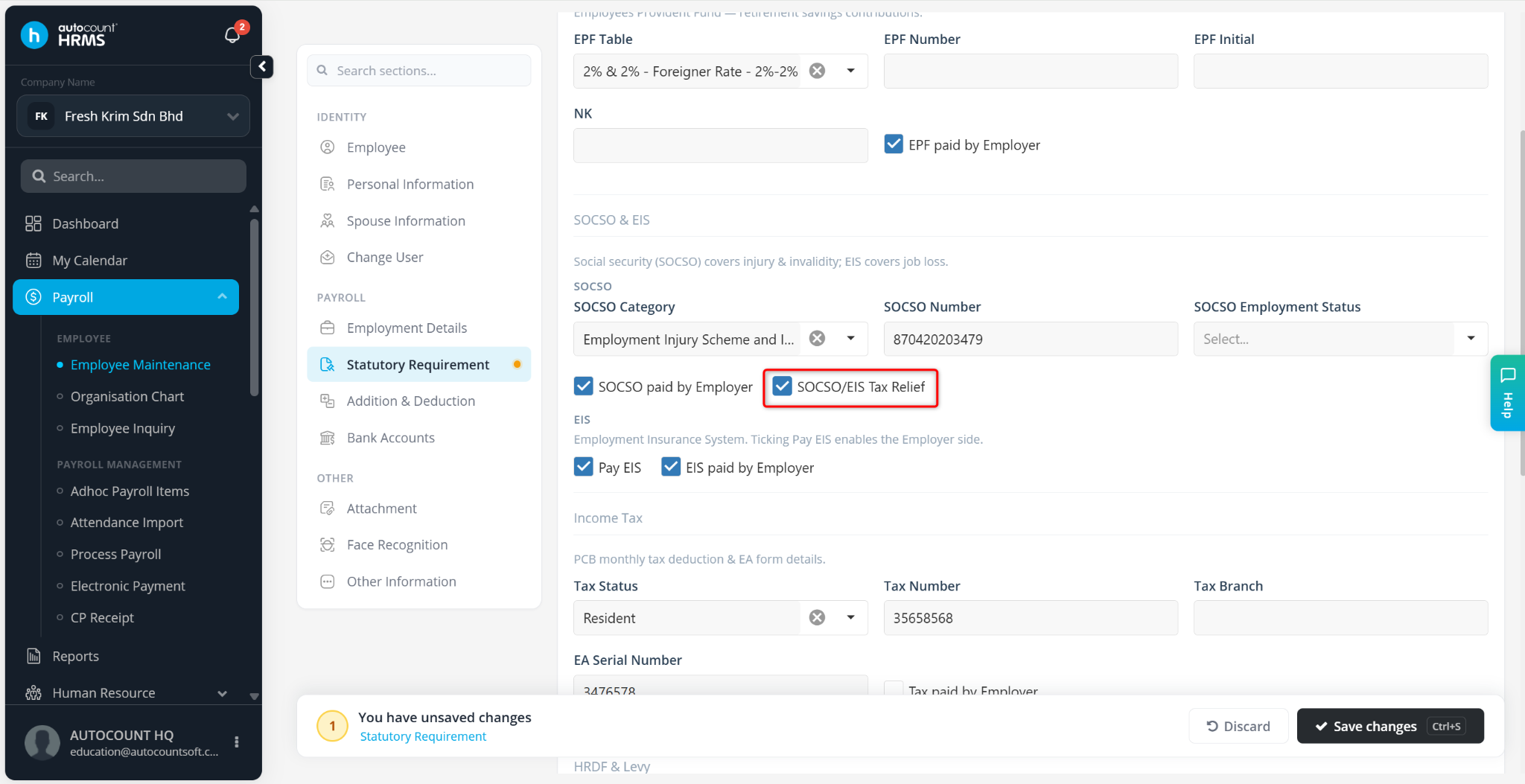
Method 1: Employee Maintenance
Go to Payroll > Employee Maintenance.
Locate the employee and click the pencil icon.
Navigate to Statutory Requirement.
Under SOCSO, enable SOCSO & EIS Tax Relief
Click Save Changes.
Method 2: Batch Edit
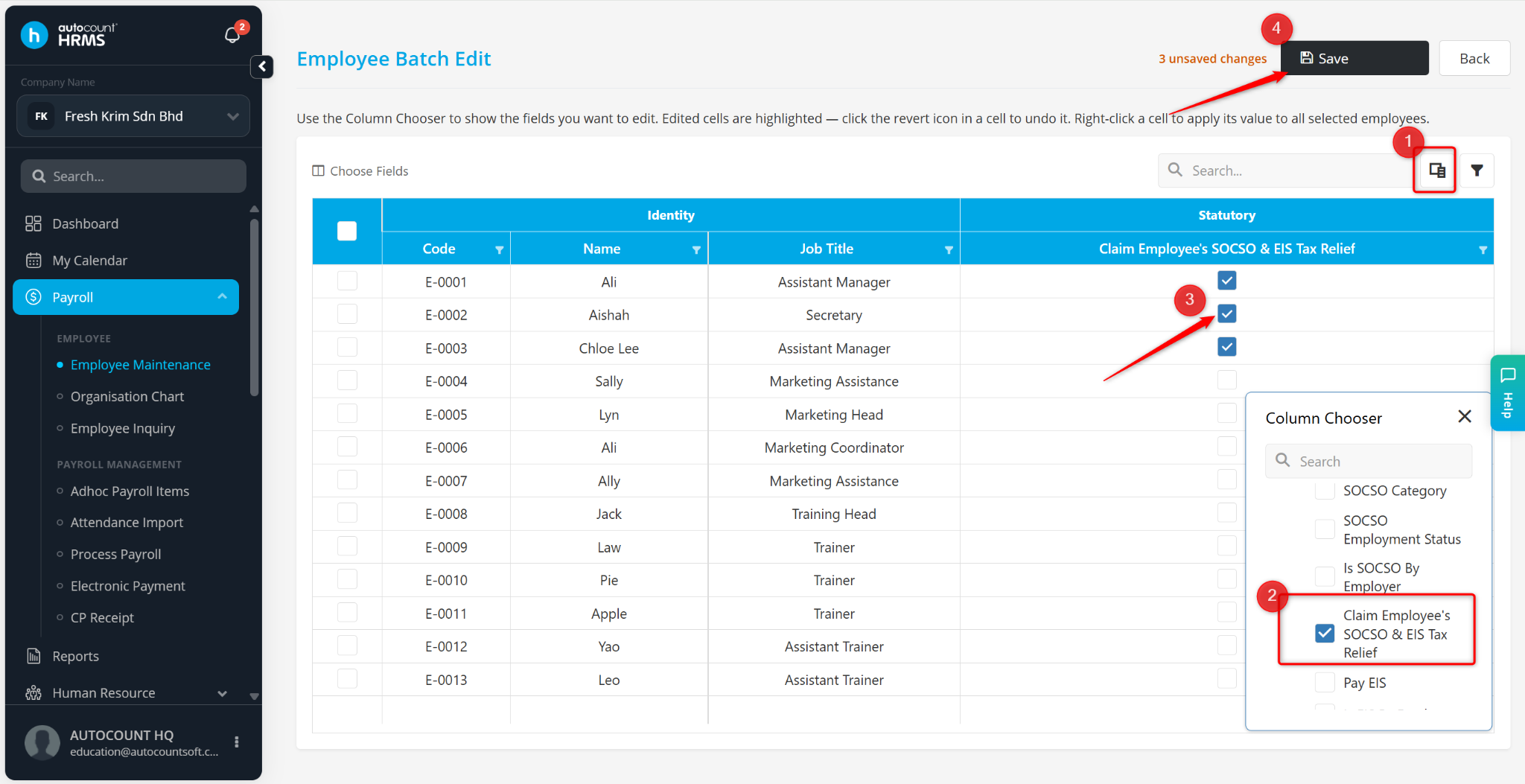
Go to Payroll > Employee Maintenance.
Click Batch Edit.
Click column choose and select Claim Employee's SOCSO & EIS Tax Relief
Enable the option at the table manually, or right click and select Apply this value to selected rows.
Click Save.
Method 3: Excel Import
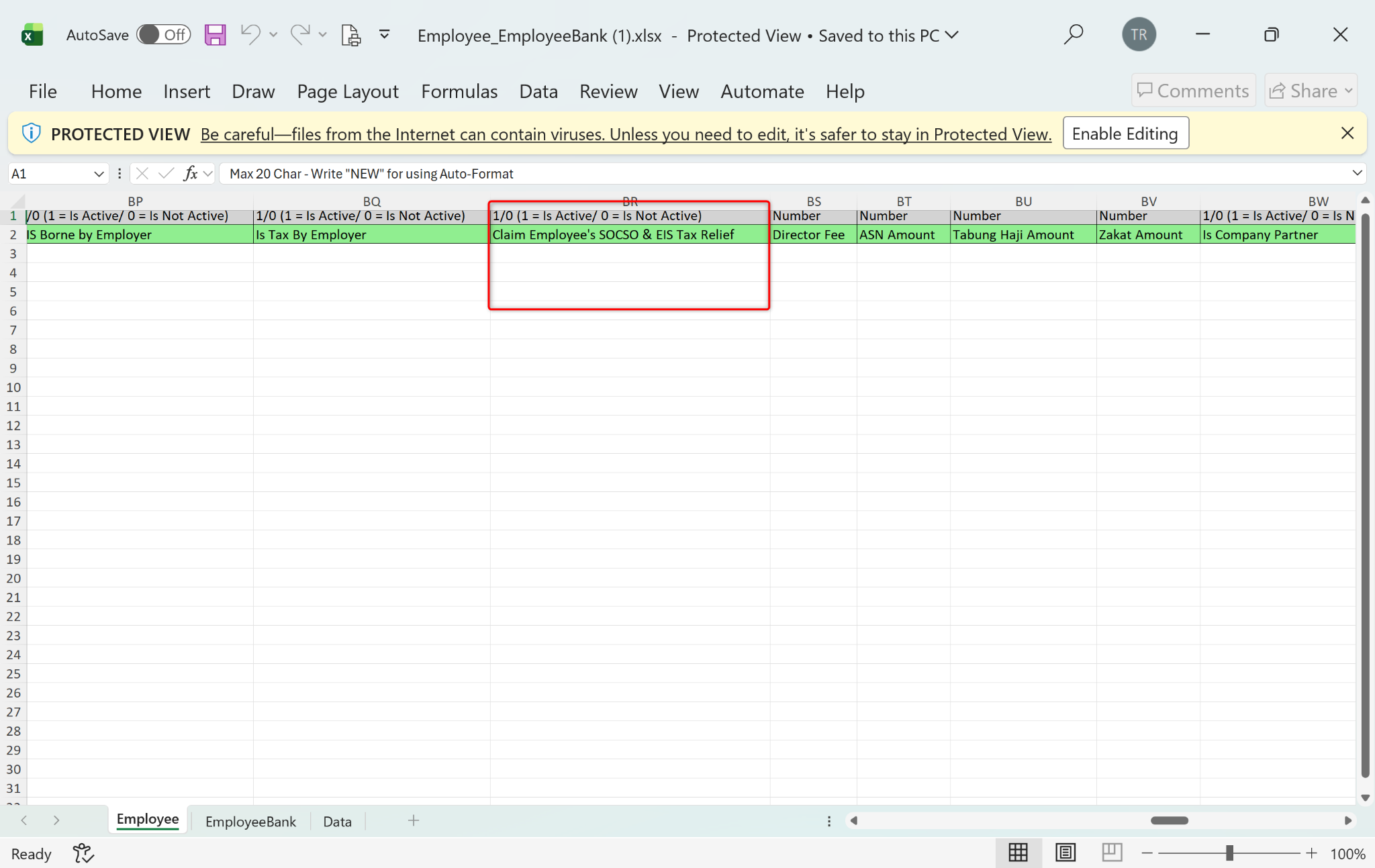
Users may also update this setting via Excel Import.
Go to Excel Import, click Employee to download the template.
Download the employee import template.
Update the Claim Employee's SOCSO & EIS Tax Relief field.
Import the updated file into the system.
B) Run Payroll
Run the payroll process as usual.
The SOCSO and EIS tax relief amount will be automatically displayed under PCB Details > Optional Deduction > SOCSO Payment
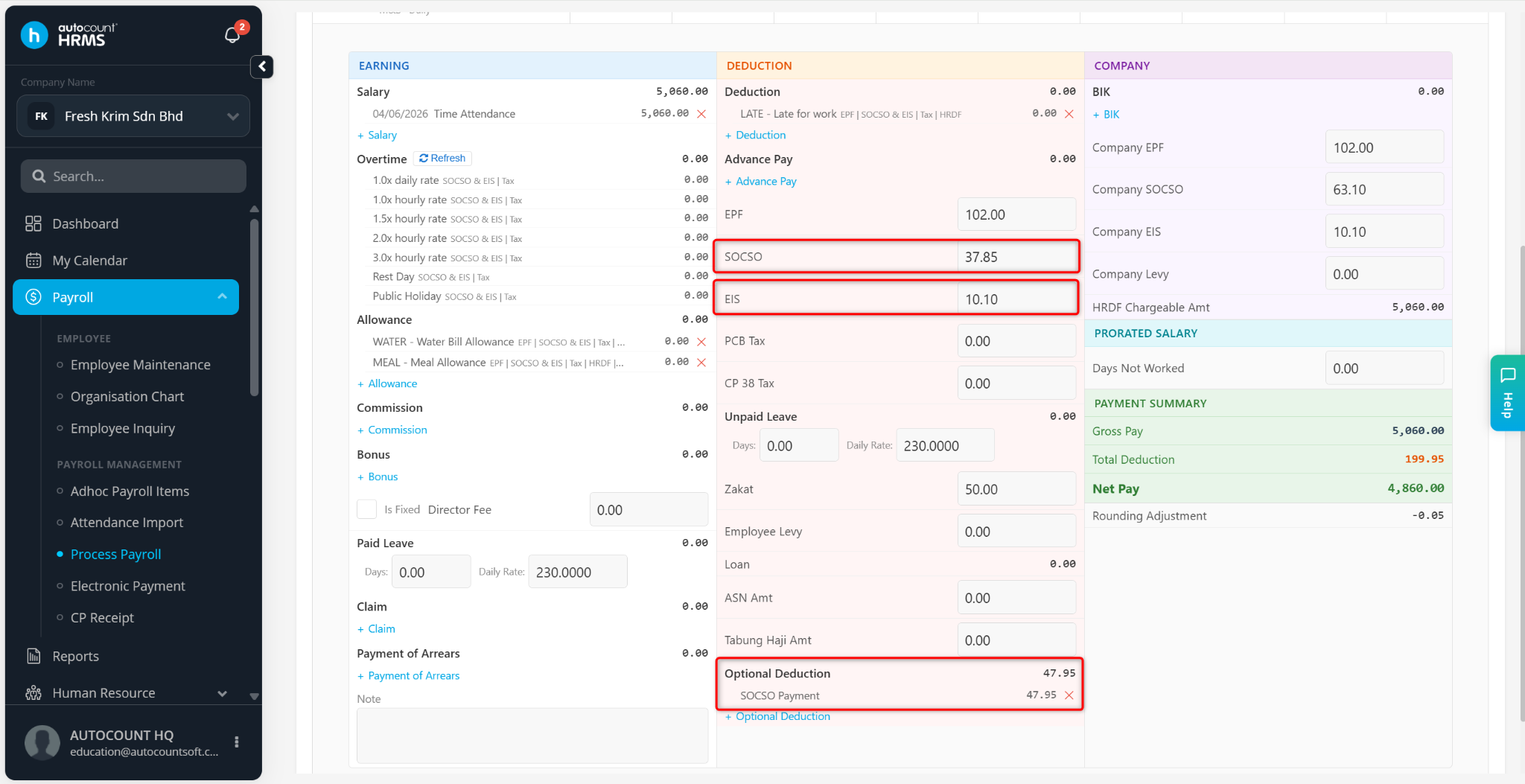
The tax relief amount will also be reflected in PCB Calculation Detail > LP1