
This section allows users to create and manage projects for record-keeping, reporting, and transaction filtering purposes. Projects can be assigned to an employee at Payroll > Employee Maintenance.
Steps to Create a New Project:
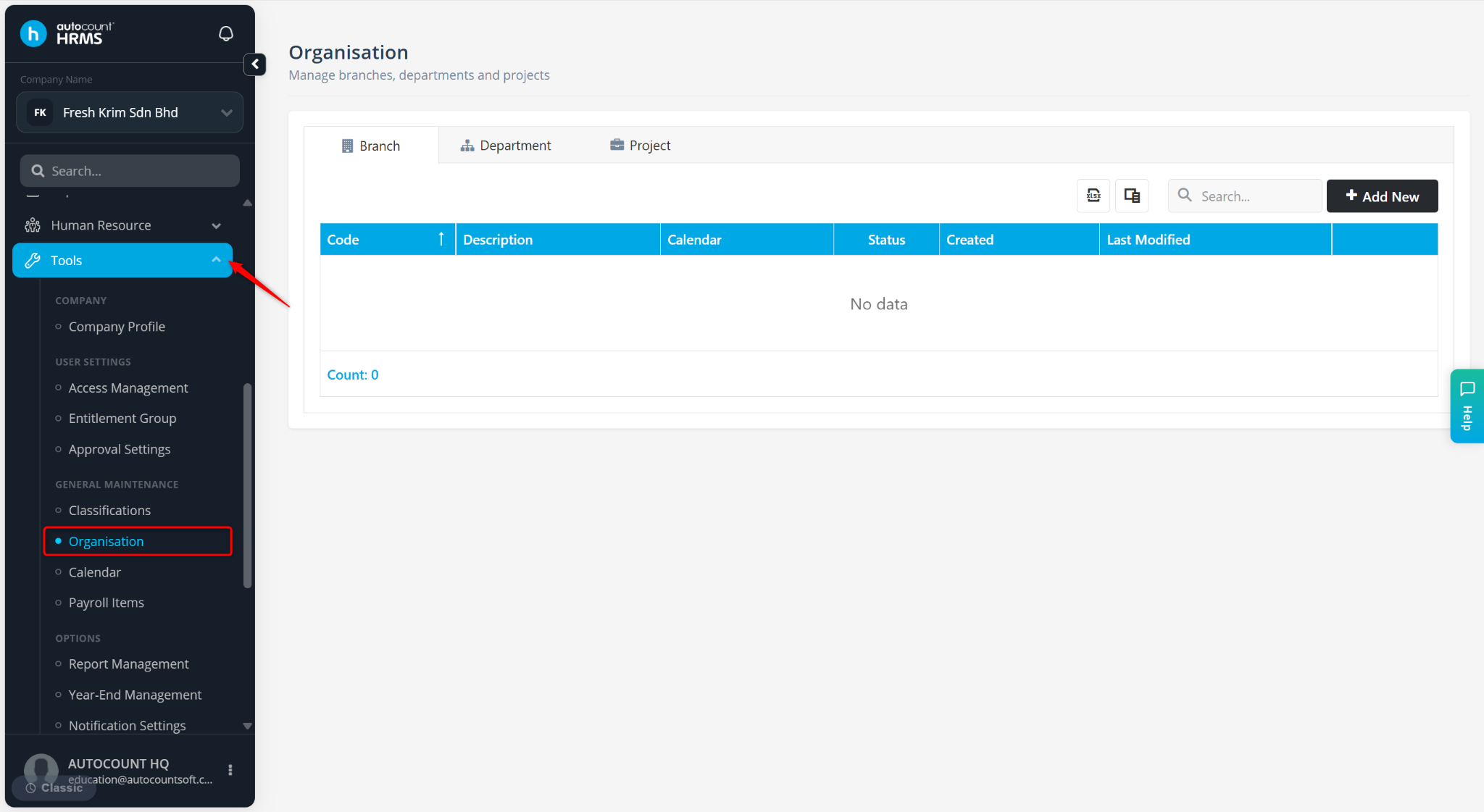
Go to Tools > Organisation.
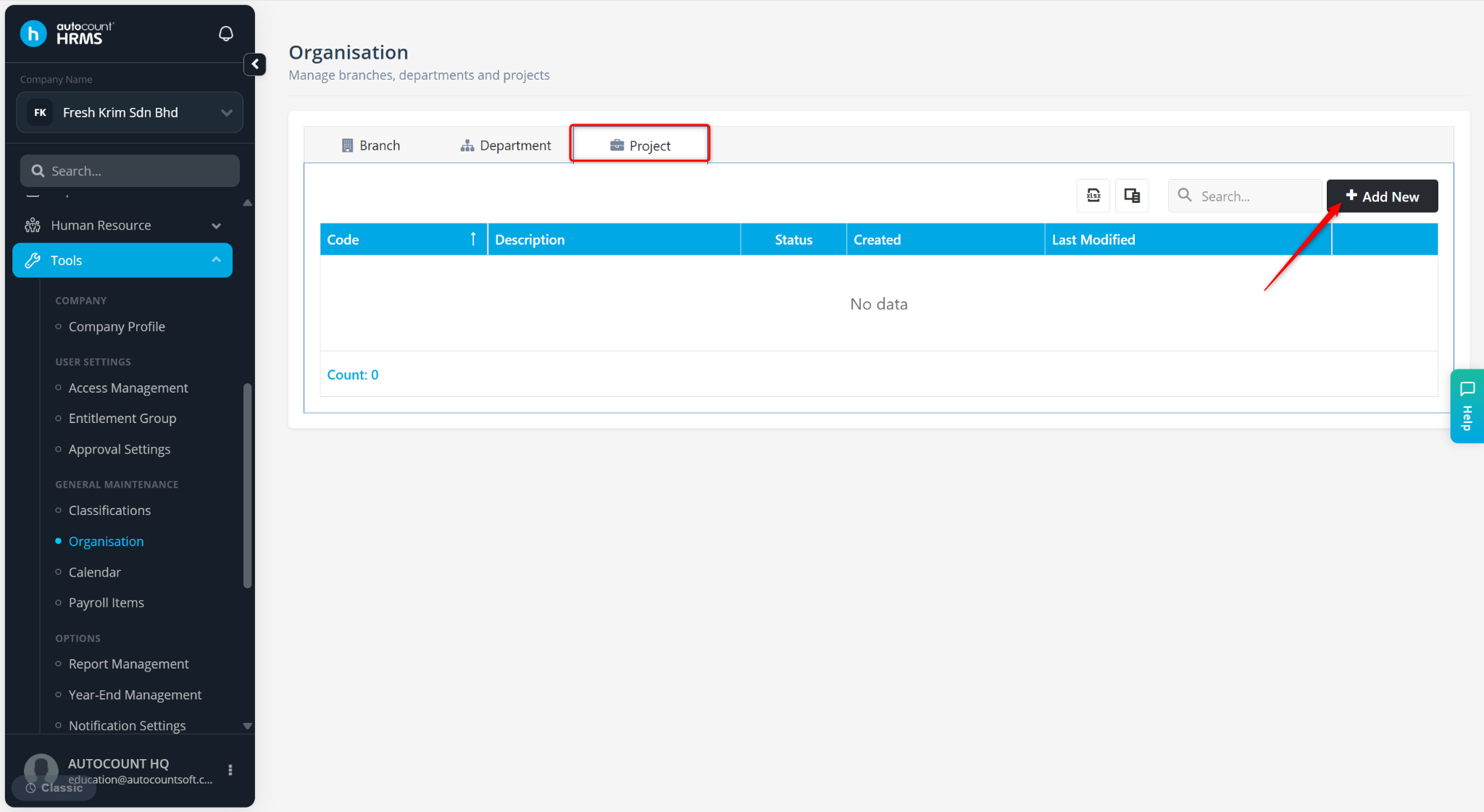
Under the Project tab, click Add New.
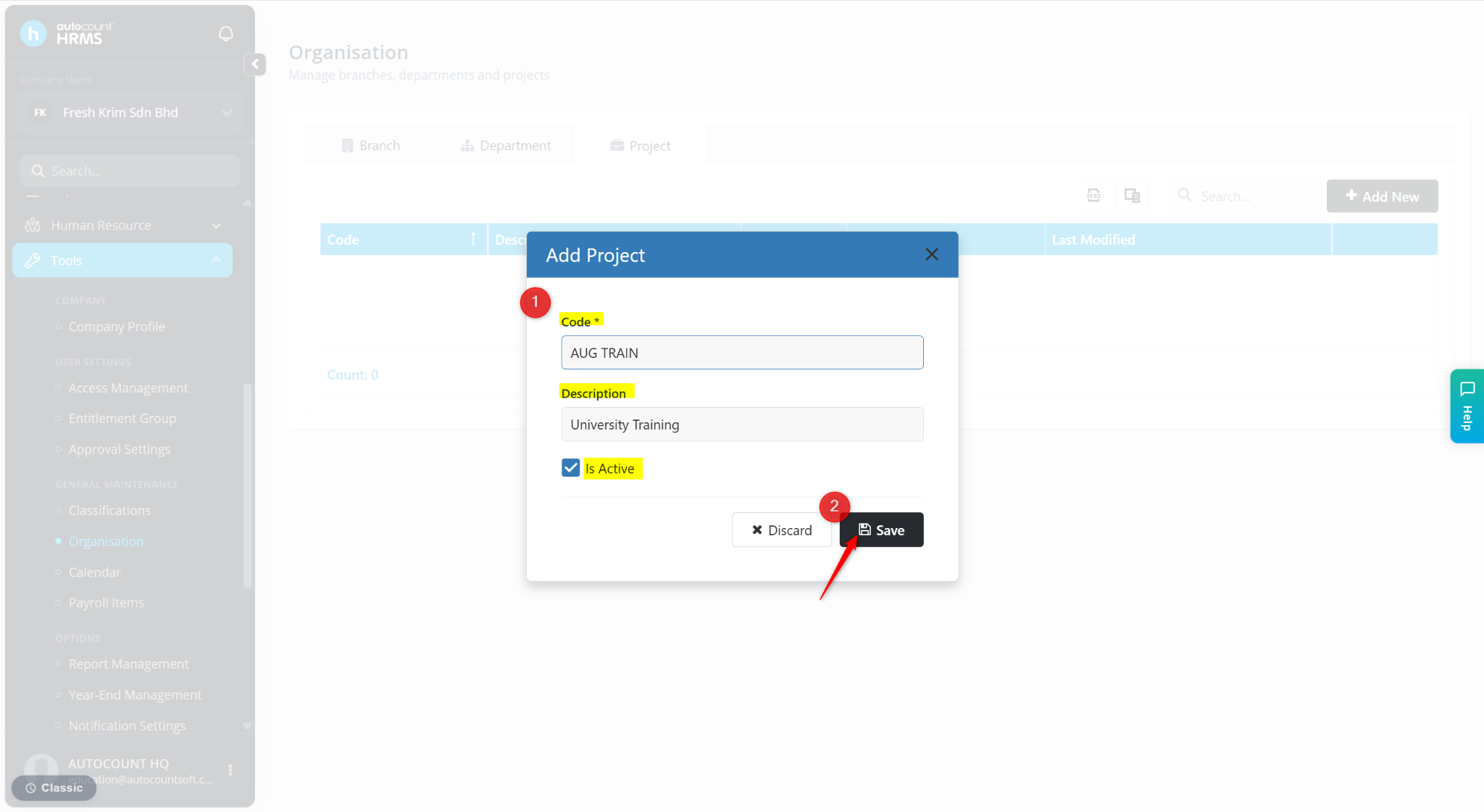
Enter the details:
Code – Enter a code for the project. (Mandatory)
Description – Enter the name of the project.
Is Active – Ensure this option is enabled to make the record available for selection.
Click Save.
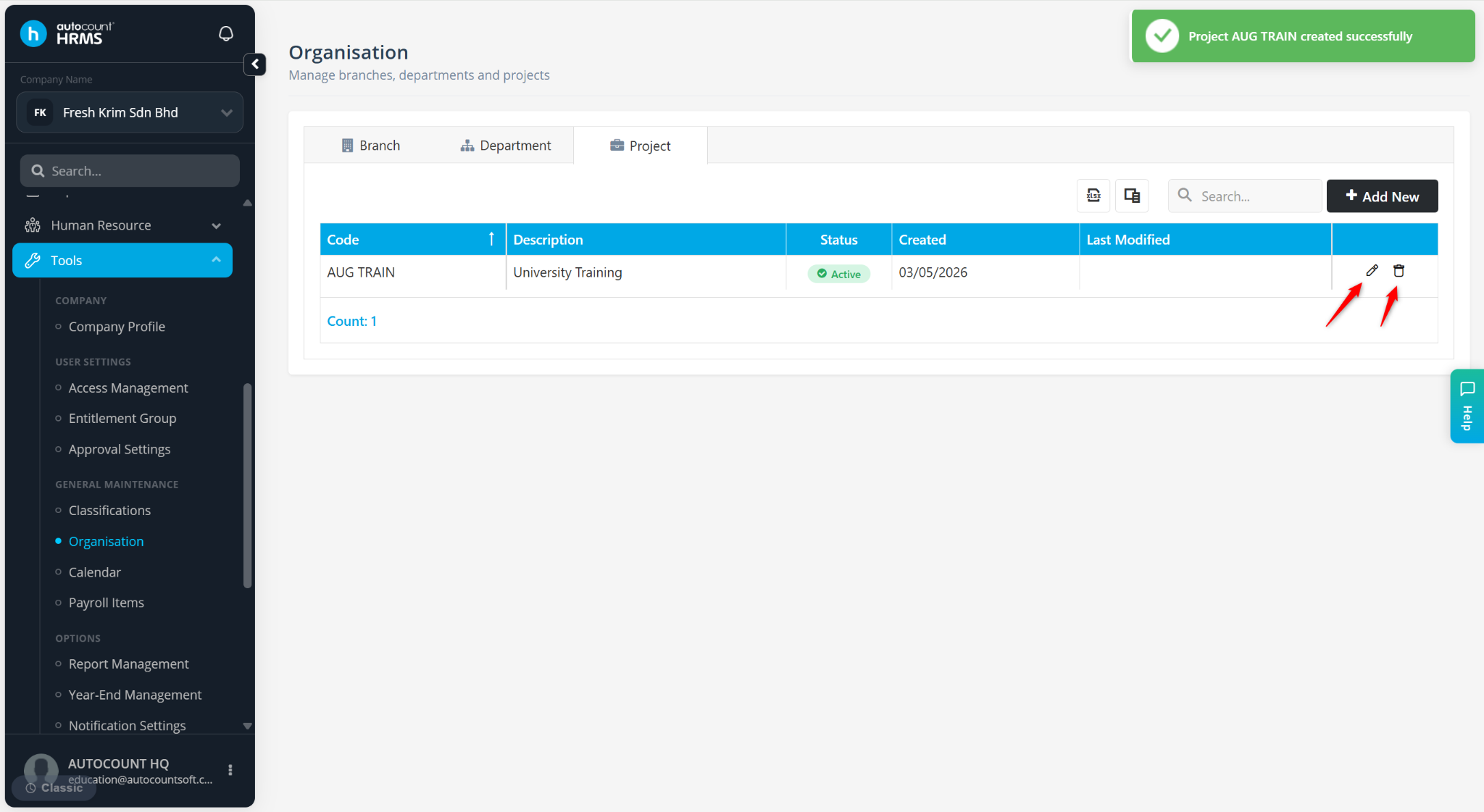
The project will be listed at the table.
ℹ️ Tip:
Use the pencil icon to edit the project.
Use the trash bin icon to delete the project.
Disable Is Active to prevent further use without deleting historical records.