This feature allows users to assign a project to an employee for reporting, filtering, and record-keeping purposes. It helps organise employee data by project for easier tracking and analysis. Please note that it is not used for claim entitlement purposes.
Steps to Assign a Project to an Employee:
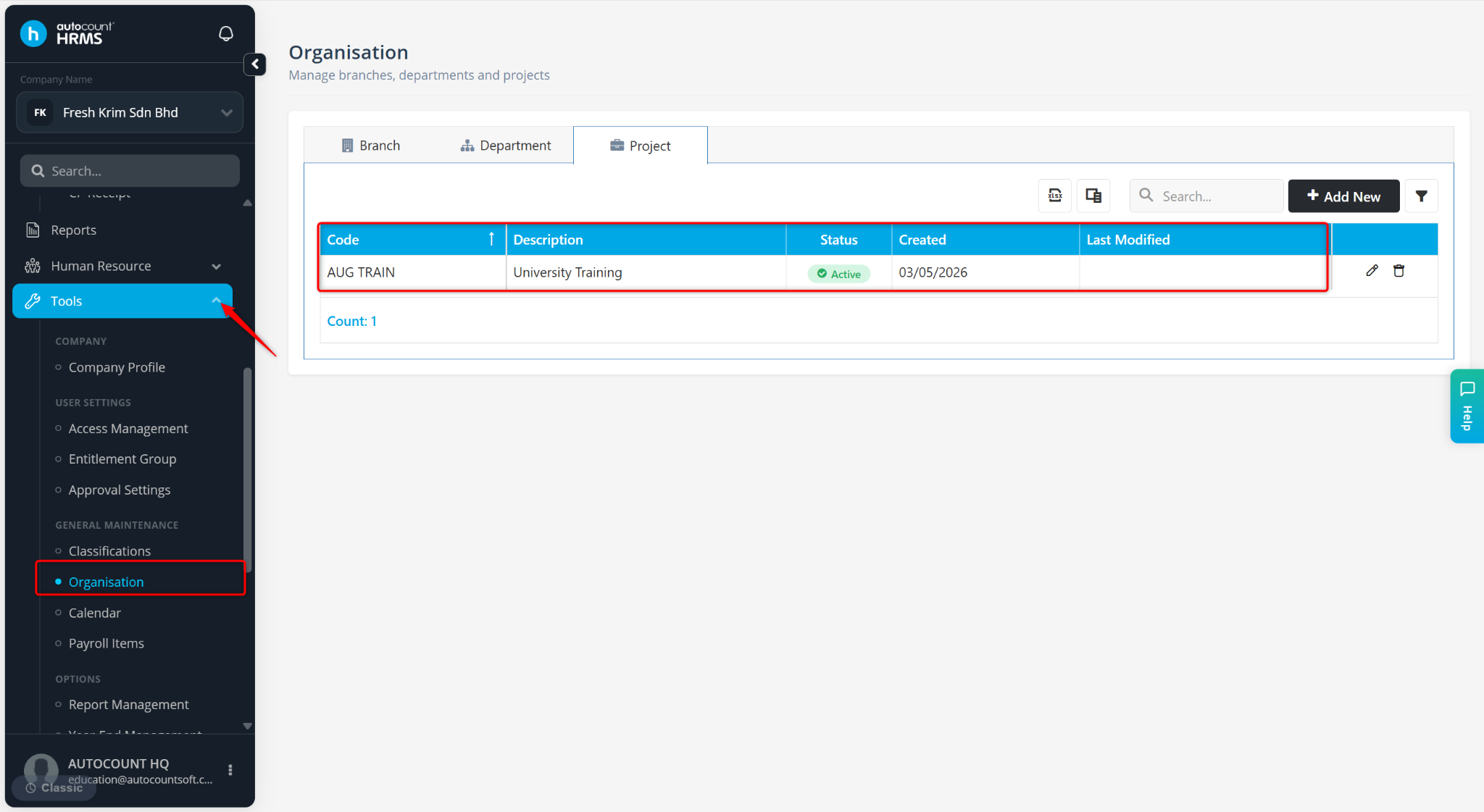
Ensure the project is created at Tools > Organisation > Project. Refer to Project to configure project settings.
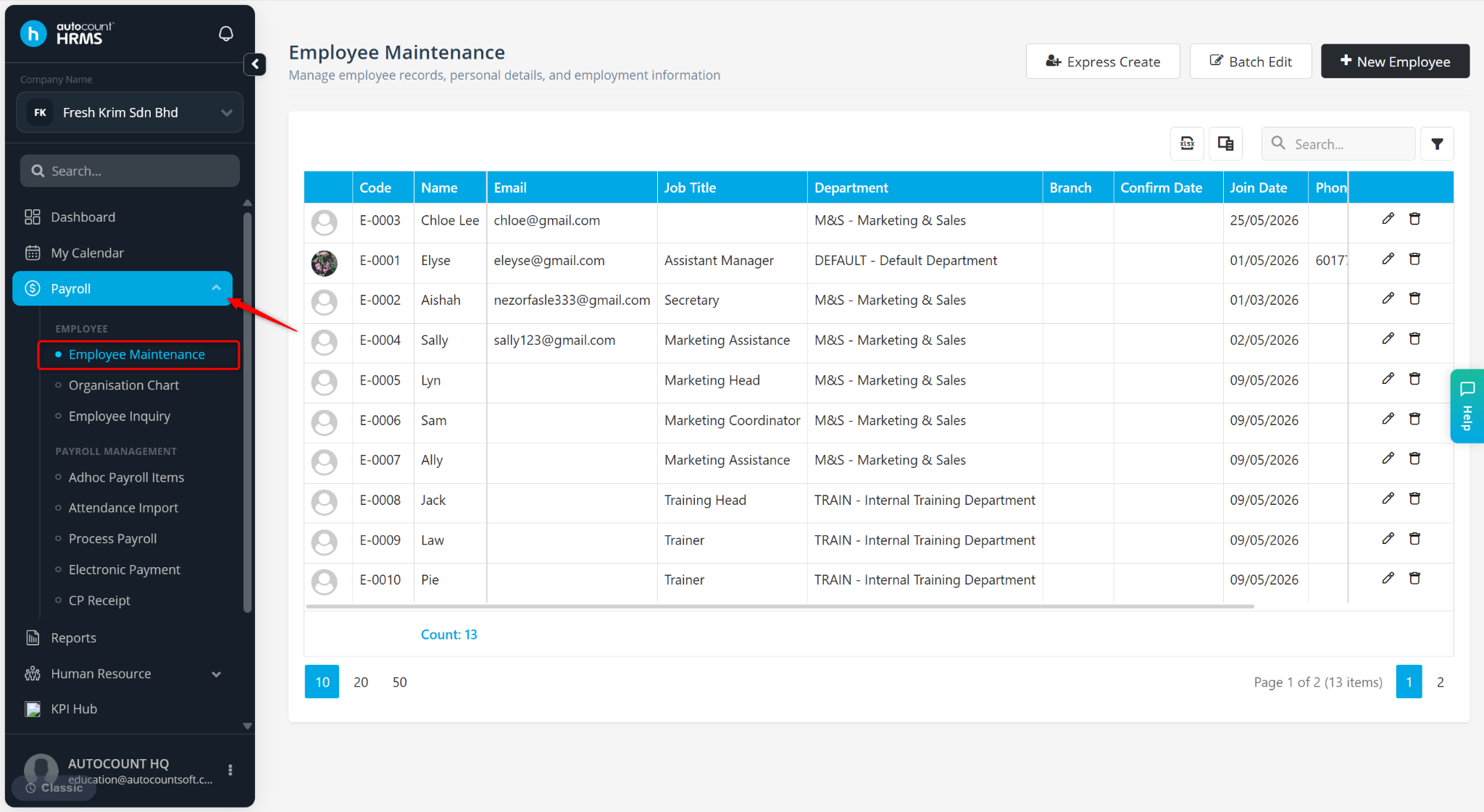
Go to Payroll > Employee Maintenance.
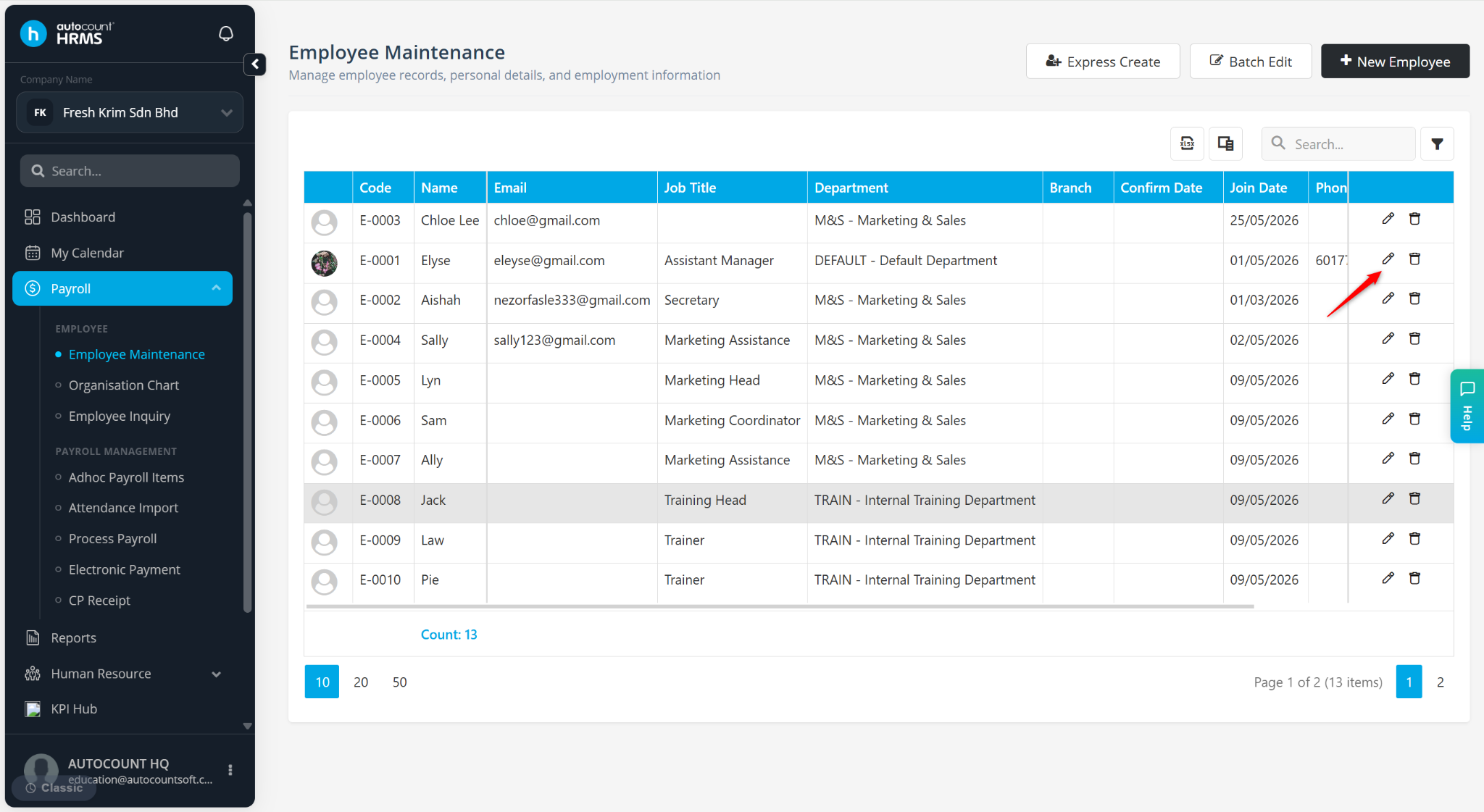
Locate the employee and click the pencil icon next to the employee.
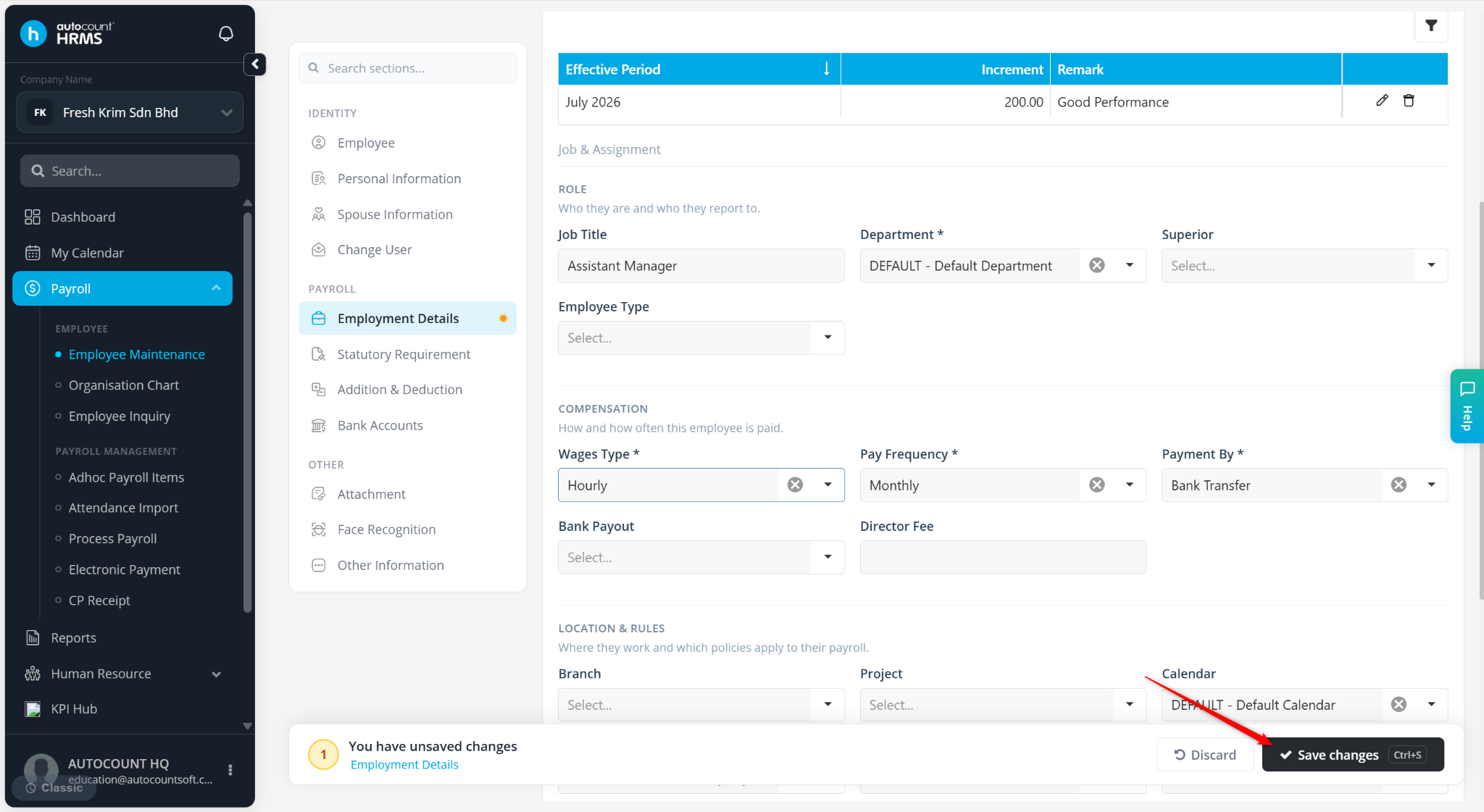
Under Employment Details, select the appropriate Project.
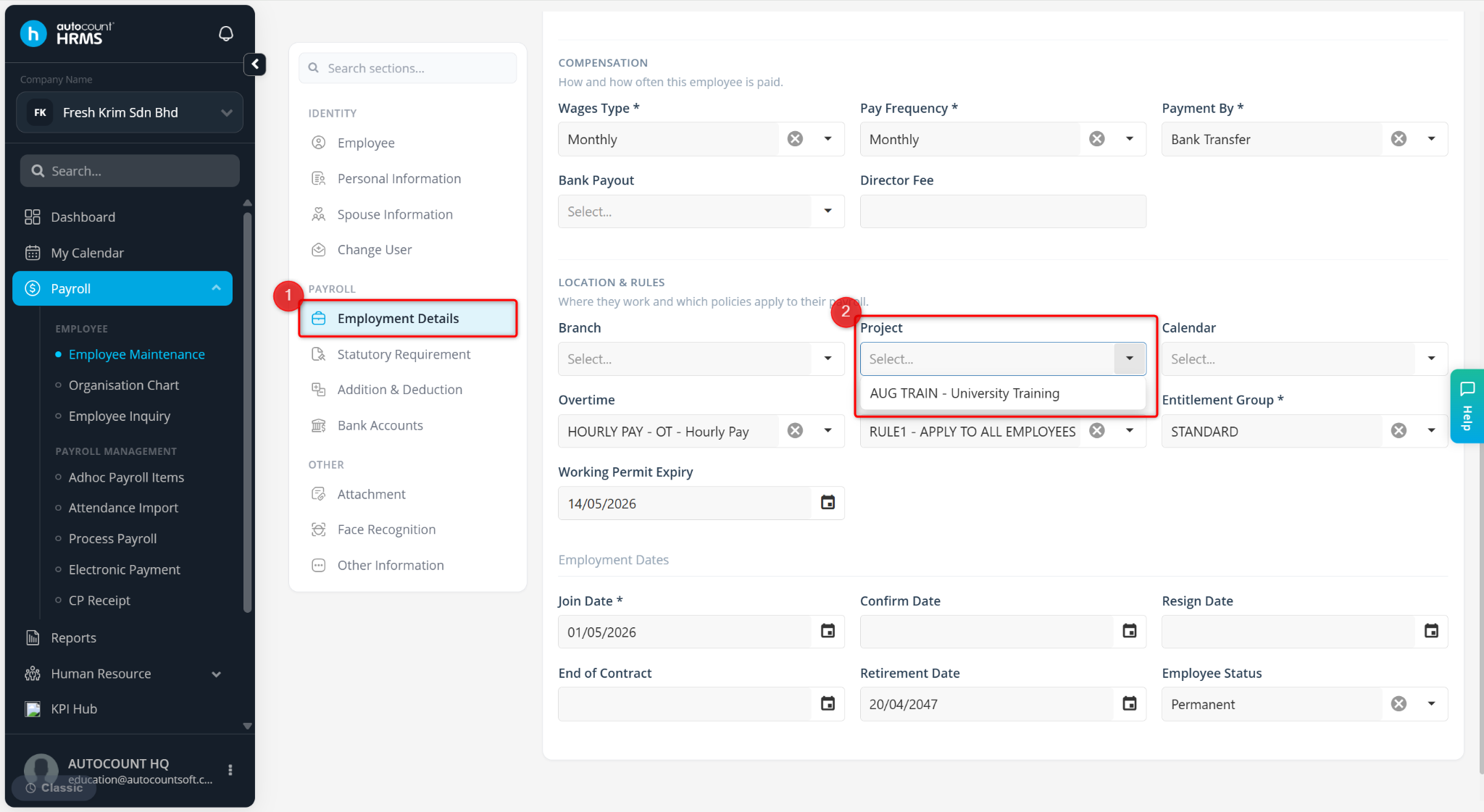
Click Save changes to apply.