This feature allows users to upload and maintain the company logo, which is used for easier identification and differentiation between companies within the system. The logo may also appear on reports, documents, and system interfaces where applicable.
Steps to Maintain Company Logo:
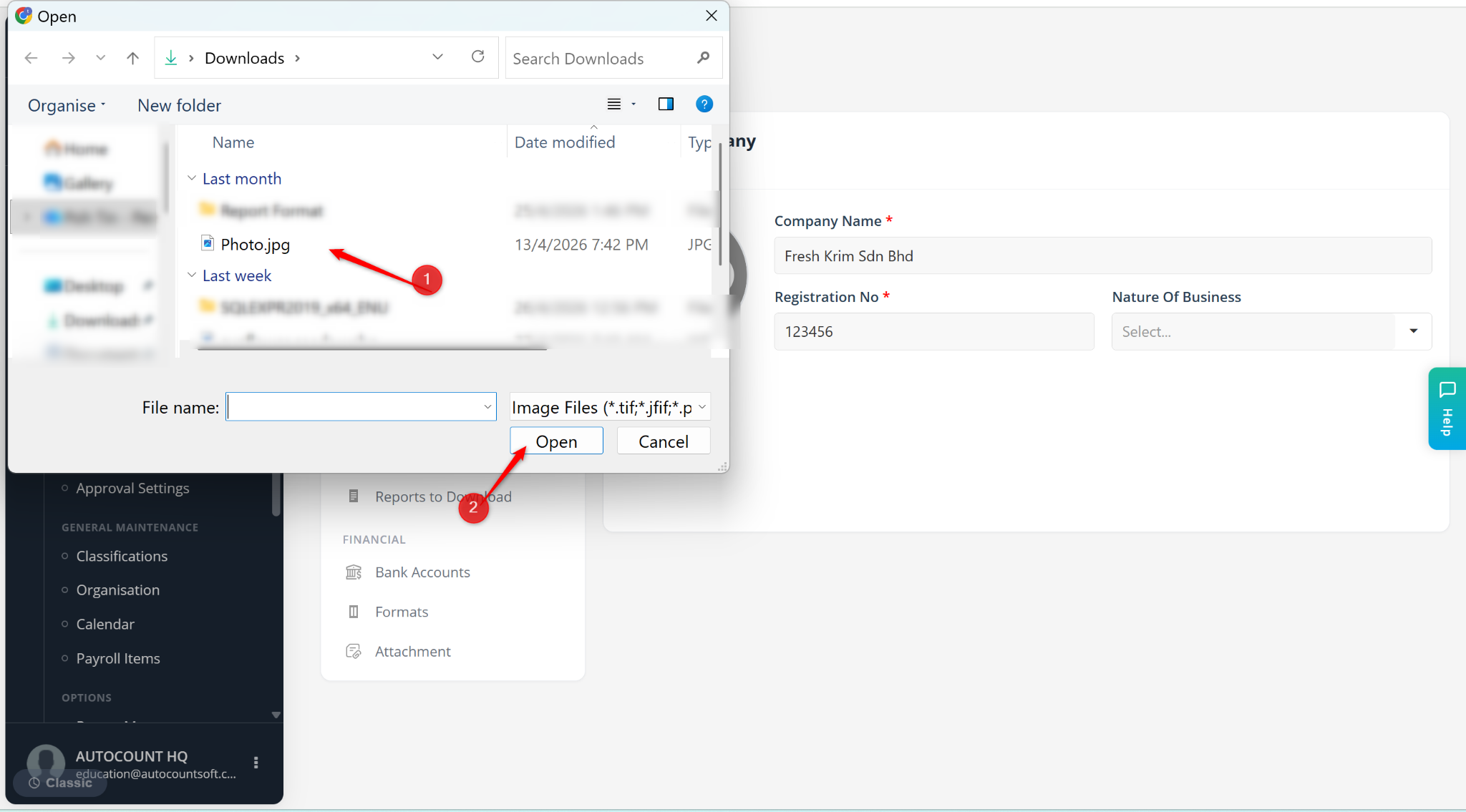
Go to Tools > Company Profile.
Go to Company.
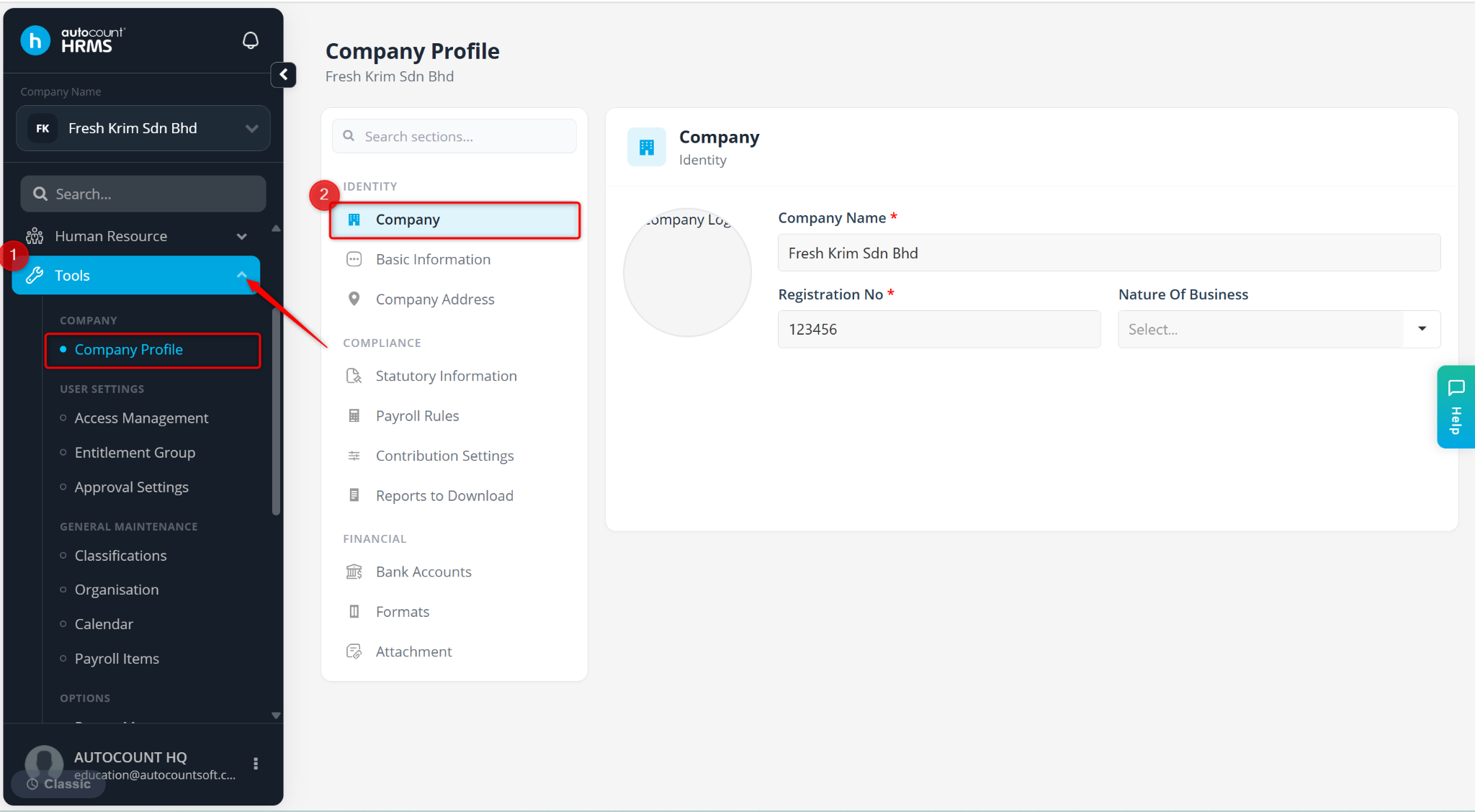
Hover over to the image area and click the camera icon.
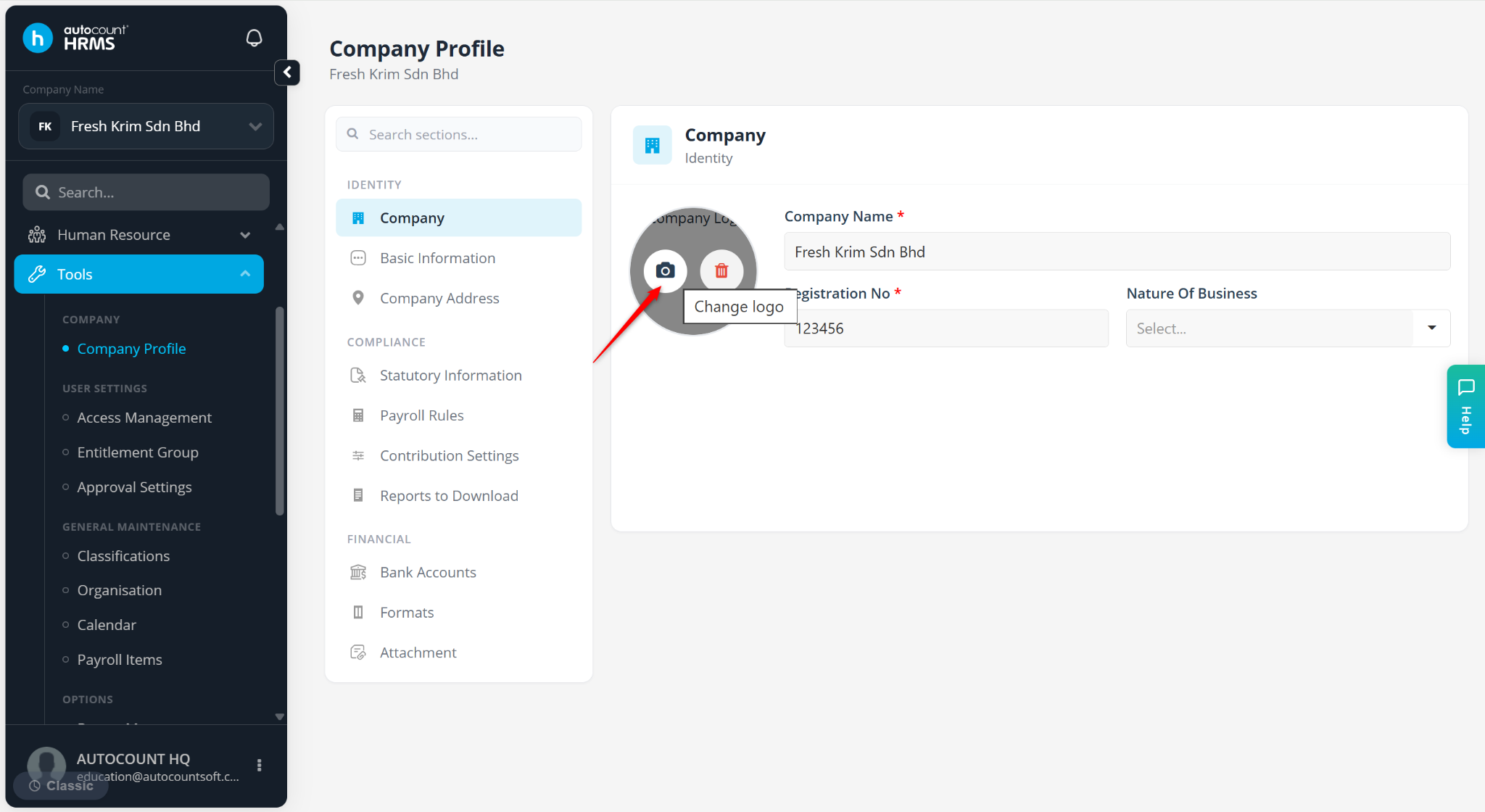
Select the file and click Open.
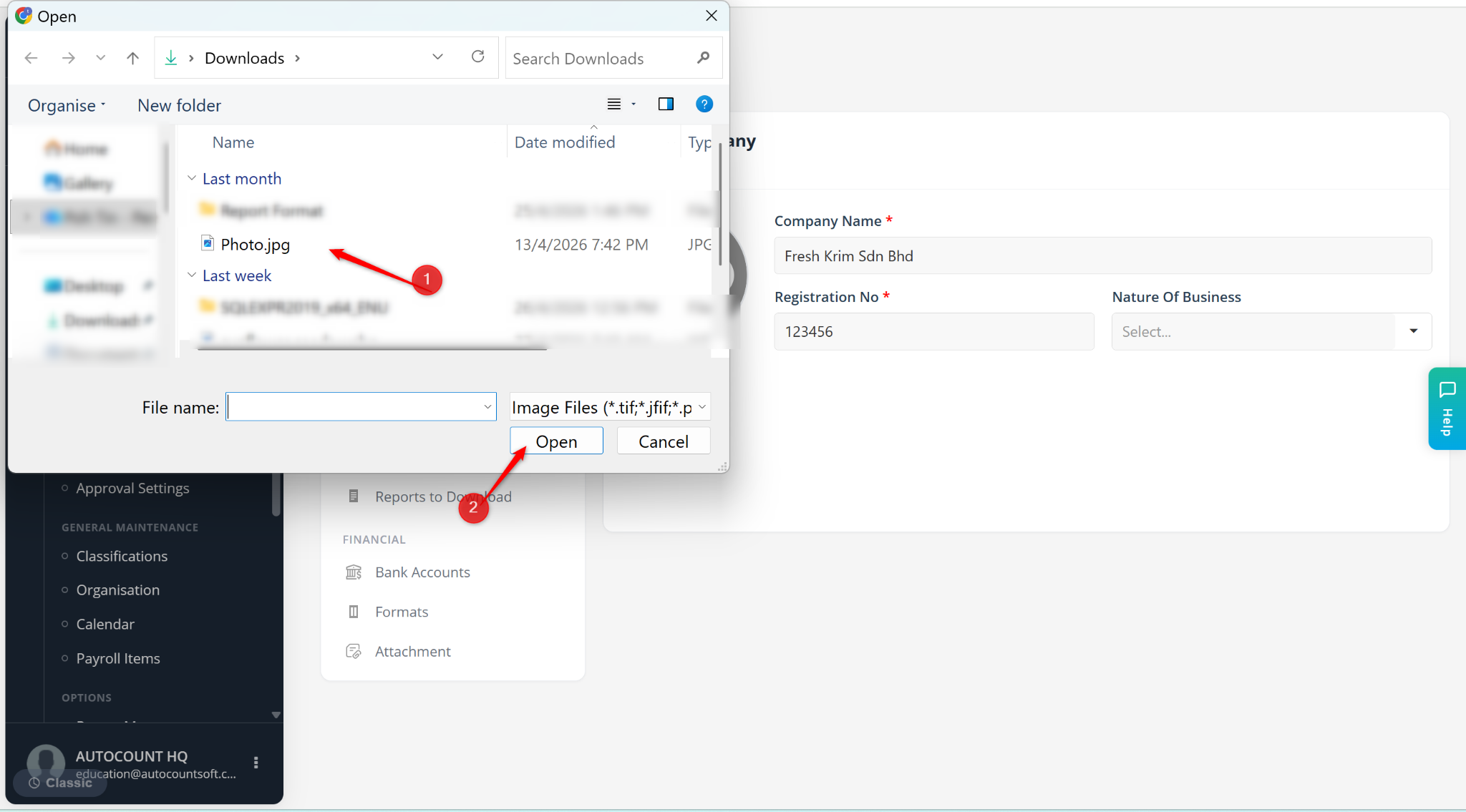
The company logo will appear and be updated immediately.