
Users can move a company from one subscription to another, even if the new subscription belongs to a different subscriber. Please note that the destination subscription must have sufficient headcount availability, or a company transfer fee will be charged.
Steps to Transfer a Company to a Different Subscription:
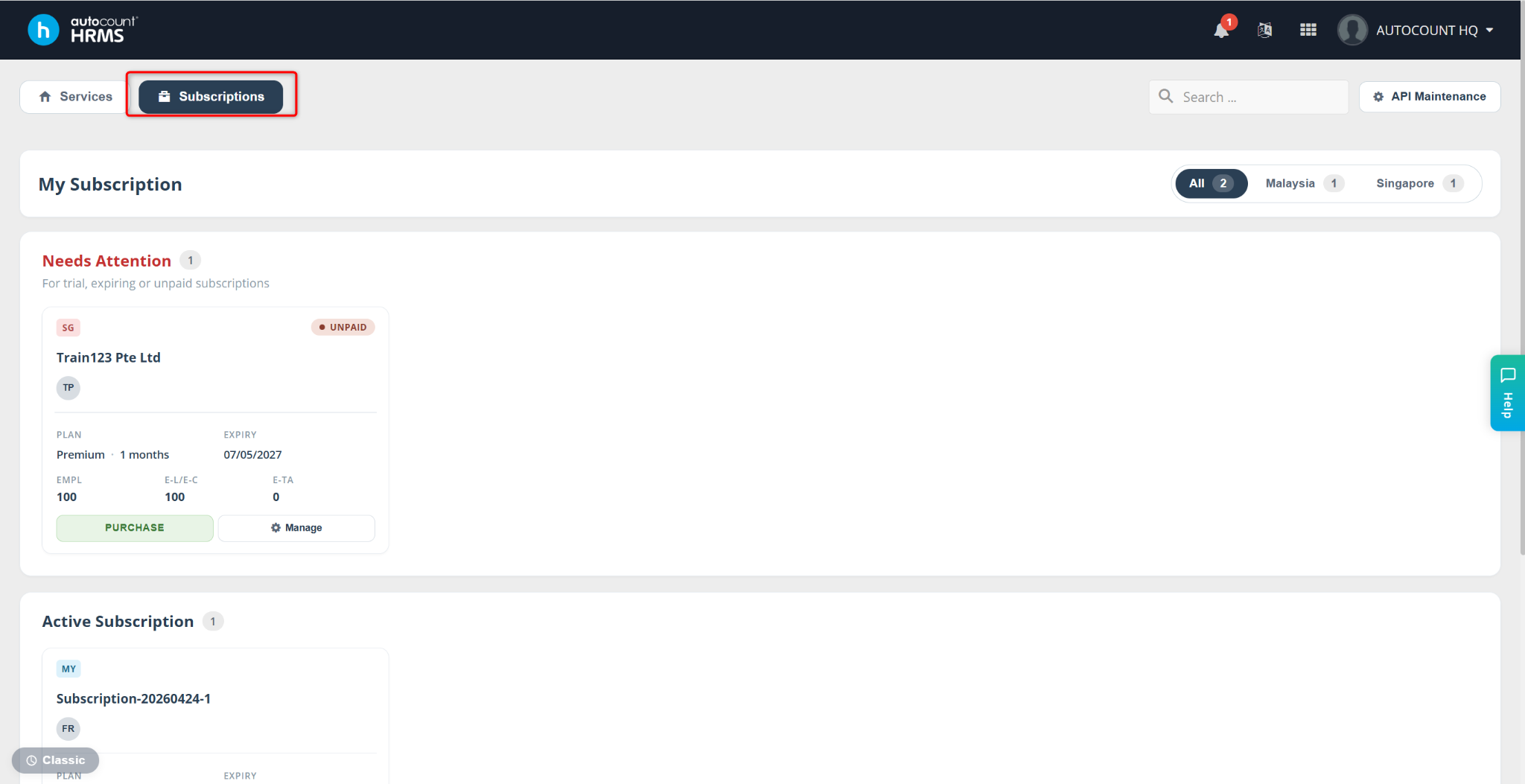
Go to the Subscription page.
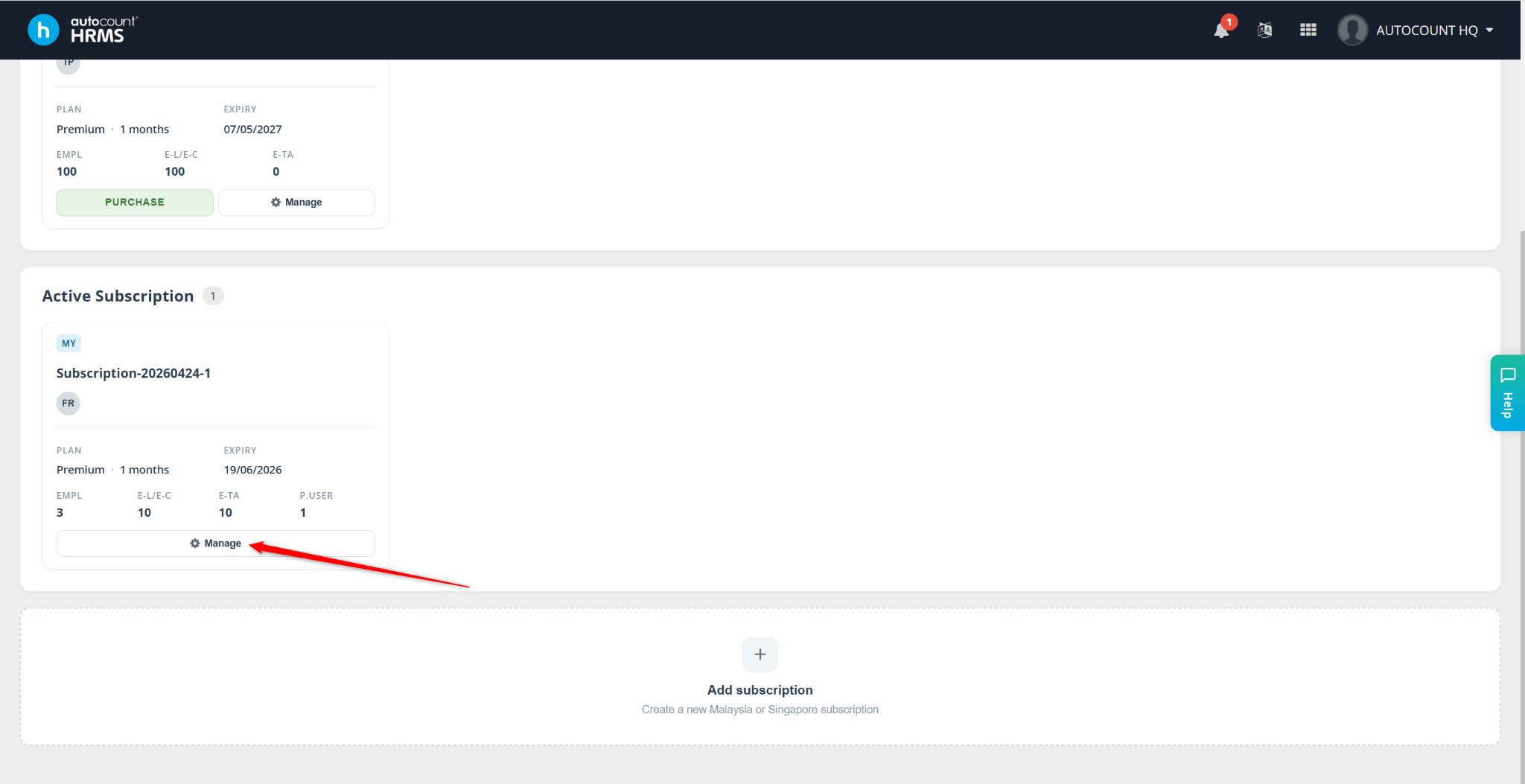
Locate the company you want to transfer, then click Manage.
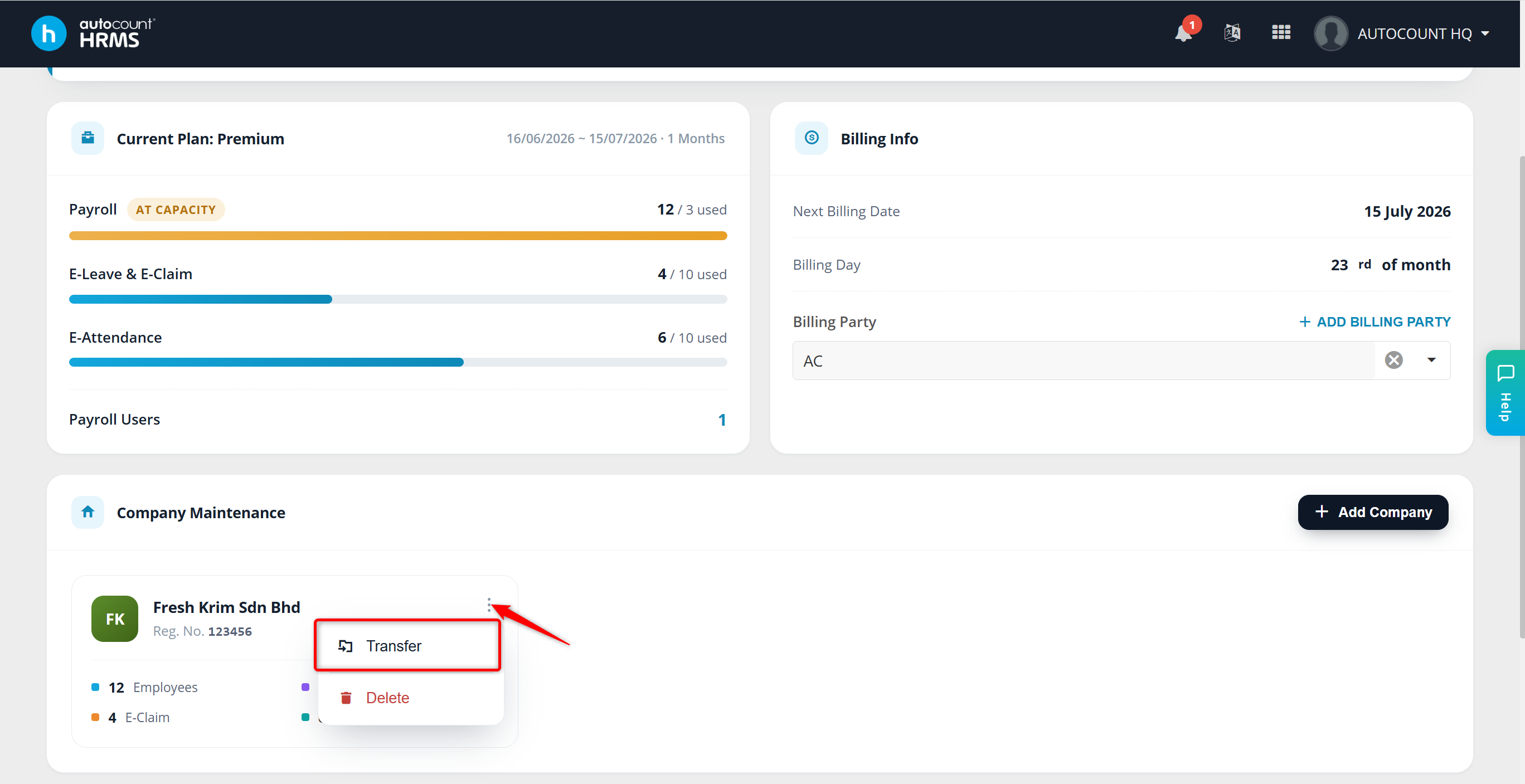
Locate the company. Click the menu icon and select Transfer.
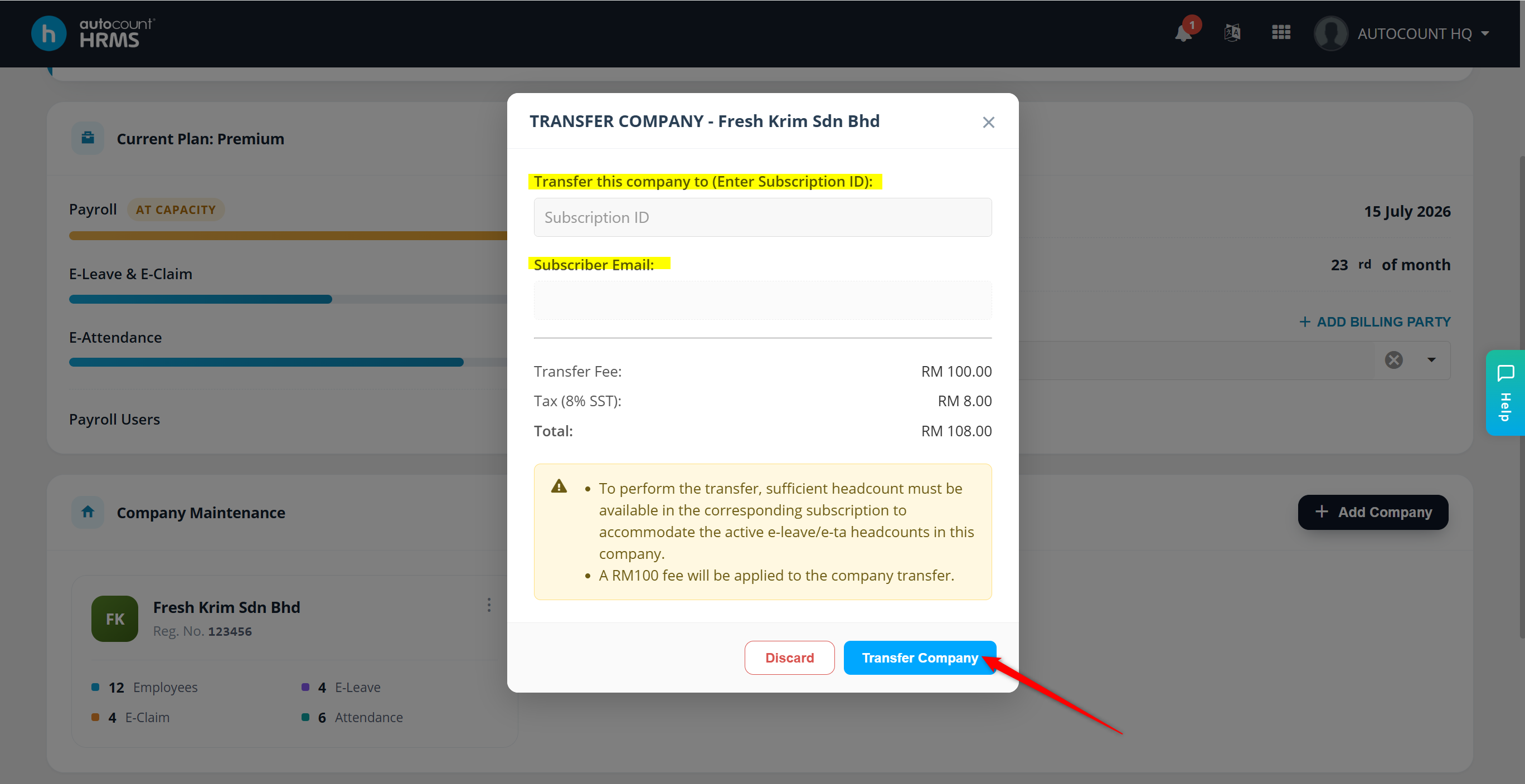
The Transfer Company window will appear. Enter the New Subscription ID where you want to move the company.
Click Transfer Company.
Click Yes to confirm the transfer.
You will be redirected to the payment page. Click Save and Pay to complete the payment process.
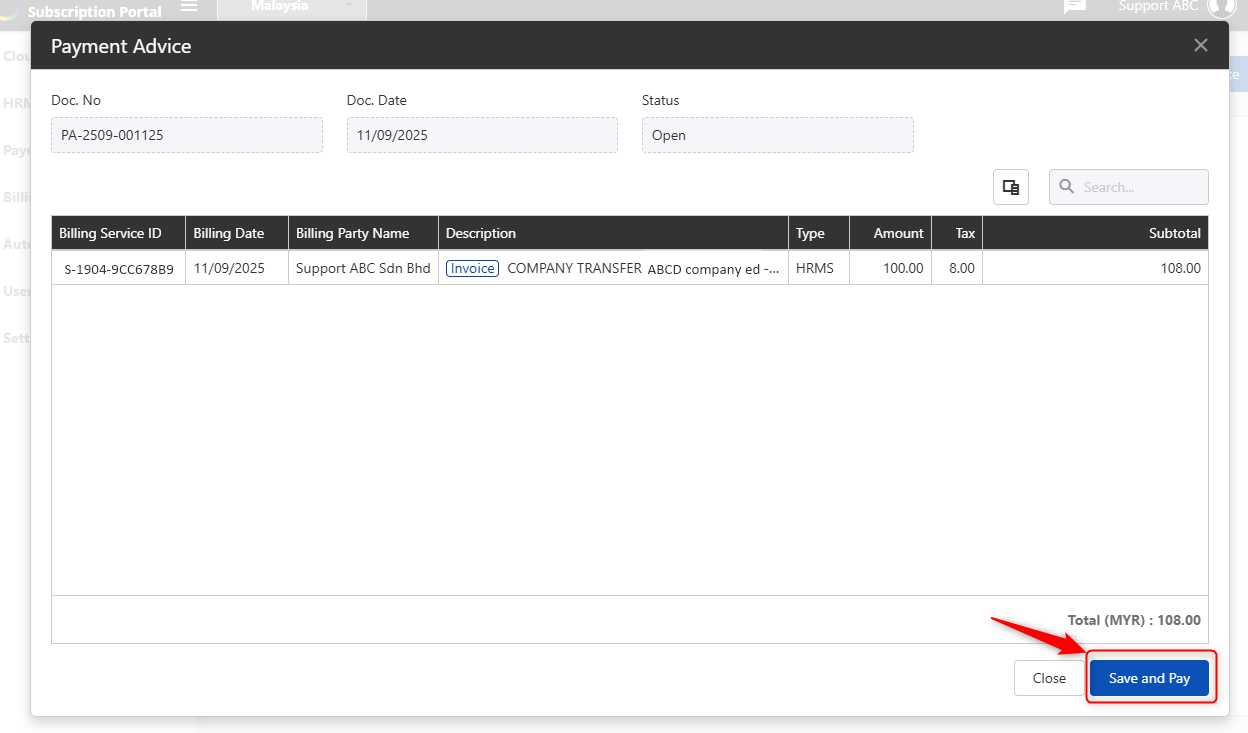
Once payment is completed, the company will be successfully transferred, and the new subscriber will gain access to it.
Written by: Azirah (20250911)