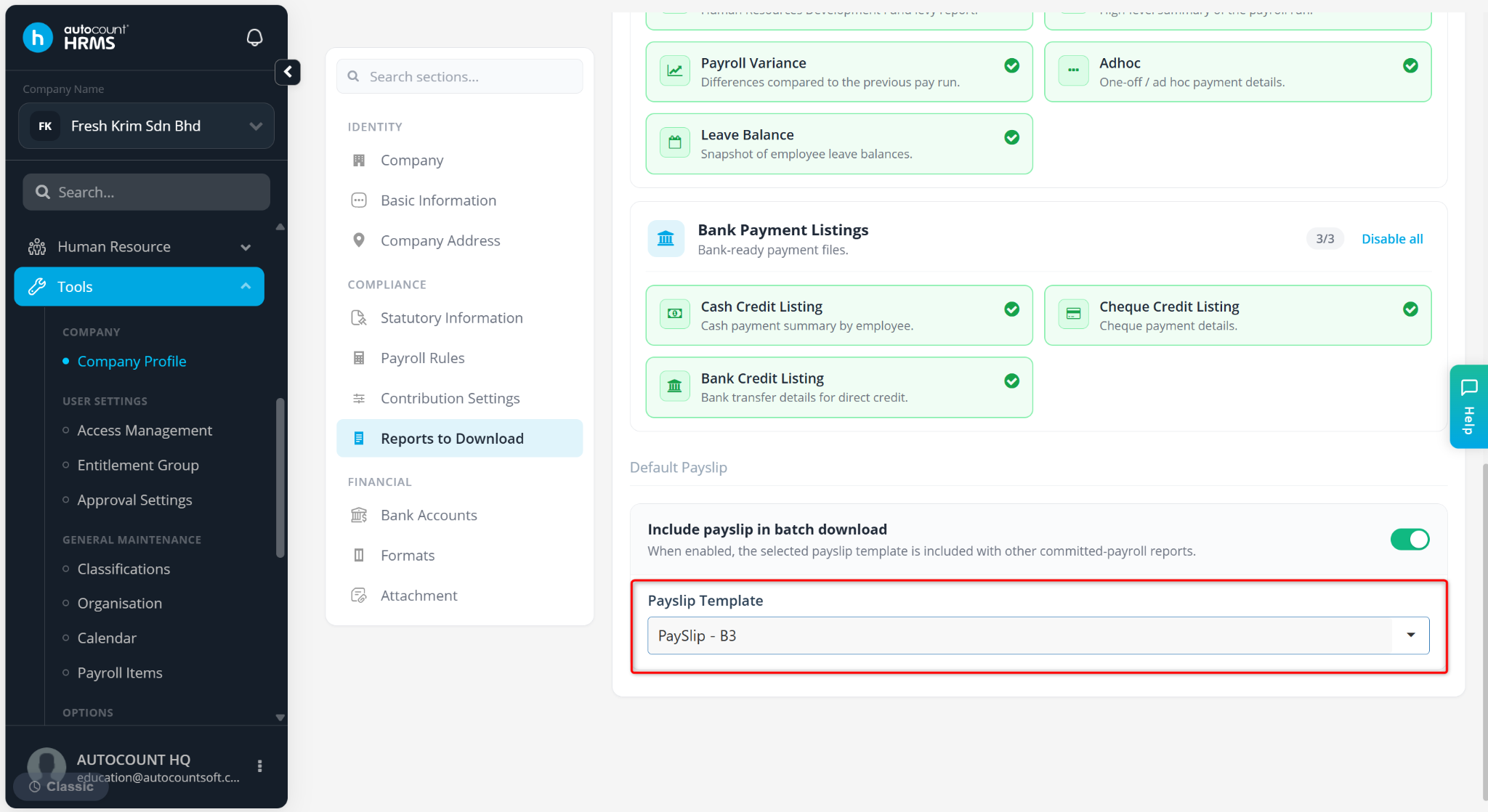
This feature allows users to set a default payslip format to streamline the payroll distribution process. By configuring a default template, the system will automatically use the selected format when generating or sending payslips, ensuring consistency and saving time.
Steps to Set Default Payslip Format:
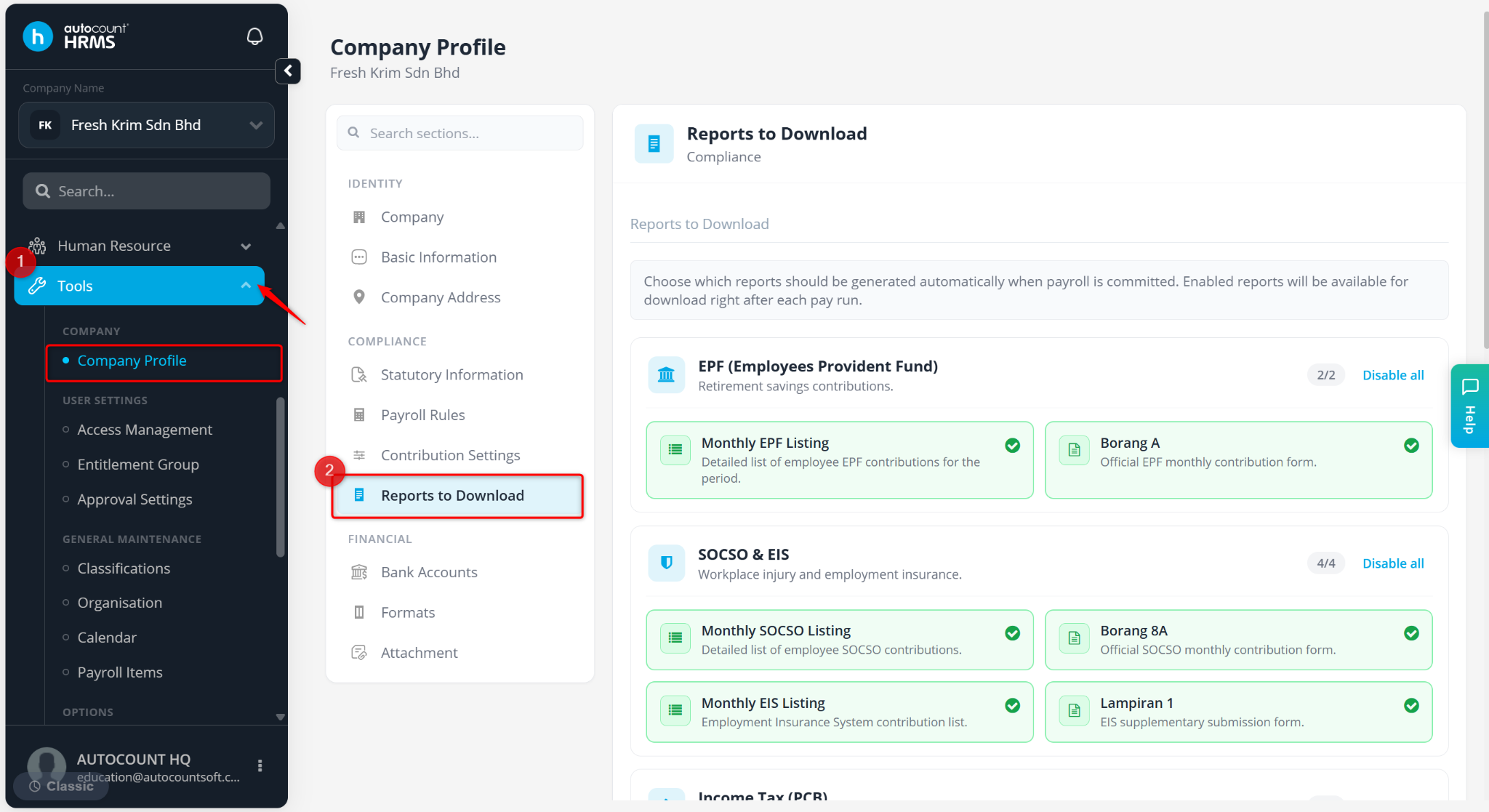
Go to Tools > Company Profile.
Go to Reports to Download.
Scroll down to the Default Payslip area. Select a Payslip Template.
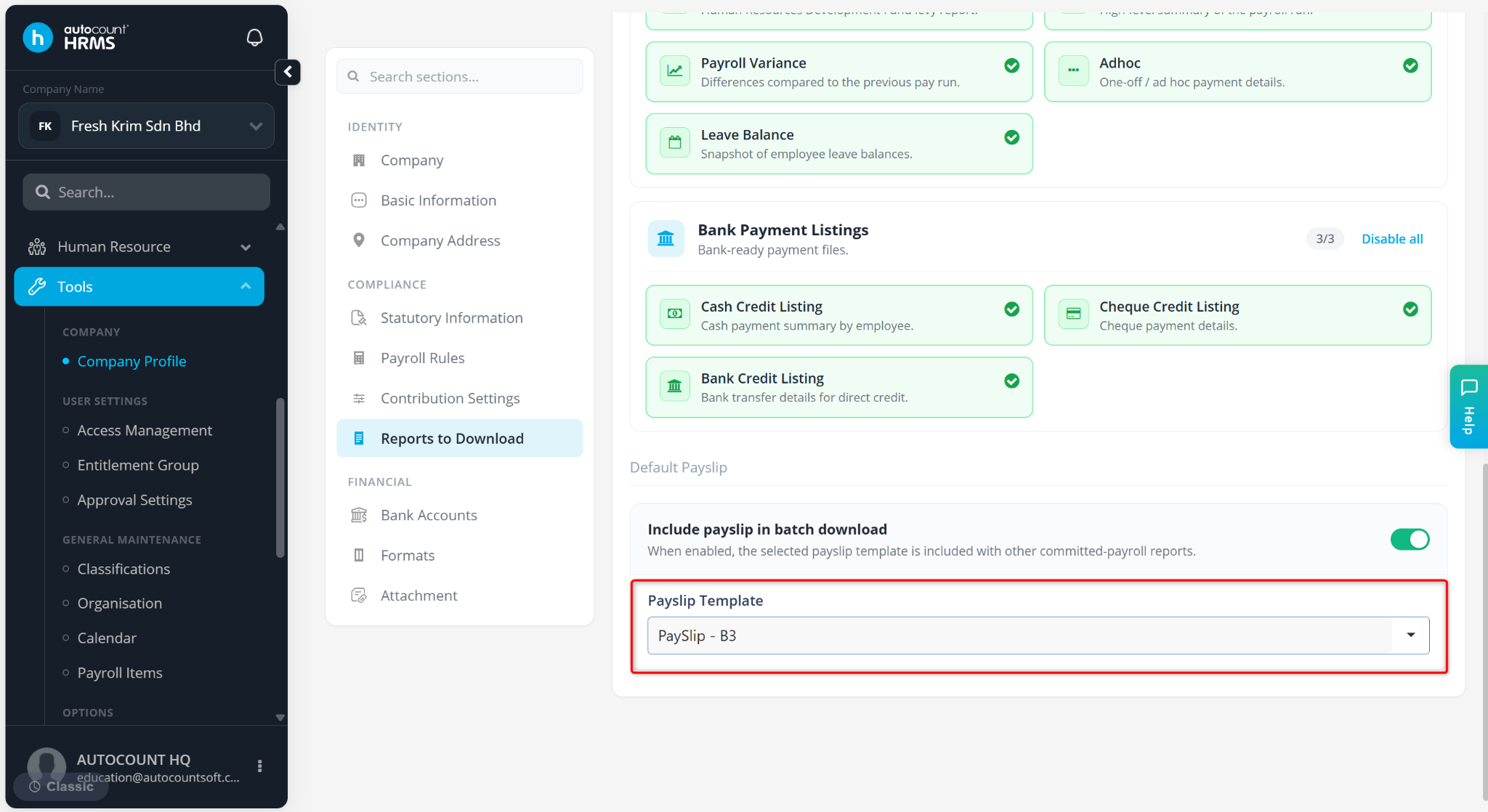
The selected payslip format will be set as the system default payslip template.