
Scenario:
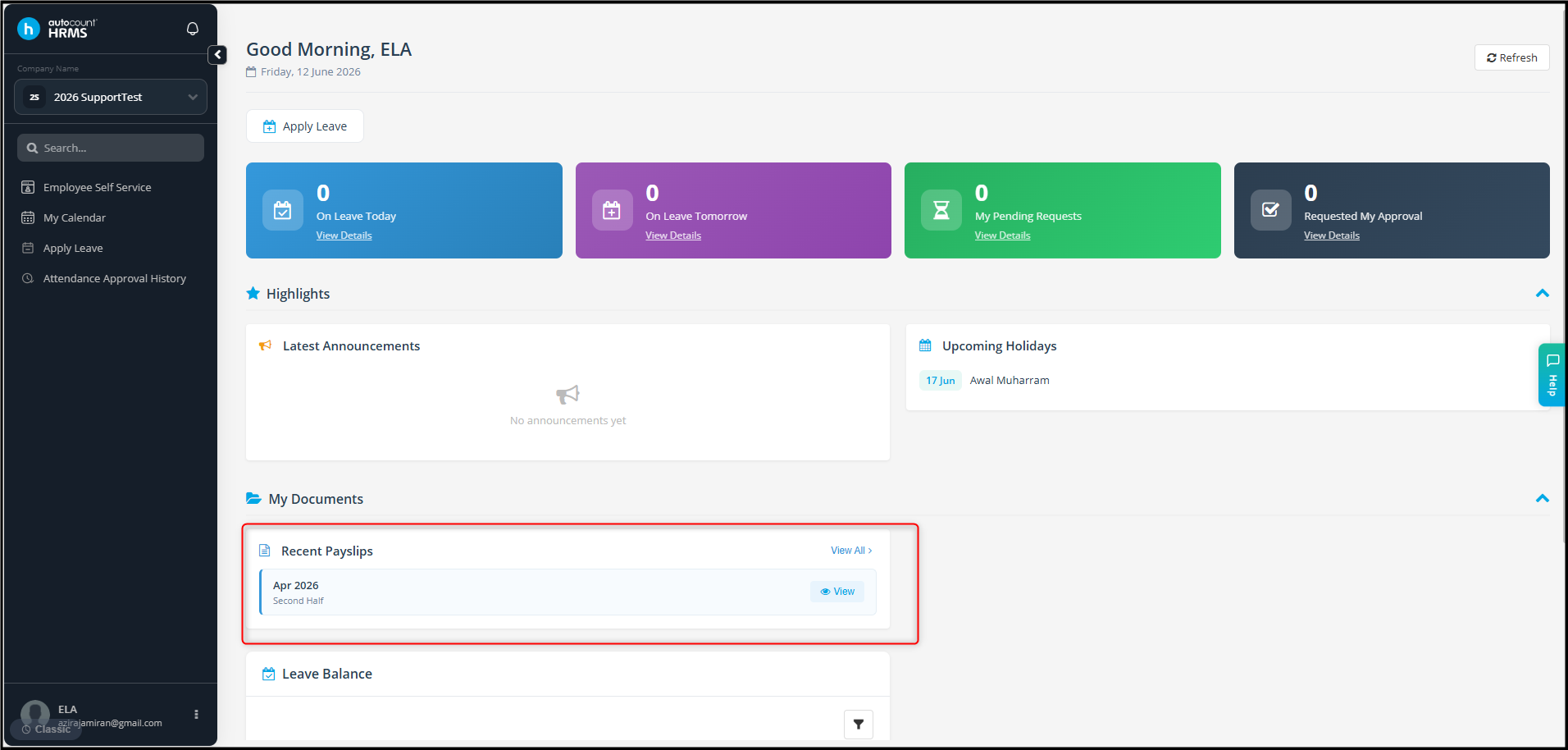
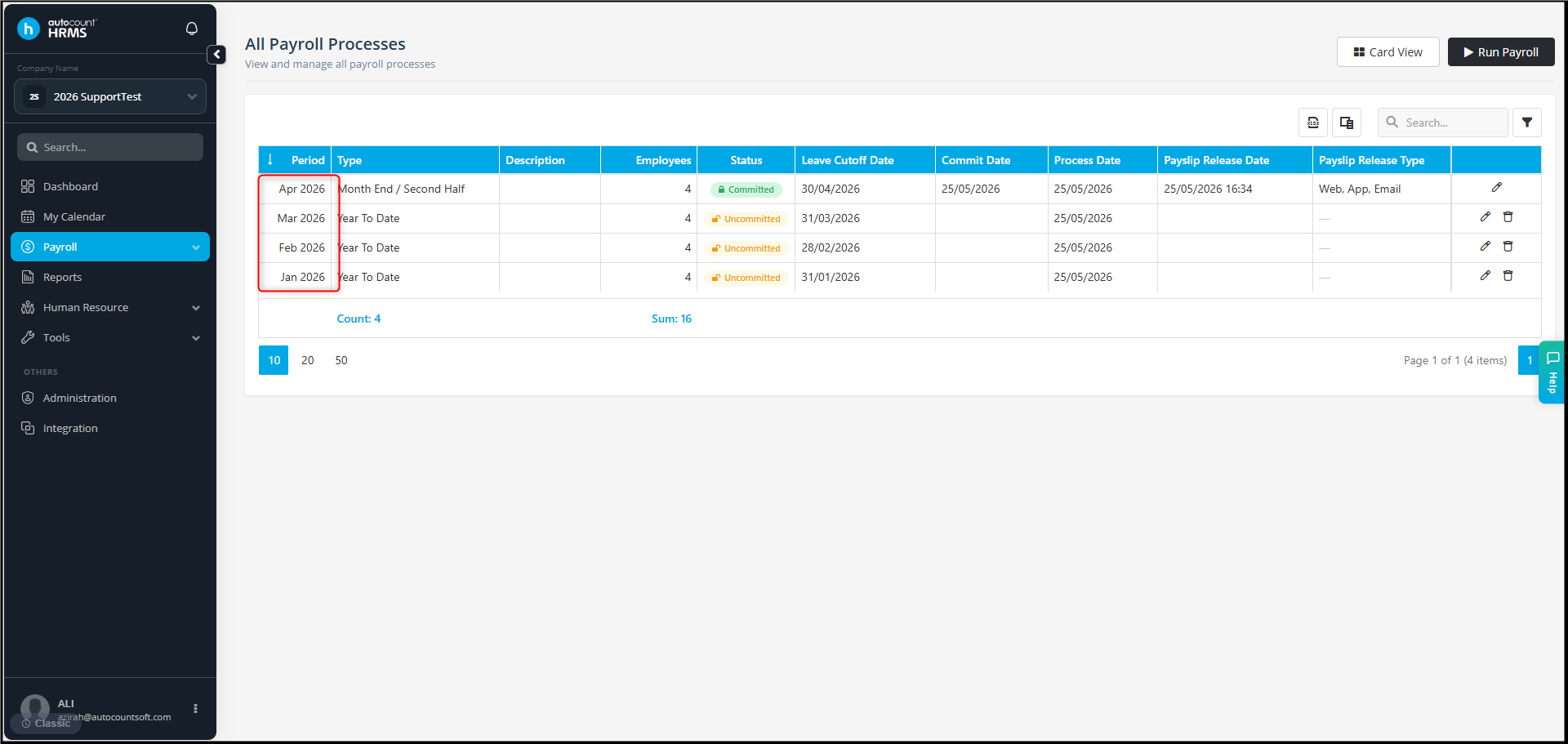
The payroll process has been completed for January to April 2026, but the employee is only able to view the April 2026 payslip in the AC Payroll Apps.
Employee page:
Payroll process page:
Possible reason:
The payslip for January to March 2026 have not been released to the employee.
Answer:
1. Go to Payroll > Process Payroll. Select the payroll periods for January to March 2026.
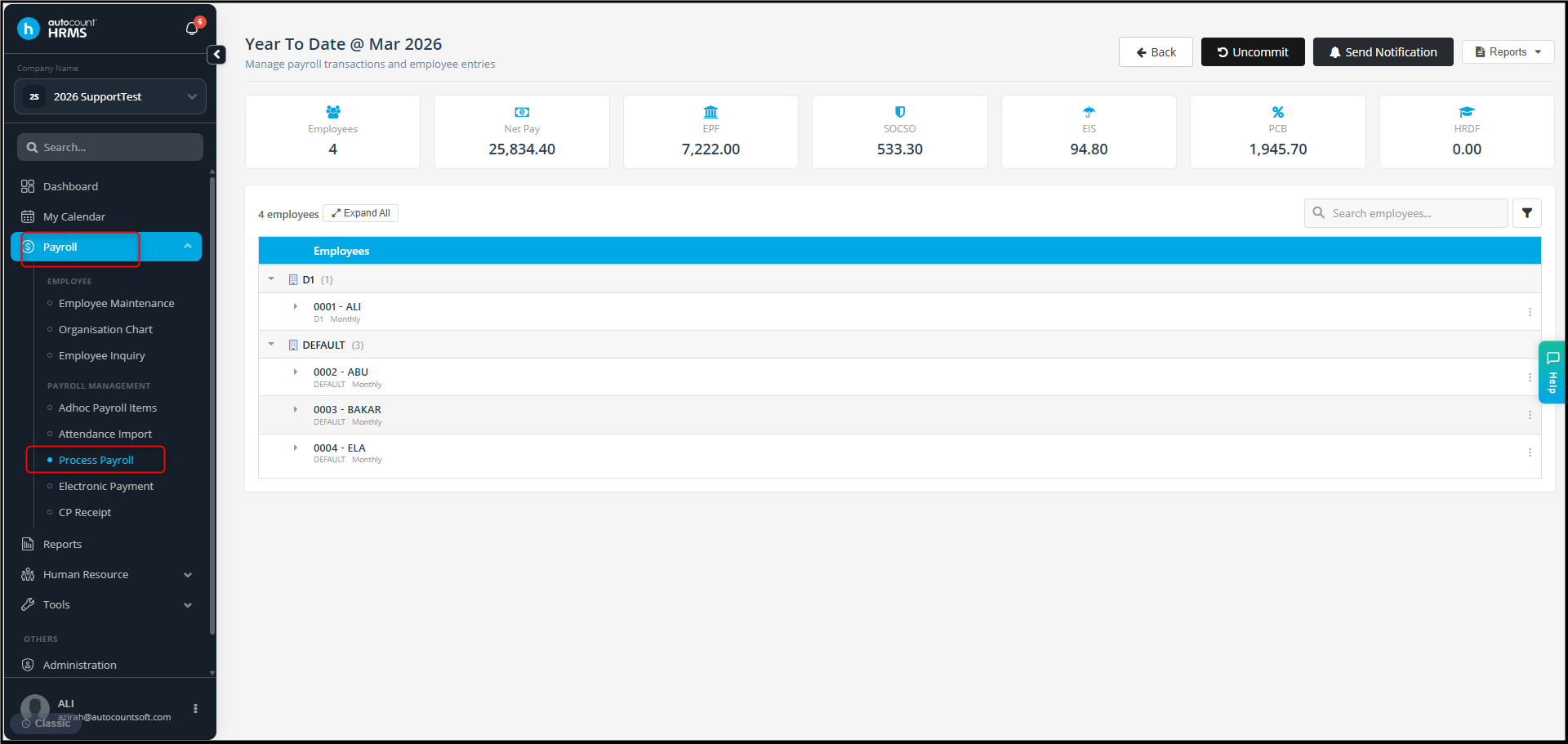
2. Check whether Send Notification has been applied for those payroll periods.
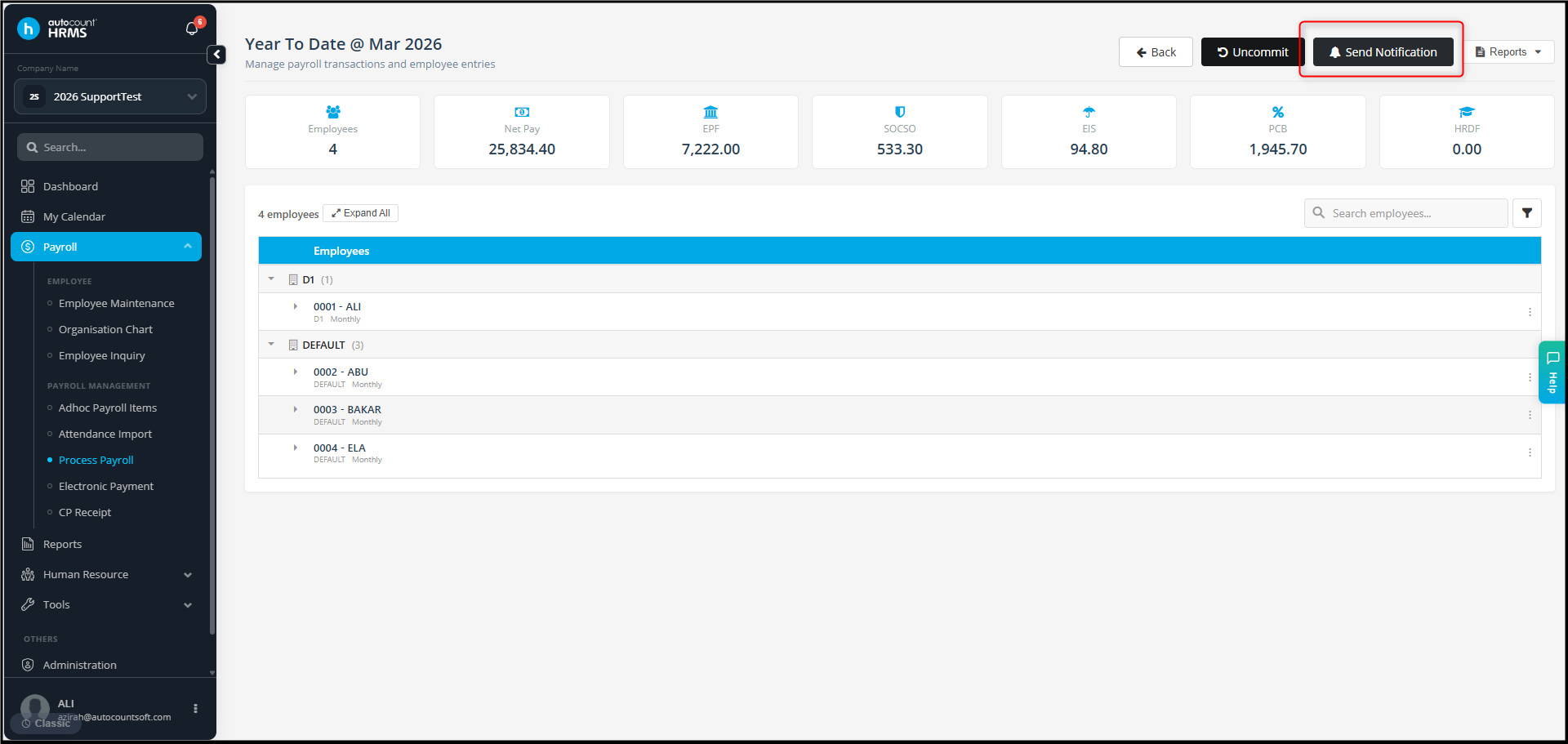
3. If not yet, click it and select to send Notification & Release Payslip to employee and Apply.
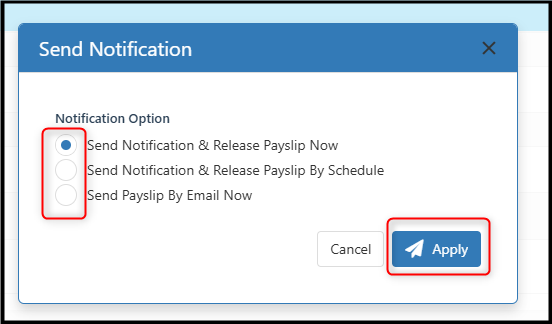
4. Once the process is completed, the employee should be able to view the released payslips in the mobile application.
Note:
Processing payroll alone does not automatically make the payslip available to employees. The payslip must be released by using the Send Notification & Release Payslip to Employee function.
By Azirah 260612