
A resigned employee may be missing from the payroll process due to the following reasons:
Employee maintenance is deactivated
Employee has already been included in another payroll process
Scenario: Employee A resigned on 20/05/2025, but does not appear when payroll is run for May 2025.
Steps to Resolve Missing Resigned Employee:
Method 1: Employee Maintenance is Deactivated
Go to Payroll > Employee Maintenance.
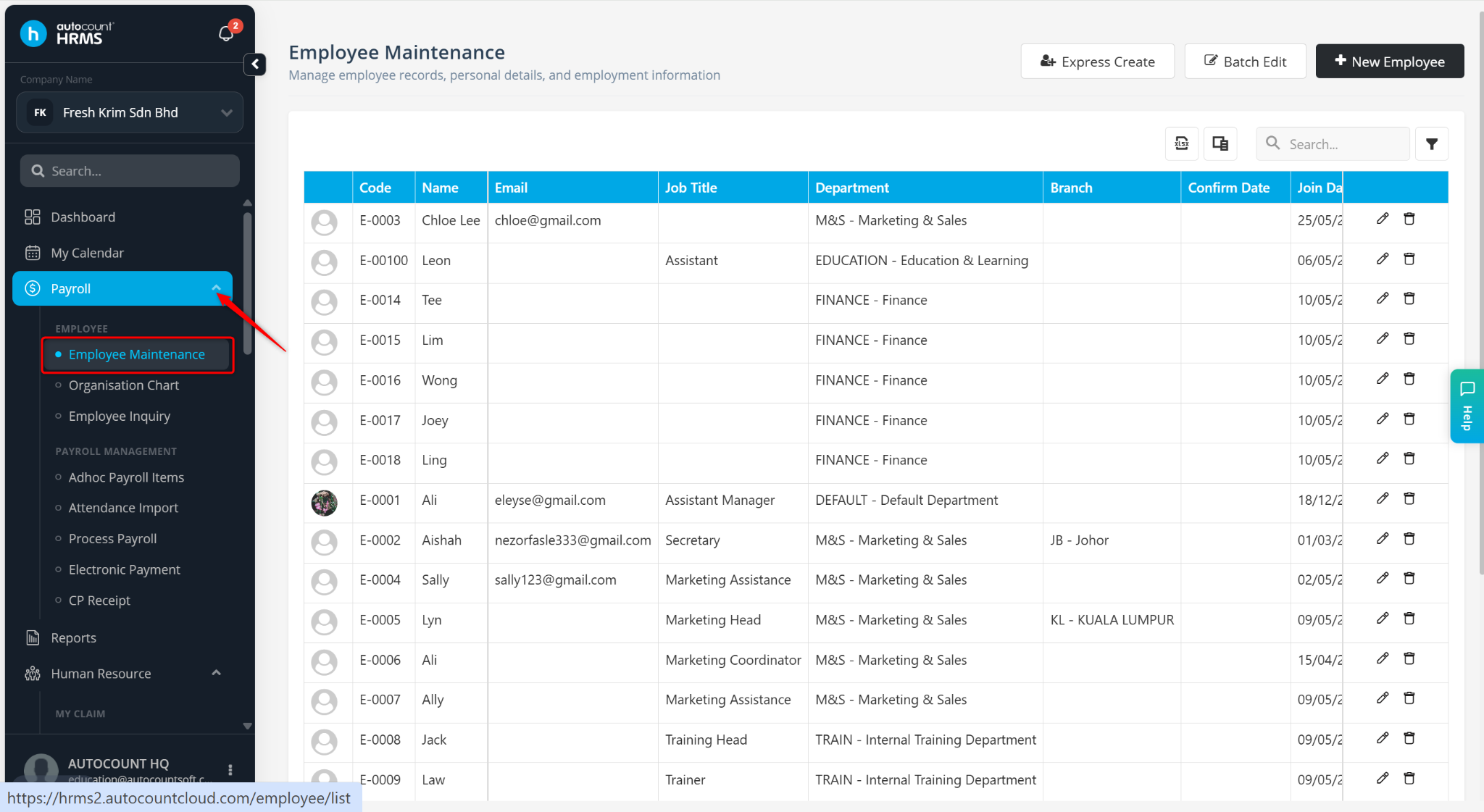
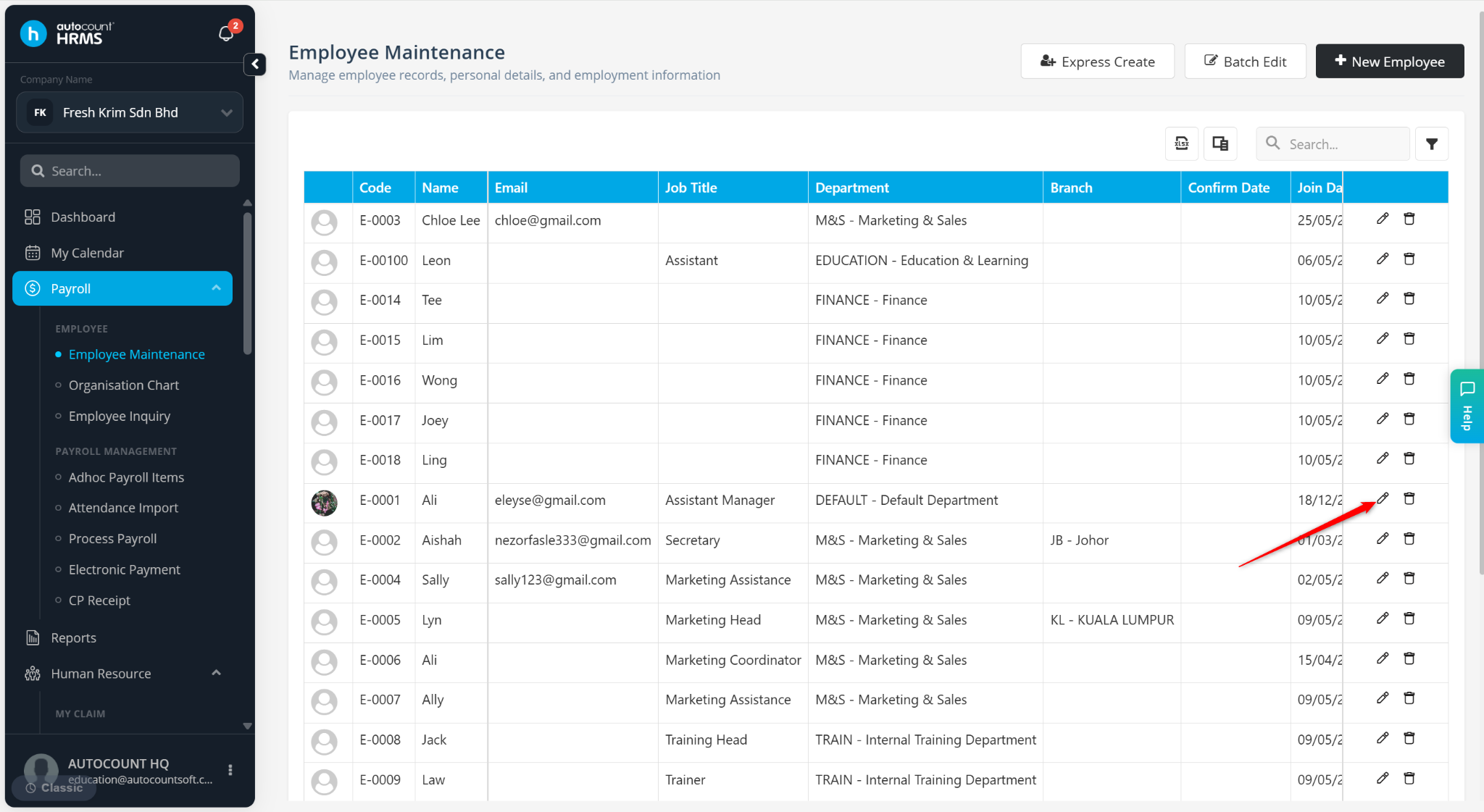
Locate the resigned employee and click the pencil icon.
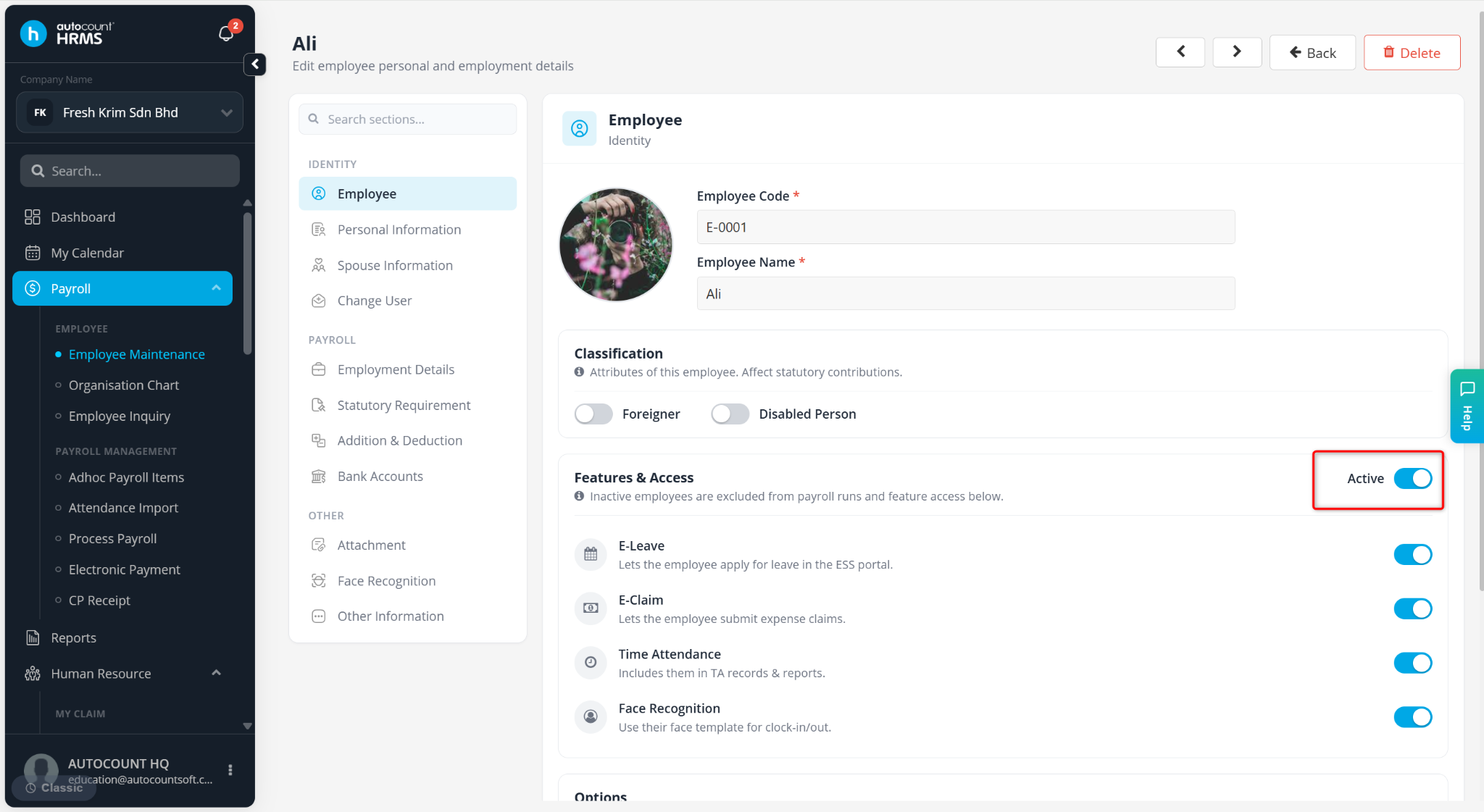
Ensure Active is enabled in Employee.
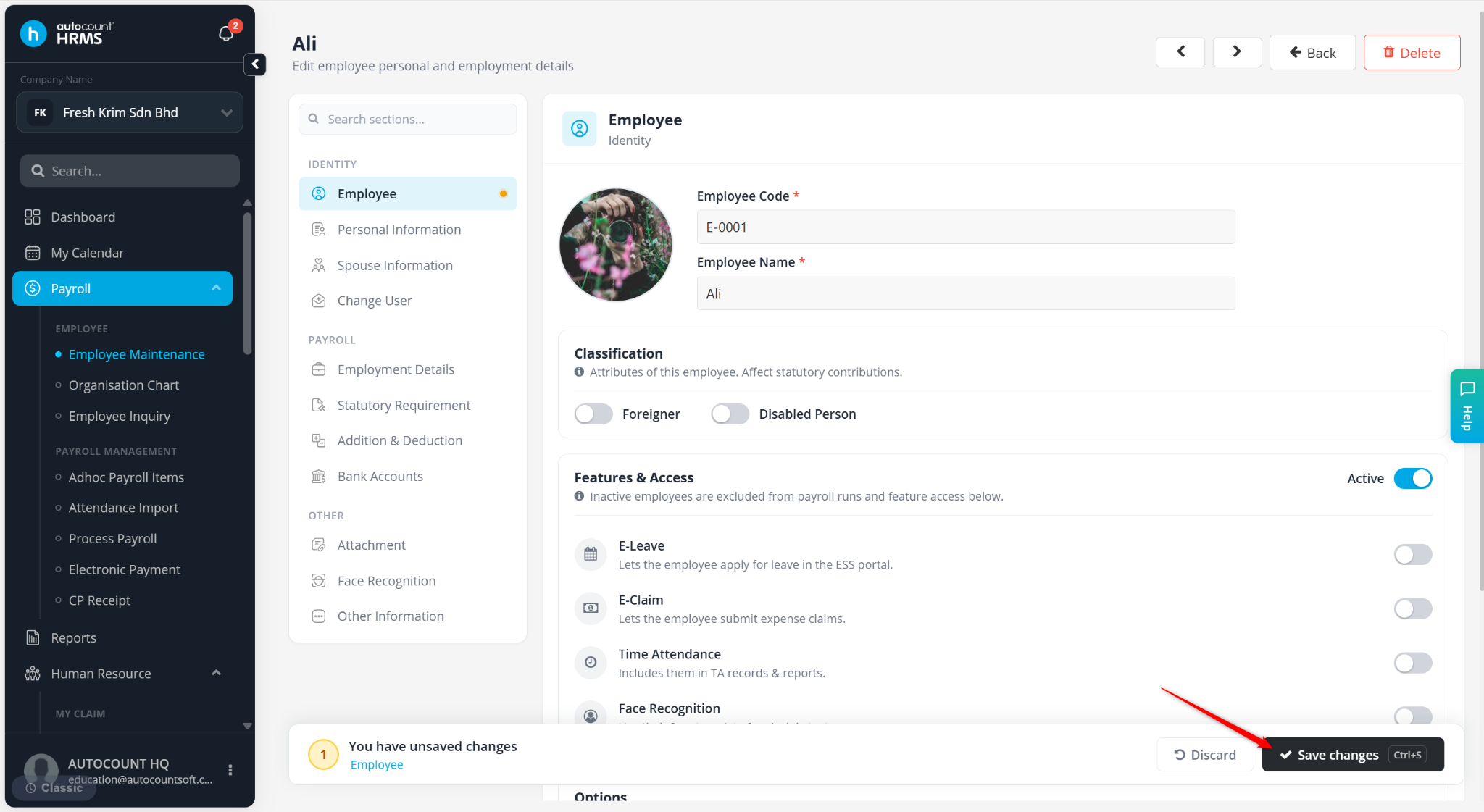
Click Save changes.
Return to Process Payroll and rerun payroll.
Method 2: Employee Already Included in Another Payroll Process
Go to Payroll > Process Payroll and check if multiple payroll processes exist for the same period.
Open each payroll process by clicking Edit or the pencil icon.
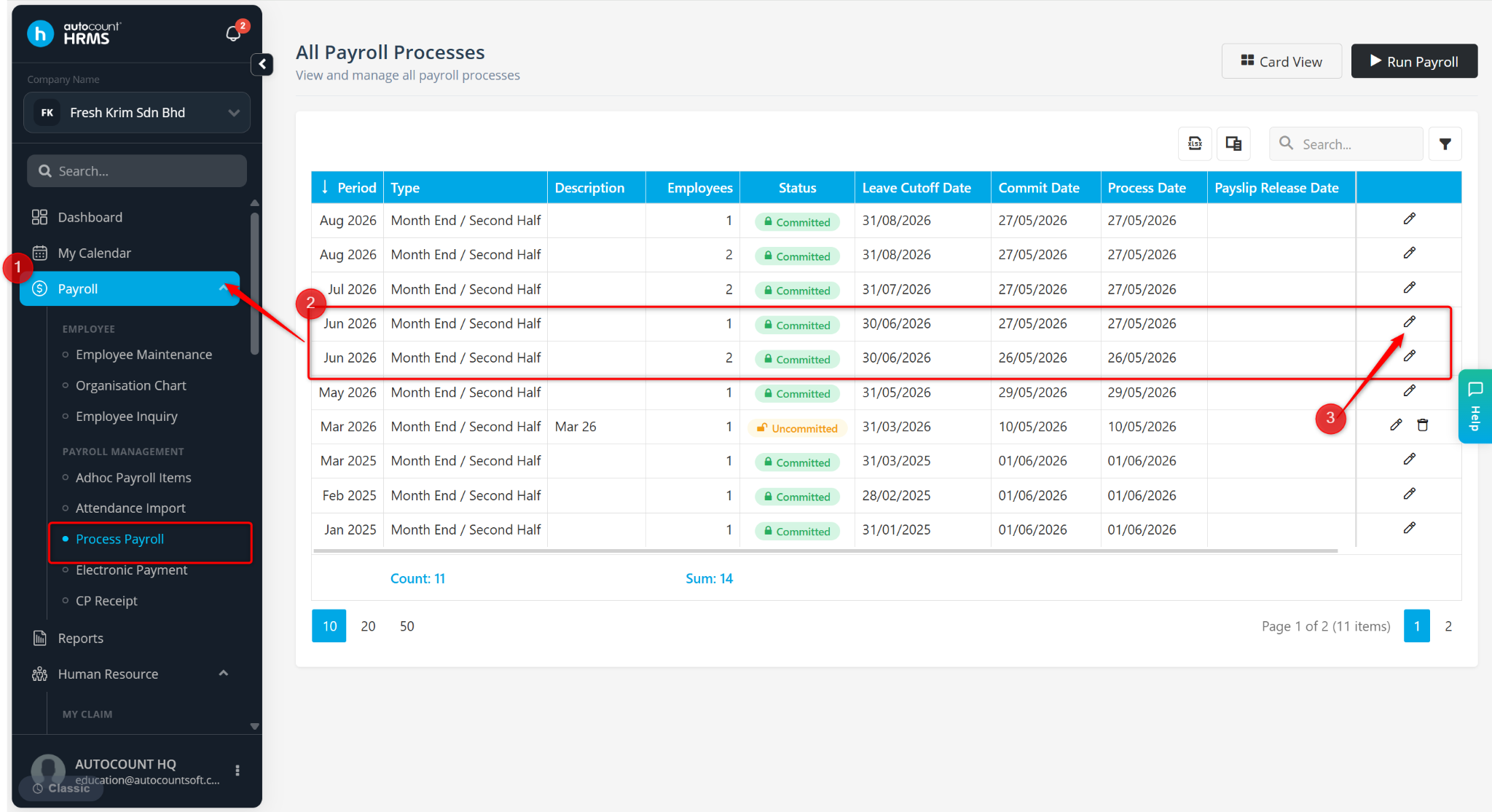
Search for the employee in the payroll list.
Note that each employee can only be processed once per month.
Written by: Azirah (20250620)