Employees who have resigned or become inactive cannot be deleted from the system, as their payroll, leave, claims, attendance, and statutory records must be retained for audit and reference purposes.
To simplify employee management, you can filter the employee list to display only active employees or only inactive employees. The filter selections are:
True – Show active employees.
False – Show inactive employees.
Steps to Hide Inactive employee in Employee Maintenance:
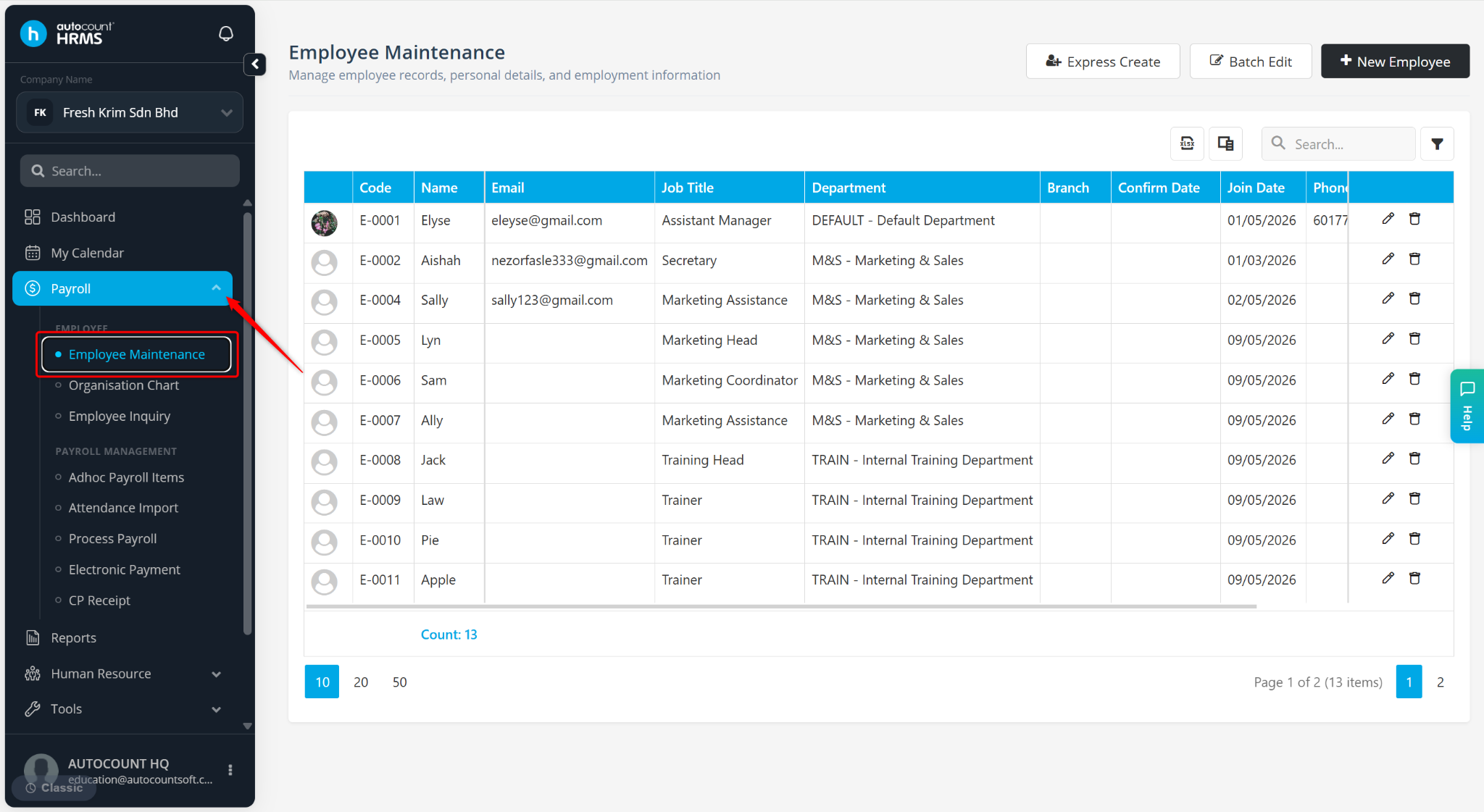
Go to Payroll > Employee Maintenance.
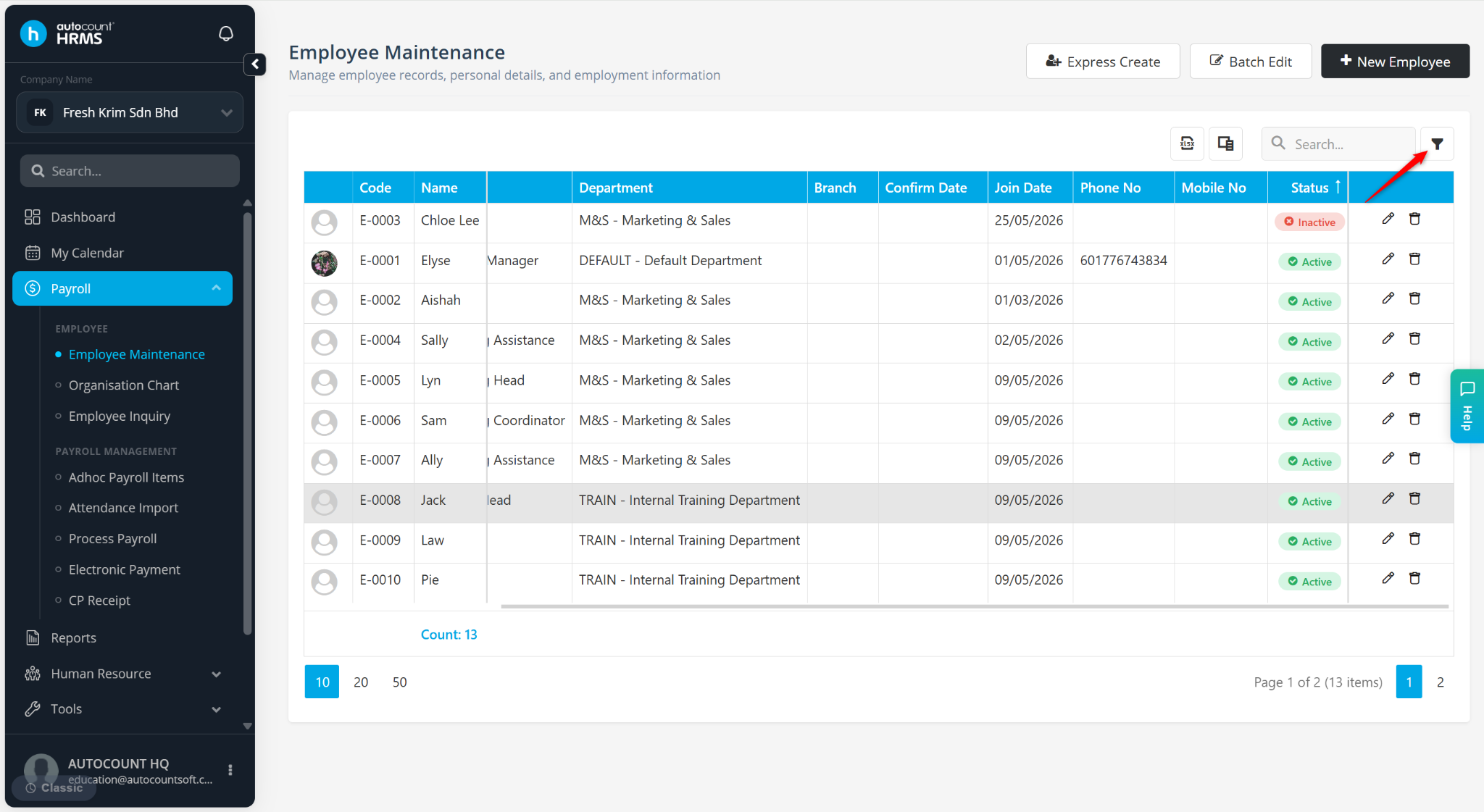
Click the filter icon next to Search.
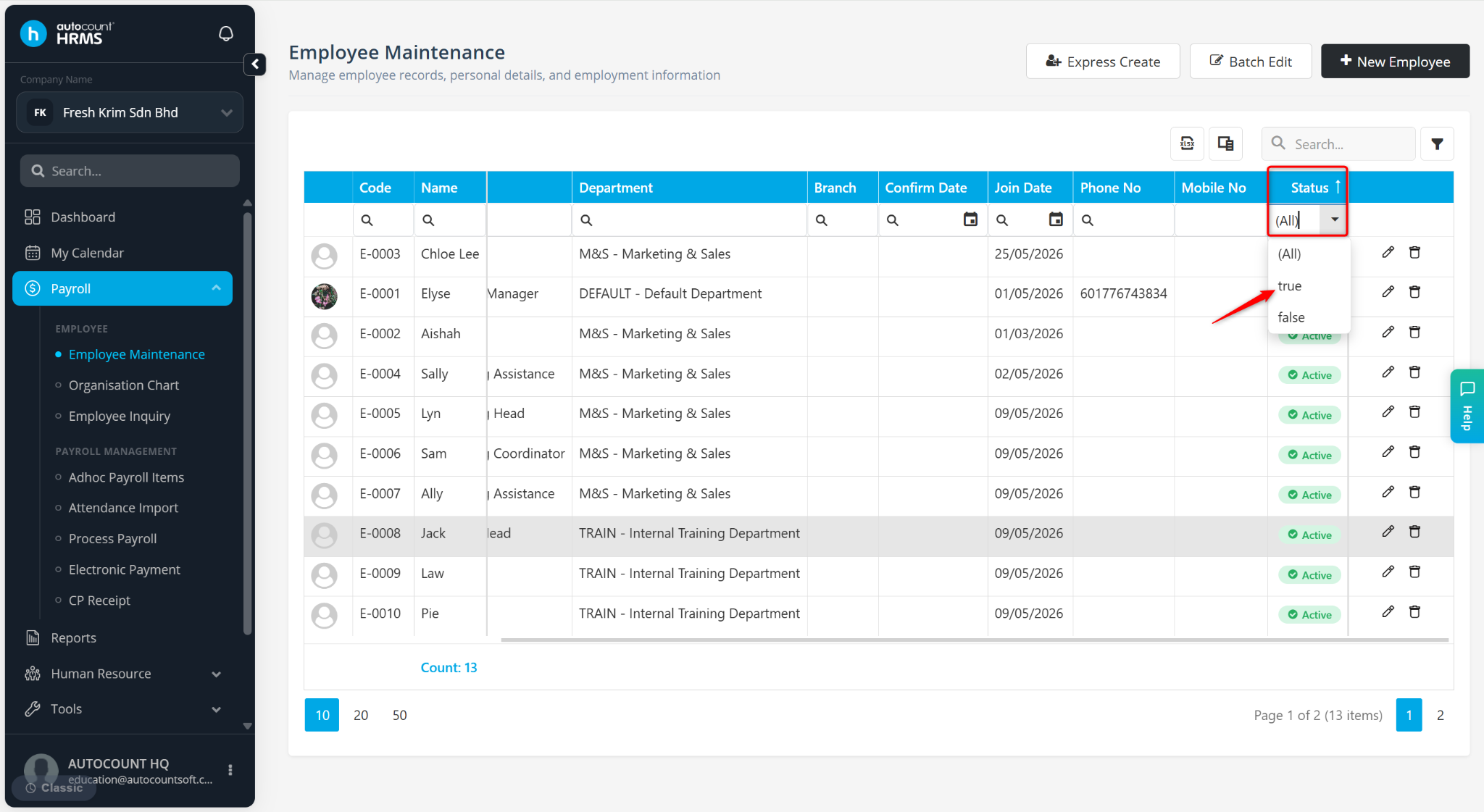
Under the Status column, select True from the list.
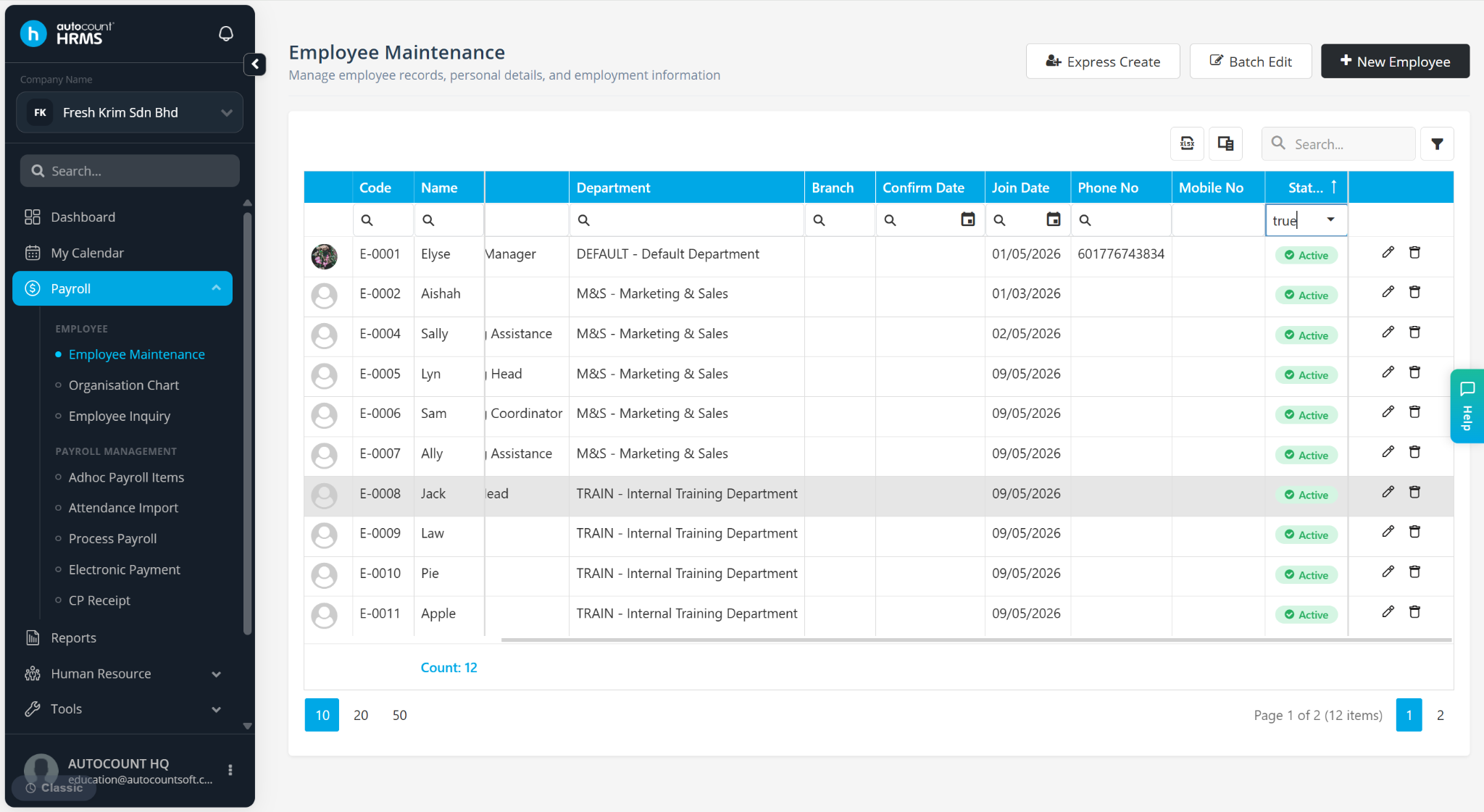
The Inactive staff will be hidden from the list.