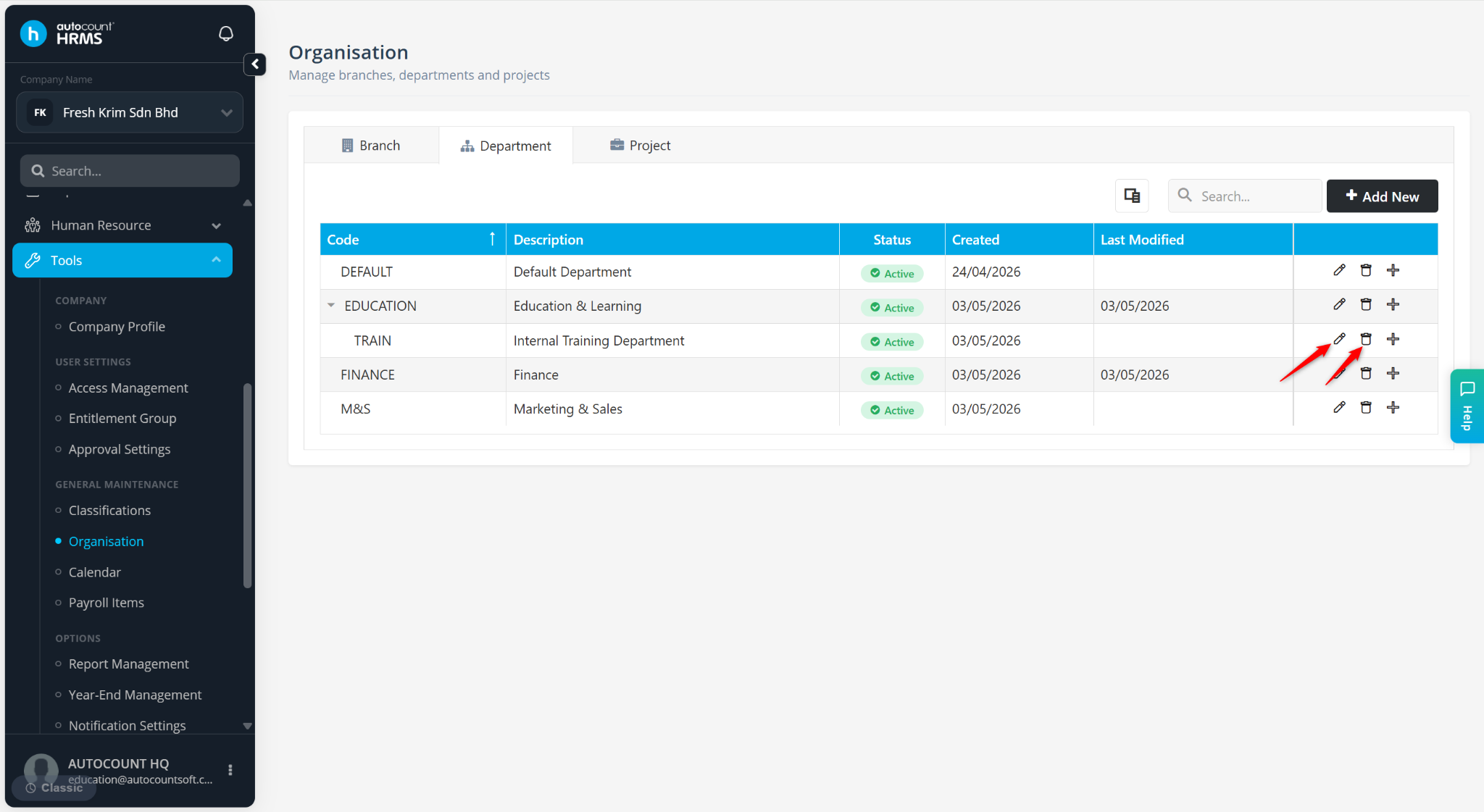
This section allows users to create and manage departments (e.g., Finance, Marketing) in accordance with company structure. Departments help organise employees, streamline reporting and filter payroll settings where required. Each employee can be assigned to a department via Payroll > Employee Maintenance.
Steps to Create a New Department:
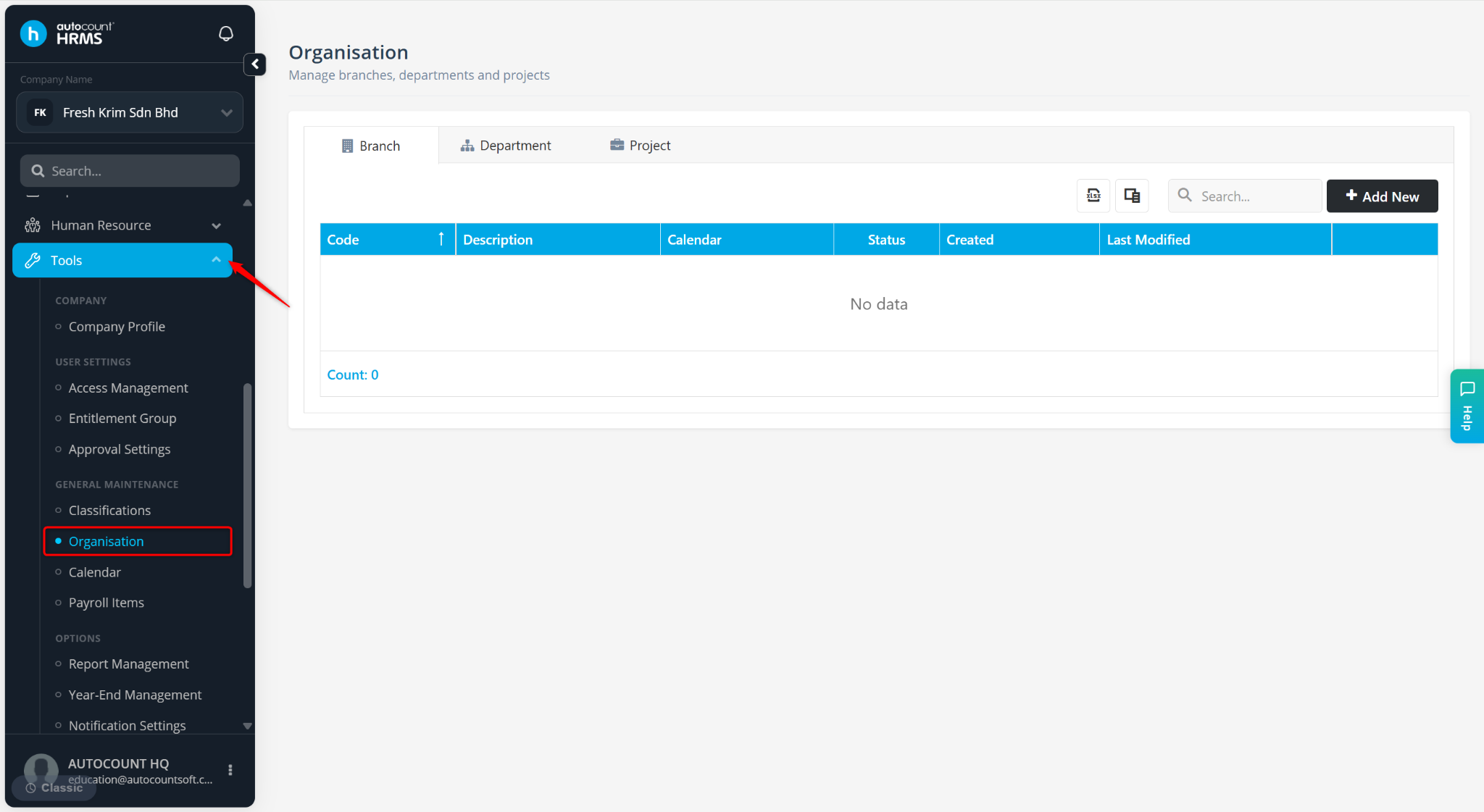
Go to Tools > Organisation.
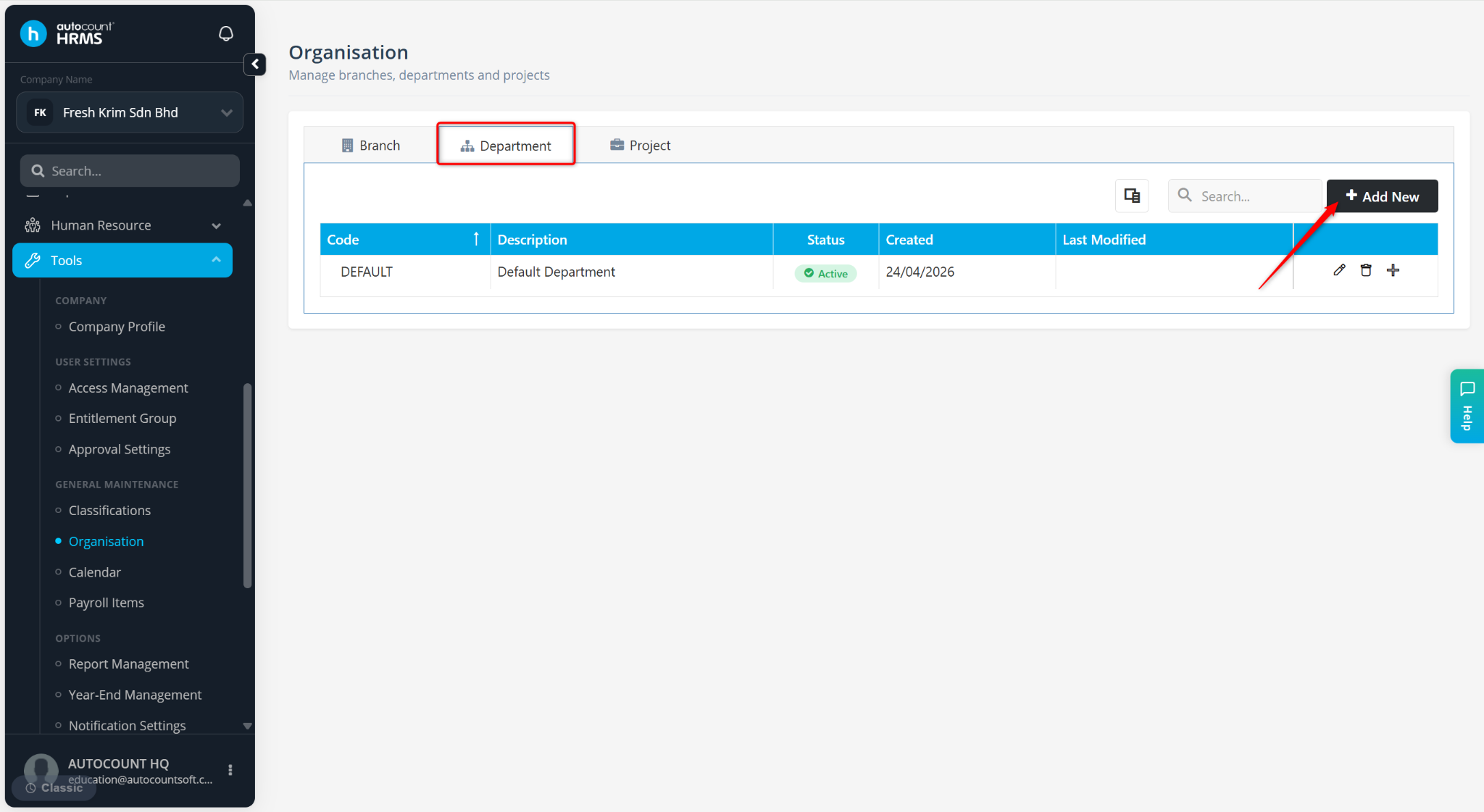
Go to the Department tab. Then, click Add New.
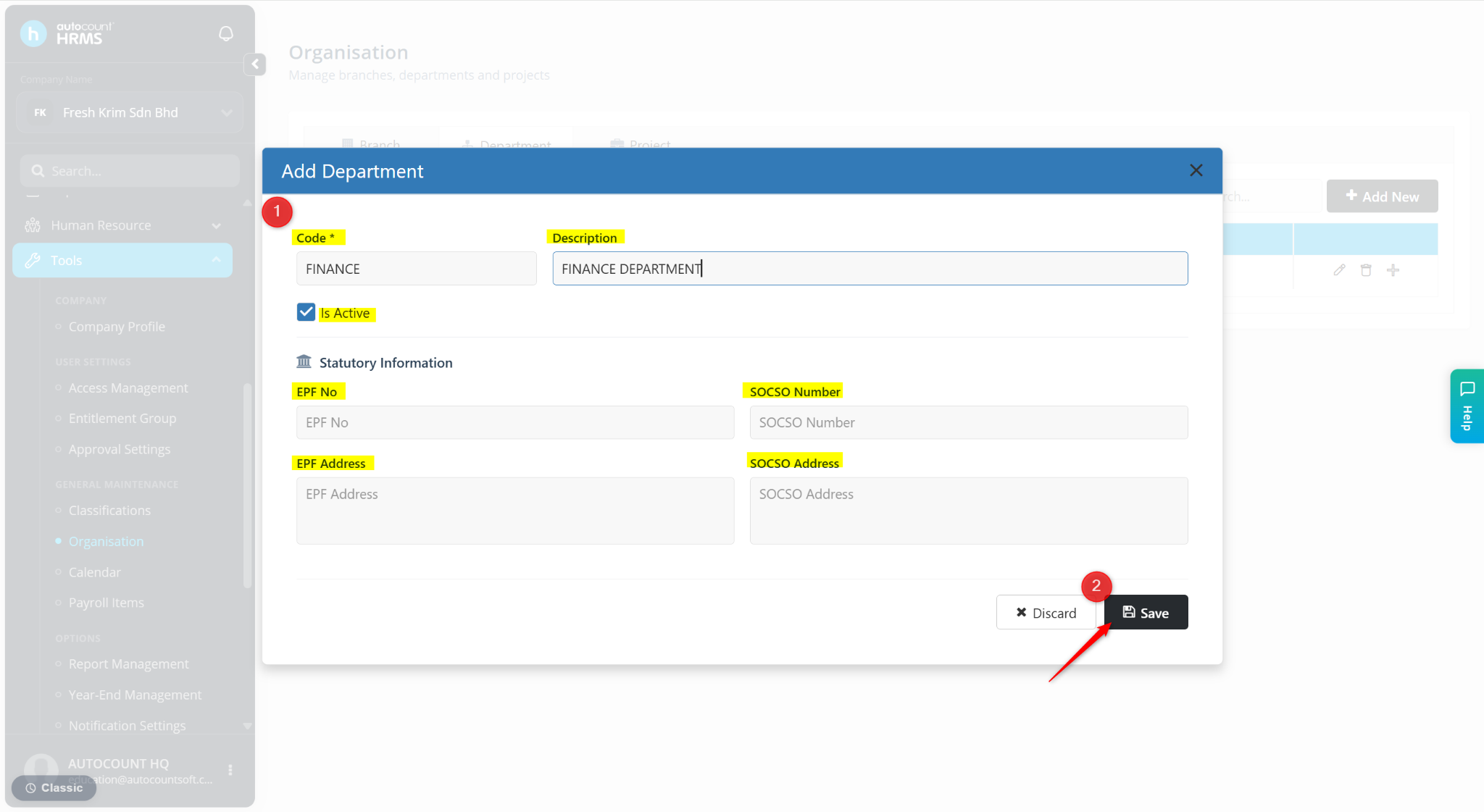
Enter the details:
Code – Enter a code for the department. (Mandatory)
Description – Enter the name of the department.
Is Active – Ensure this option is enabled to make the record available for selection.
Statutory Information – Enter the EPF No, EPF Address, SOCSO Number and SOCSO Address if applicable.
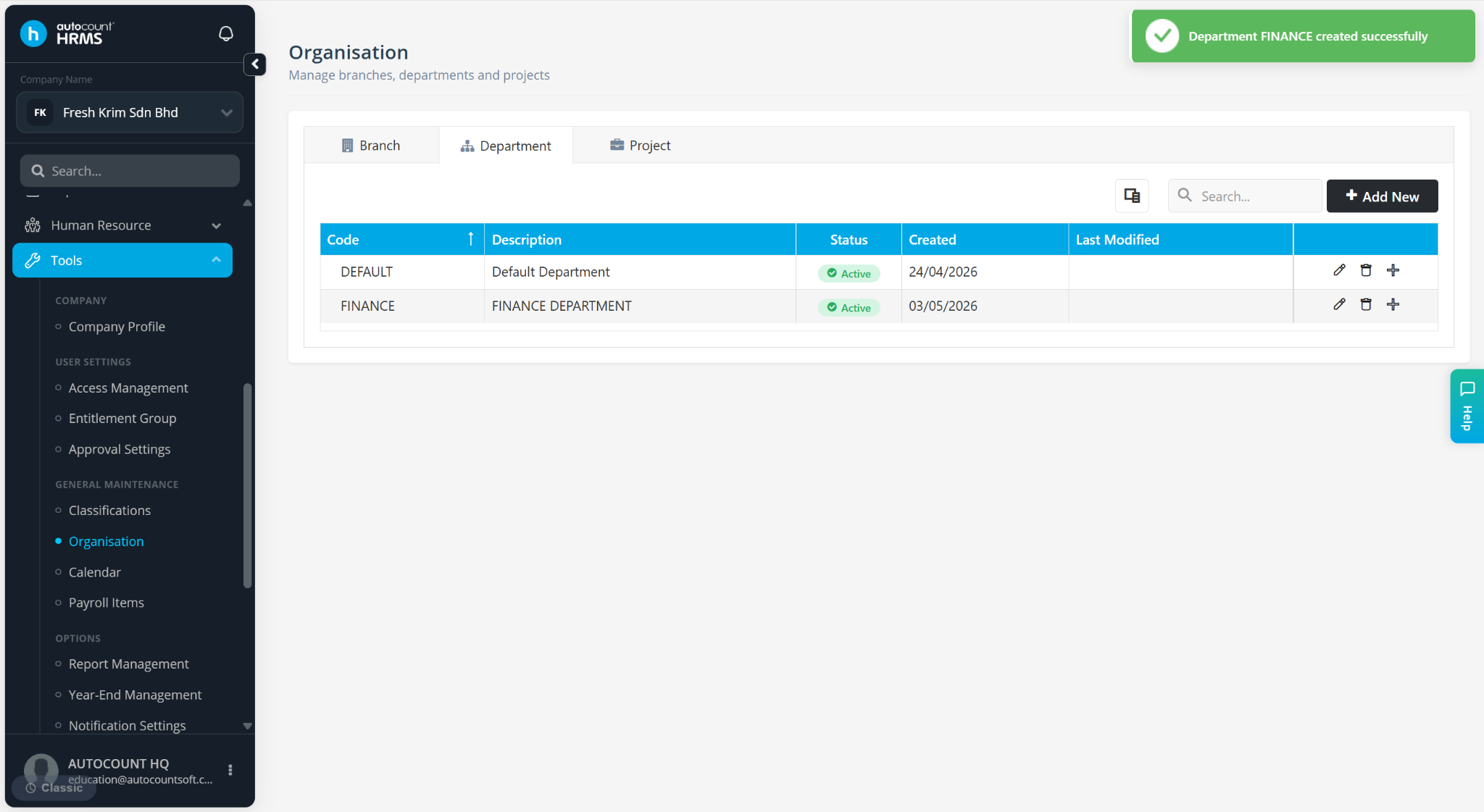
Click Save.
The department will be created.
Steps to Create a Sub-Department:
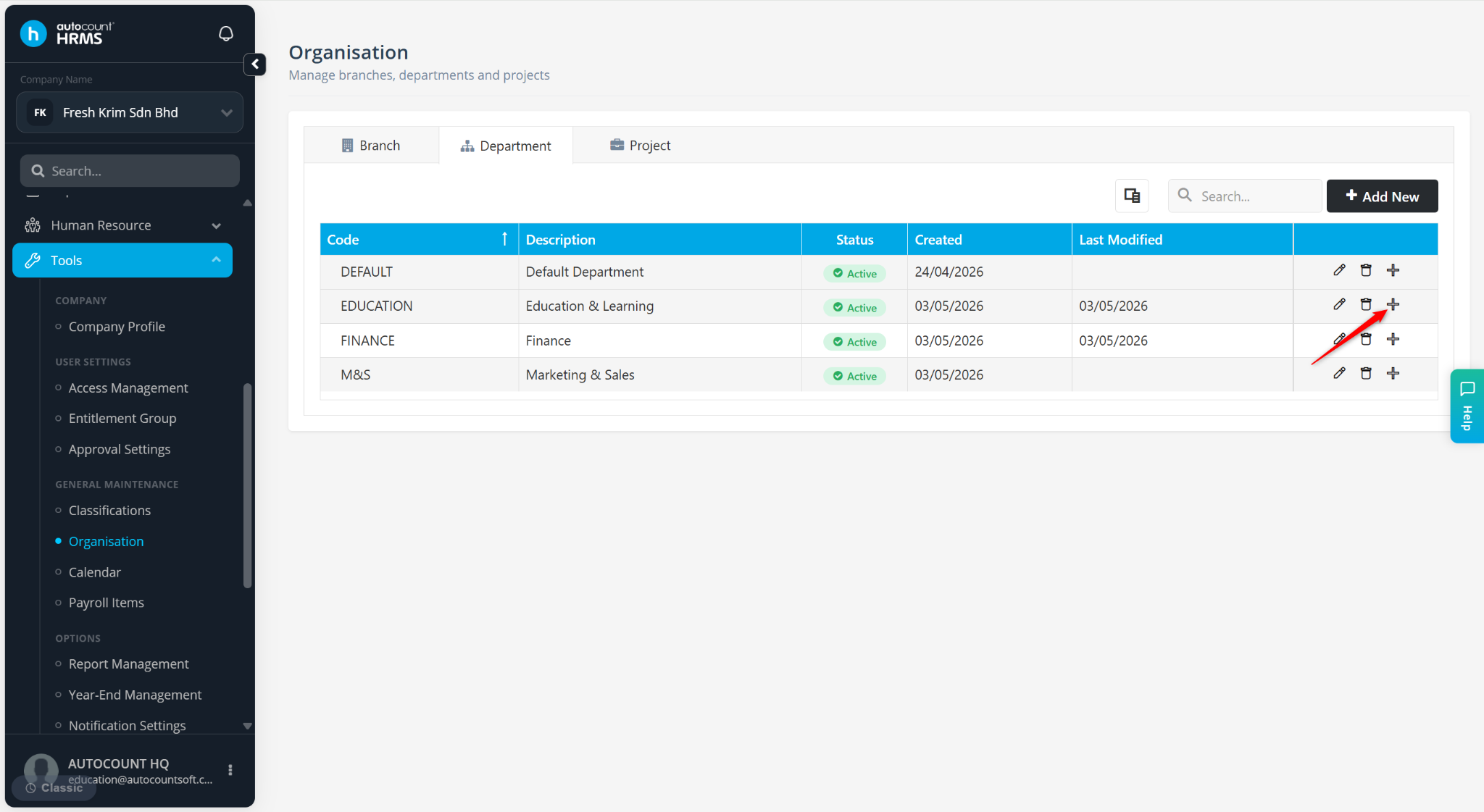
Go to the Organisation page, Department tab.
Locate the department and click + to create a sub-department under it.
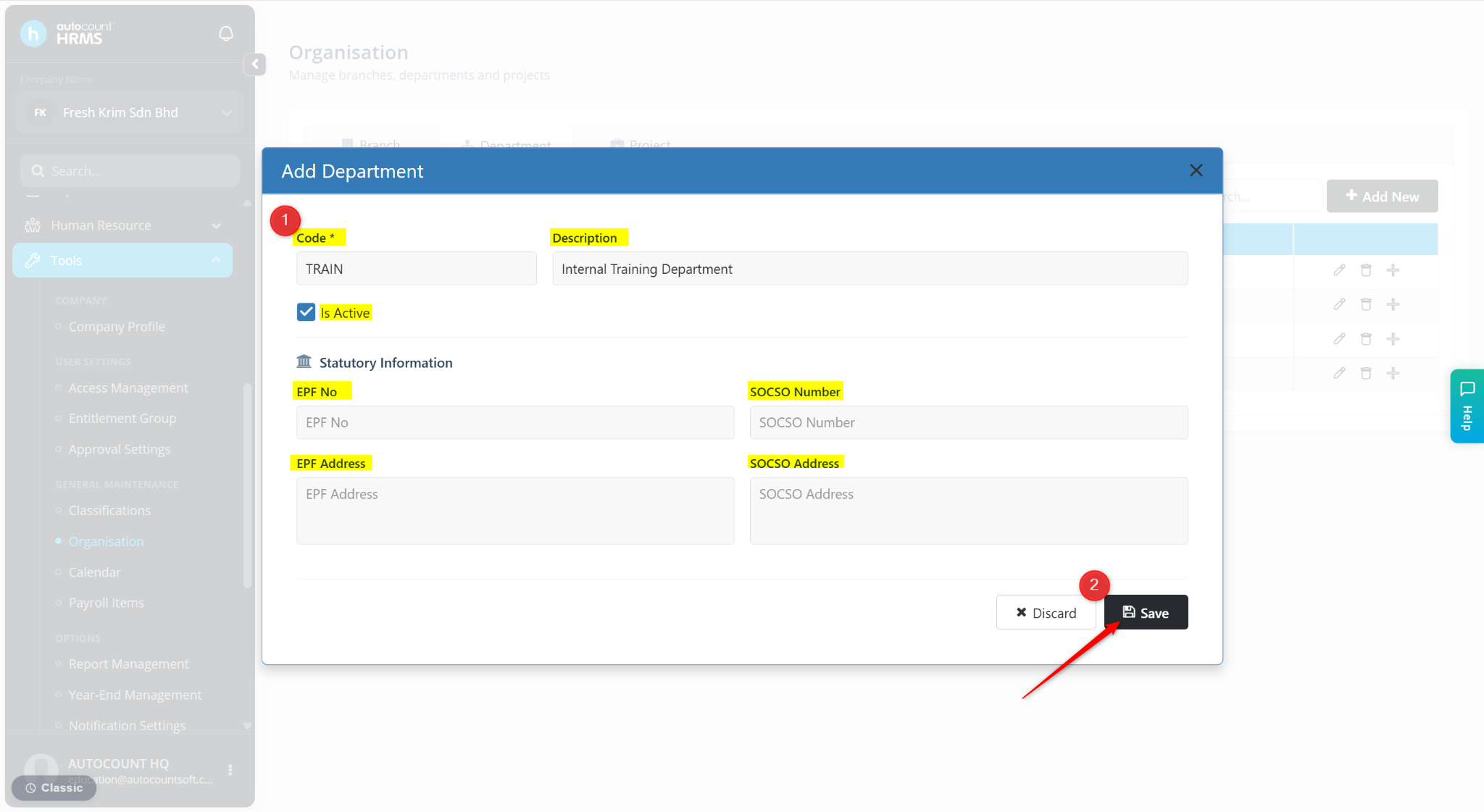
Enter the sub-department details:
Code (Mandatory)
Description
Statutory Information – Enter the EPF No, EPF Address, SOCSO Number and SOCSO Address if applicable.
Click Save.
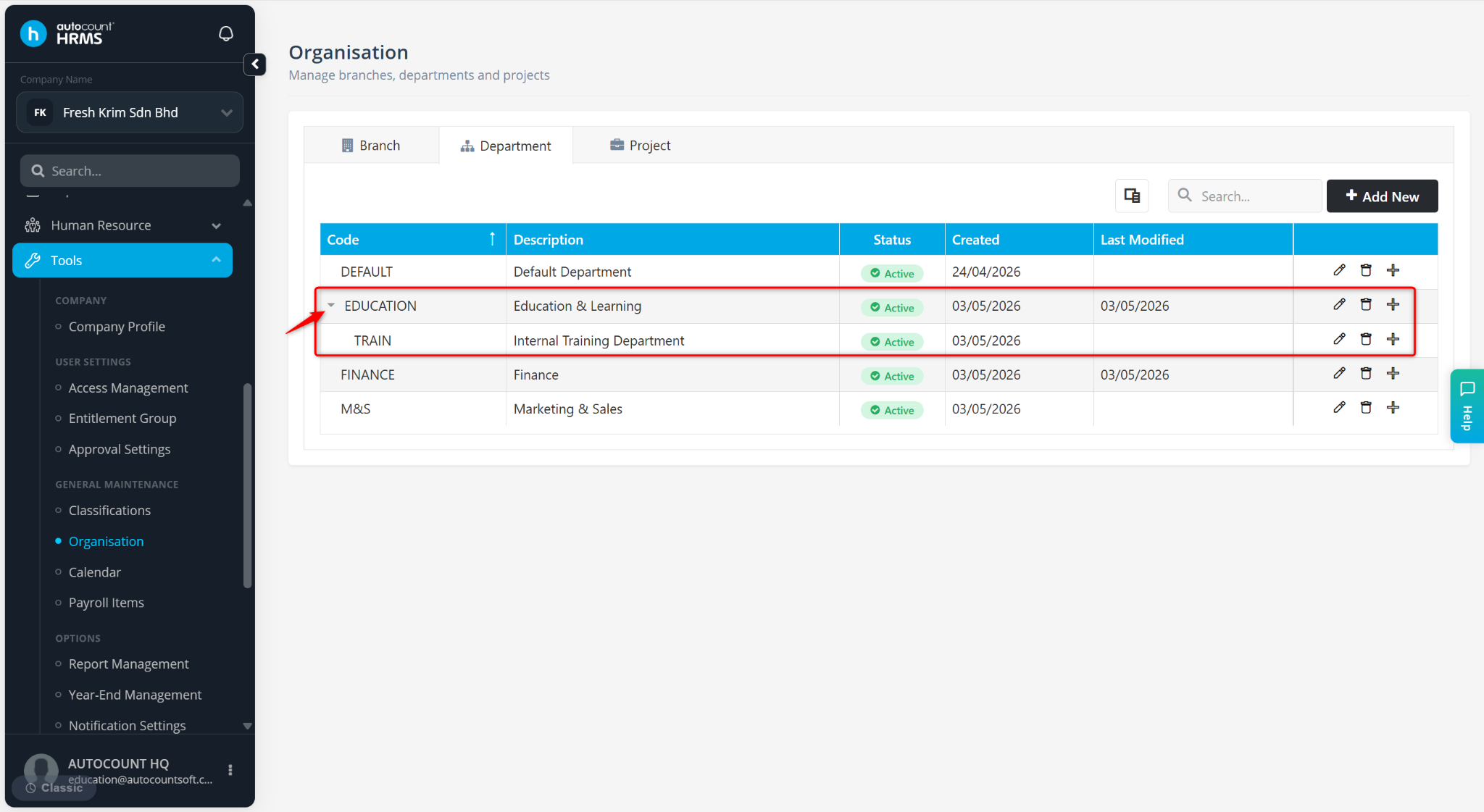
The sub-department will be created under the parent department. Click on the arrow icon to expand or collapse the list.
ℹ️ Tip:
Use the pencil icon to edit the department.
Use the trash bin icon to delete the department.