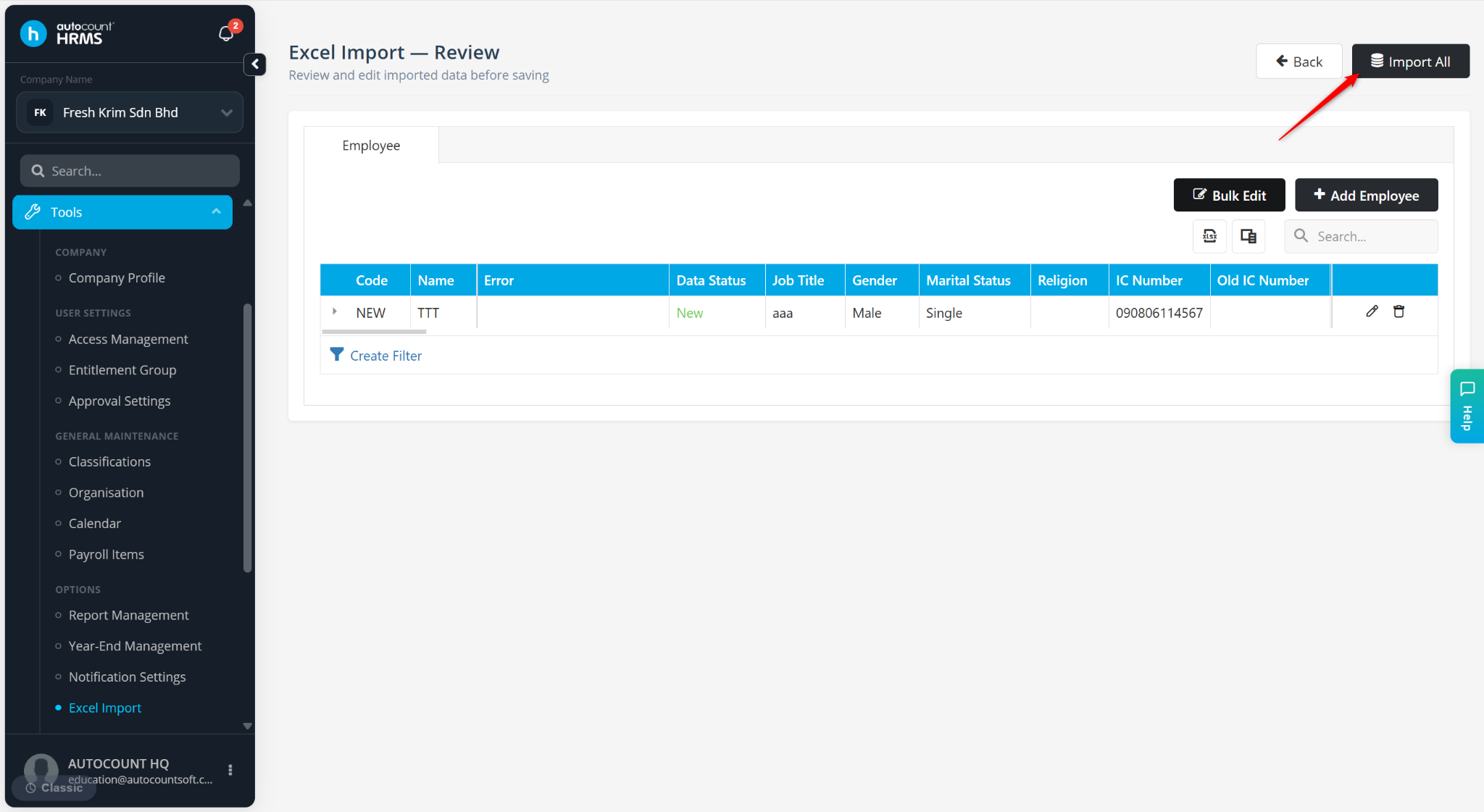
The Excel Import feature allows users to create or update employee records in bulk, reducing manual data entry and improving data management efficiency.
Steps to Upload Employee Information via Excel Import:
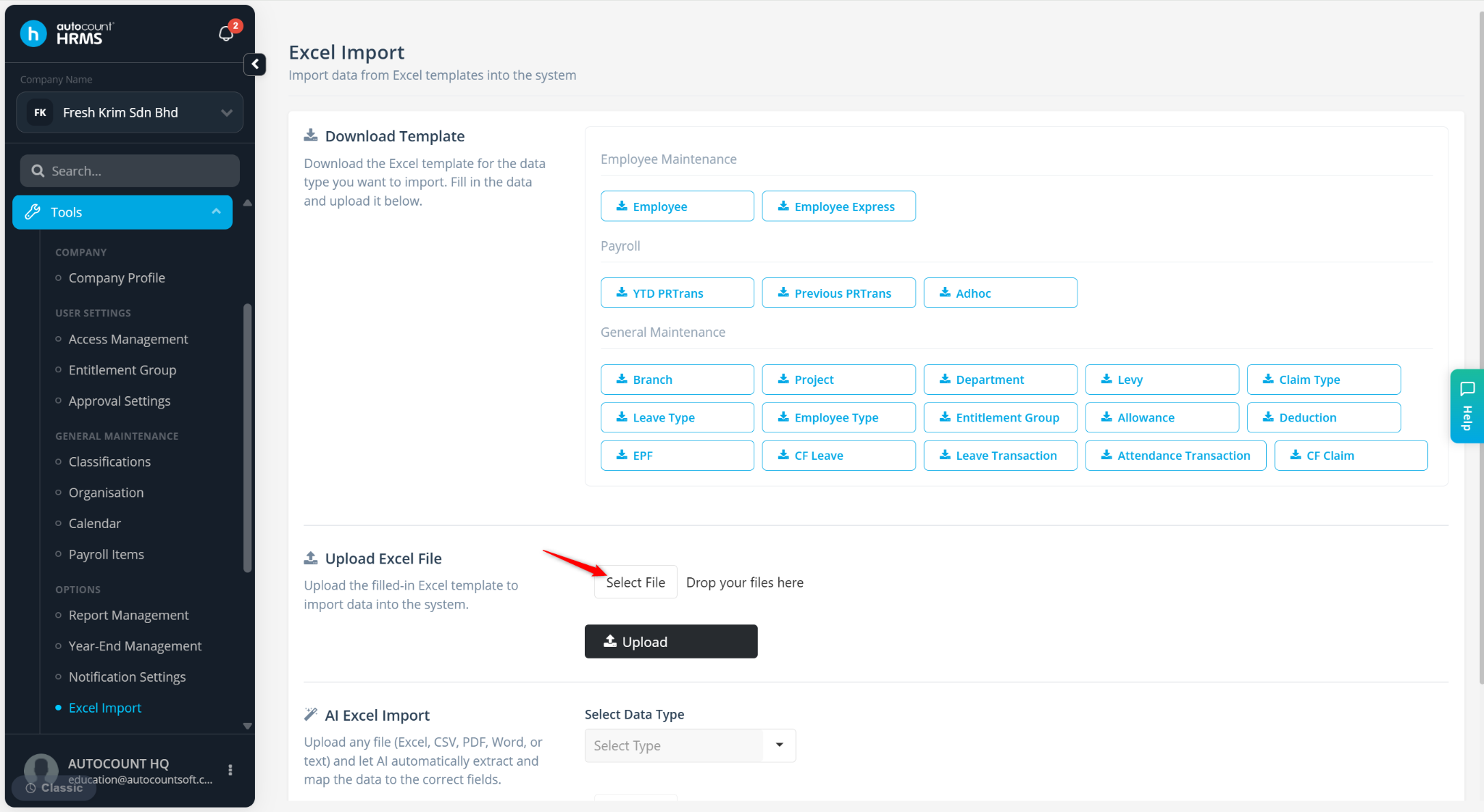
Go to Tools > Excel Import.
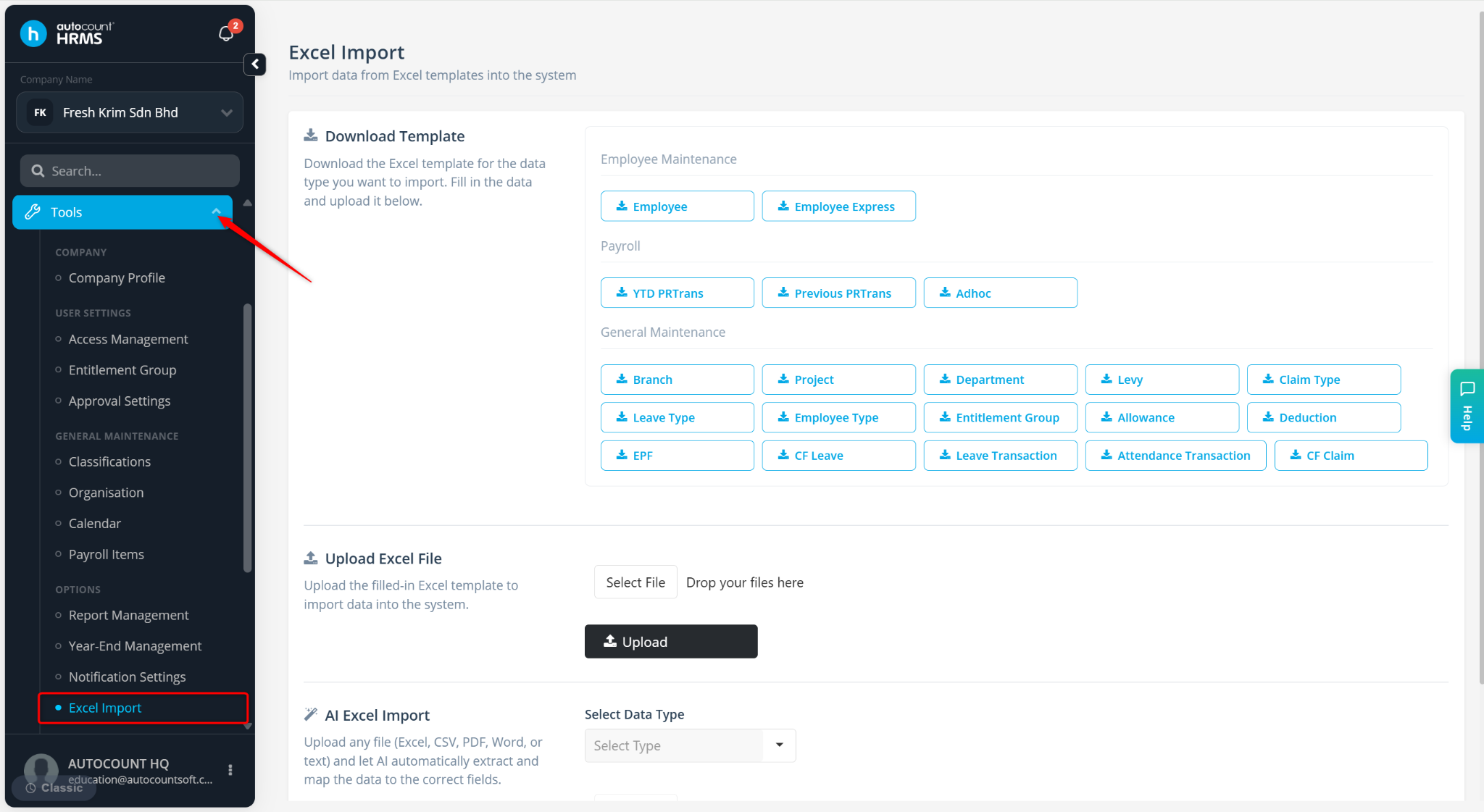
Click Employee to download the excel template.
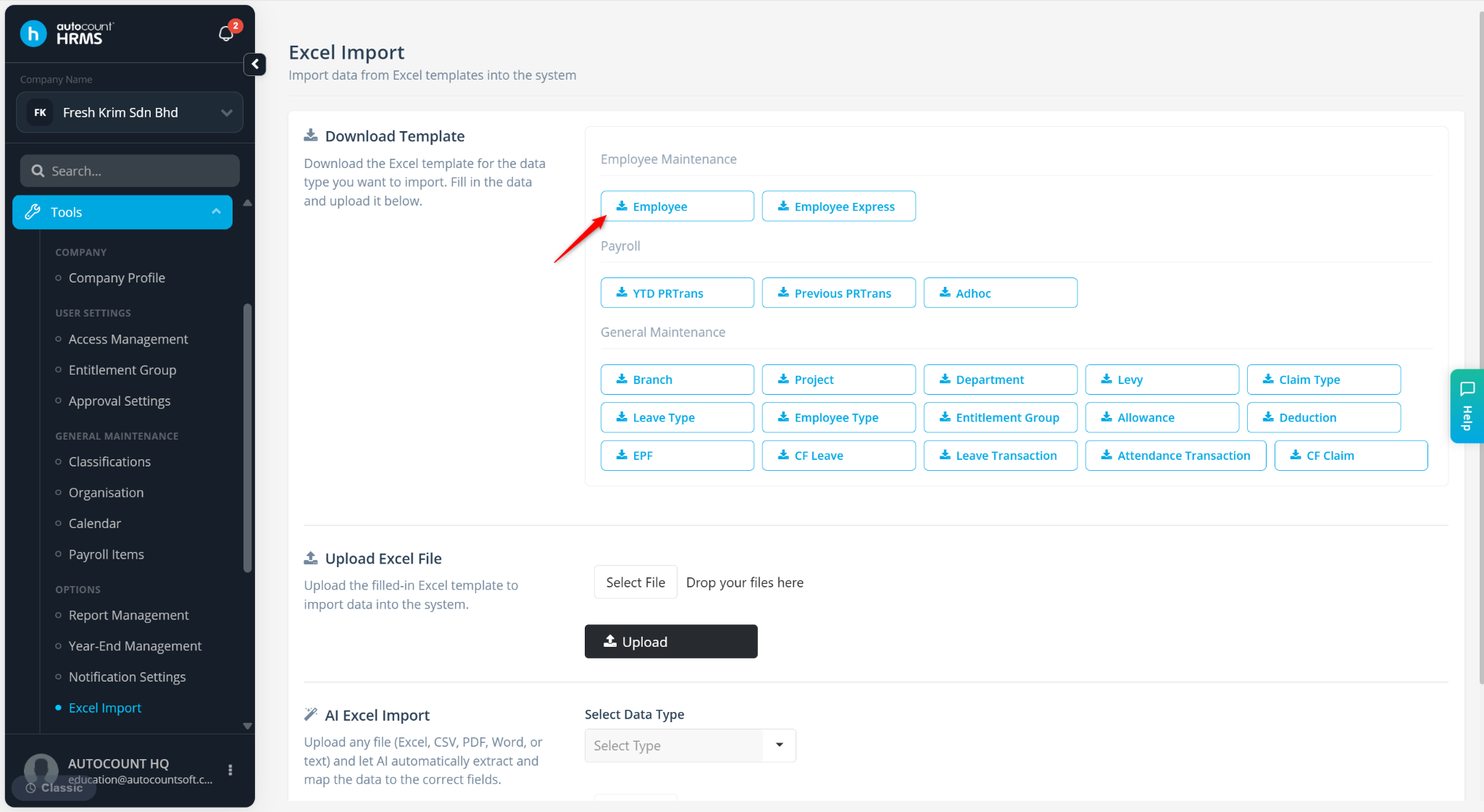
Enter the employee information into the template and save the file.
Red headers indicate mandatory fields.
Green headers indicate optional fields.
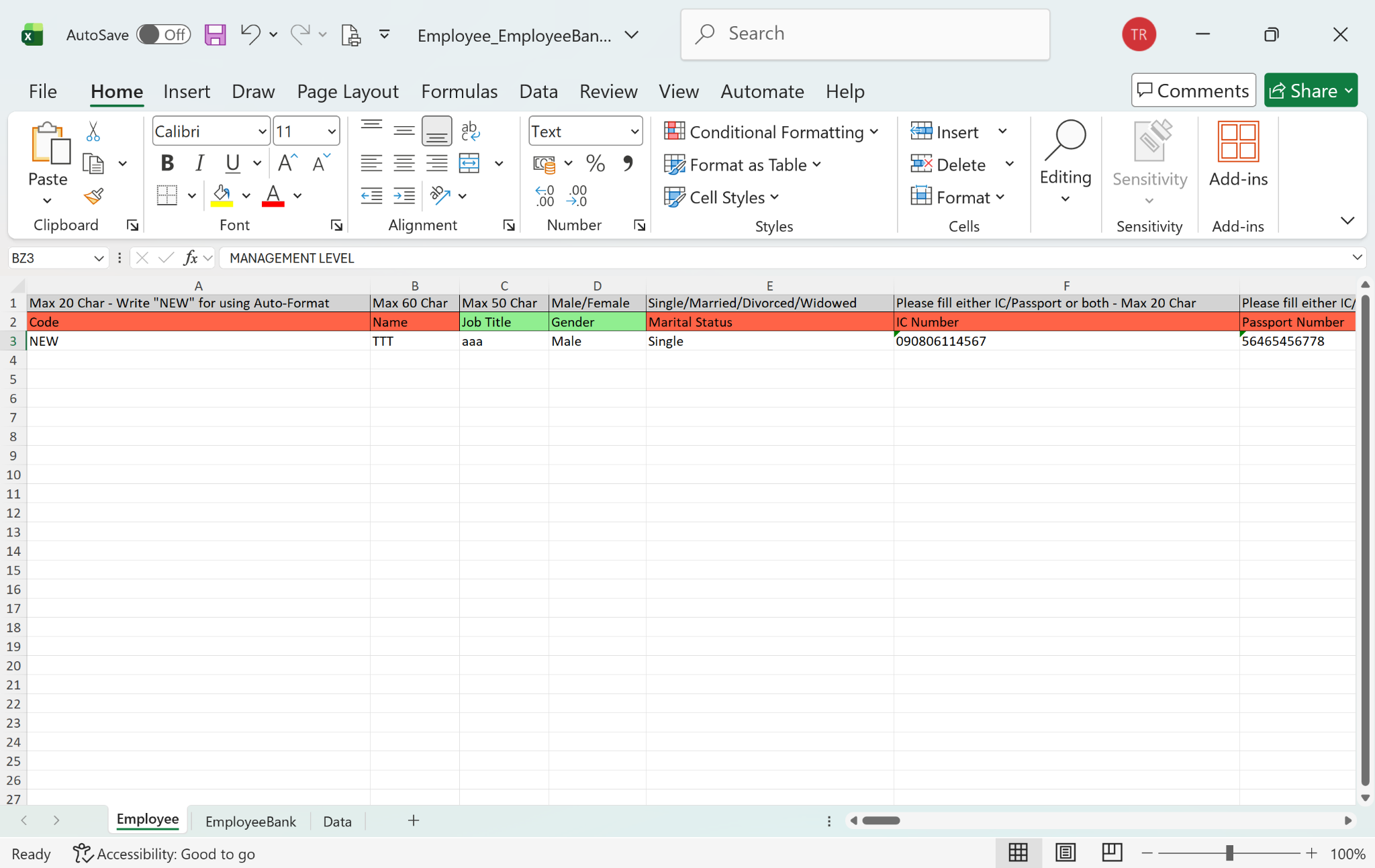
Return to the Excel Import page and click Select File.
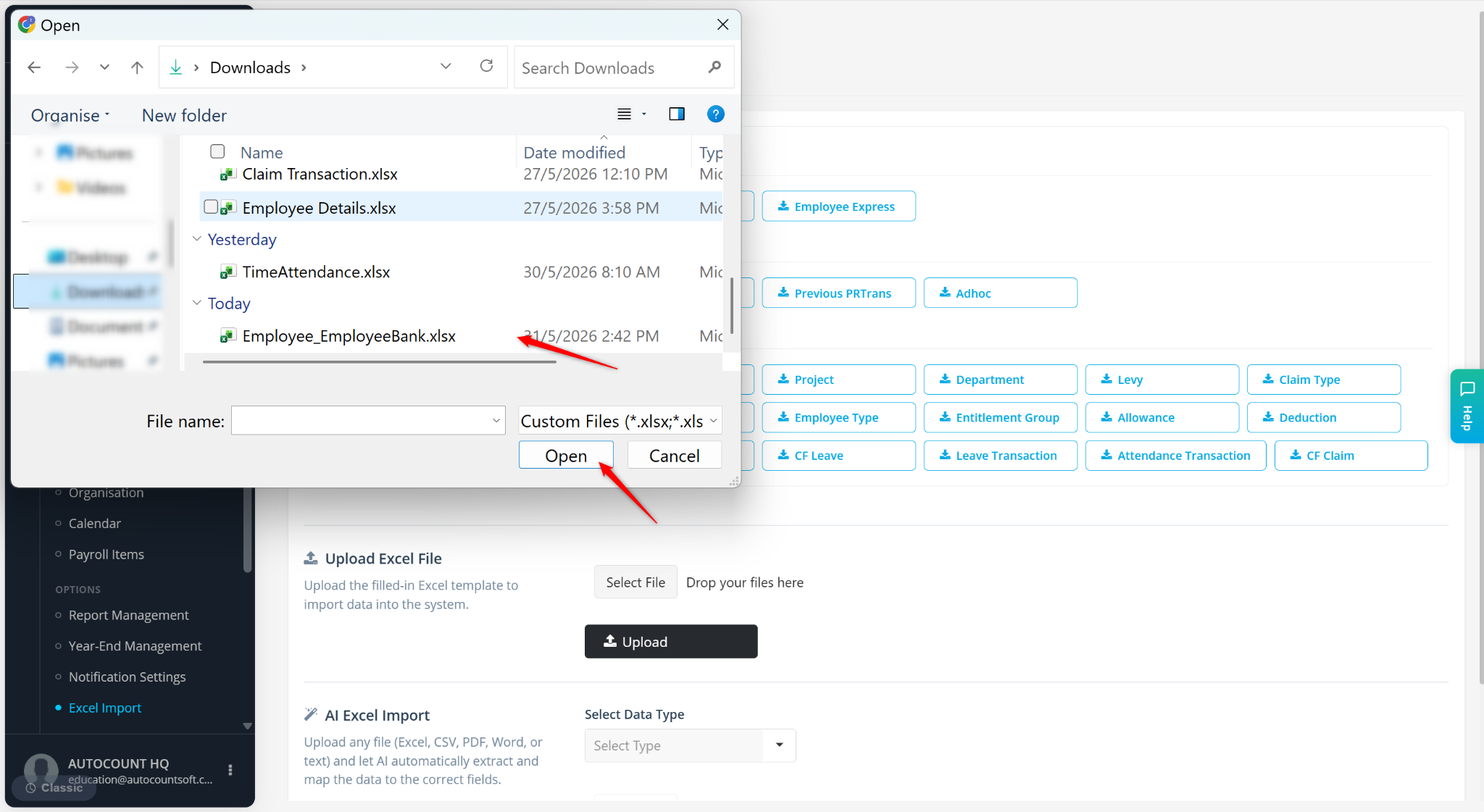
Select the excel file and click Open.
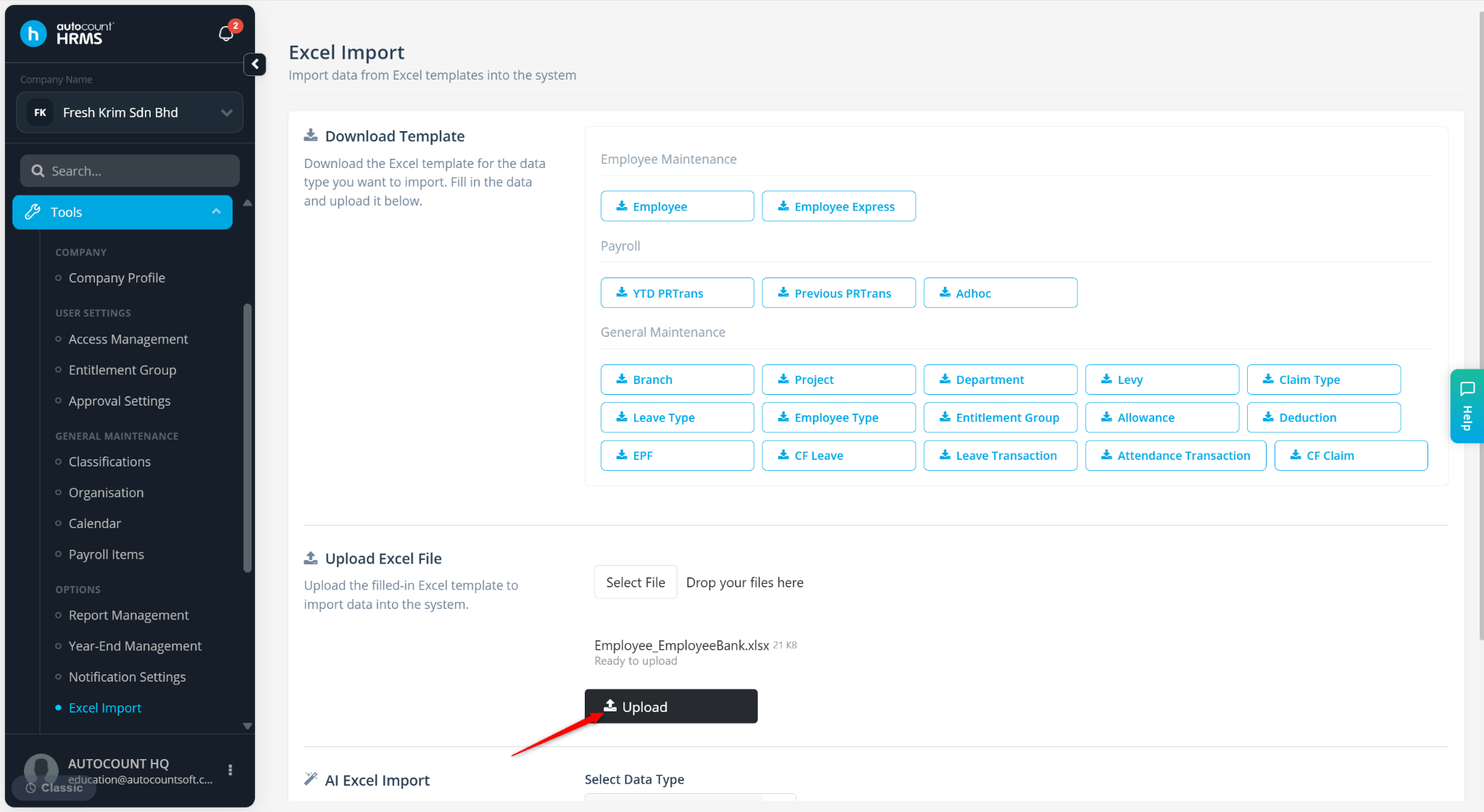
Click Upload.
Review the details and click Import All.