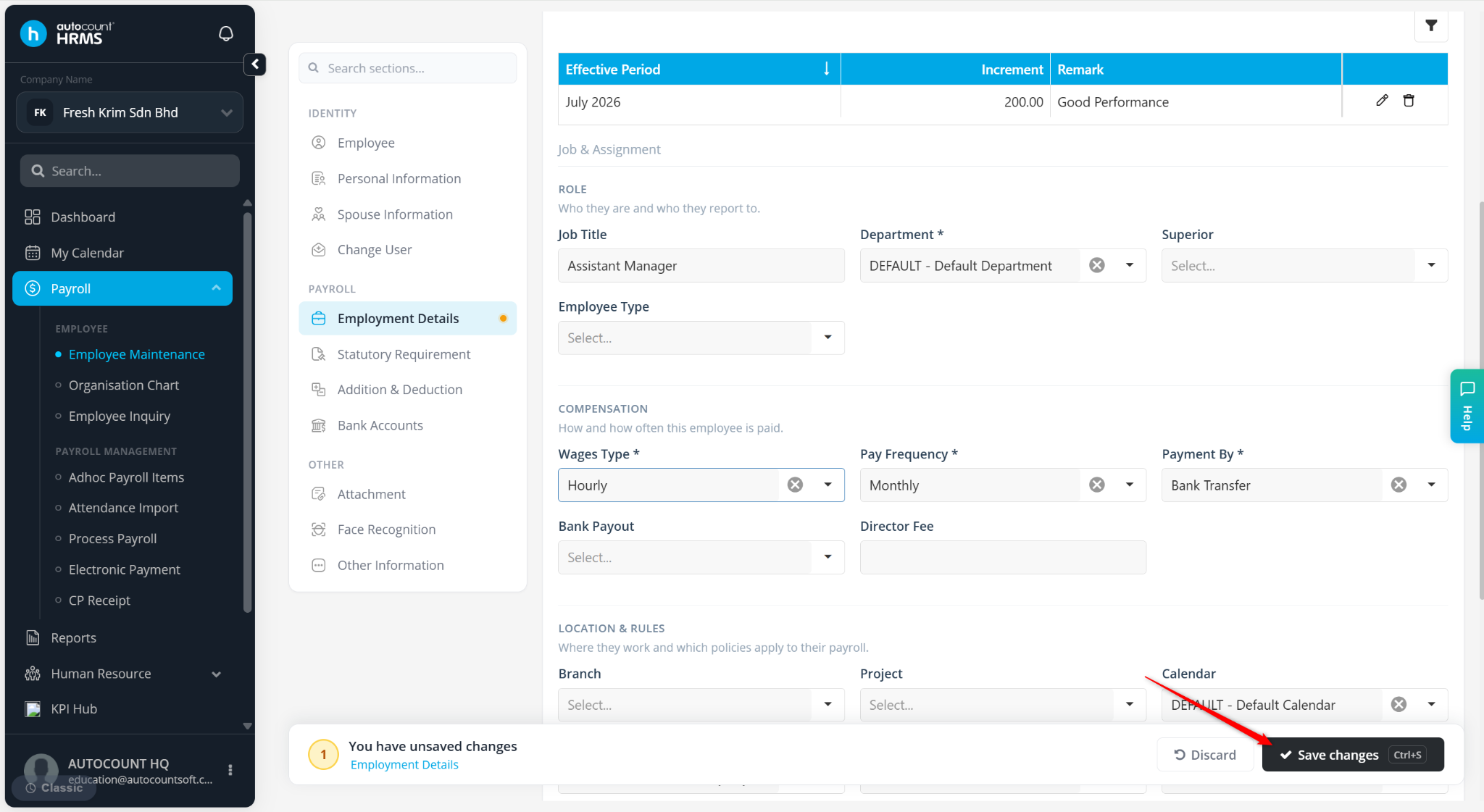
The Wages Type setting determines how an employee's salary is calculated during payroll processing. The selected wages type defines the calculation method and the corresponding rate that must be maintained for the employee.
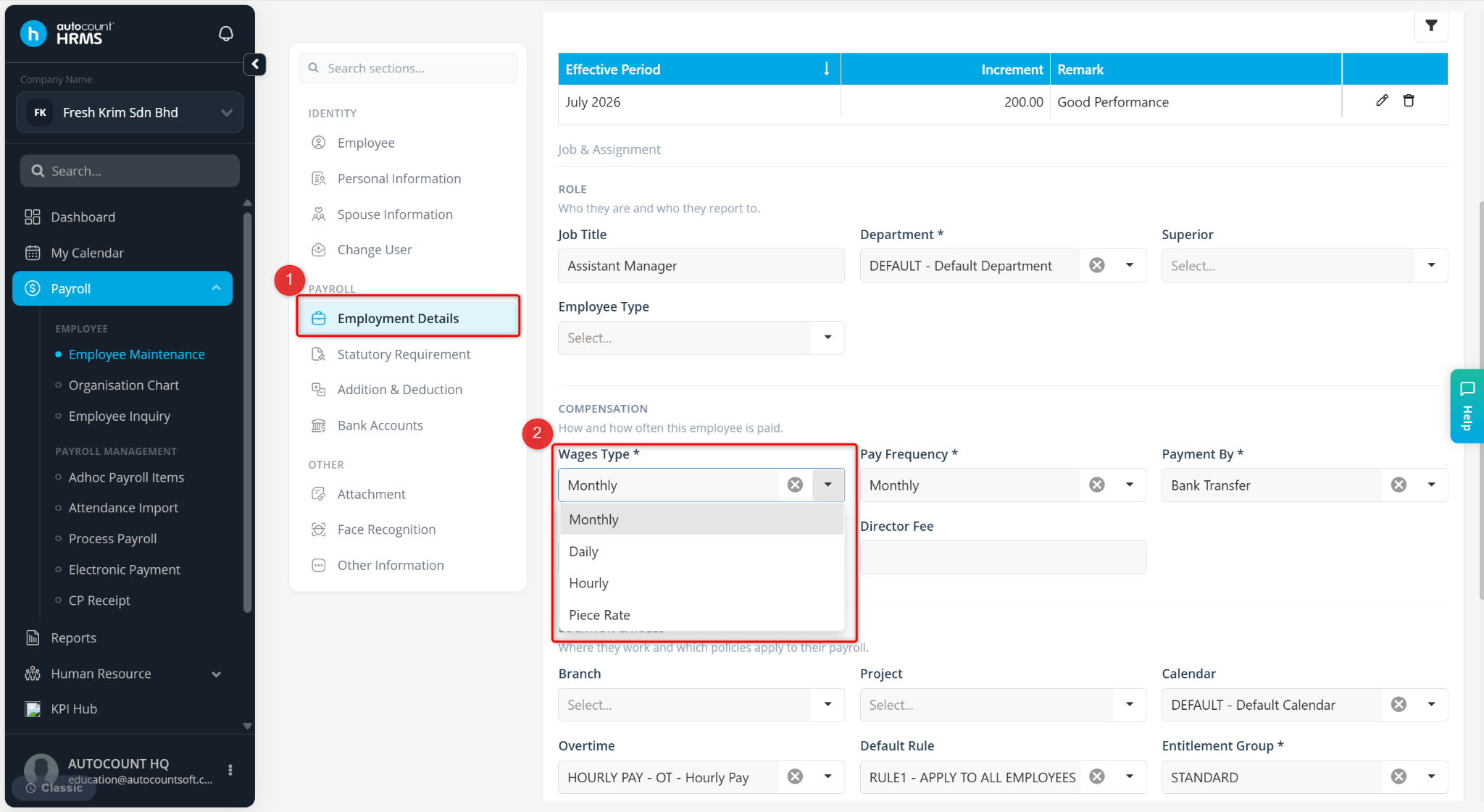
The available wages types are:
Hourly – Salary is calculated based on the number of hours worked.
Daily – Salary is calculated based on the number of days worked.
Monthly – Salary is calculated based on a fixed monthly amount.
Piece Rate – Salary is calculated based on the quantity of work or units completed.
Steps to Maintain Wages Type:
Go to Payroll > Employee Maintenance.
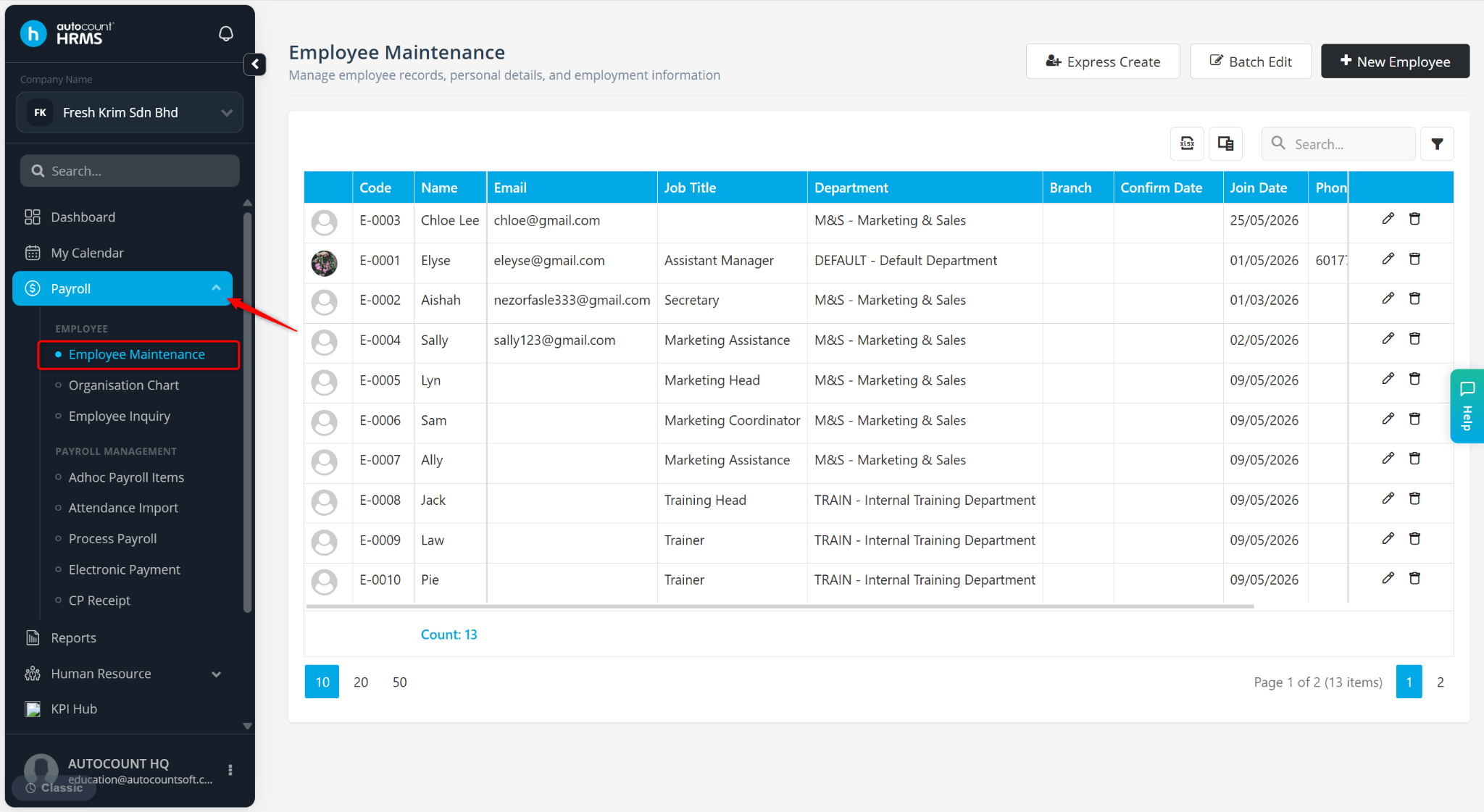
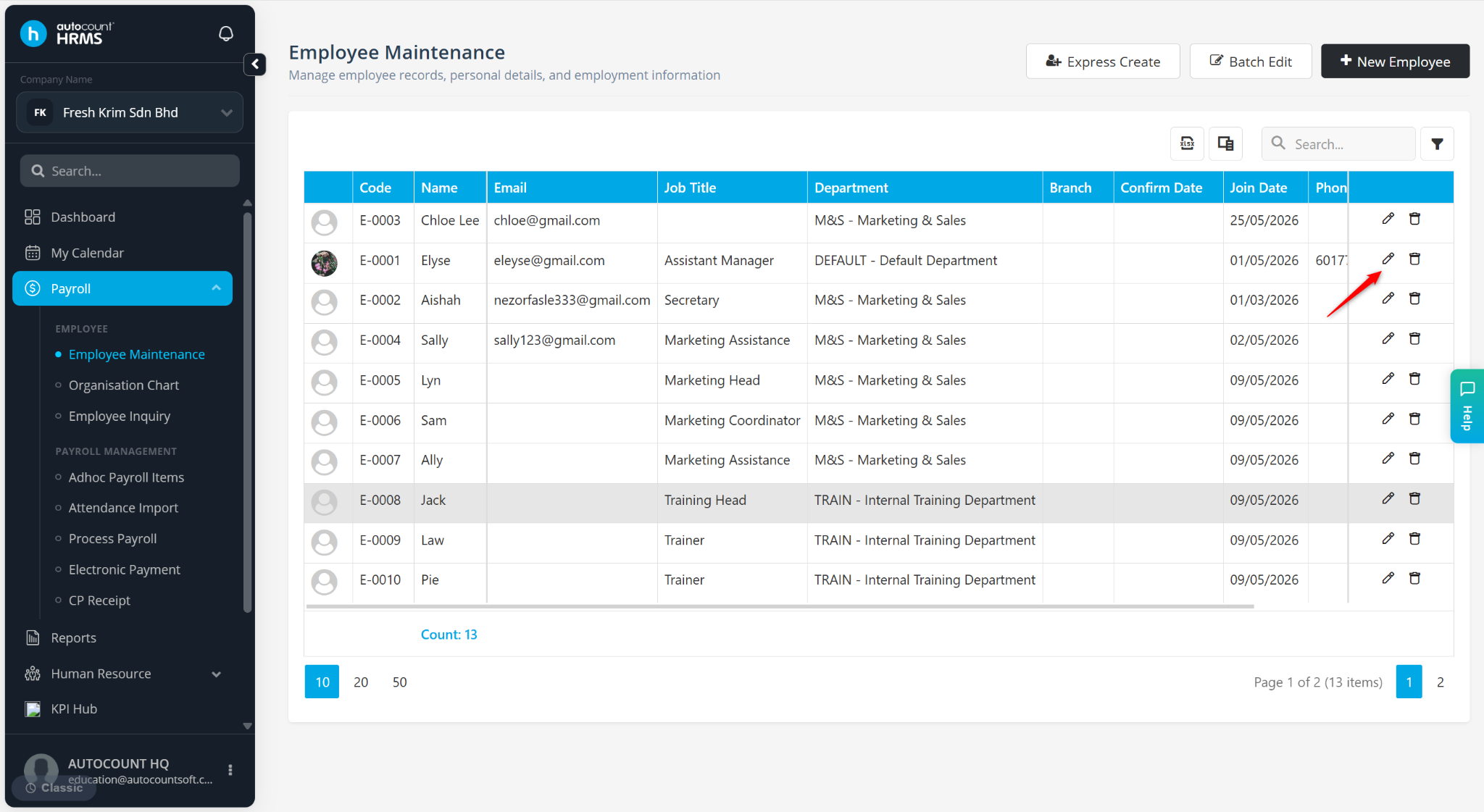
Locate the employee and click the pencil icon next to the employee.
Under Employment Details, select the appropriate Wages Type.
Click Save changes to apply.