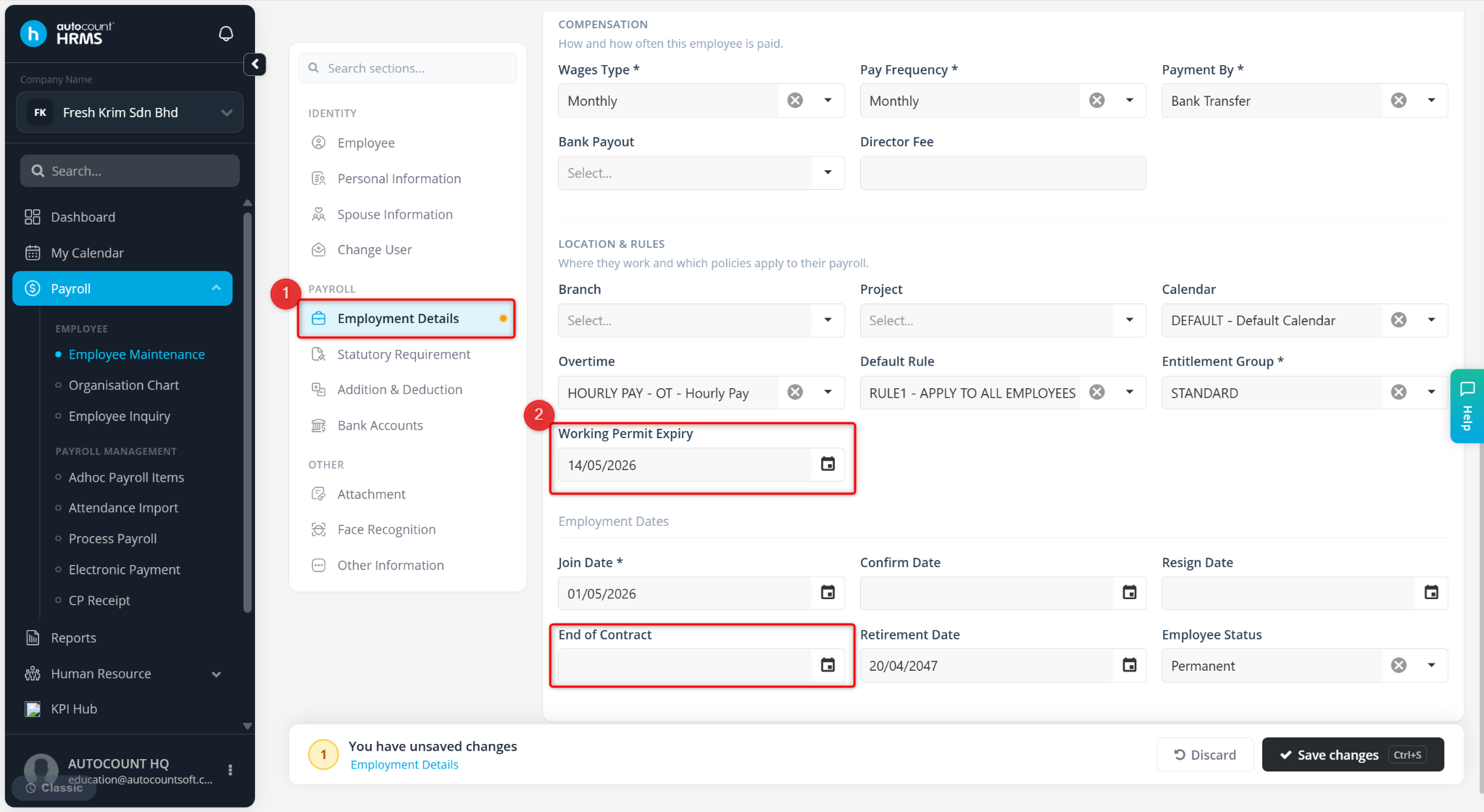
The Working Permit Expiry and End of Contract fields are used to manage non-permanent employees, such as foreign workers and contract staff.
By maintaining these dates, the system can automatically stop including the employee in payroll processing once the specified date has been reached, helping to prevent unintended salary payments and ensuring accurate employee management.
Steps to Maintain Wages Type:
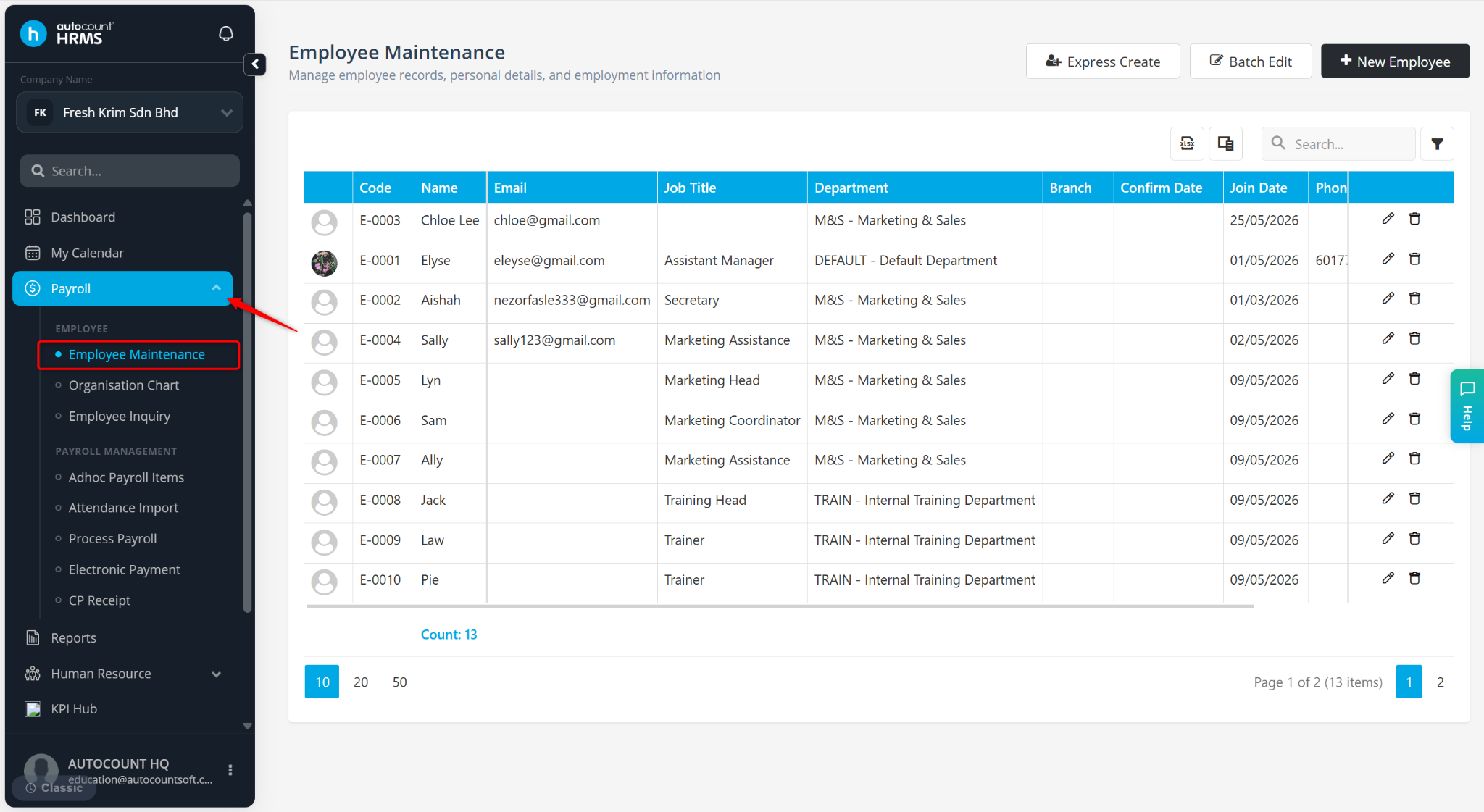
Go to Payroll > Employee Maintenance.
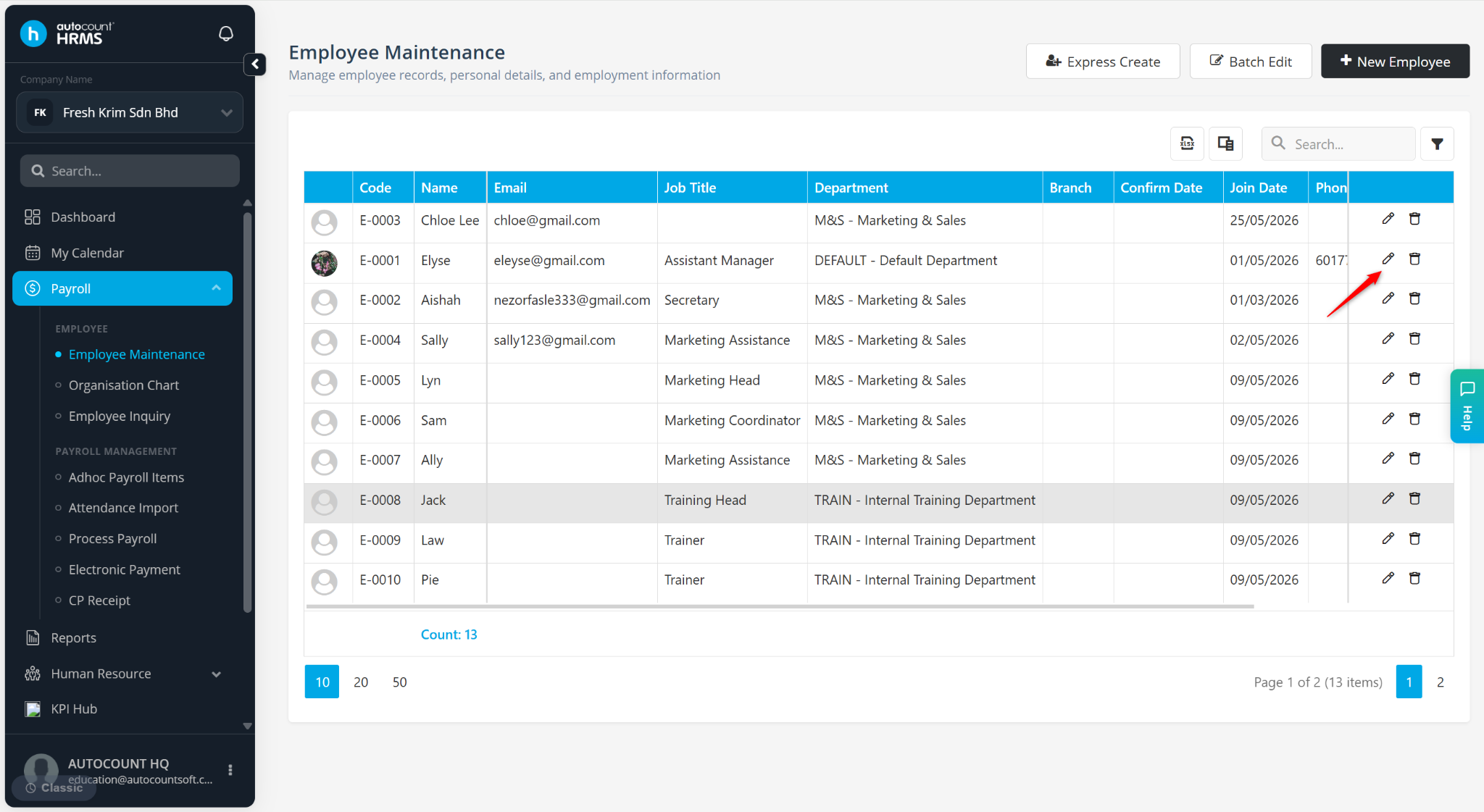
Locate the employee and click the pencil icon next to the employee.
Under Employment Details, select the respective date at the Working Permit Expiry or End Of Contract field.
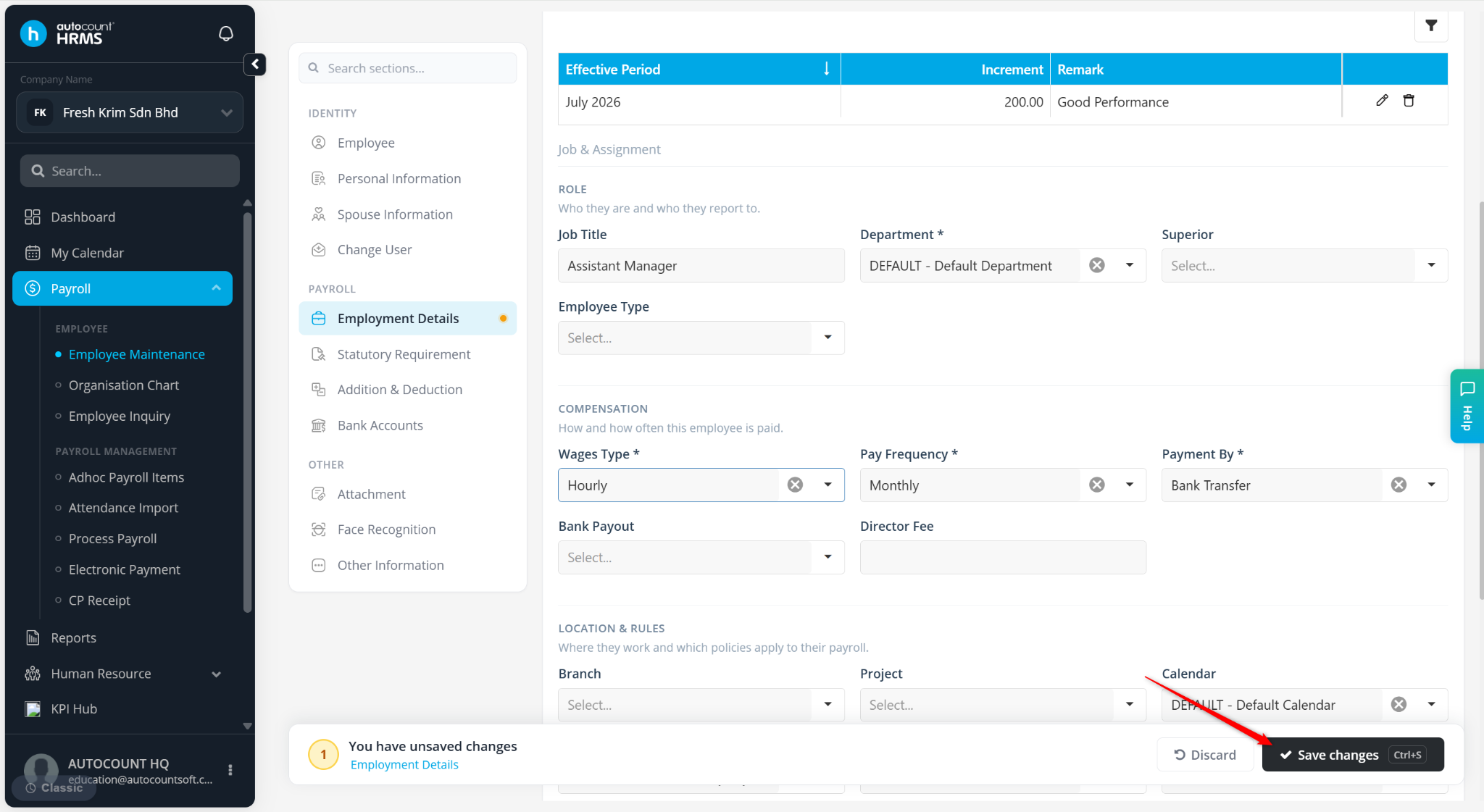
Click Save changes to apply.