The Employee Resignation feature is used to record an employee's resignation date in the system.
Once a resignation date is maintained, the employee will be excluded from future payroll processing after the effective date. The employee's historical payroll and employment records will remain available for reporting, statutory purposes, and future reference.
Steps to Record Employee Resignation:
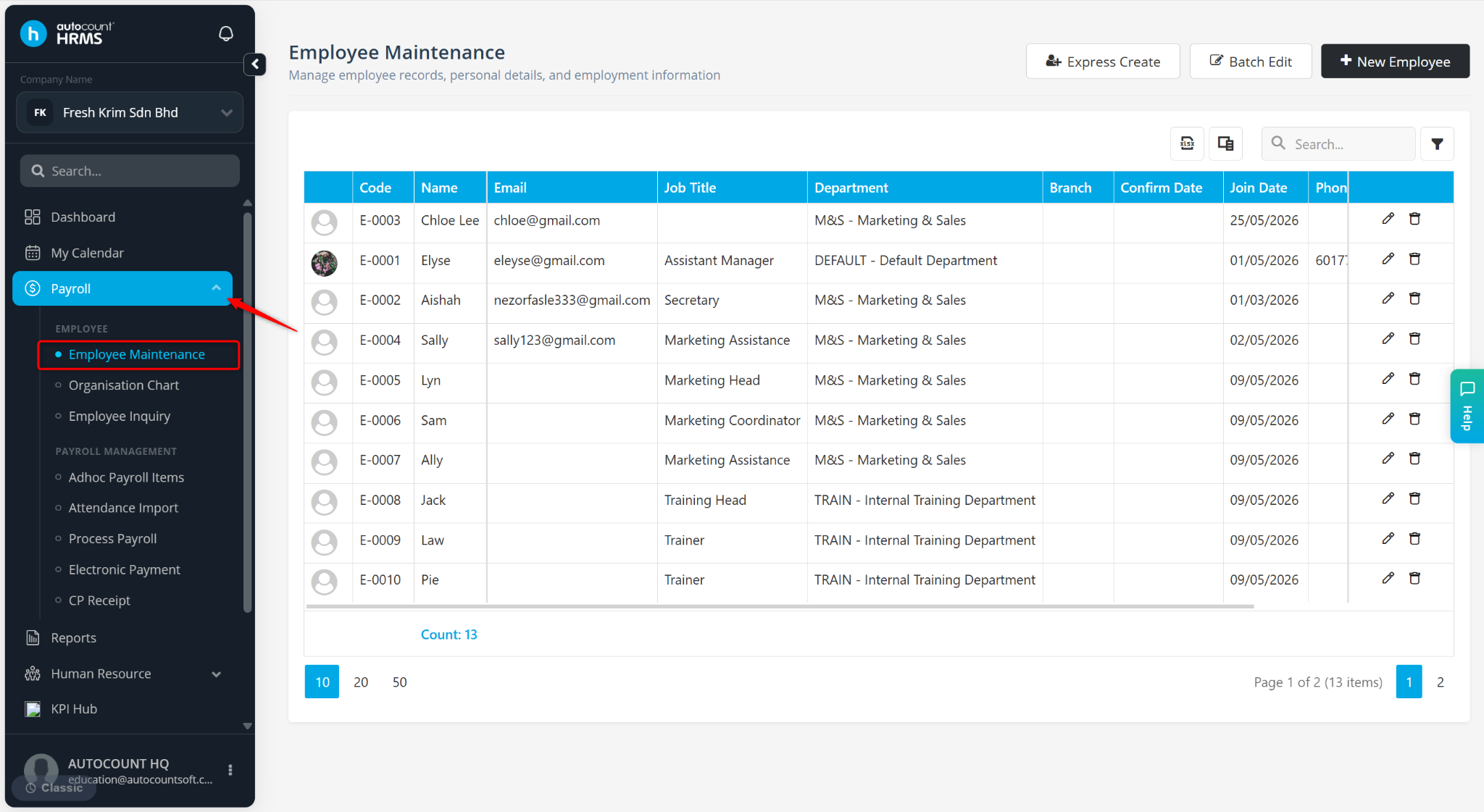
Go to Payroll > Employee Maintenance.
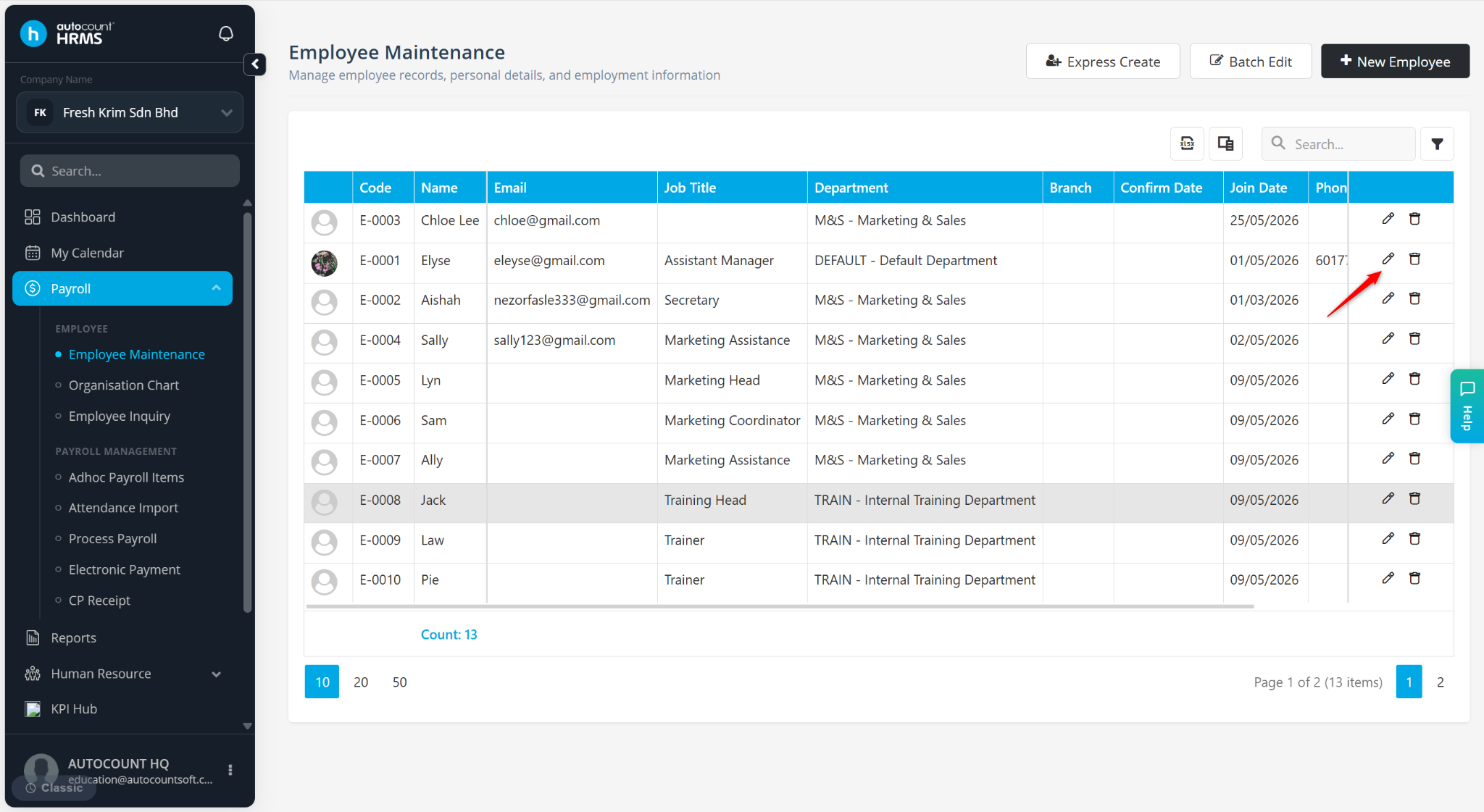
Locate the employee and click the pencil icon next to the employee.
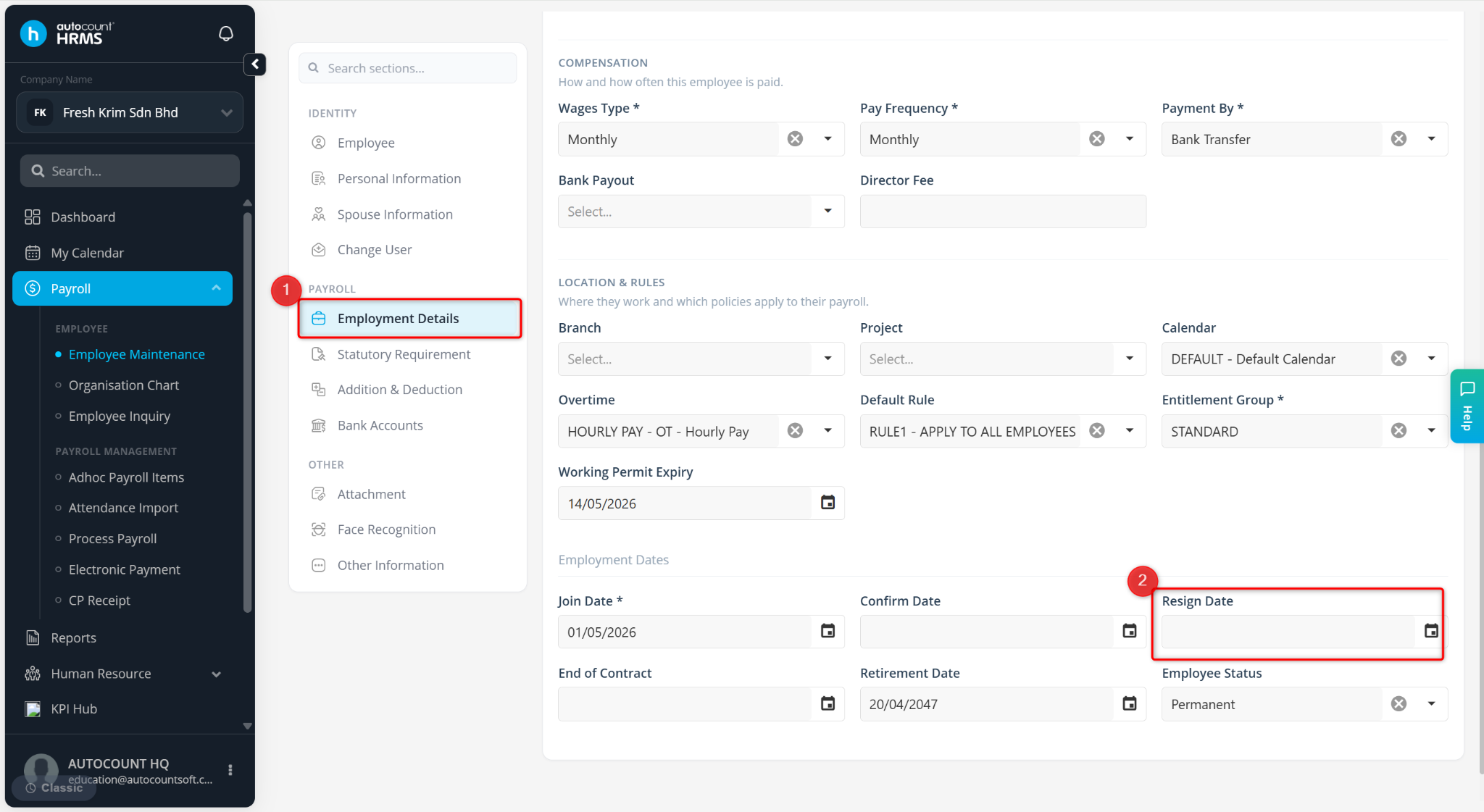
Go to Employment Details.
Under Employment Dates, enter the Resign Date.
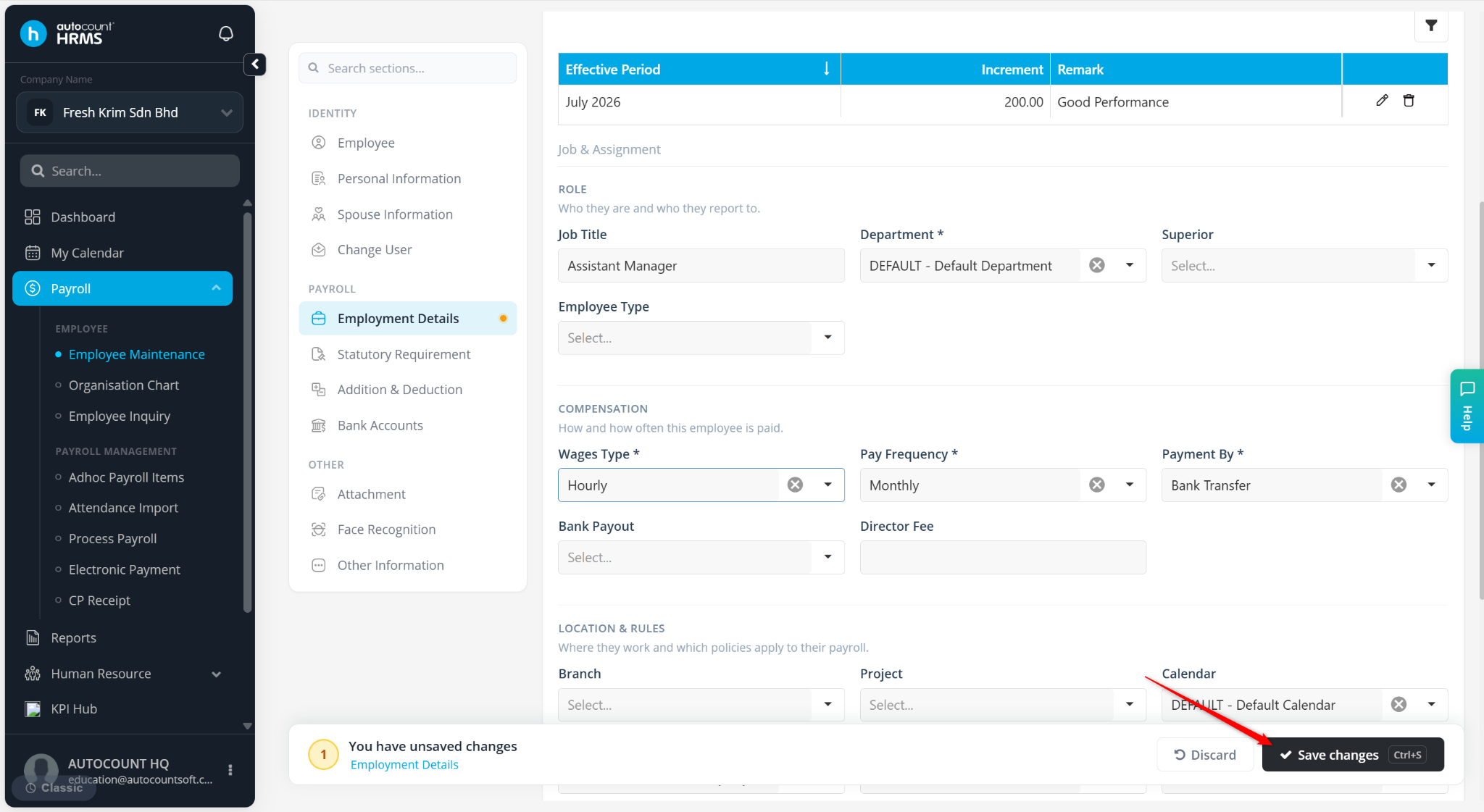
Click Save changes to apply.