
The Face Recognition feature allows you to upload an employee's photo for identity verification during attendance recording. The system compares the employee's face against the registered image when performing clock-in and clock-out activities.
For accurate recognition, ensure the employee's photo is clear and up to date.
Steps to Setup an Employee’s Face Recognition Feature:
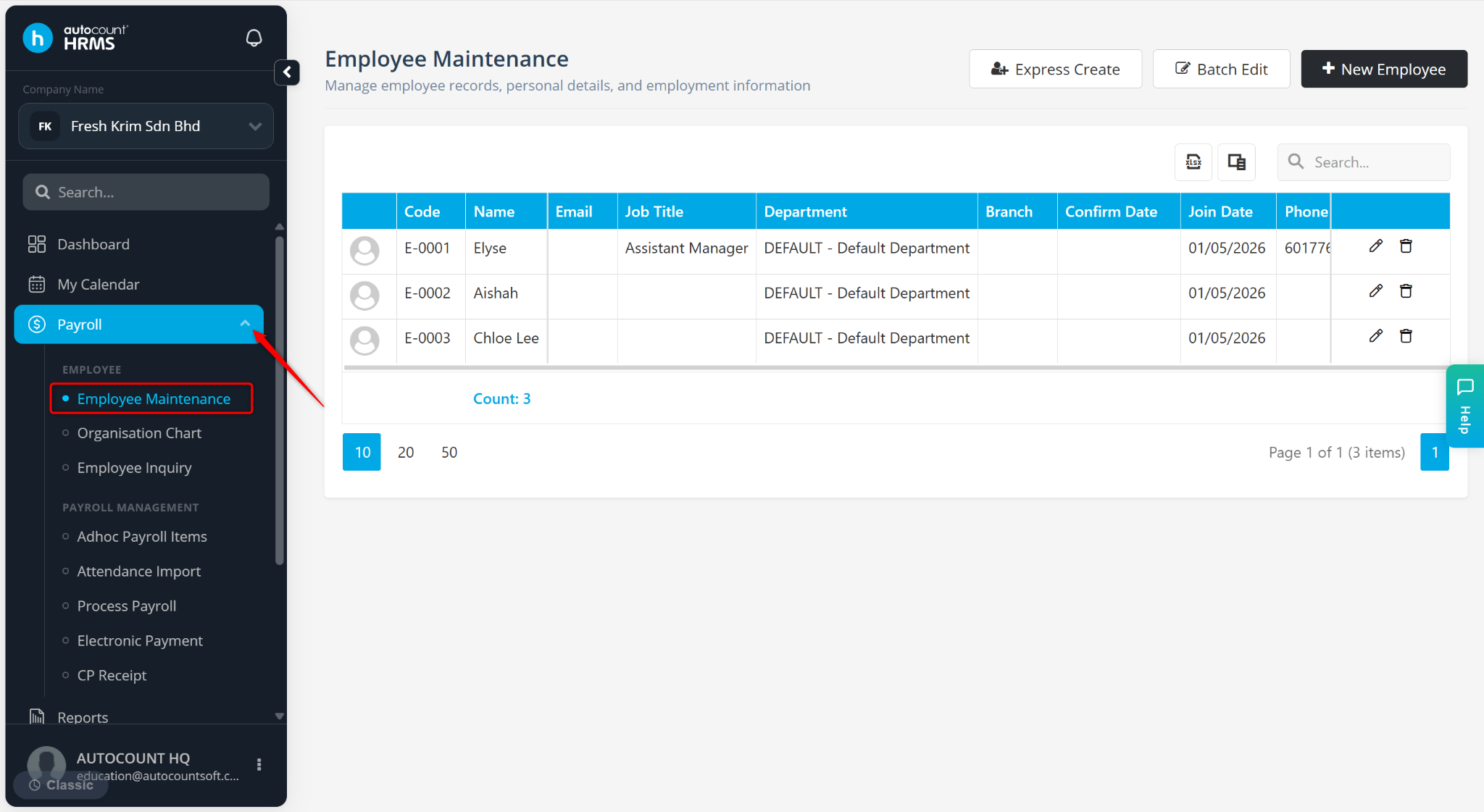
Go to Payroll > Employee Maintenance.
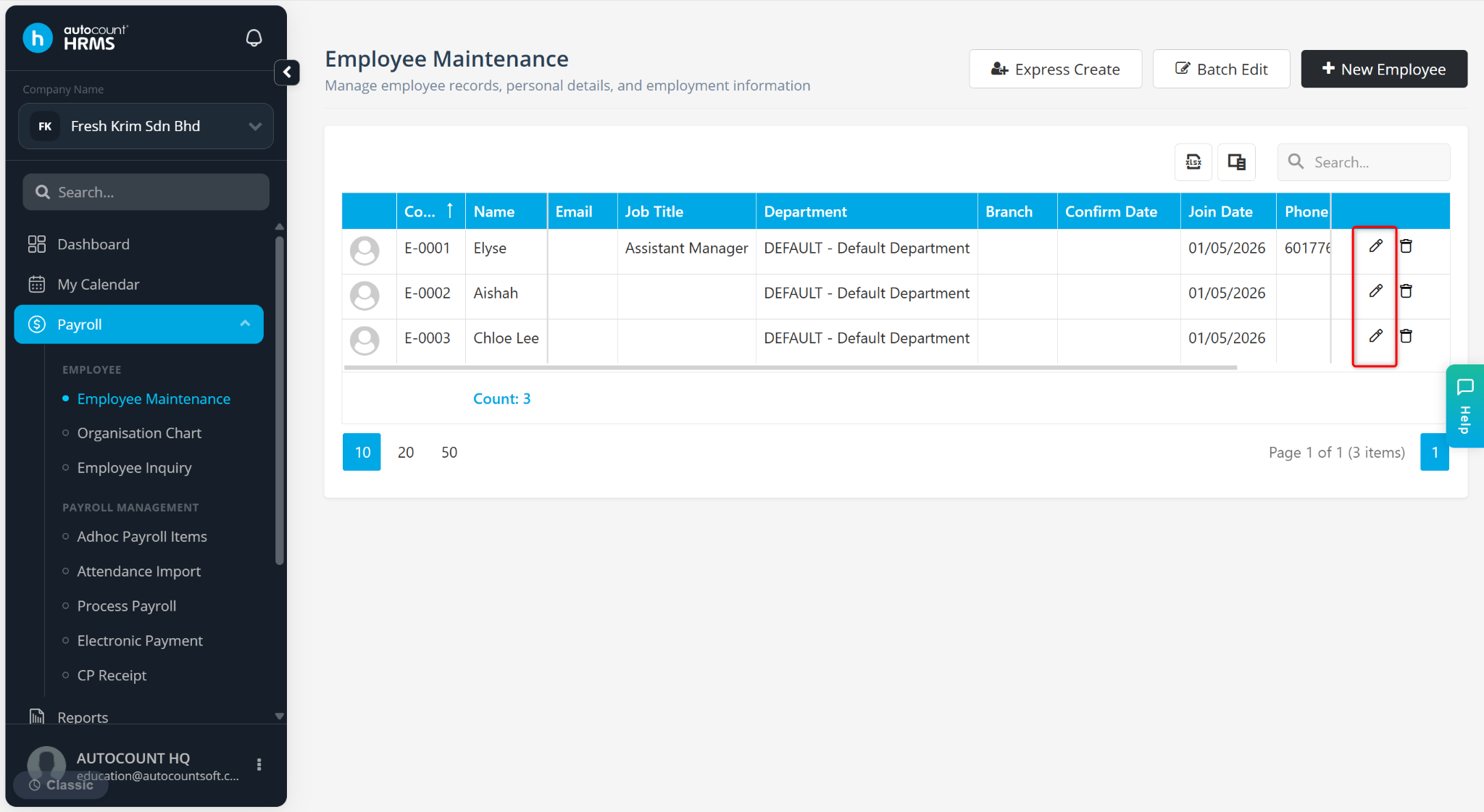
Locate the employee and click the pencil icon next to the employee’s name.
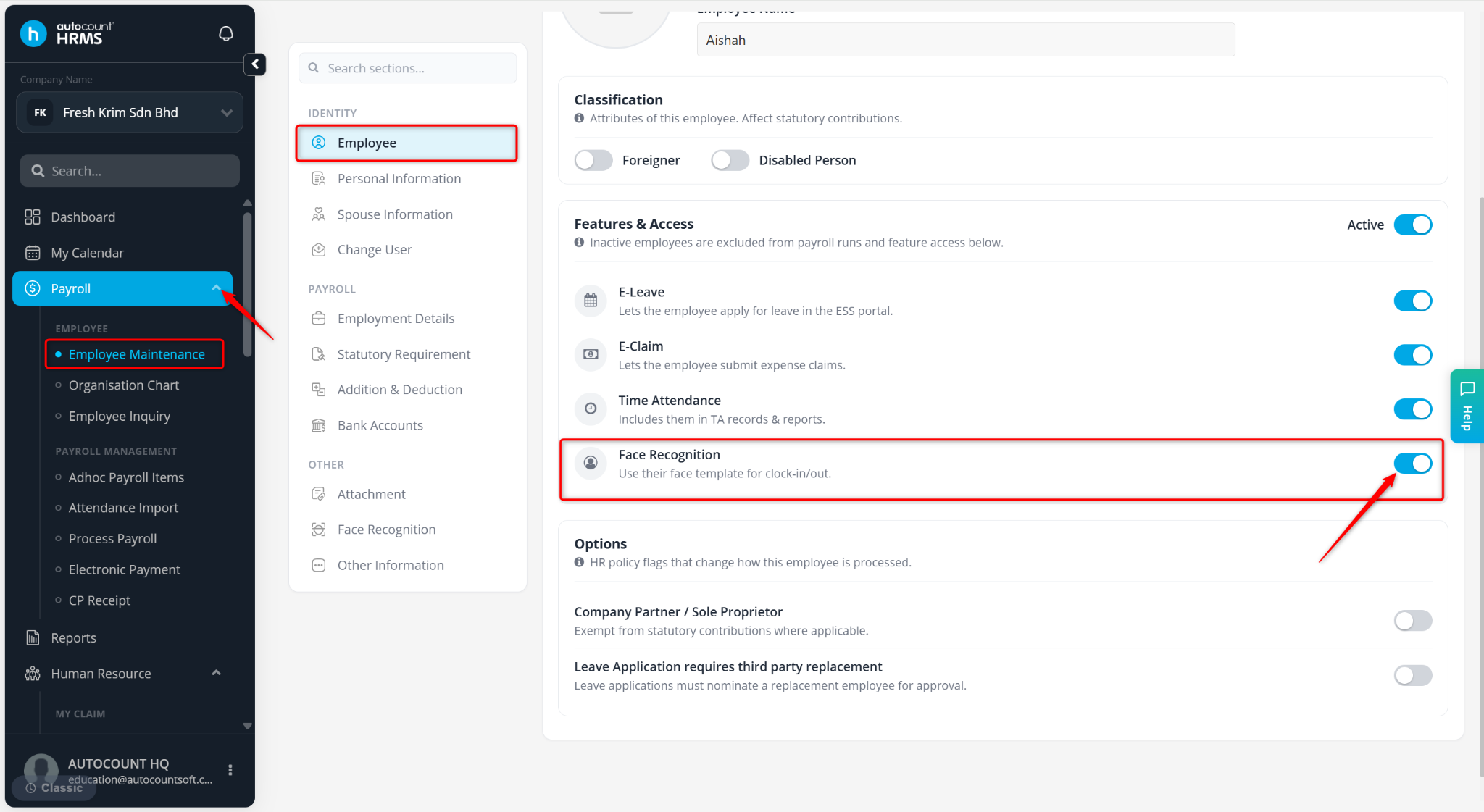
Ensure Face Recognition is enabled at the Employee tab.
Go to the Face Recognition tab.
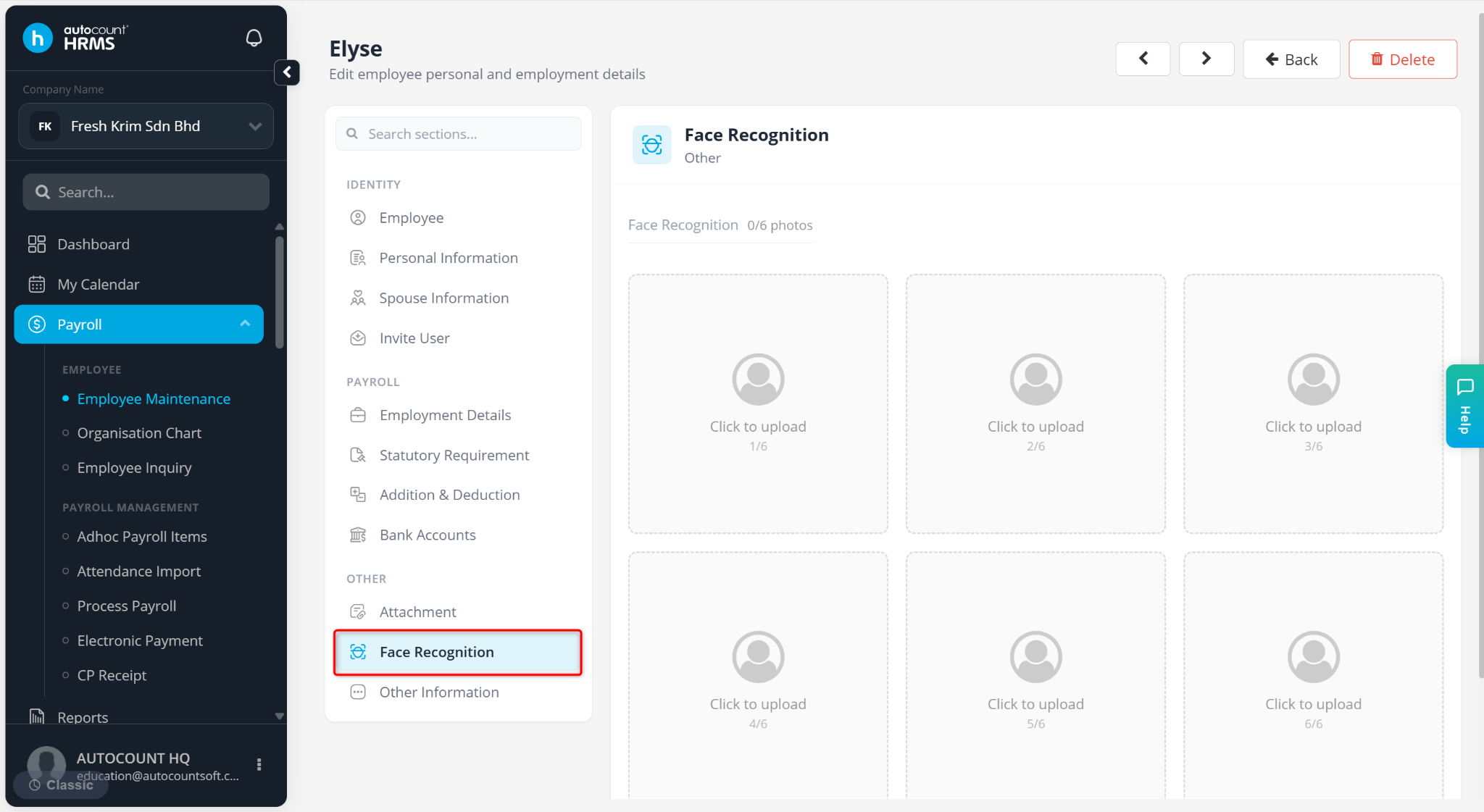
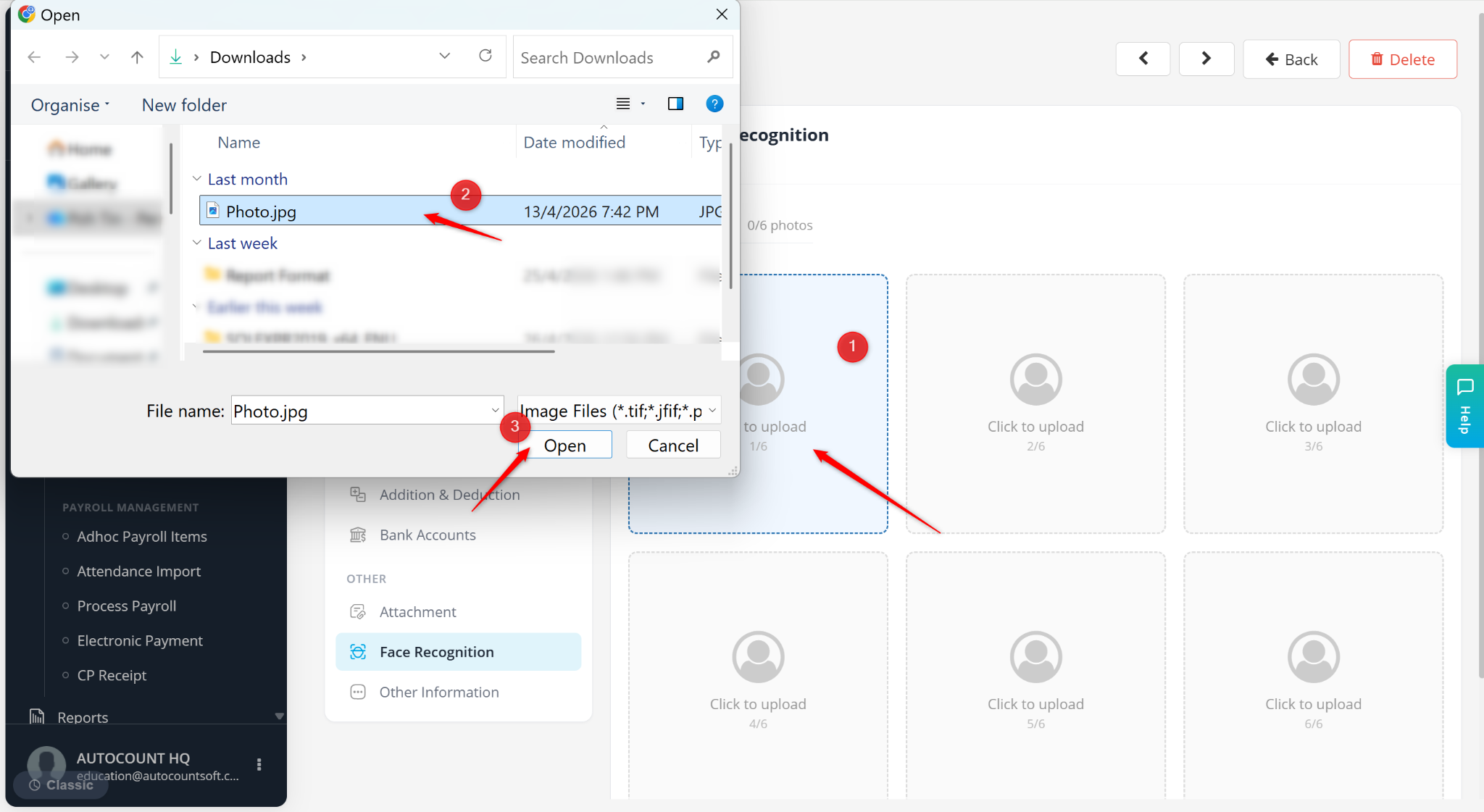
Click on Click to upload.
Select a photo from your device and click Open.
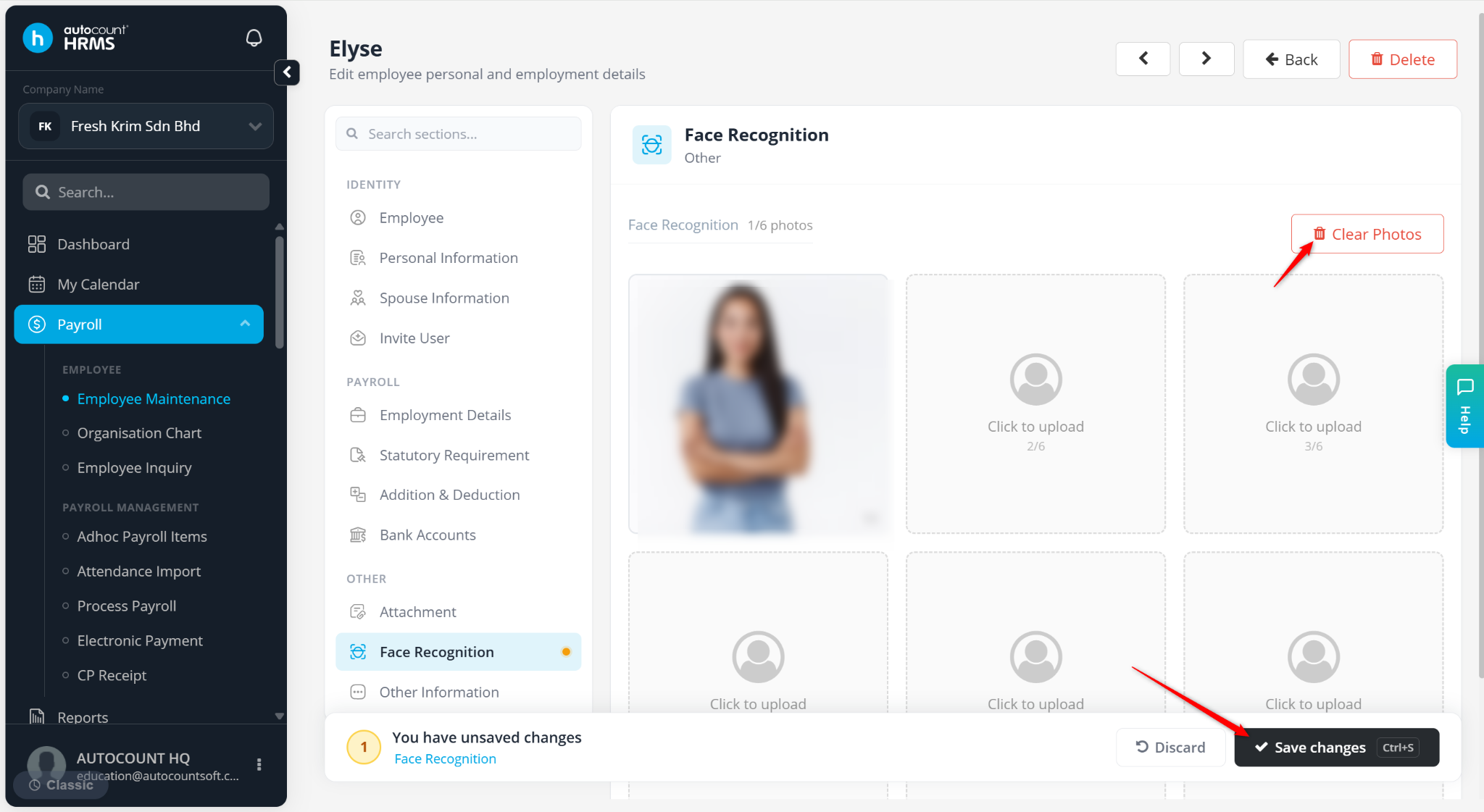
Click Save changes to apply.
ℹ️ Tip:
Click Clear Photos to remove all uploaded images.
Ensure the uploaded photo clearly shows the employee’s face for accurate recognition.
Avoid blurry or obstructed images to improve detection accuracy.