
The Electronic Payment feature allows users to generate payroll-related payment files for statutory submissions and employee salary payments after payroll has been processed.
The generated files can be downloaded and uploaded manually to the relevant government agencies or bank portals for further processing.
Steps to Generate Bank Payment File:
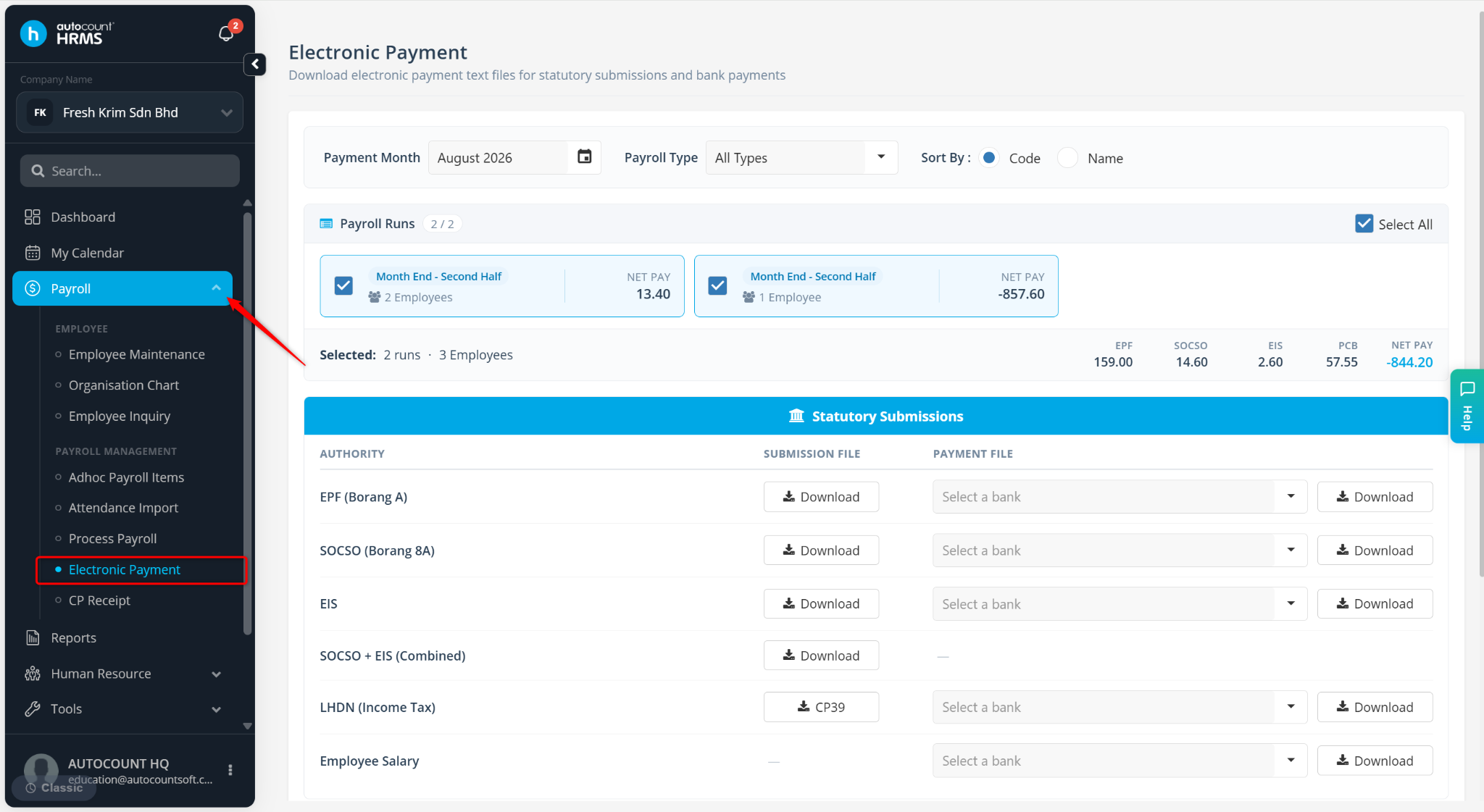
Go to Payroll > Electronic Payment.
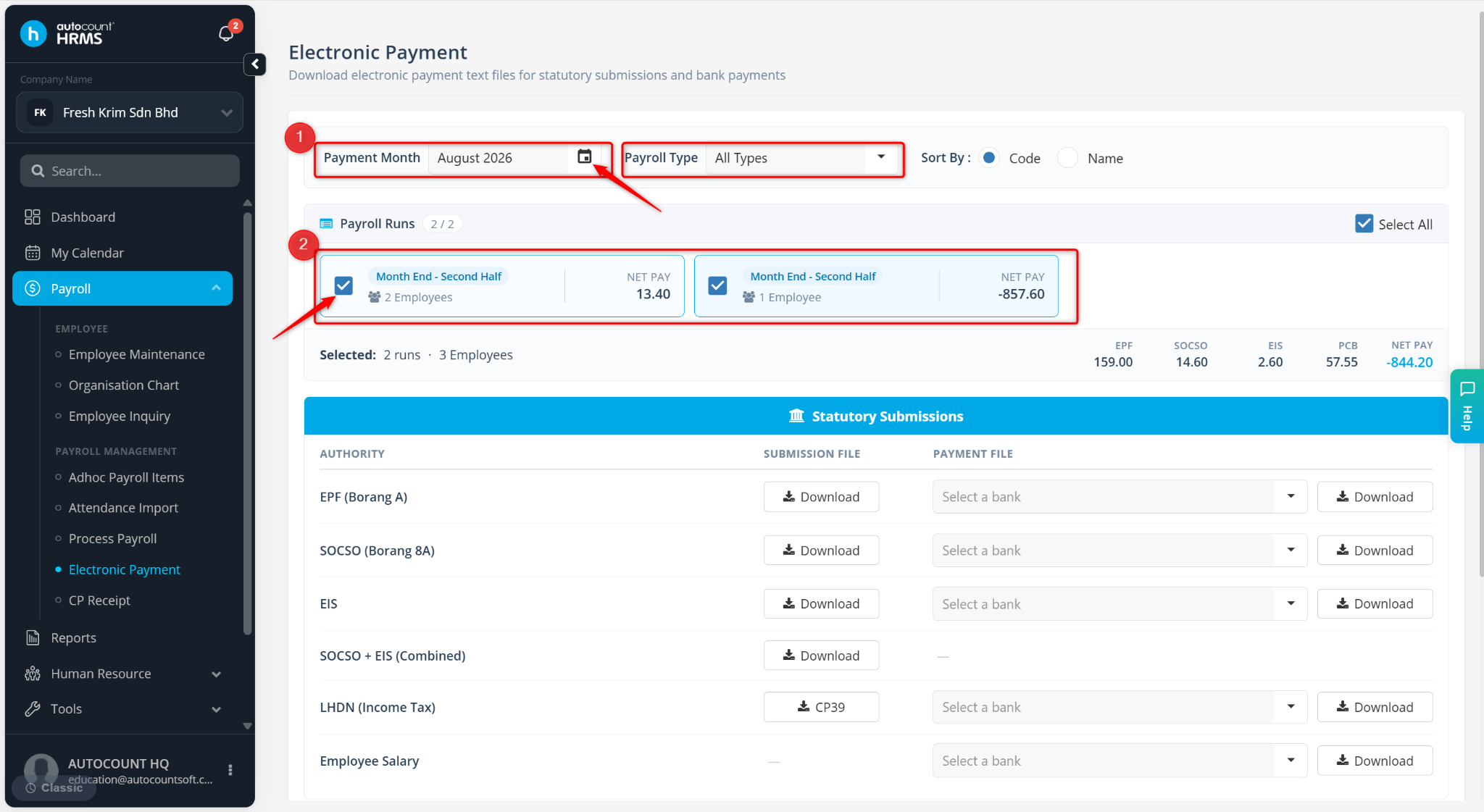
Select the payroll month to generate the files.
Tick the payroll run(s) to be included.
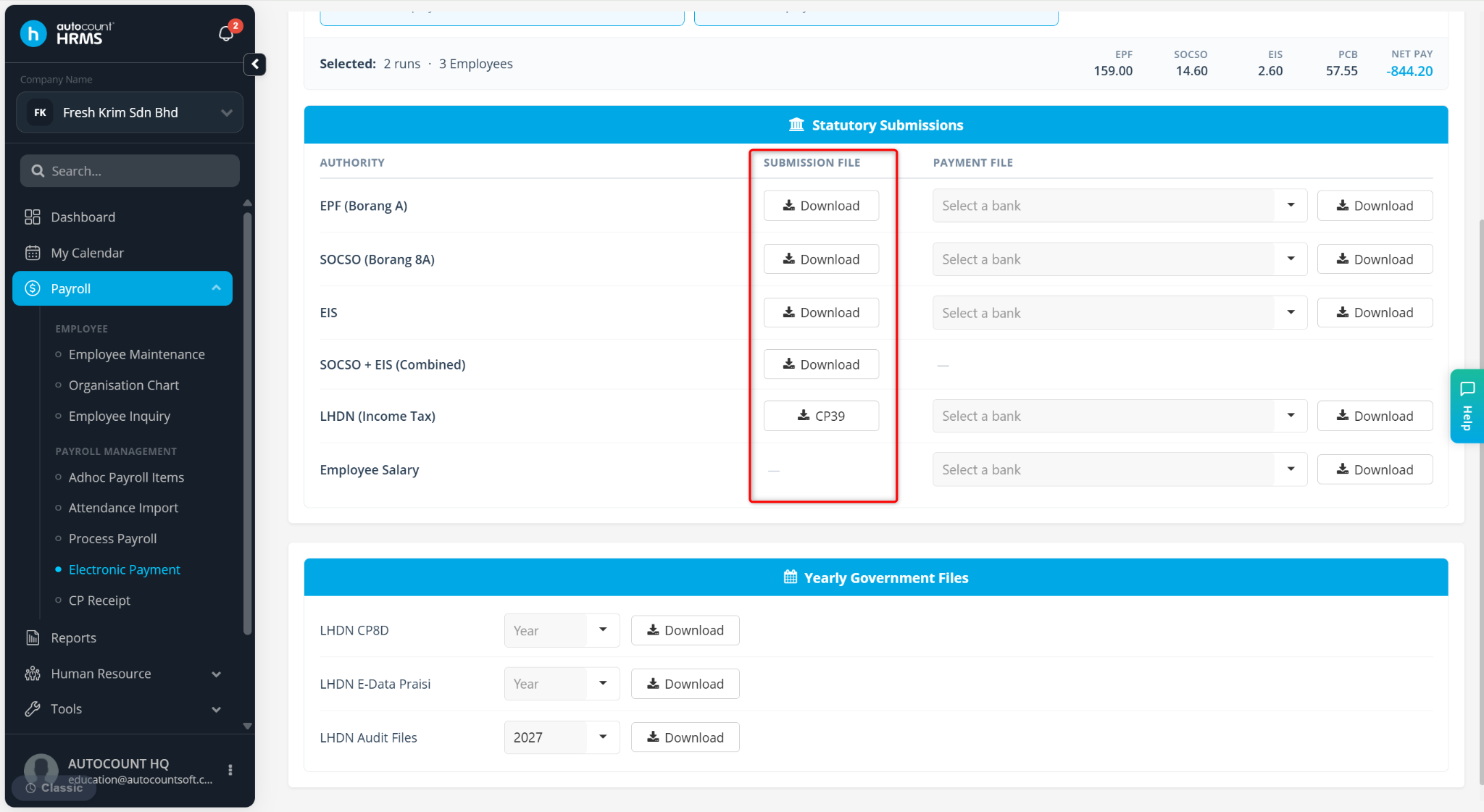
Select the file to download:
AUTHORITY – Used for submission to statutory portals.
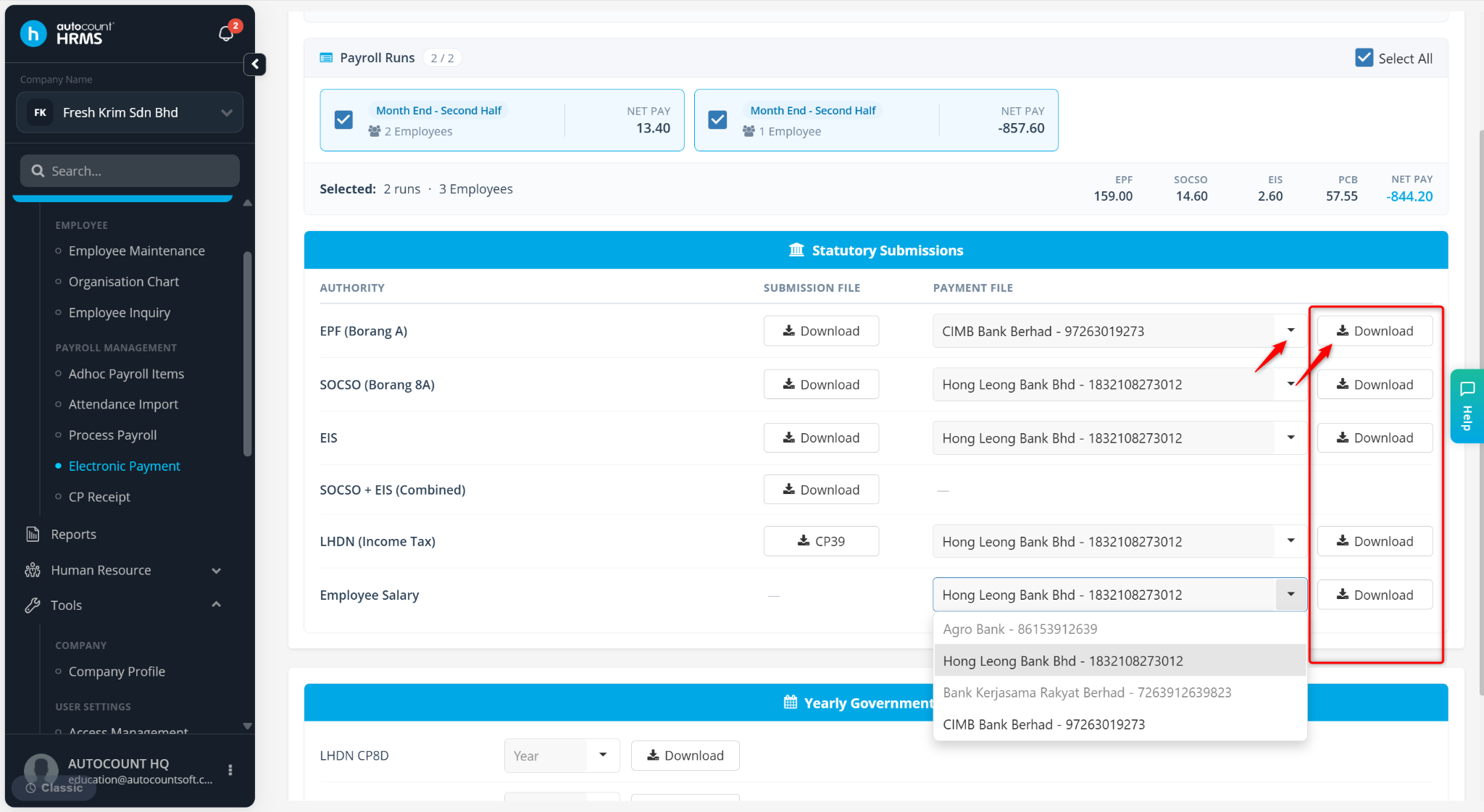
PAYMENT FILES – Used for bank salary payment uploads. Select the relevant bank and click Download.
Yearly Government Files – Includes files such as LHDN CP8D and LHDN Audit Files.
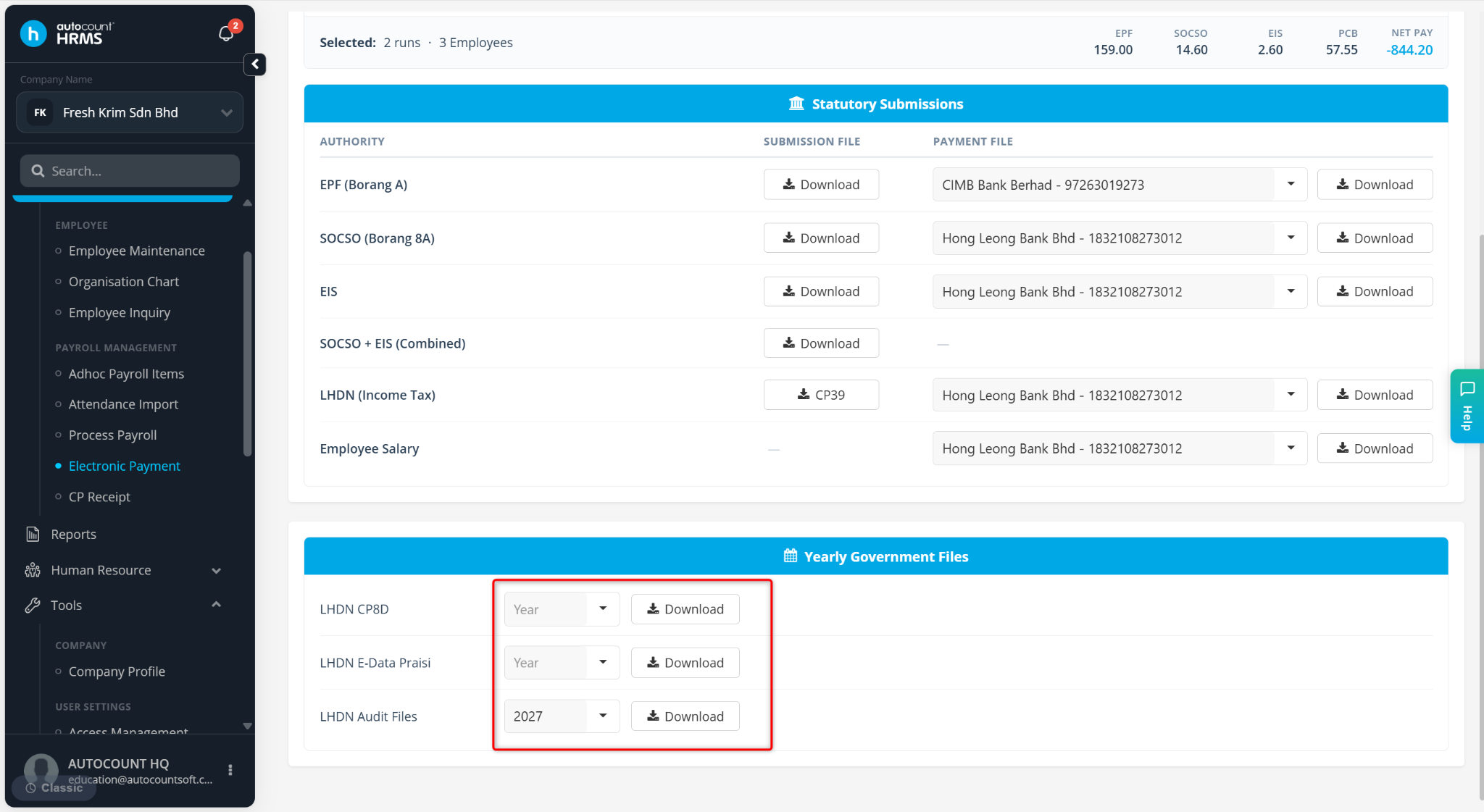
The generated file will be downloaded and saved to your device’s local folder.
Written by: Han Yang (20250924)
Last Reviewed by: Azirah (20250930)