
Users can manually adjust an employee’s Claim BF (Bring Forward) amount in Claim Balance.
Steps to Edit Claim Carry Forward Amount Manually:
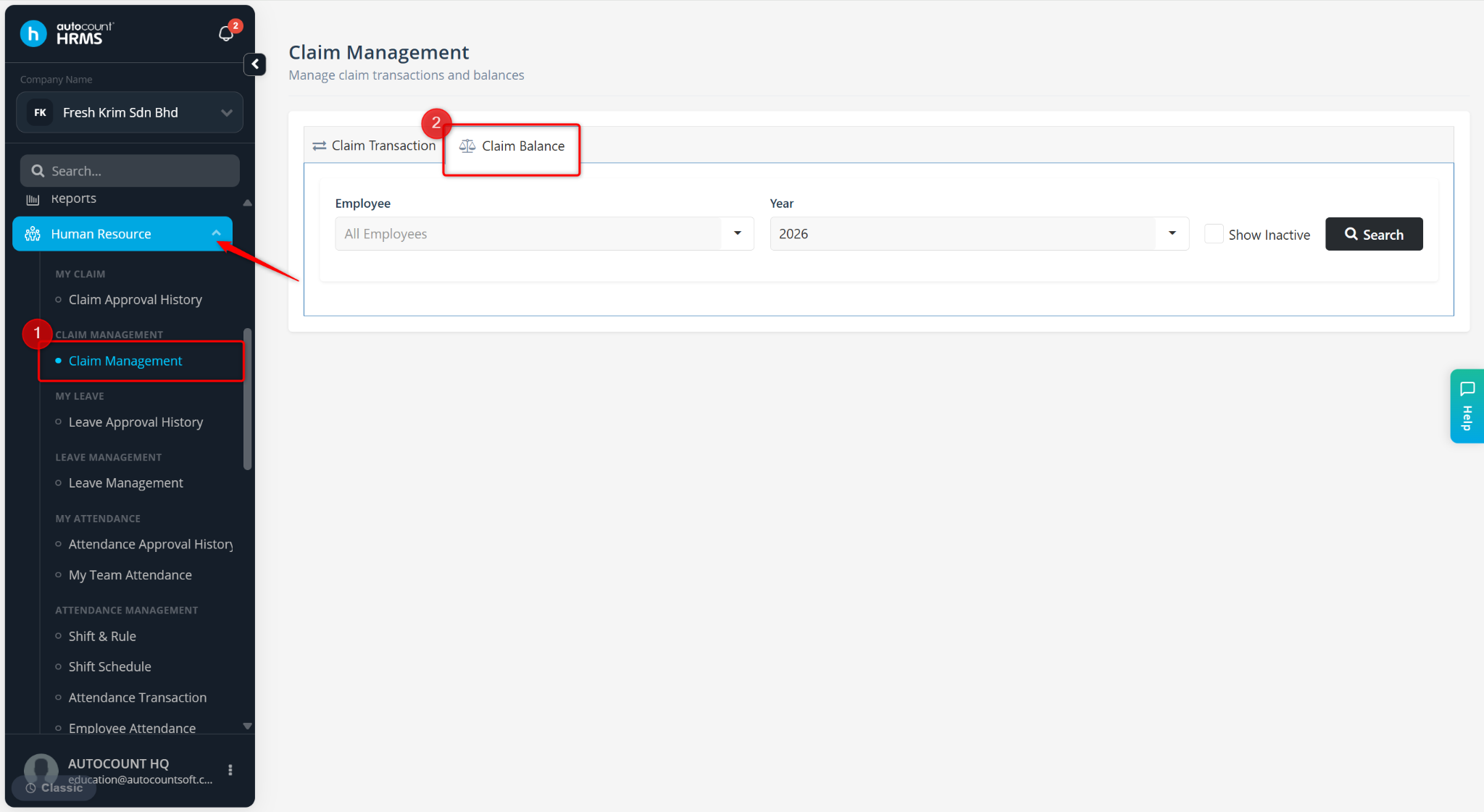
Go to Human Resource > Claim Management.
Navigate to Claim Balance.
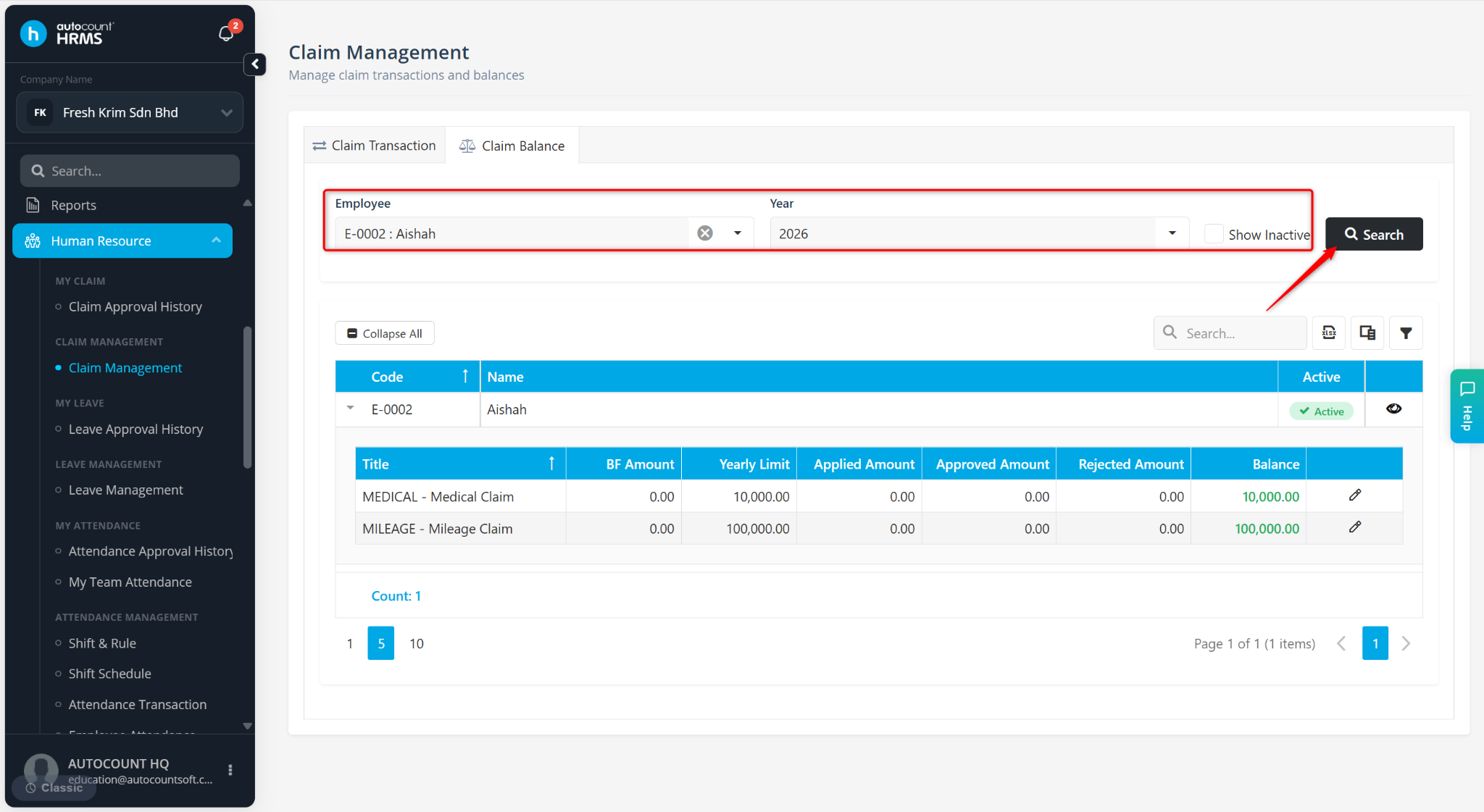
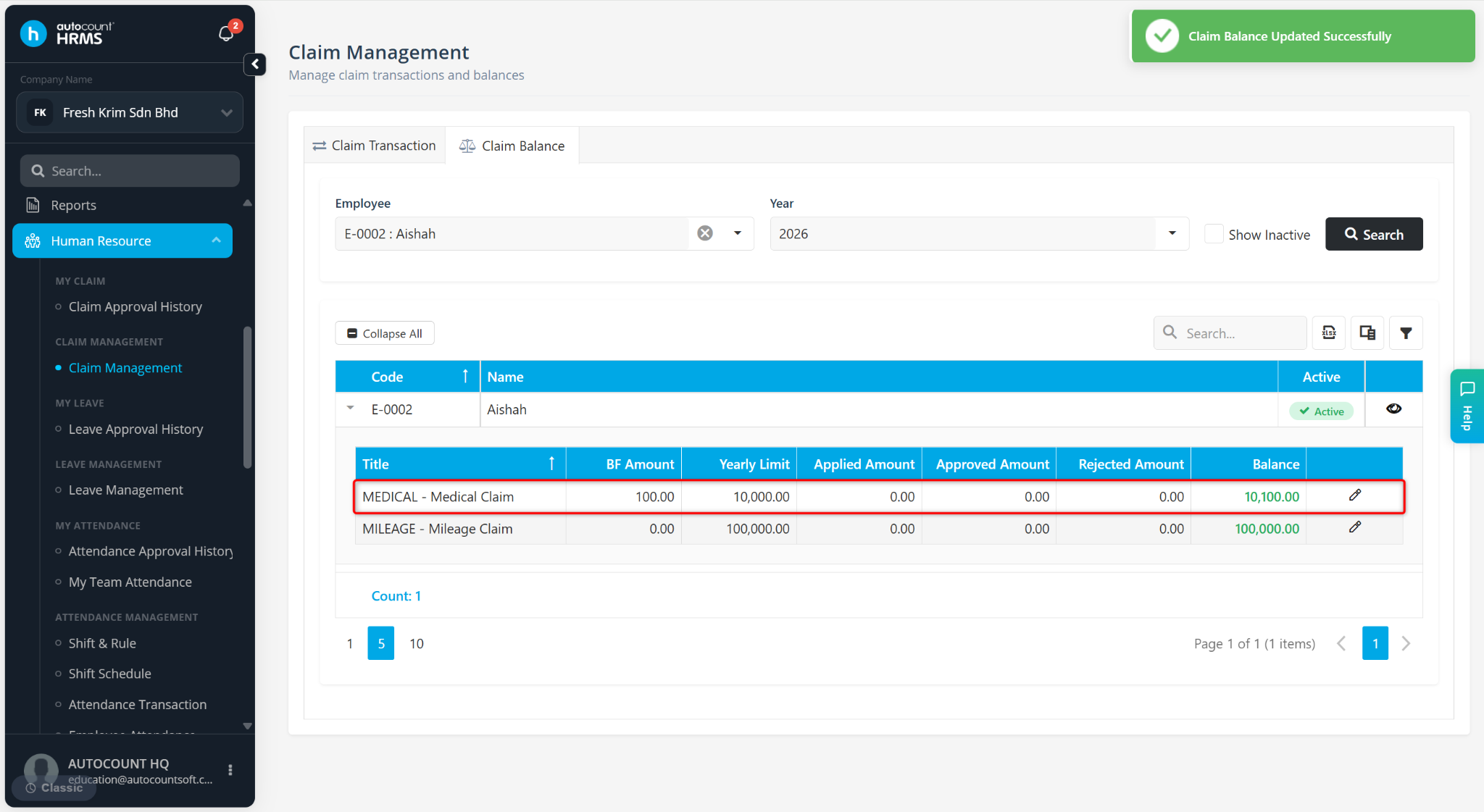
Select the Employee and Year, then click Search.
ℹ️ Note: Leave the Employee field blank to view all employees’ claim balances.
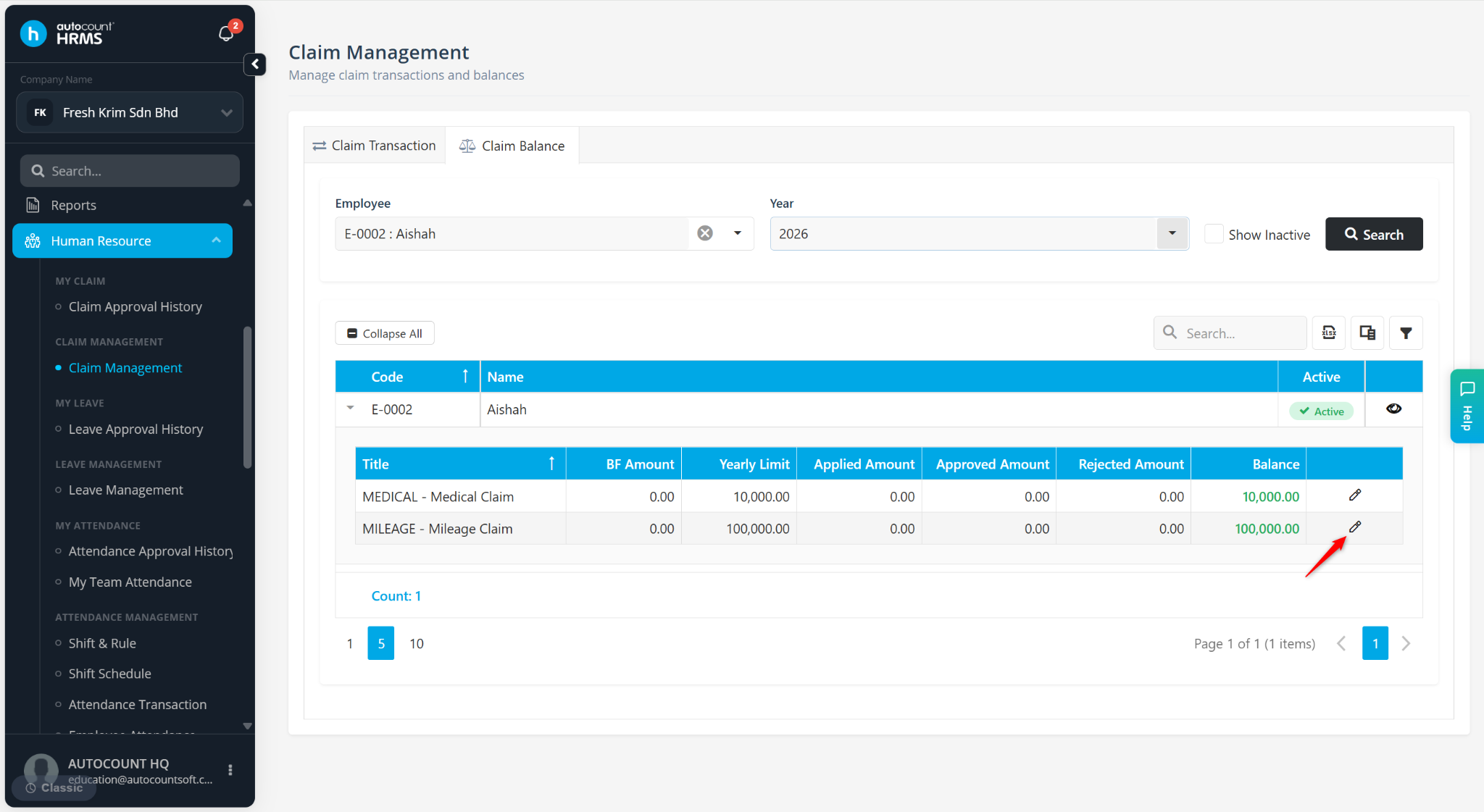
Locate the Claim Type and click the pencil icon.
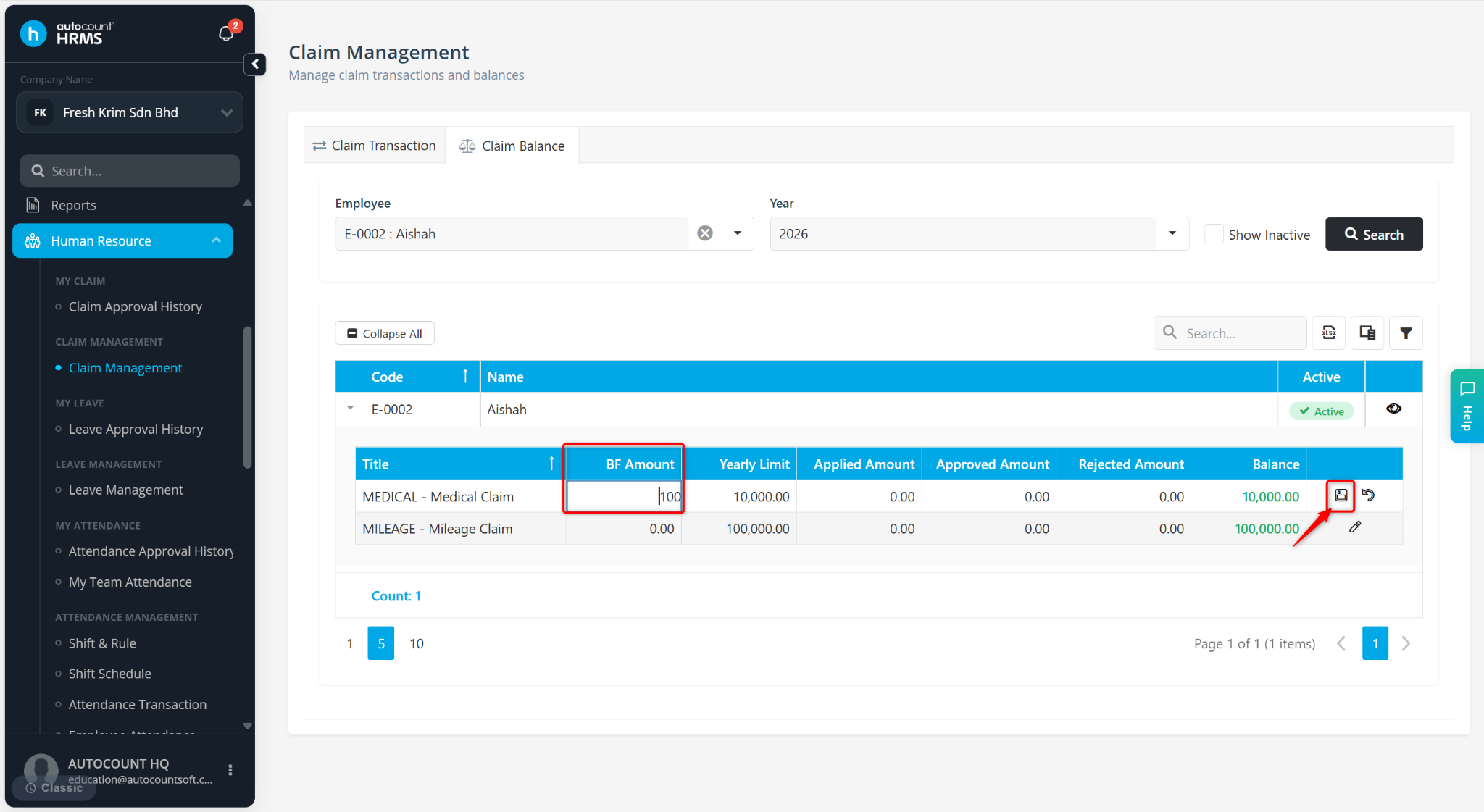
Enter the BF Amount and click the diskette icon to save.
The updated carry forward (BF) amount will be reflected in the Balance column.
Written by: Wai Kit (20251008)
Reviewed by: Azirah (20251023)