
Scenario:
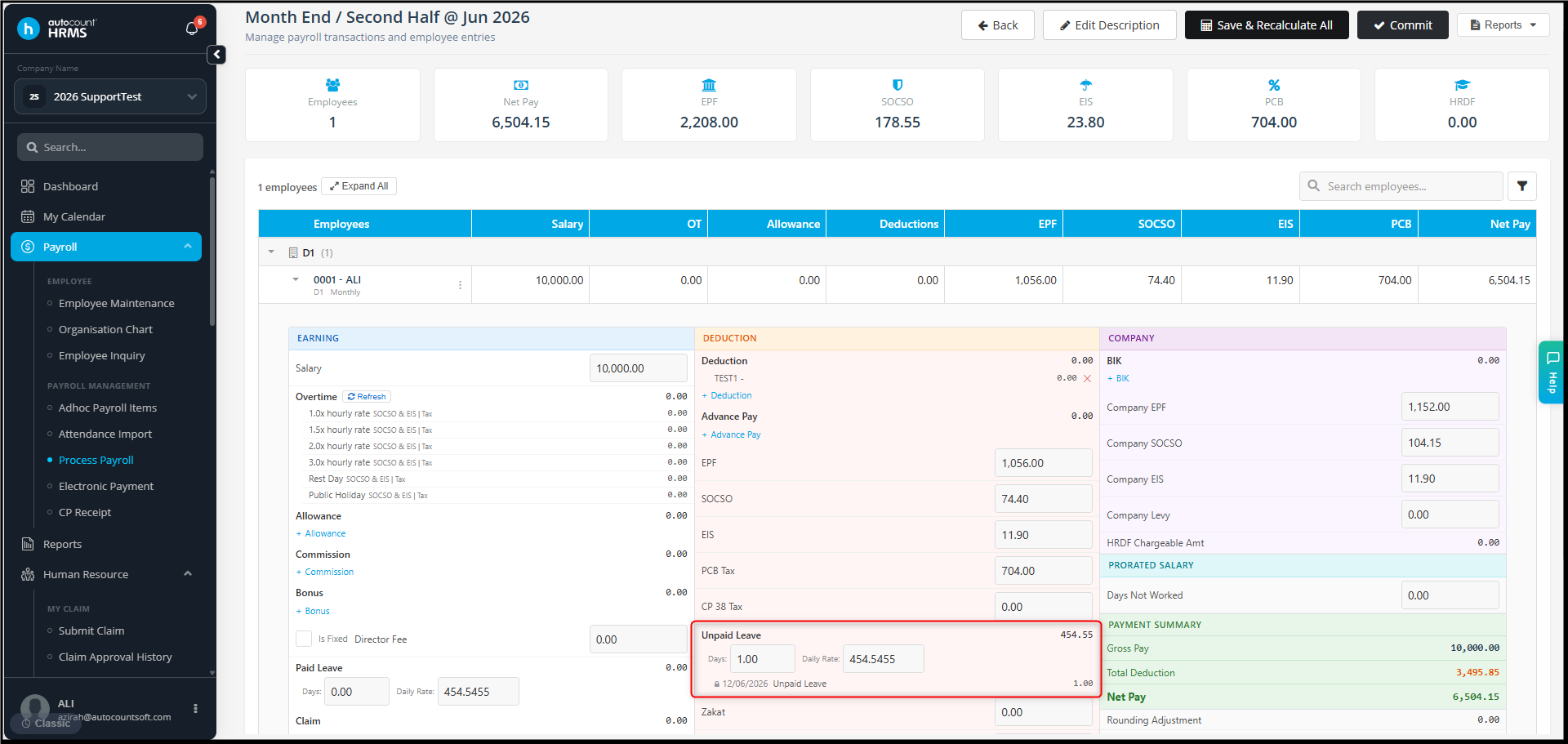
The unpaid leave deduction amount shown in the payroll process is different from what I expected.
Example:
Employee Basic Salary : RM10,000
Unpaid leave taken : 1 day
Expected calculation is RM10,000 / 26 days = RM384.60
However, the Payroll Process shows an unpaid leave deduction of RM454.55.
Why is the amount different?
Possible Reasons
1. Different Daily Rate Calculation Method
The system calculates unpaid leave based on the No. of Days in Calculating Unpaid Leave Daily Rate configured in Payroll Rules.
Available methods include:
- Calendar Days
- Working Days
- Fixed 26 Days
If the configured method is different from your company's policy, the deduction amount will be different.
As different calculation methods are used, the deduction amount will also be different.
2. Payroll Process Was Generated Before Changes
If changes were made to the payroll settings after the payroll process was generated, the system will continue using the previous calculation.
Answer:
A. Verify the Daily Rate Calculation Method
- Go to Tools > Company profile
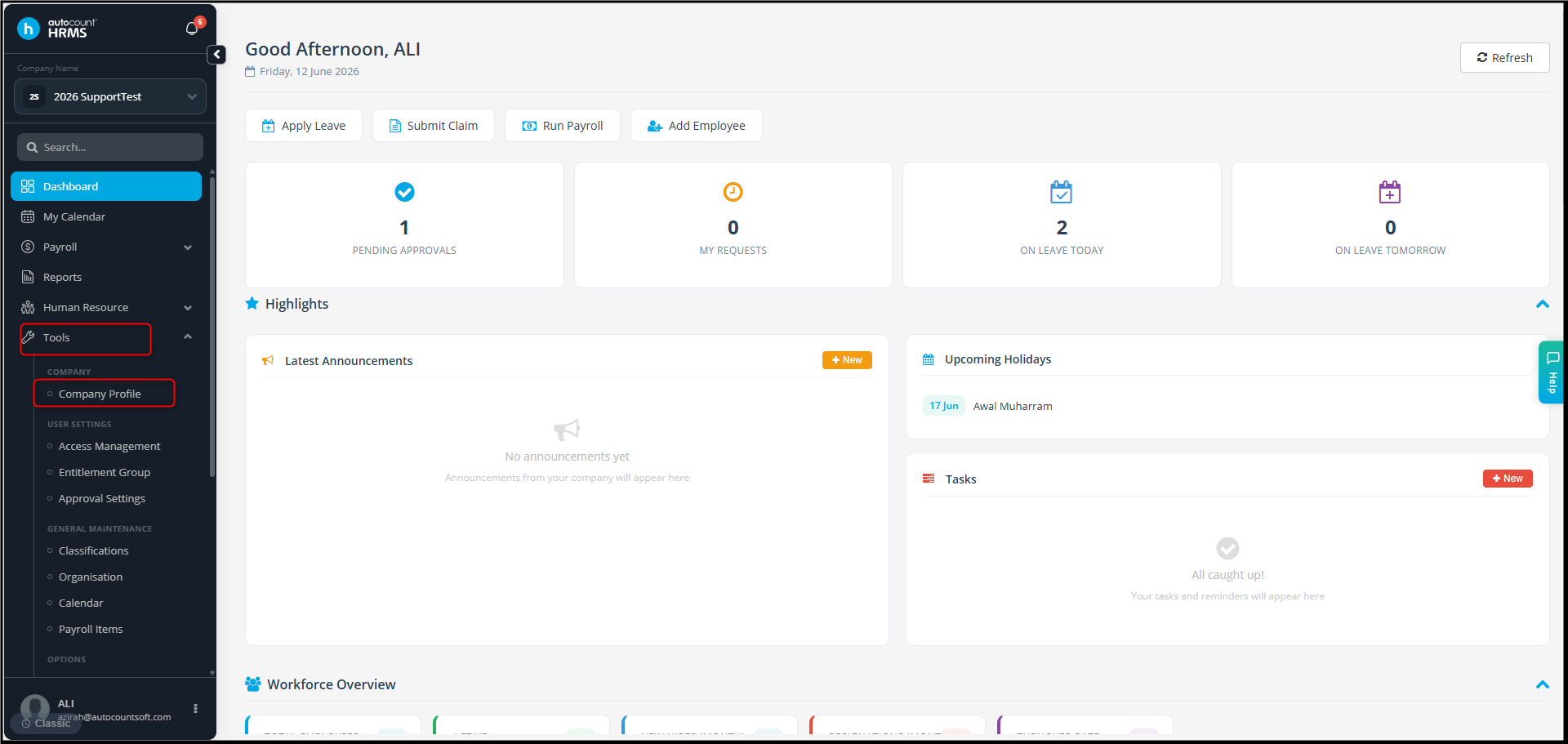
- Open the Payroll Rules.
- Check the No of Days in Calculating Unpaid Leave Daily Rate setting.
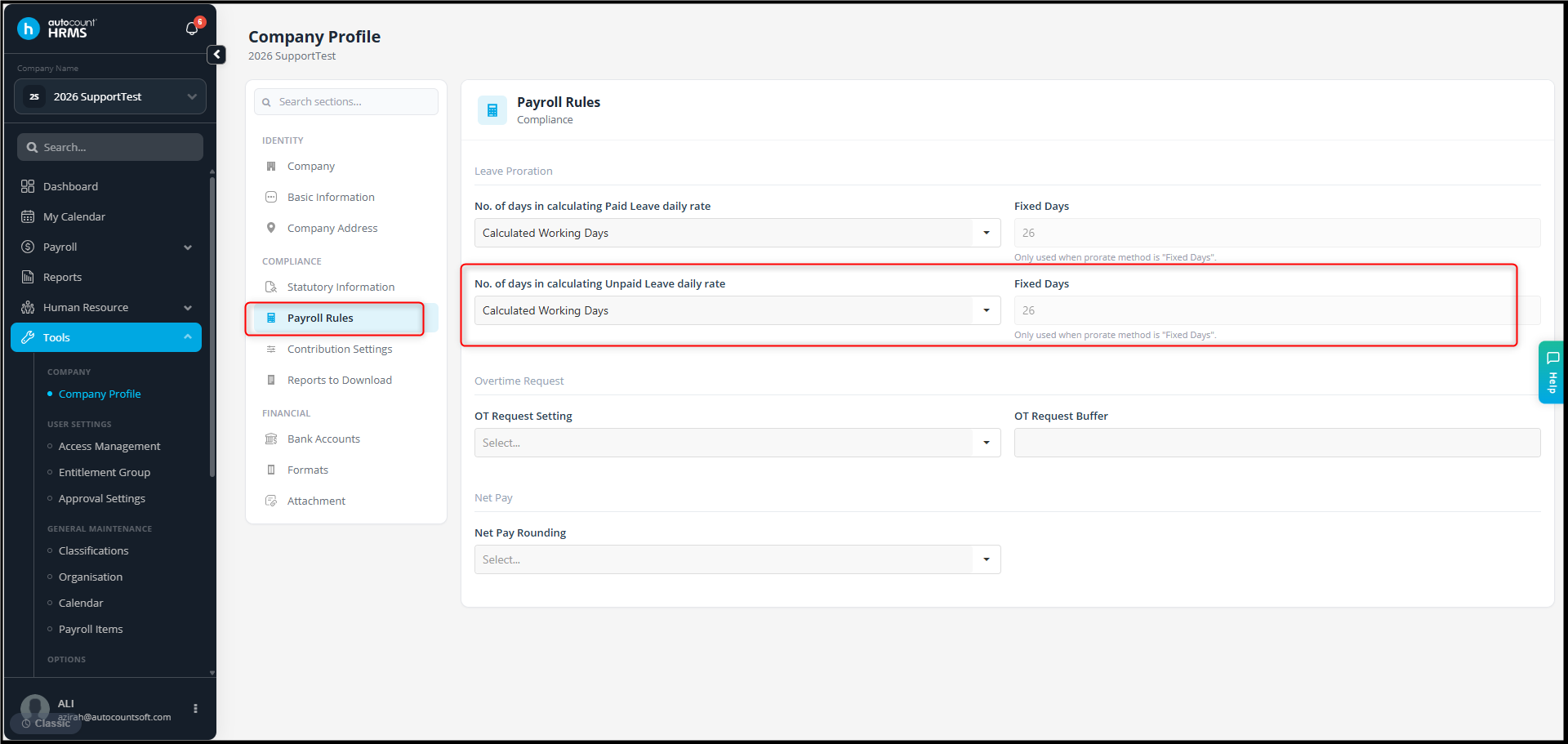
- Confirm whether the selected method matches your company's policy.
B. Regenerate Payroll Process
If any changes were made after the Payroll Process was generated:
- Go to Payroll > Process Payroll.
- Delete the Payroll Process.
- Regenerate the Payroll Process for the affected period.
By Azirah 260612