
The system will automatically check the employee’s End of Contract and Resign Date maintained under Payroll > Employee Maintenance > Employment Details.
Once either the End of Contract or Resign Date is reached, the system will automatically disable the Apply Leave and Submit Claim features from both the Web Portal and Mobile App. The employee will no longer be allowed to submit new leave applications or claims after the applicable date.
How to check the Employment Date?
- Go to Payroll > Employee Maintenance.
- Select the relevant employee.
- Go to Employment Details.
- Under Employment Dates:
- End of Contract – for employees with a contract end date.
- Resign Date – for employees who have resigned.
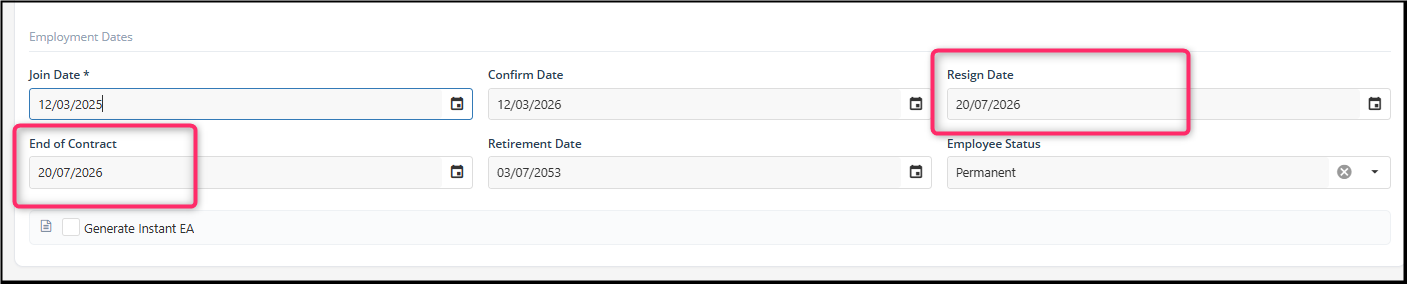
5. The system will check both dates automatically:
- If the End of Contract date is reached, the employee can no longer apply for Leave or submit Claims.
- If the Resign Date is reached, the employee can no longer apply for Leave or submit Claims.
- If either date is reached, the Apply Leave and Submit Claim functions will be disabled from the employee on both Web Portal and Mobile App.
Example: If an employee's End of Contract set 20/07/2026, the employee will no longer be able to submit new Leave applications or Claims once the applicable date is reached.
By ChenOng 260813