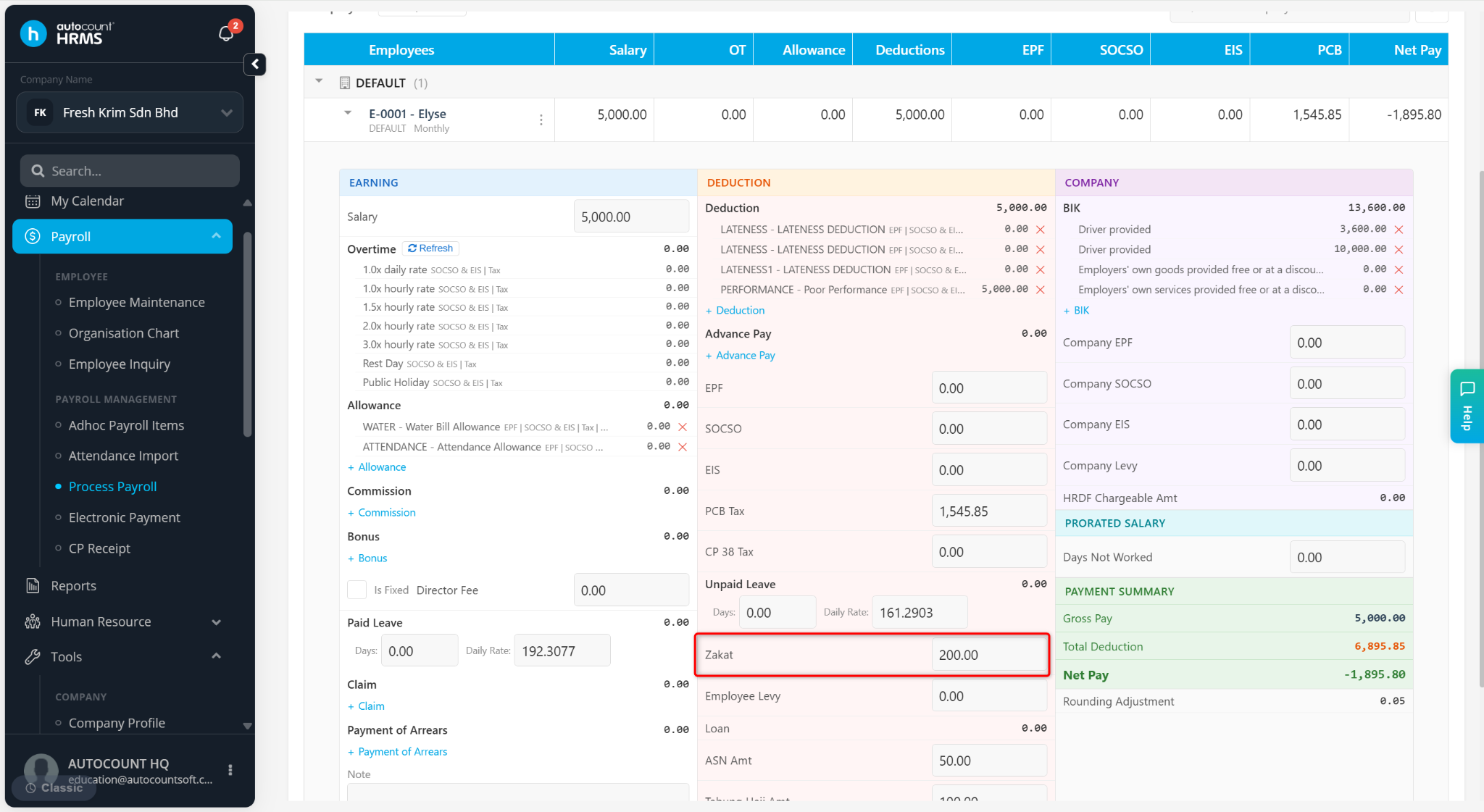
Zakat is an optional Islamic contribution that employees may request to be deducted directly from their monthly salary. It must be set up manually for each employee, and the system will not calculate it automatically unless a fixed monthly amount is entered.
Steps to Set Up Zakat Deductions:
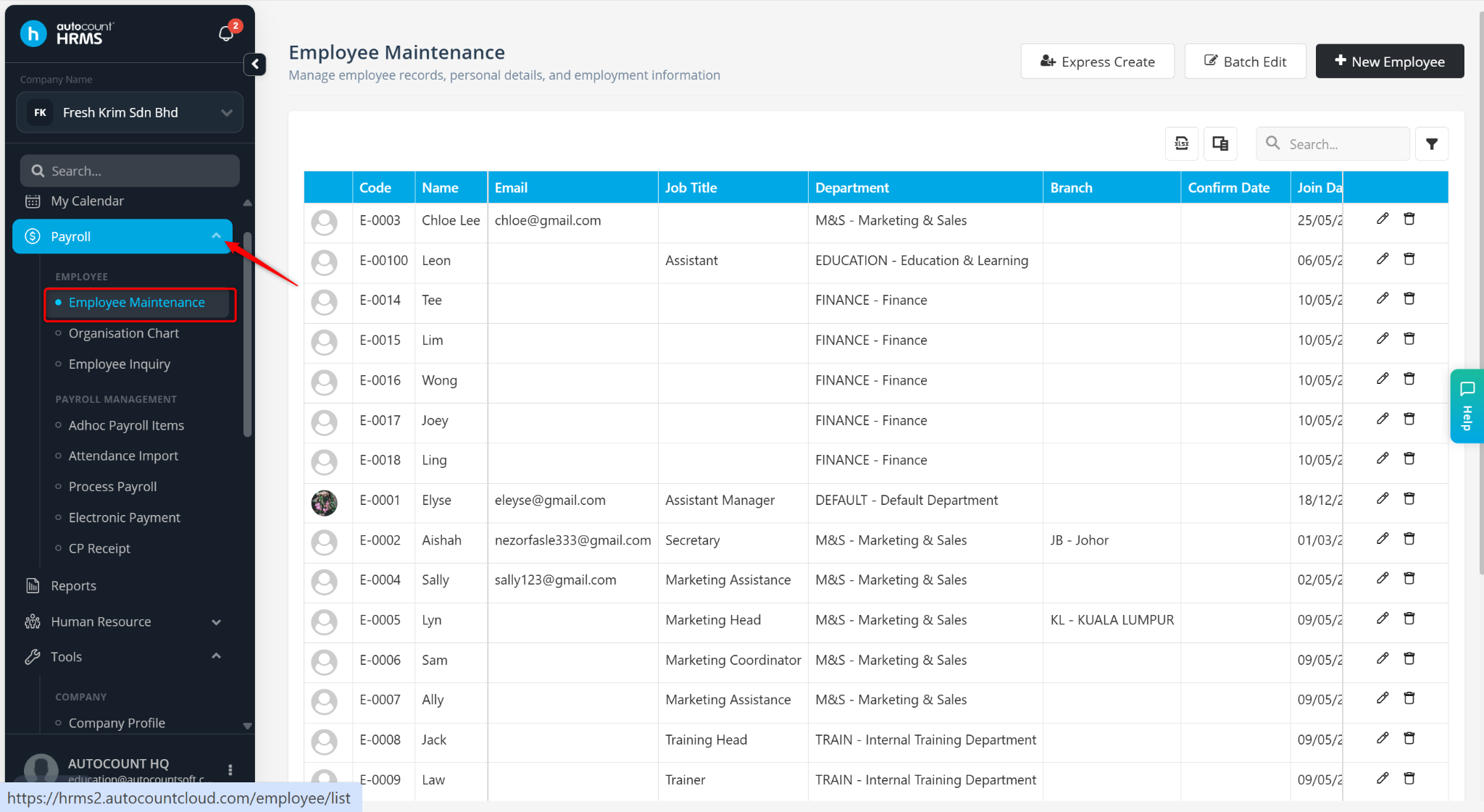
Go to Payroll > Employee Maintenance.
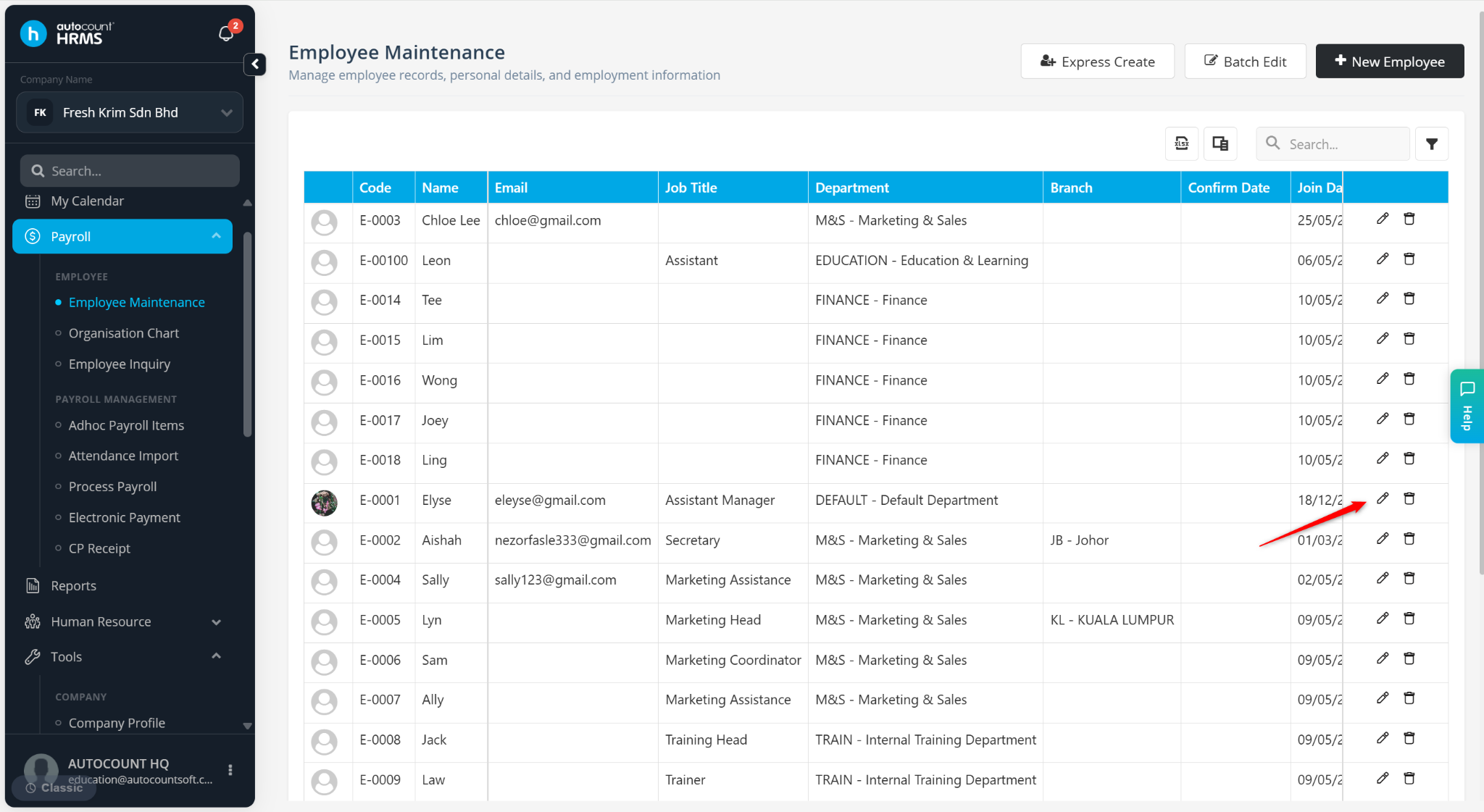
Locate the employee and click the pencil icon.
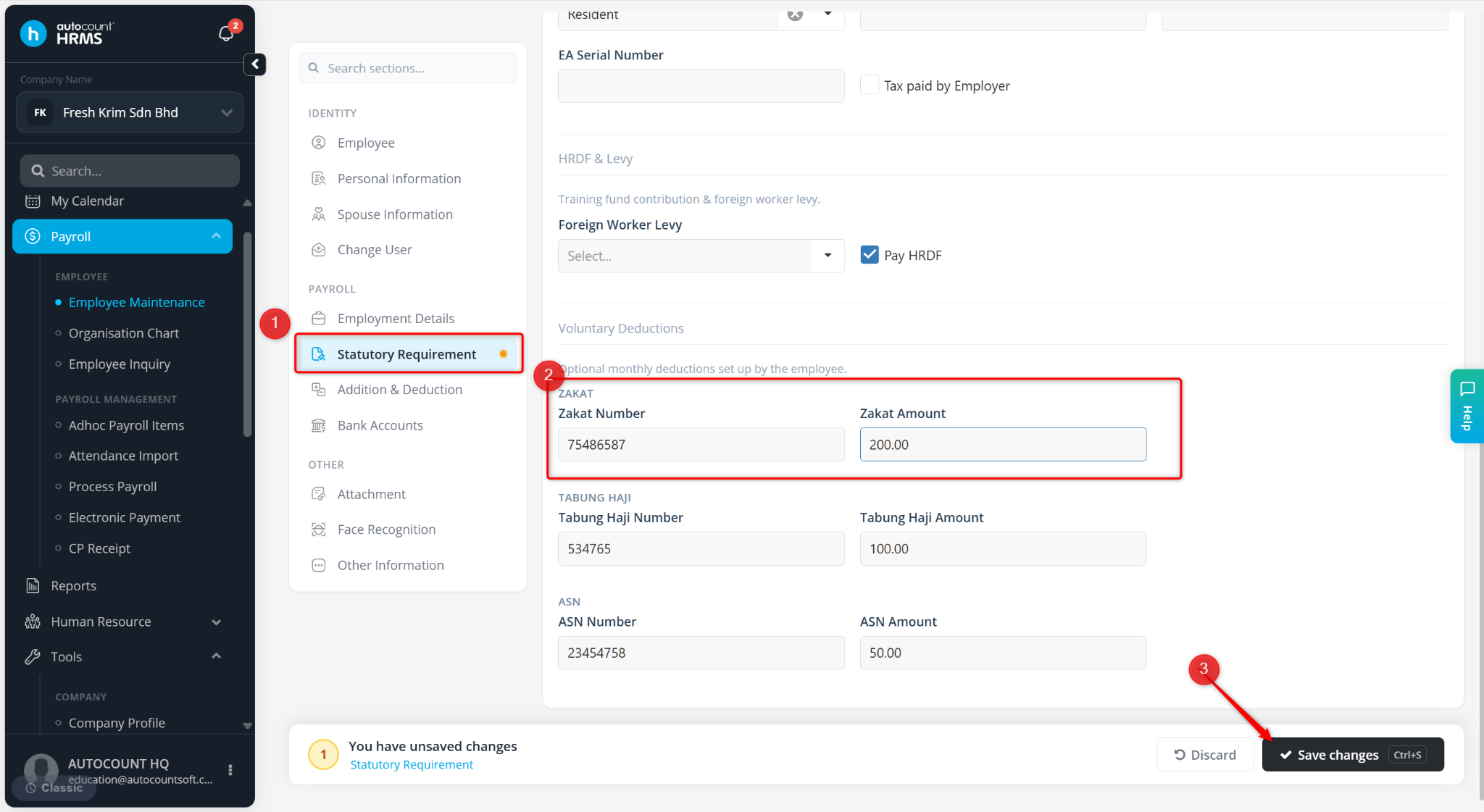
Under Statutory Requirements, go to the Zakat Amount field.
Enter the agreed monthly Zakat deduction amount.
Click Save changes.
During payroll processing, the Zakat deduction will automatically appear in the deduction section based on the amount maintained in the employee profile.