Users can configure the system to prevent employees from applying for leave when their leave balance is zero by adjusting the leave type settings.
Steps to Restrict Leave Application When Leave Balance is Zero:
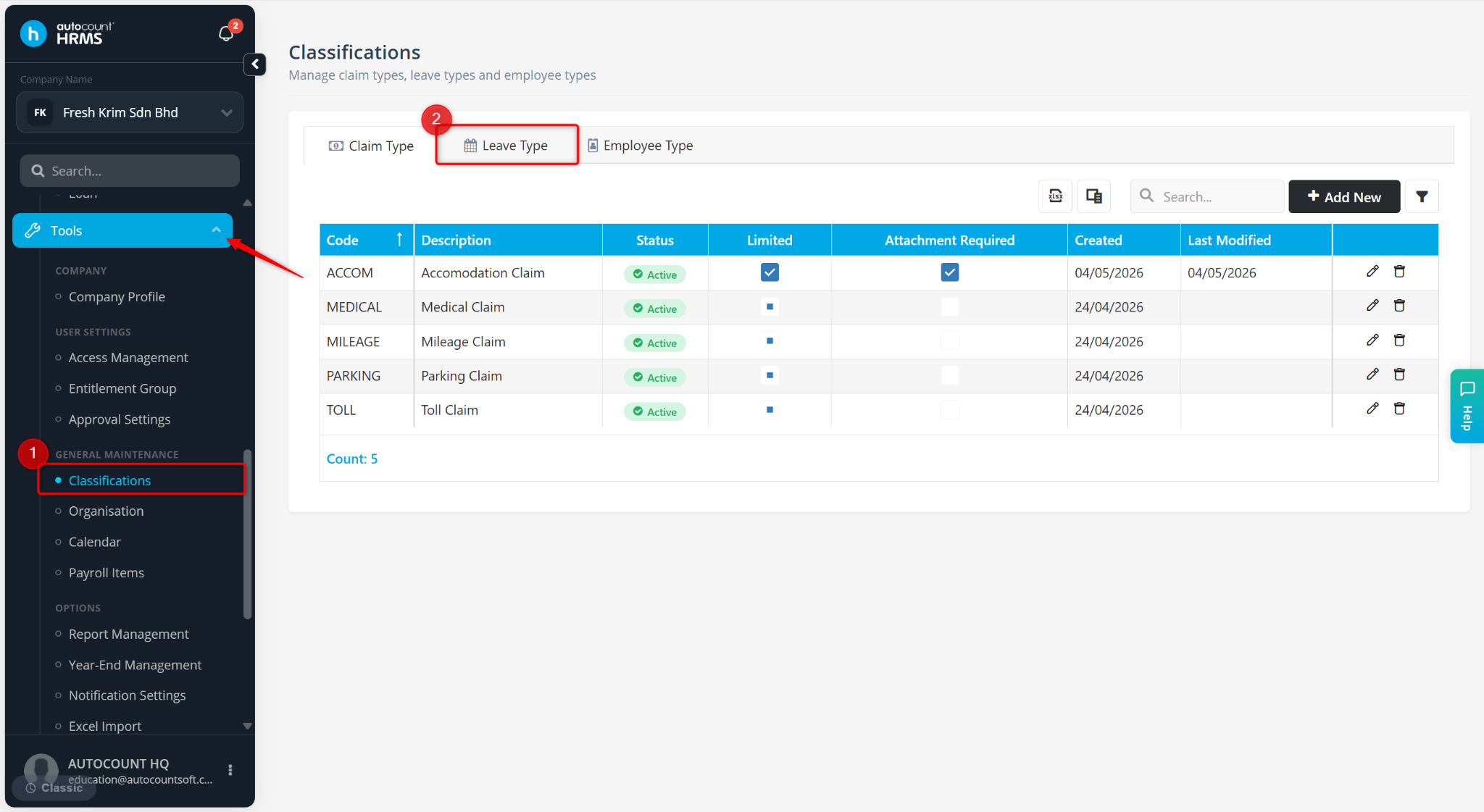
Go to Tools > Classifications.
Go to Leave Type.
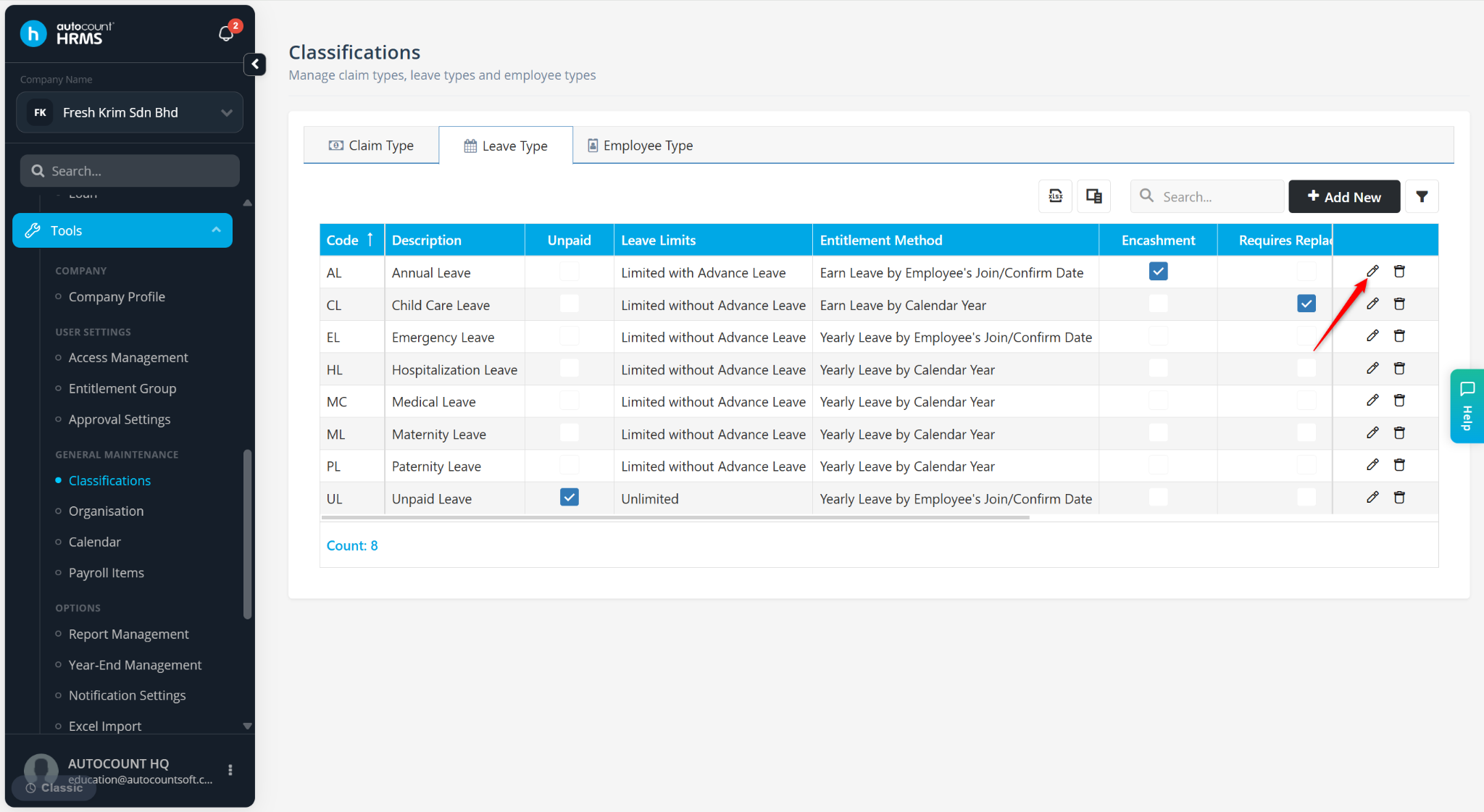
Locate the Leave Type and click the pencil icon.
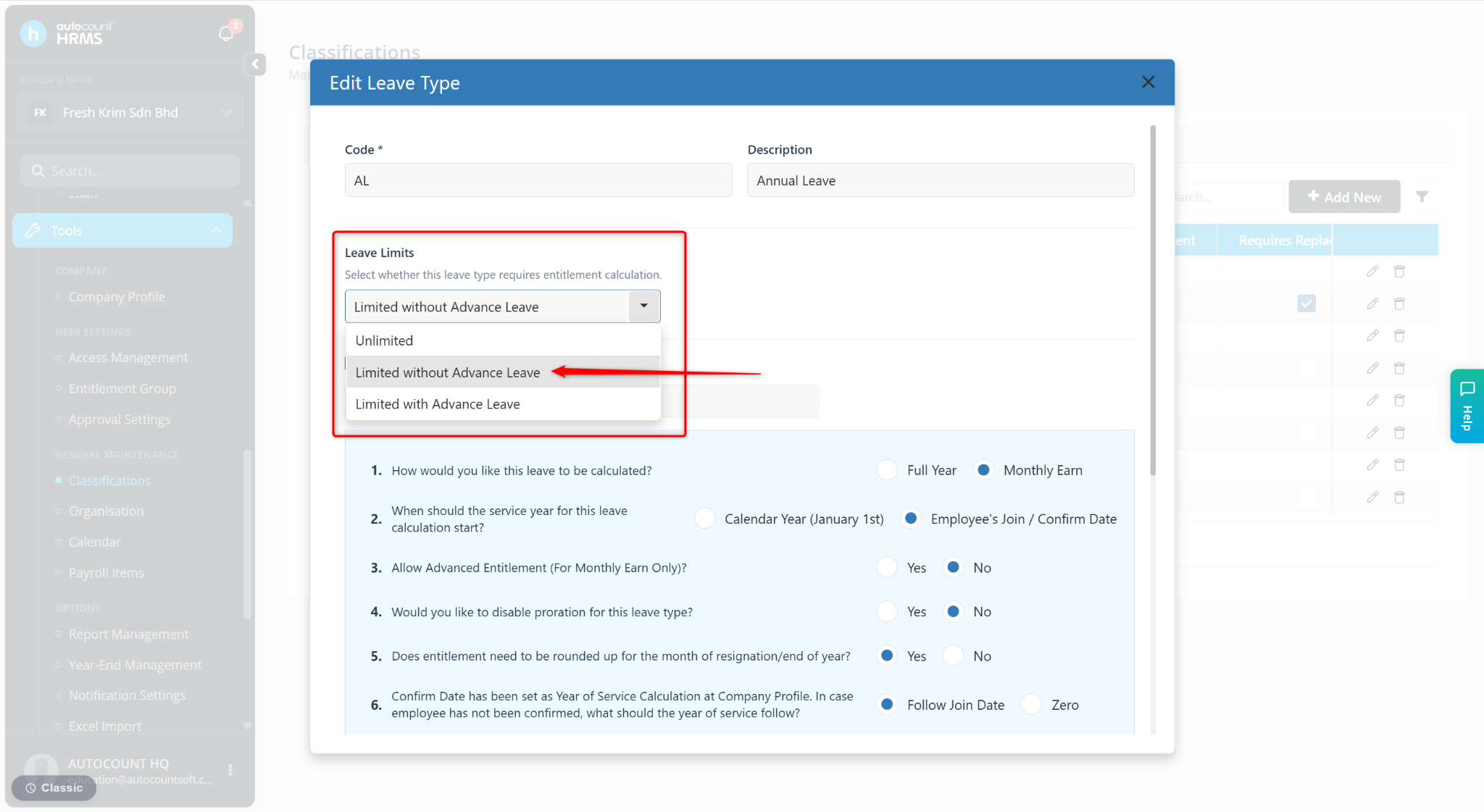
At the Leave Limits field, select Limited without Advance Leave.
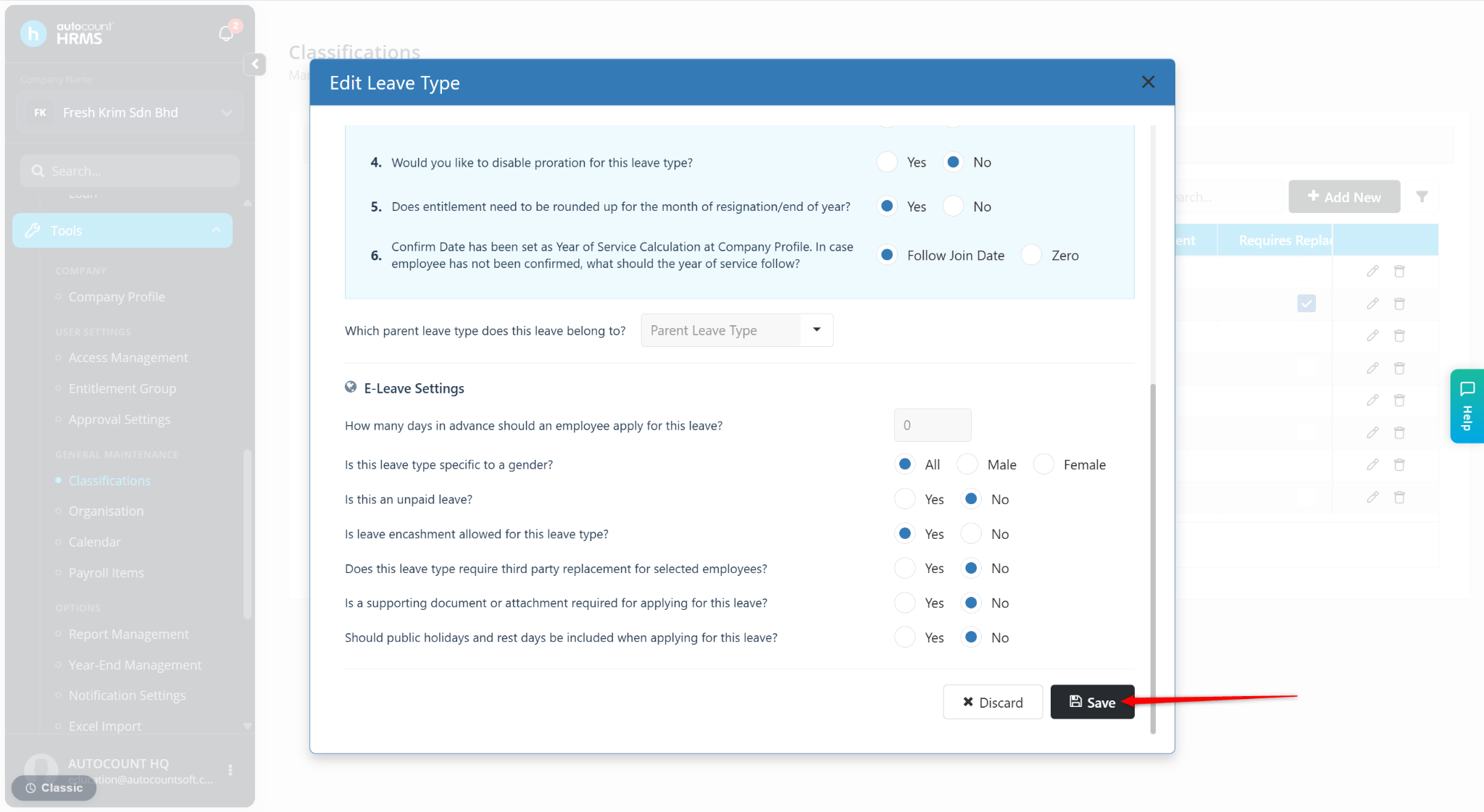
Click Save.