
Users may delete a subscription when it is no longer required. Please proceed with caution, as this action is permanent and cannot be undone.
Warning: Once a subscription is deleted, all associated data—including companies, employee records, payroll transactions, leave records, claims, attendance records, and system configurations—will be permanently removed and cannot be recovered.
Steps to Delete an Existing Subscription:
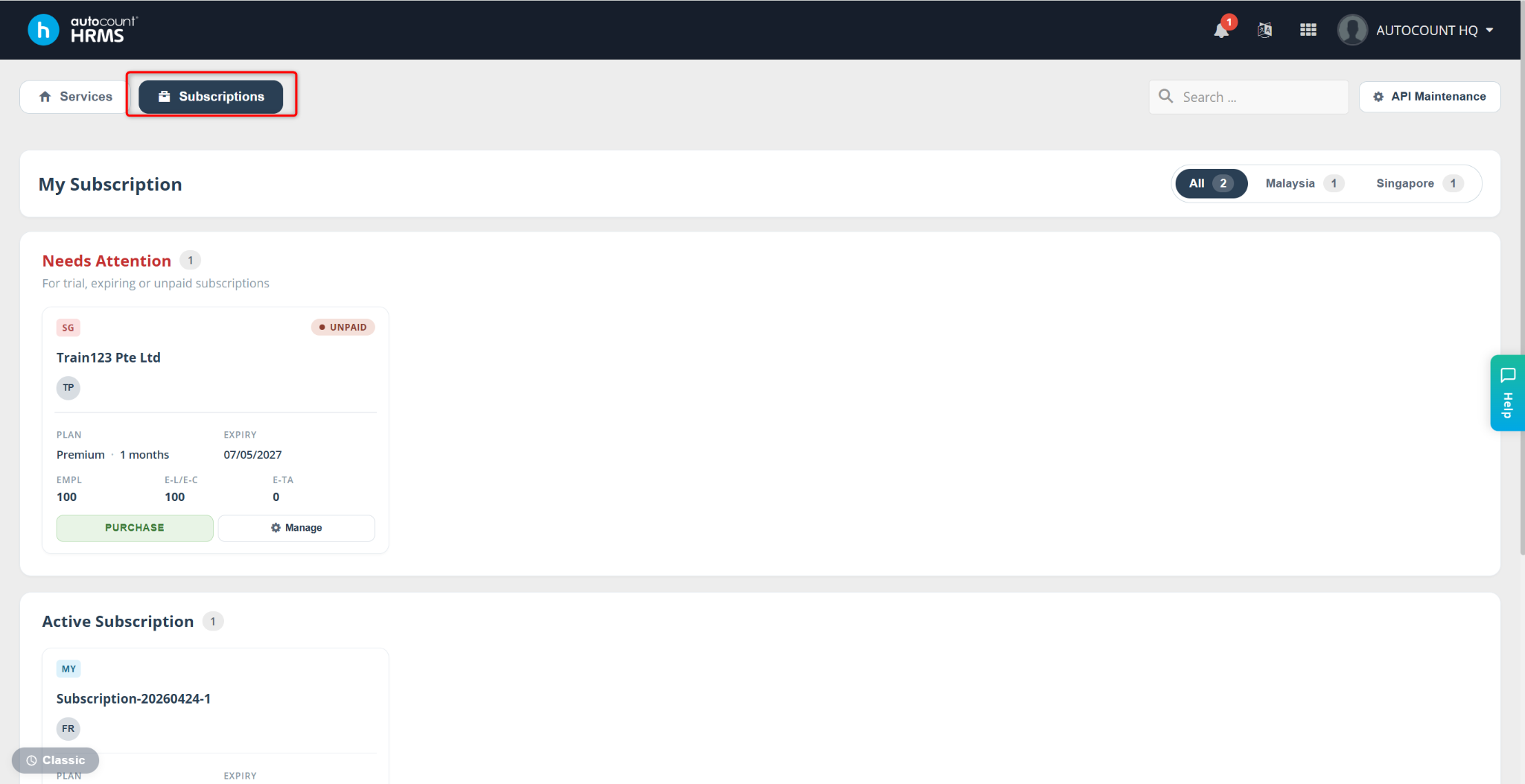
Go to Subscriptions.
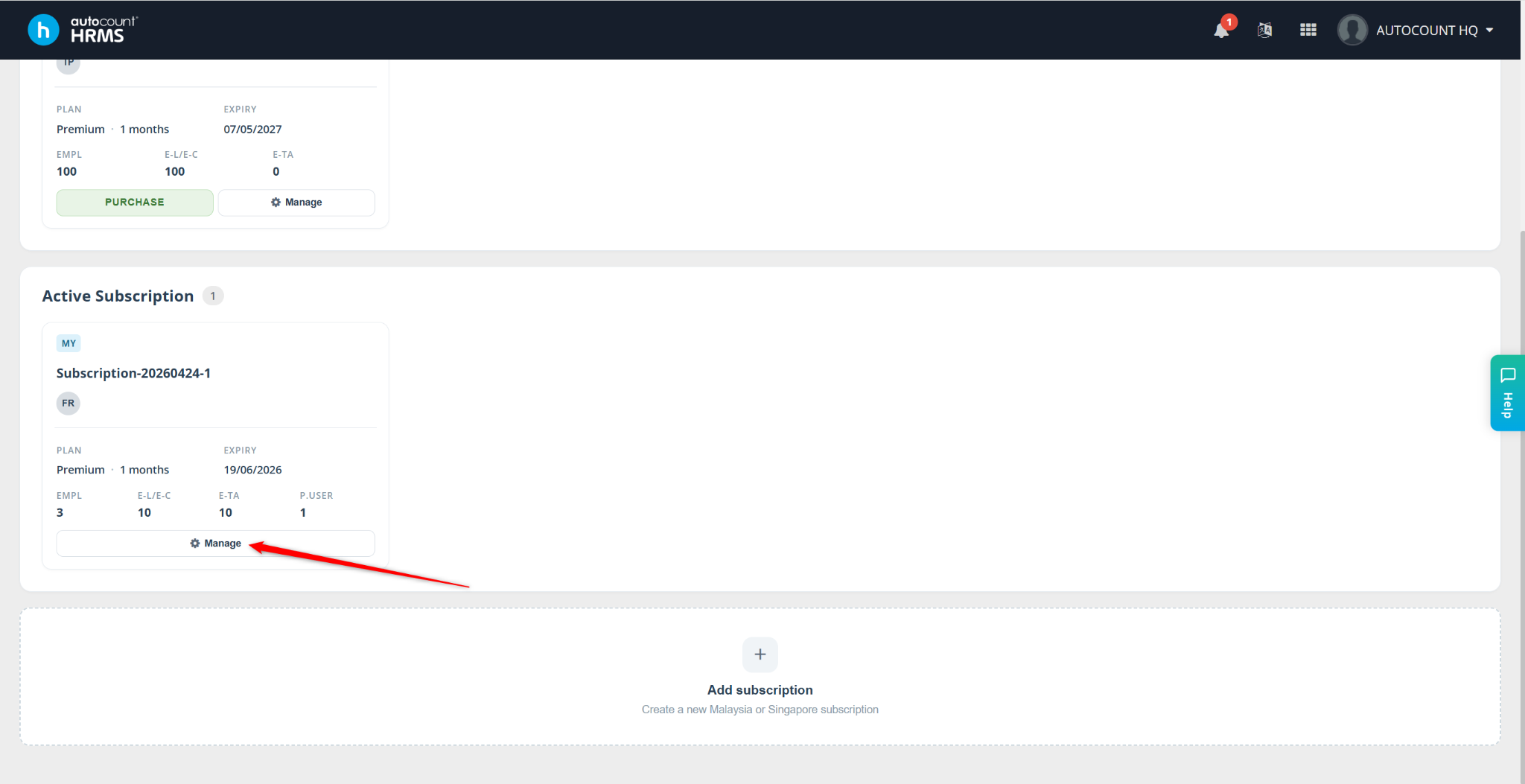
Locate the subscription and click Manage.
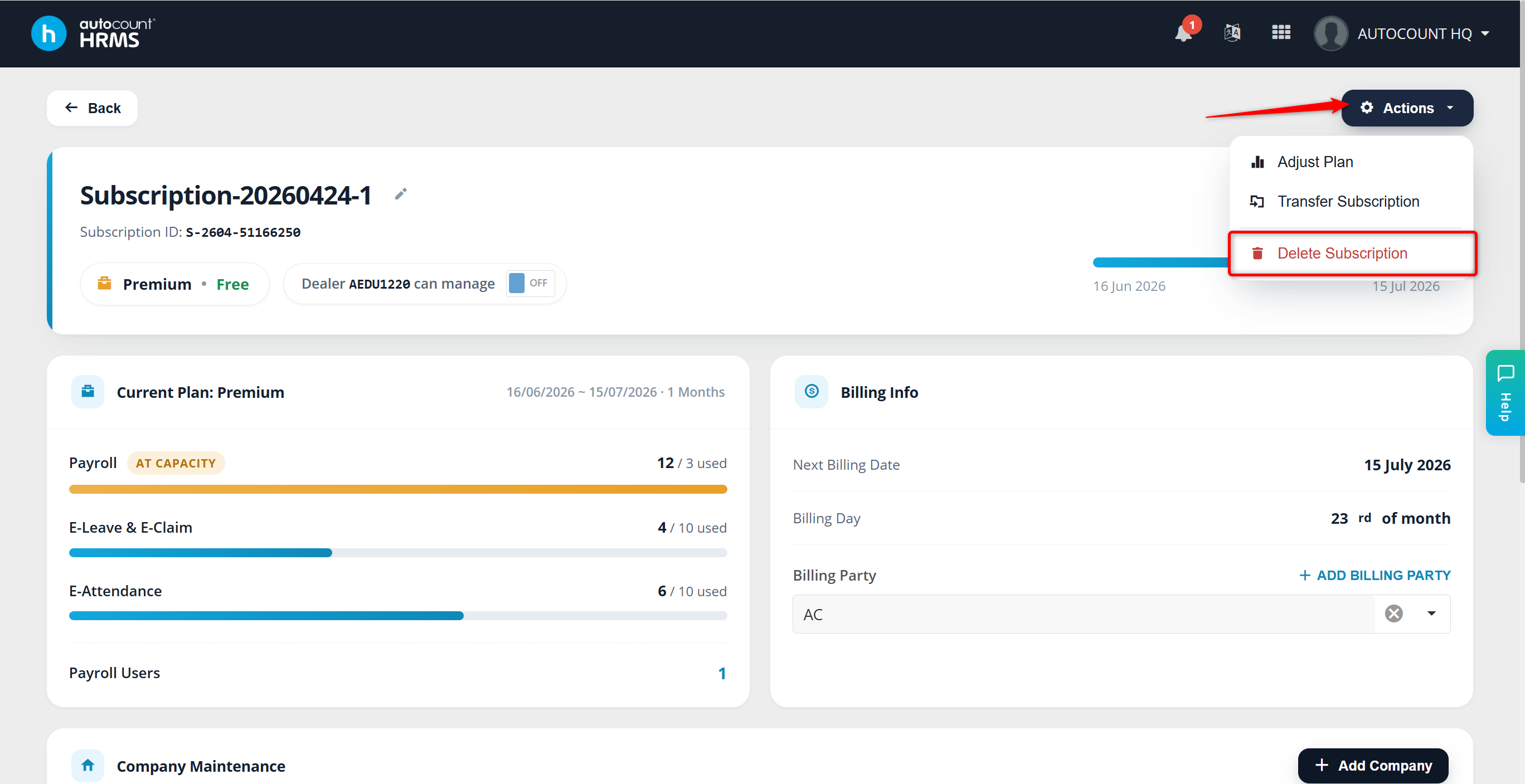
Click Actions and select Delete Subscription.
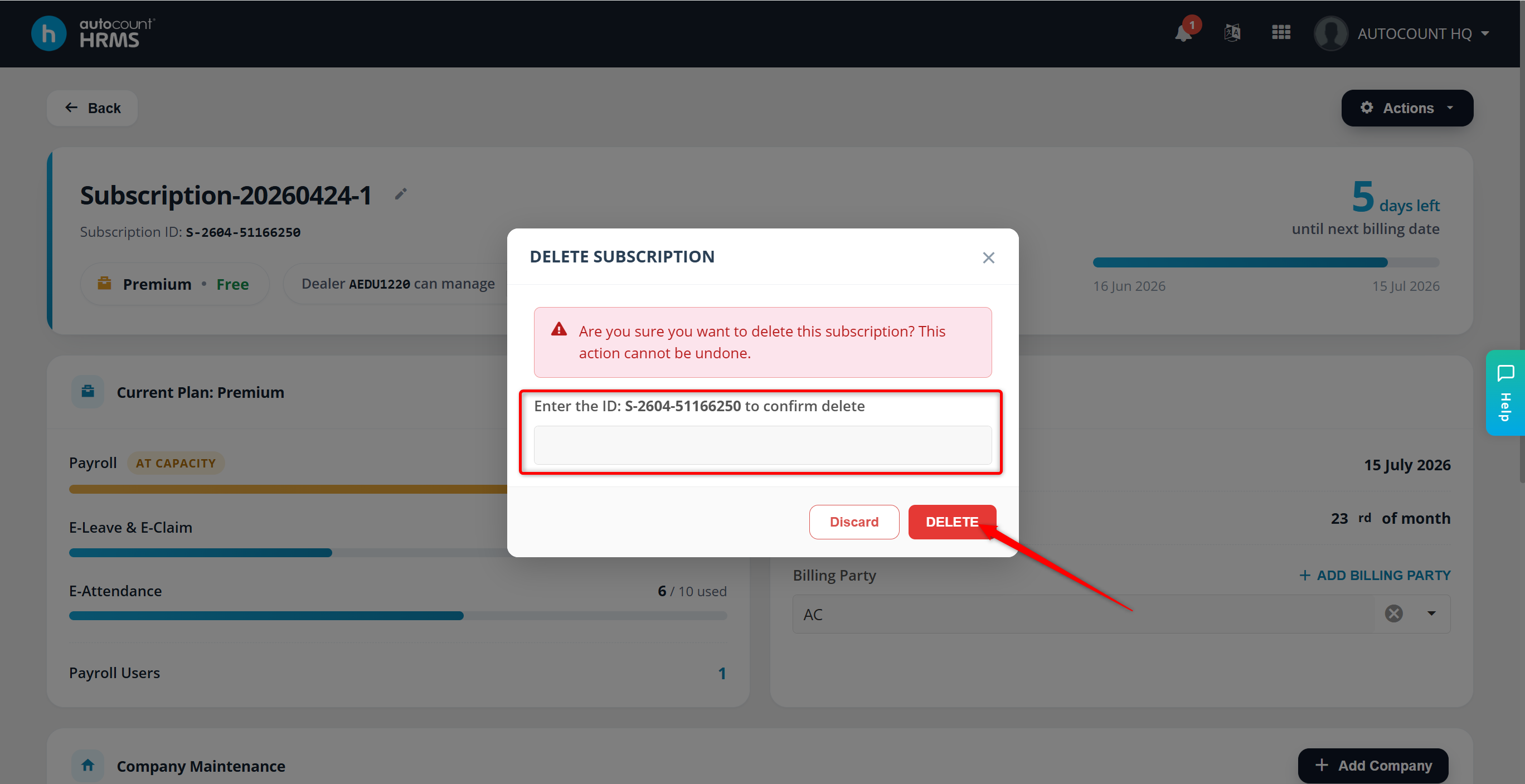
Enter the Subscription ID and verify the details. Once confirmed, click Delete to permanently remove the subscription.
ℹ️ Note: Deleting a subscription is permanent. All associated companies, payroll data, and records will be permanently erased. Deleted data cannot be recovered under any circumstances. Therefore, please ensure you are certain before proceeding.
Written by: Azirah (20250911)