
Users may add an additional billing party into a subscription regardless of whether the subscription is active or expired.
Steps to Add Billing Party:
Go to the Subscription page.
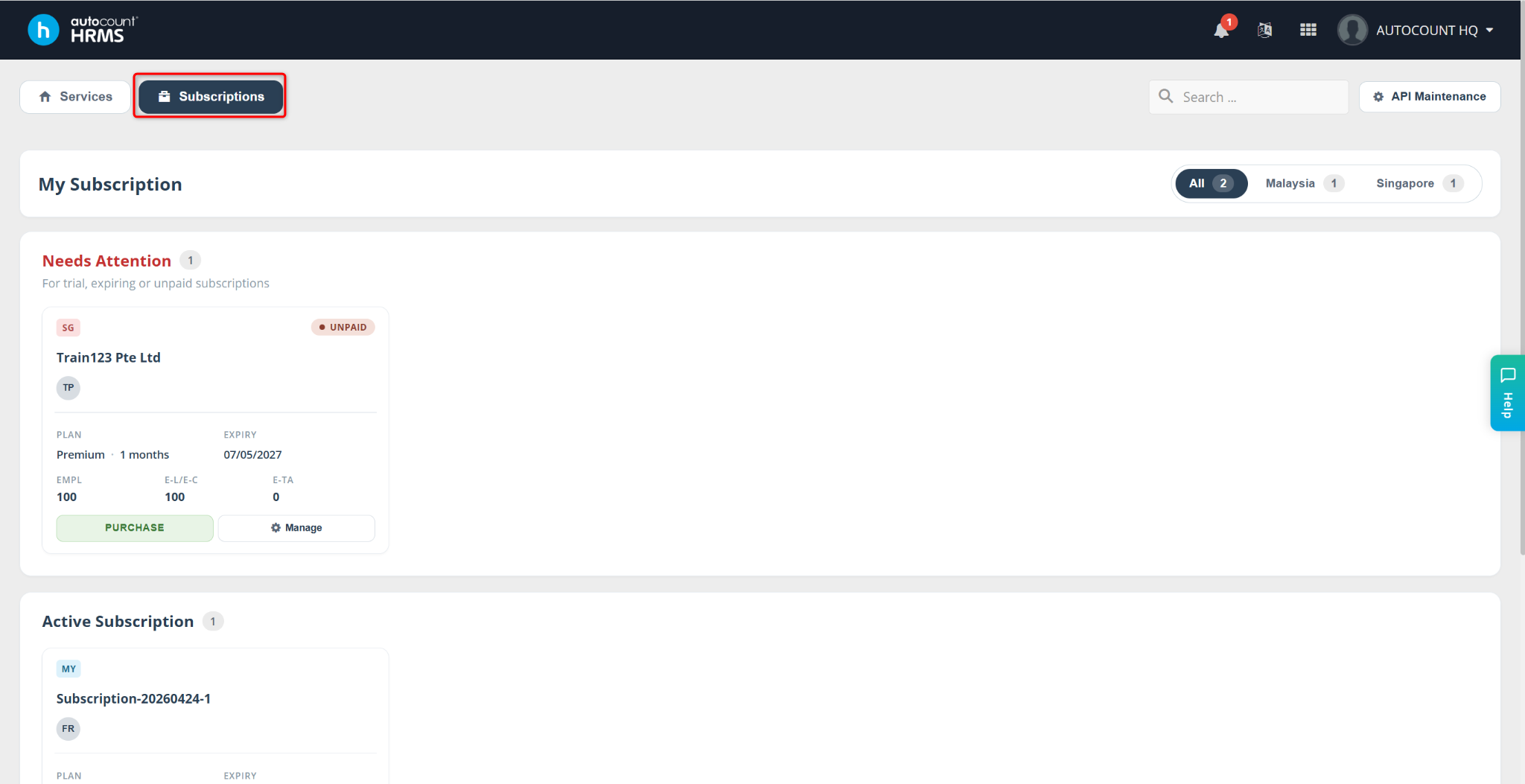
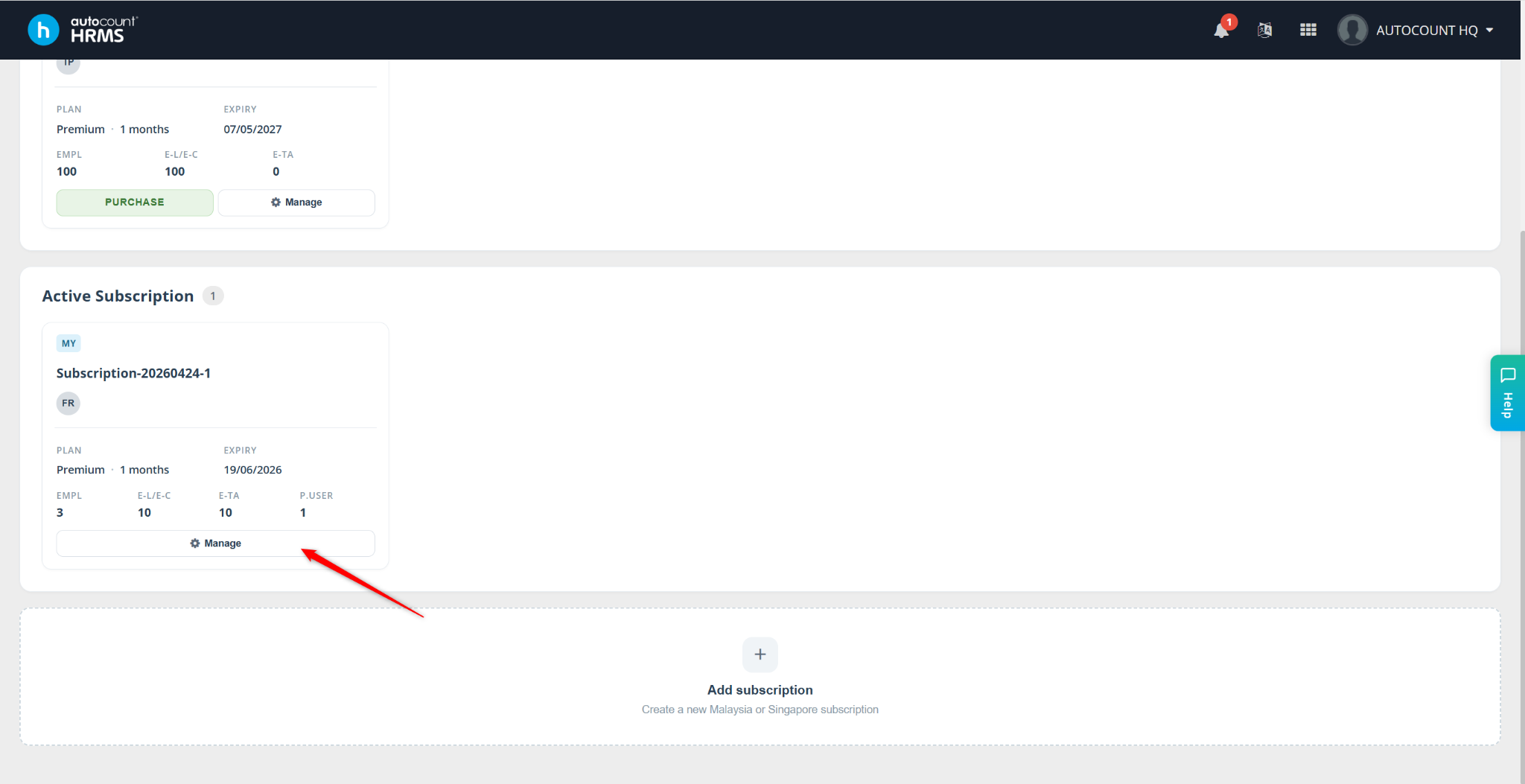
Locate the subscription where you want to add a billing party, then click Manage.
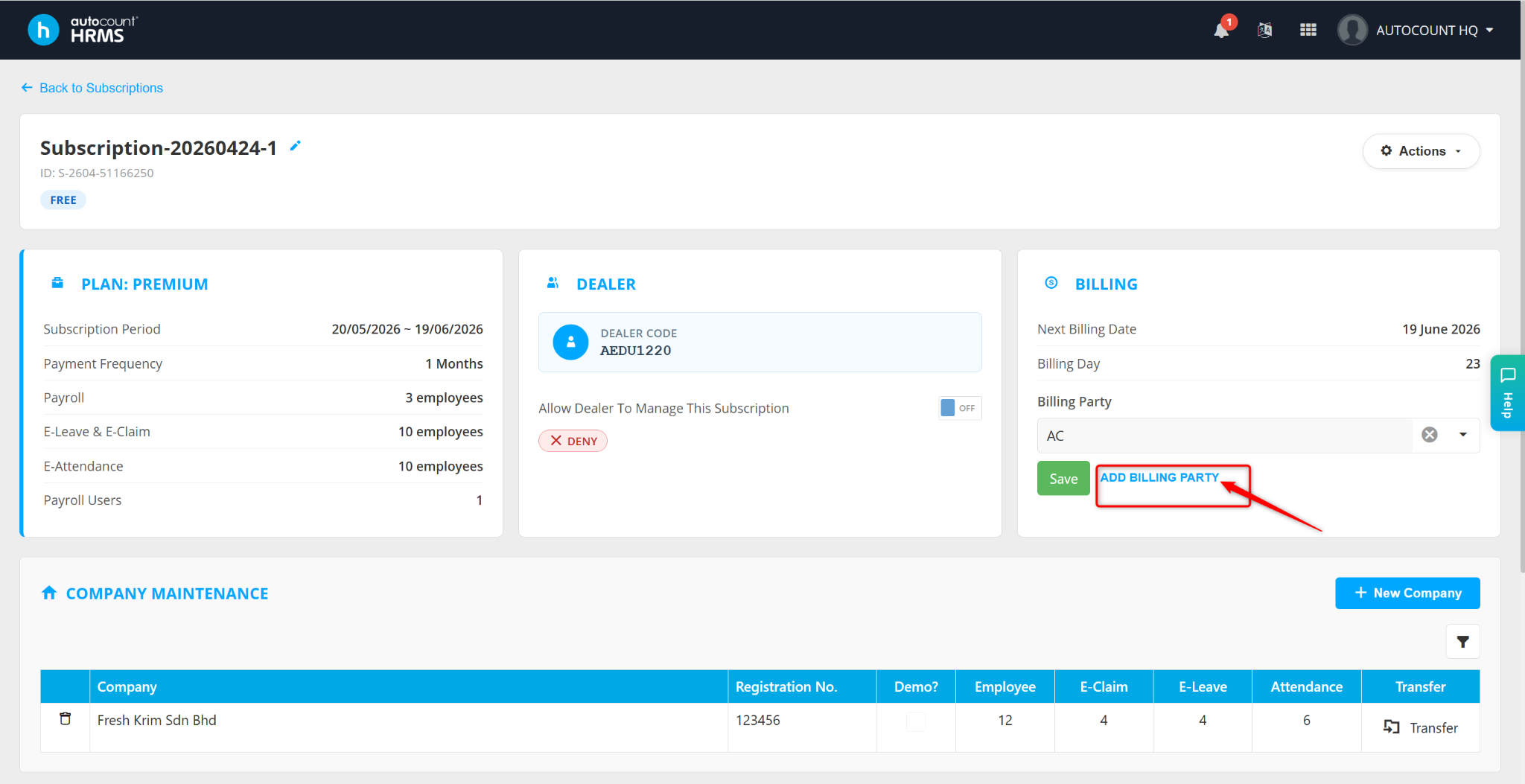
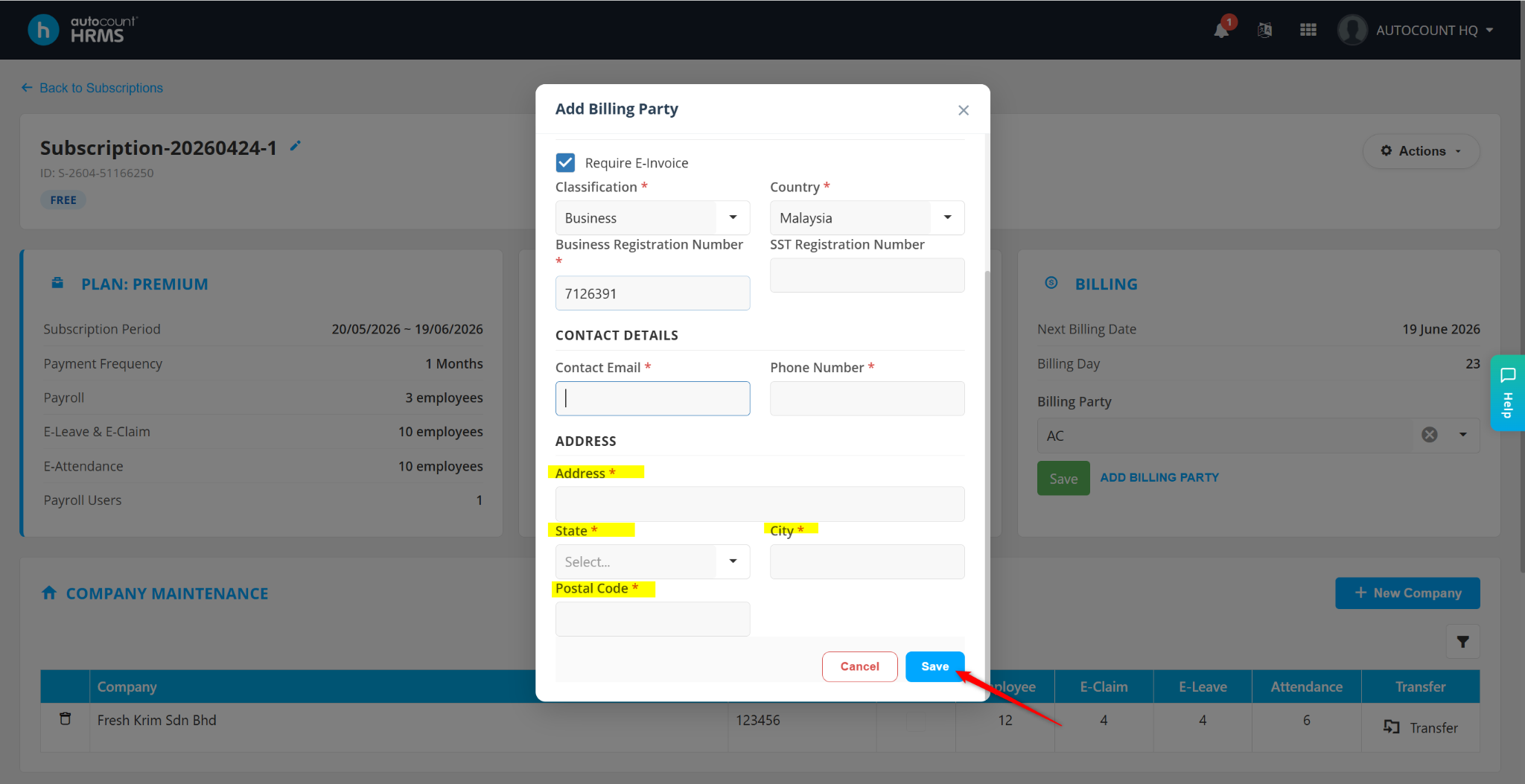
Click Add Billing Party.
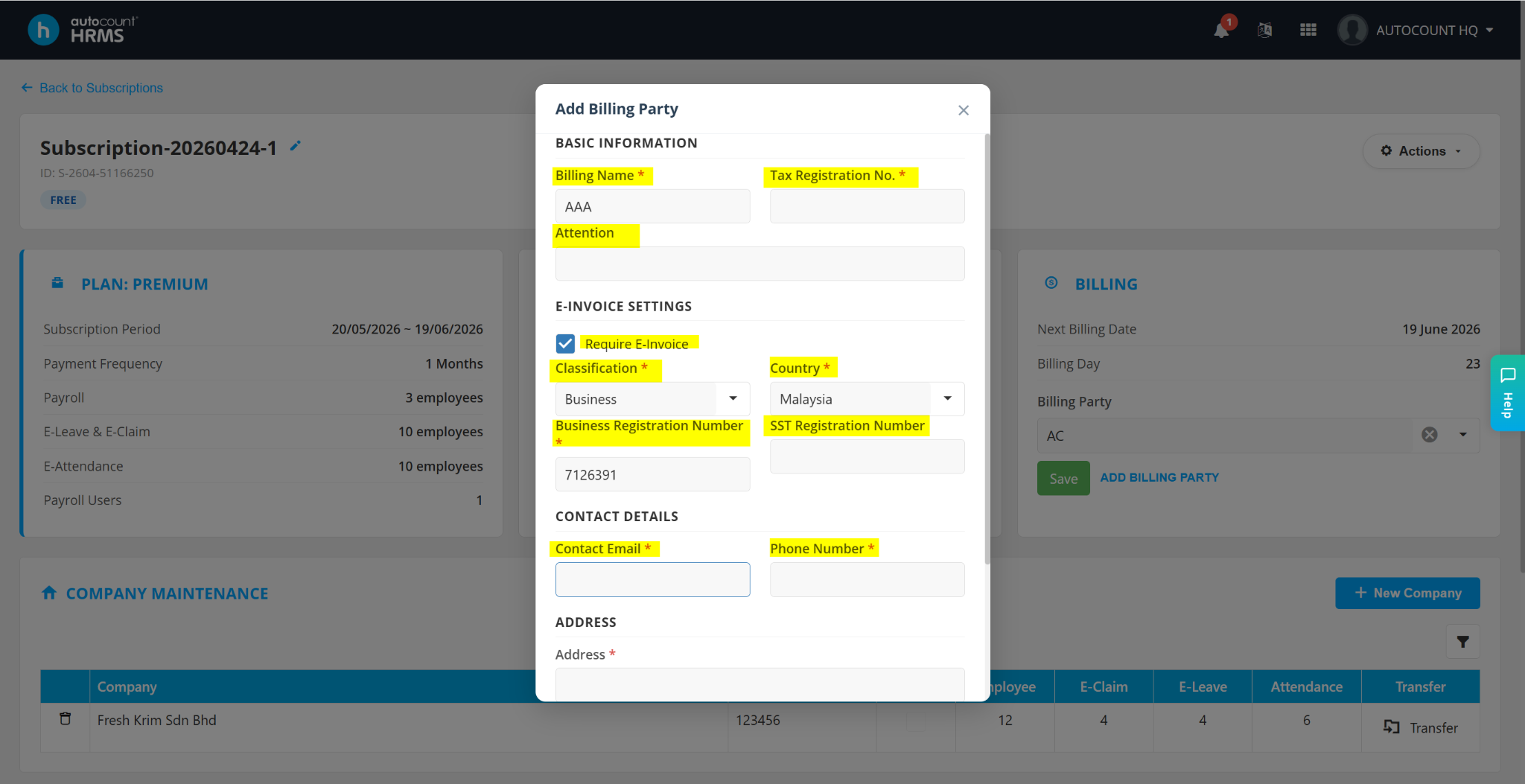
In the Add Billing Party window, enter the required billing information:
Billing Name
Tax Registration No
Attention
Require e-Invoice – Enable this option to enable e-Invoice. After enabling, ensure all information provided is valid and compliant with LHDN requirements.
Classification – Select Business, Individual or Government.
Country
Contact Email
Phone Number
Address
State
City
Postal Code
Click Save to confirm the changes.
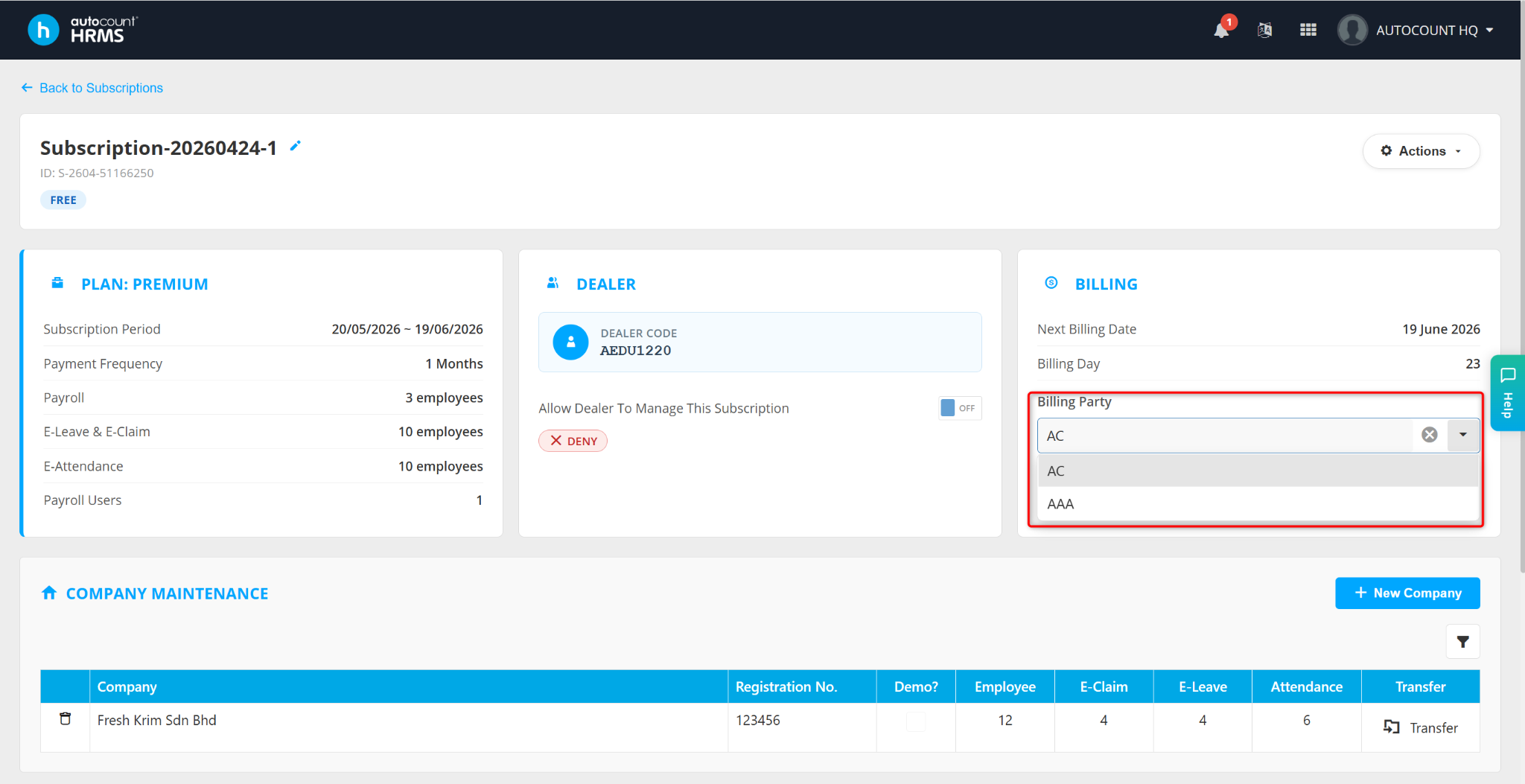
The newly added billing party will now be available for selection.
Written by: Azirah (20251105)