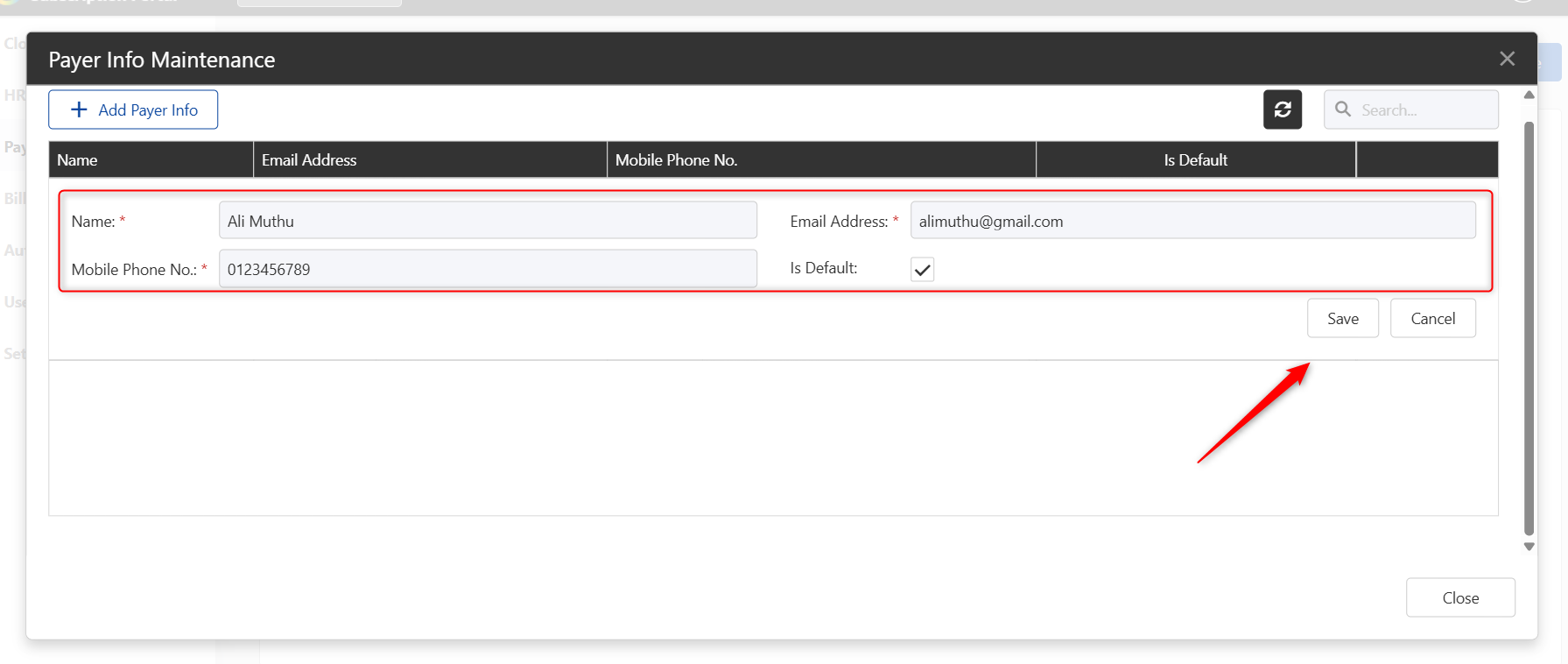
The Payer Information feature allows users to maintain billing and payment details used for subscription purchases, renewals, and other subscription-related transactions in the Subscription Portal.
Steps to Add Payer Information:
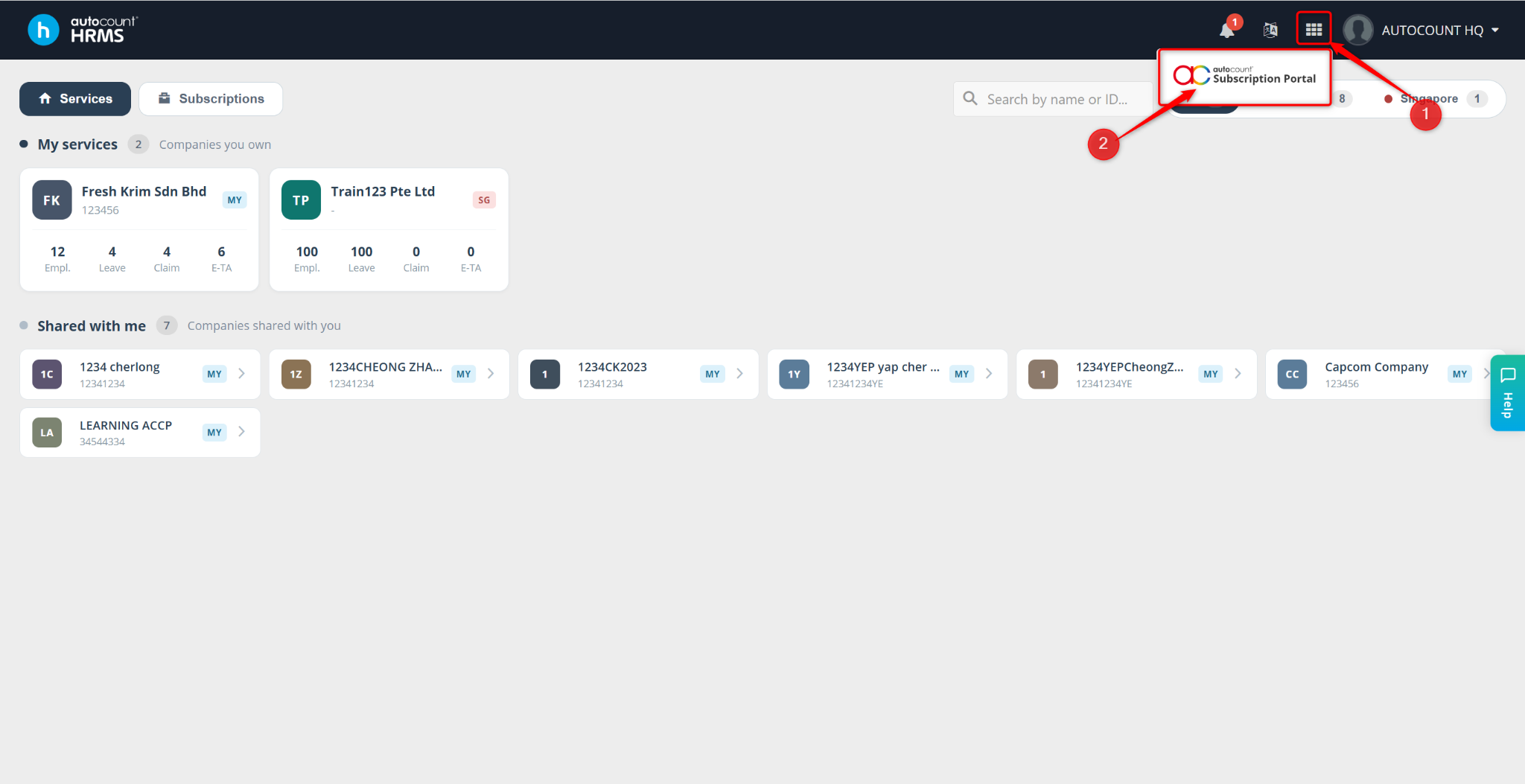
Access the Subscription Portal by clicking the grid icon at the top-right corner.
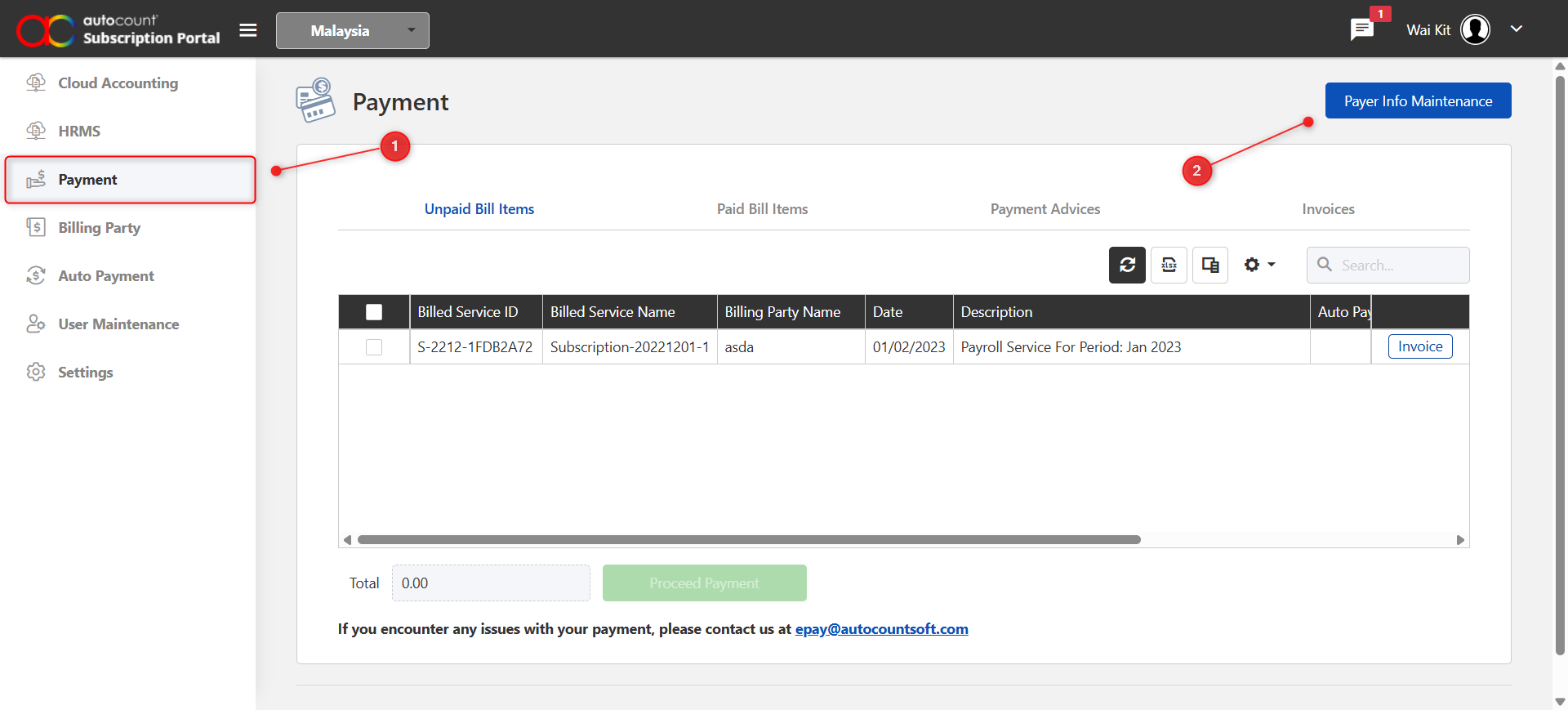
Click the Payment tab on the left panel.
Click Payer Info Maintenance at the top-right corner of the page.
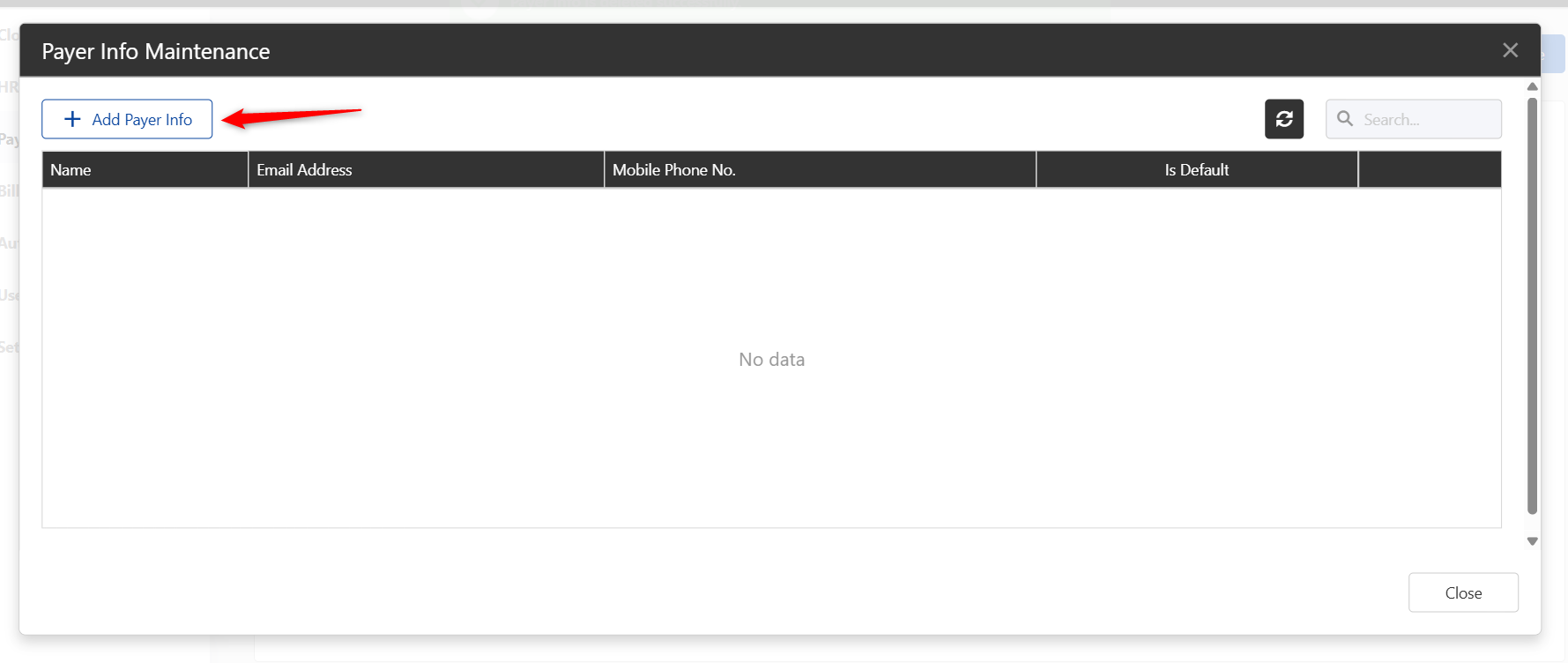
Click Add Payer Info to create a new payer record.
Fill in all required payer information.
Click Save to confirm and store the details.