
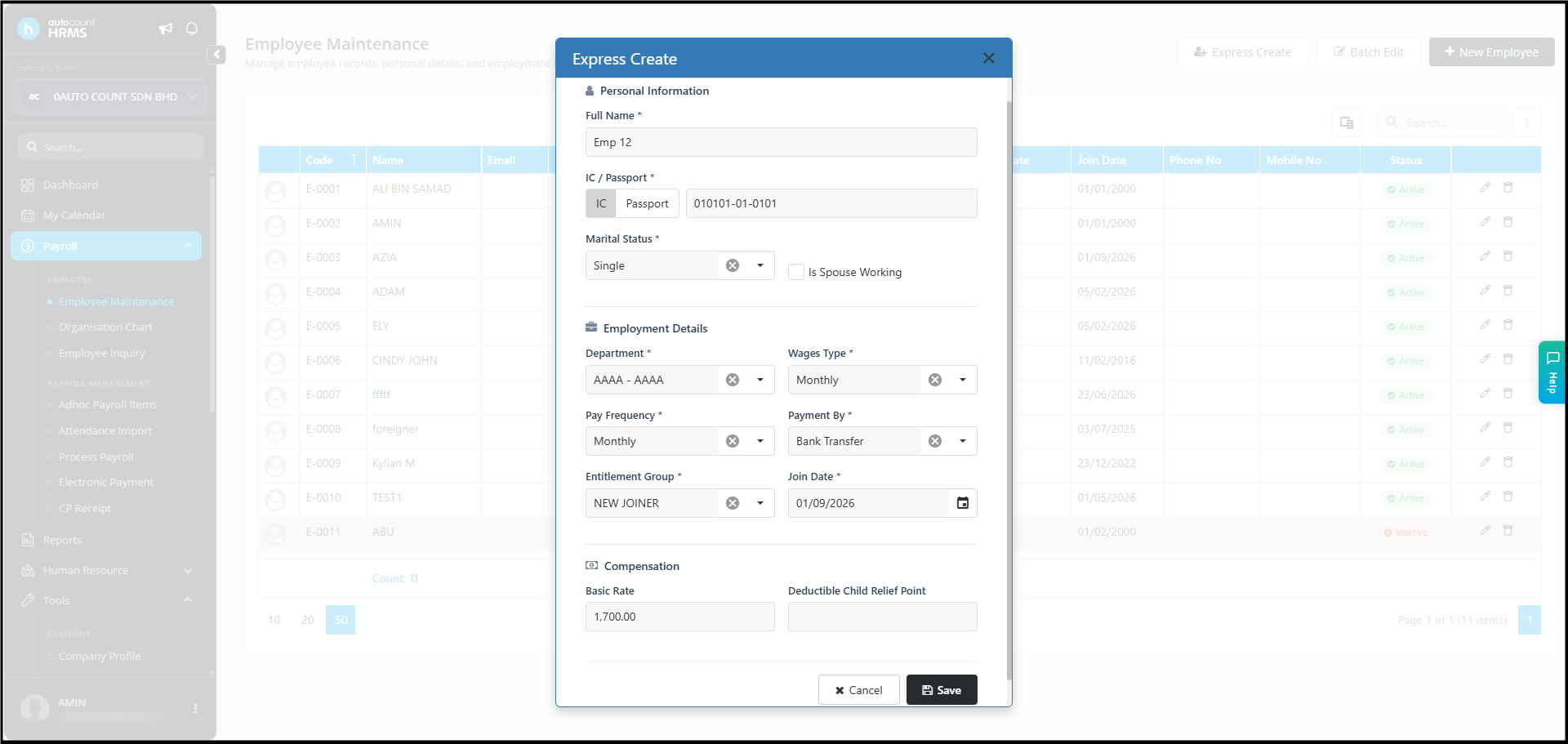
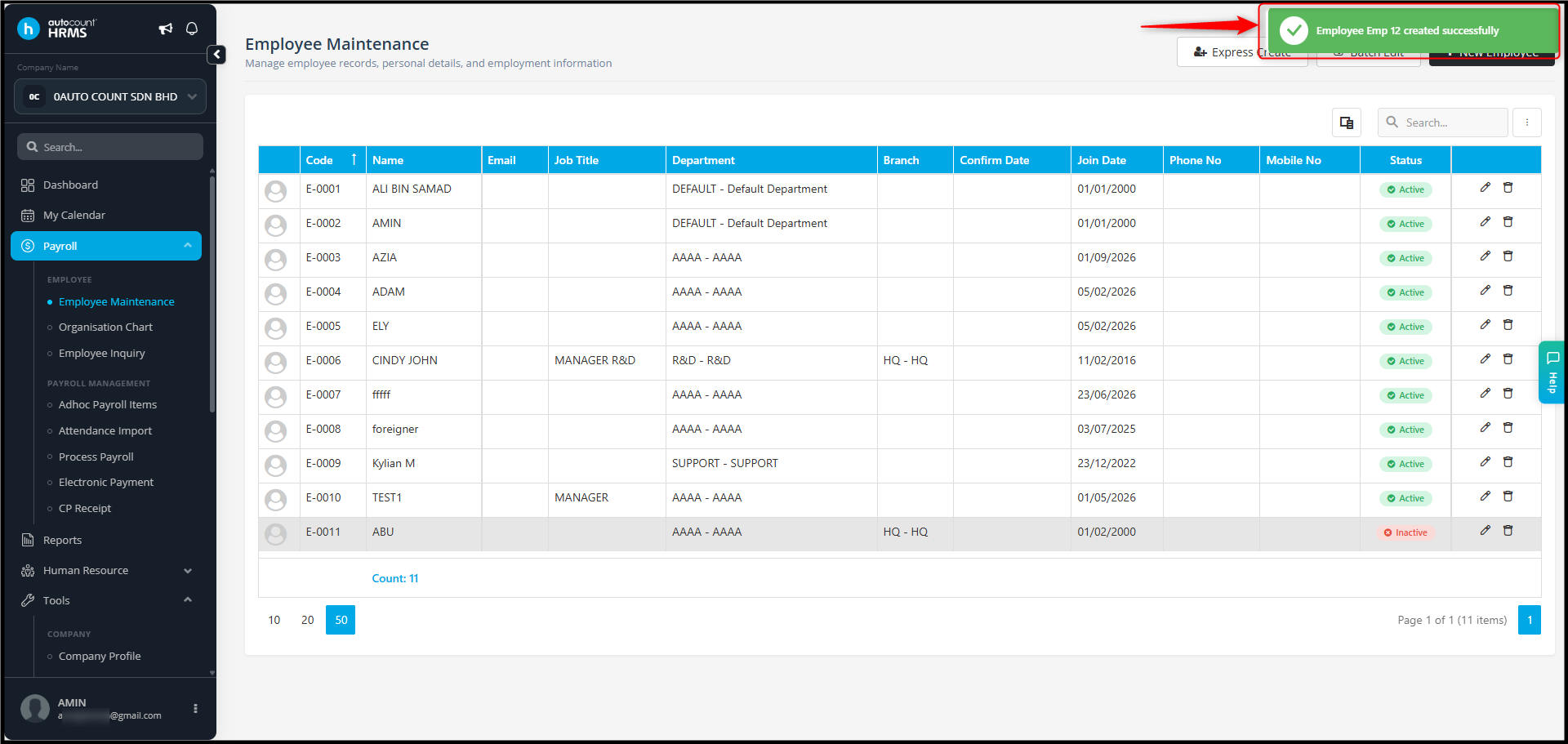
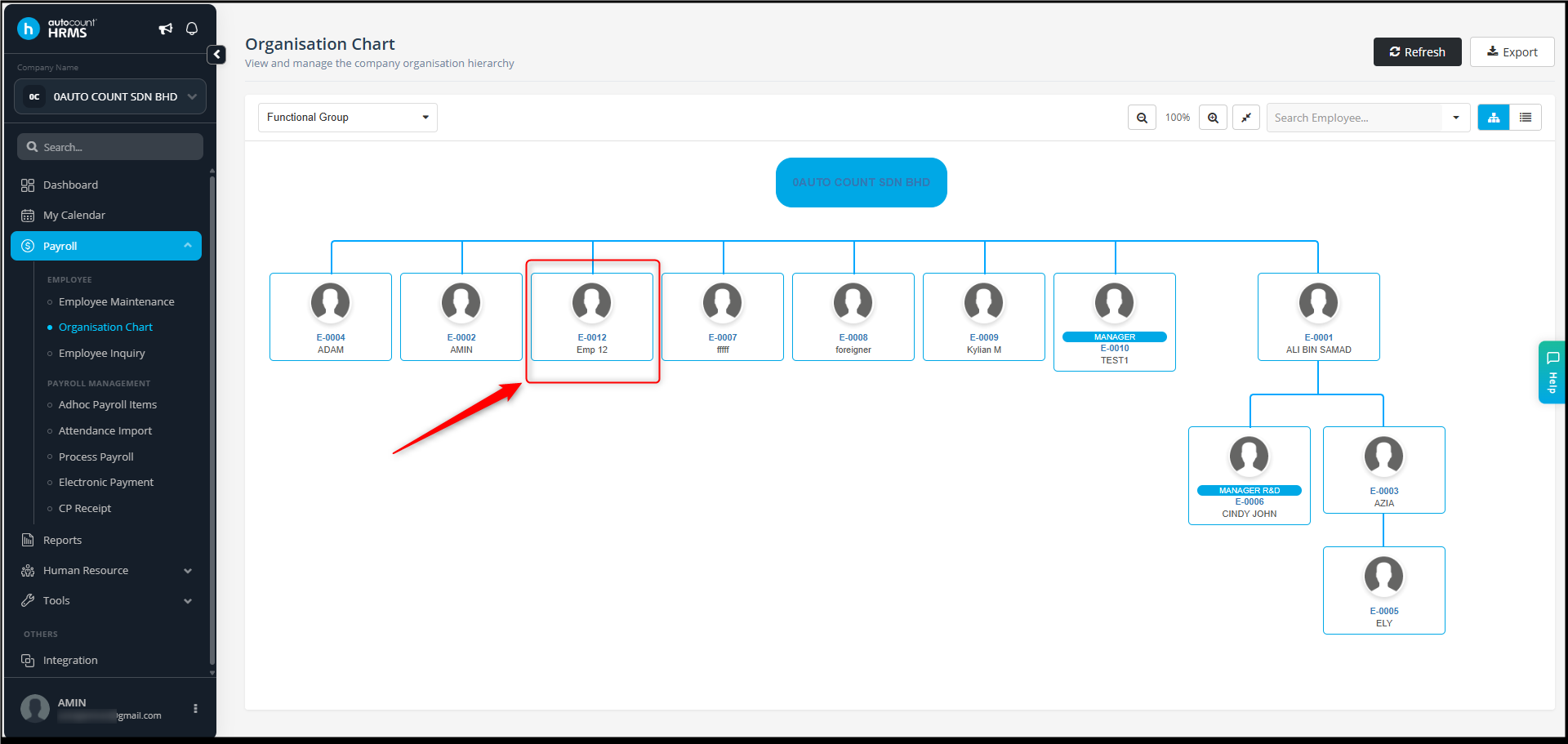
Possible Reason:
The employee is assigned to an employee group that is not authorised for your user account.
Answer:
To check the authorised employee group assigned, go to :
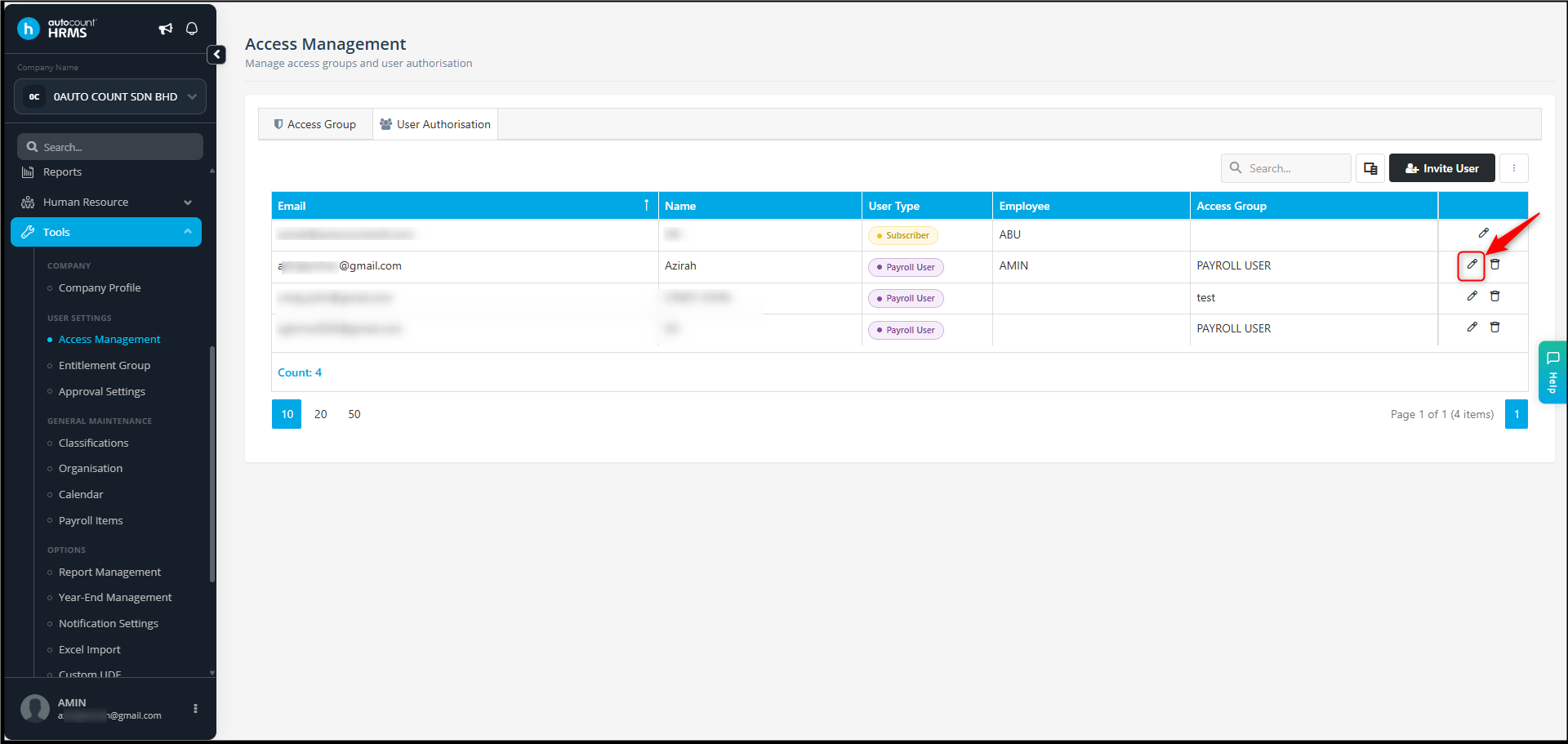
- Go to Tools > Access Management > User Authorization.
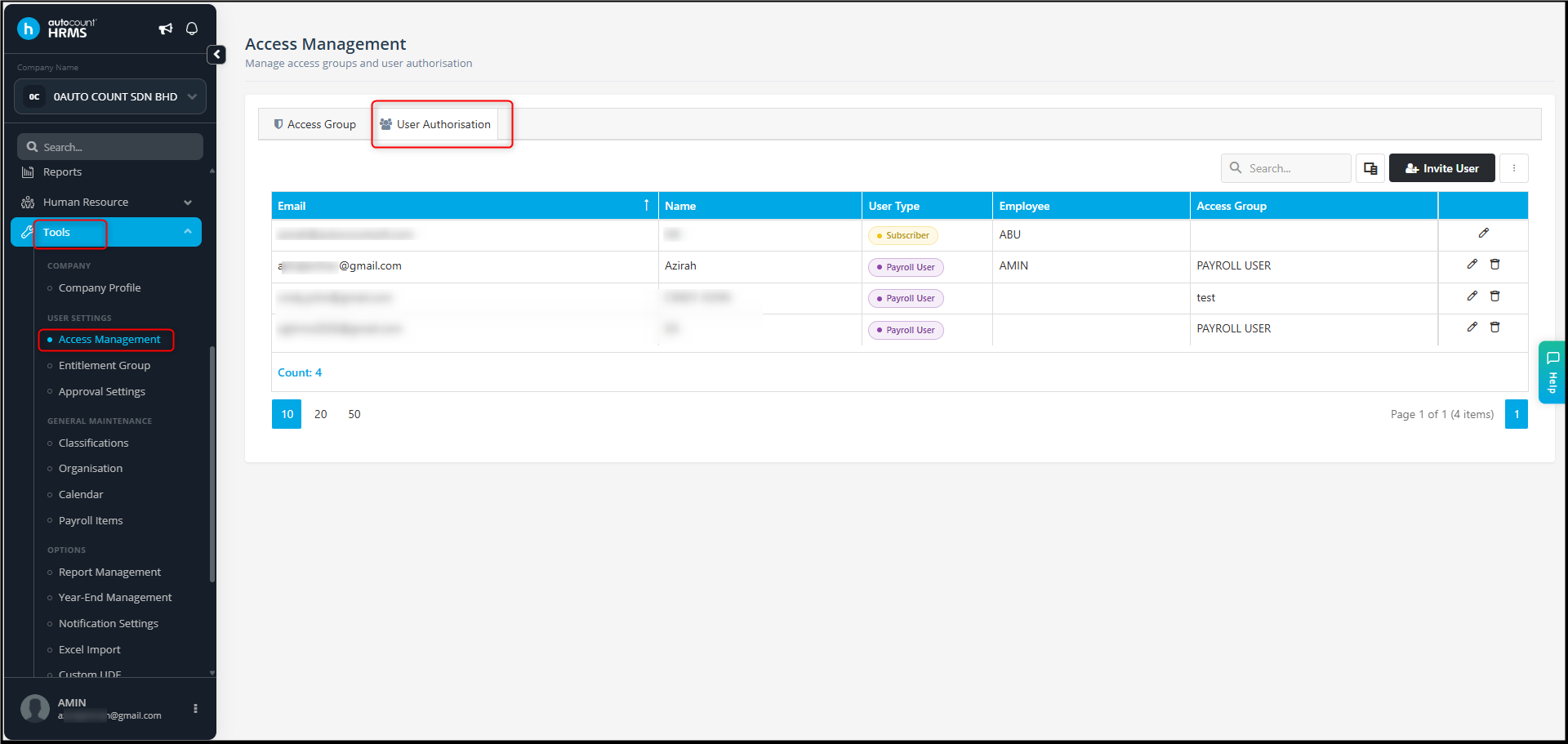
- Edit your user account.
- Go to Authorised Employee Group.
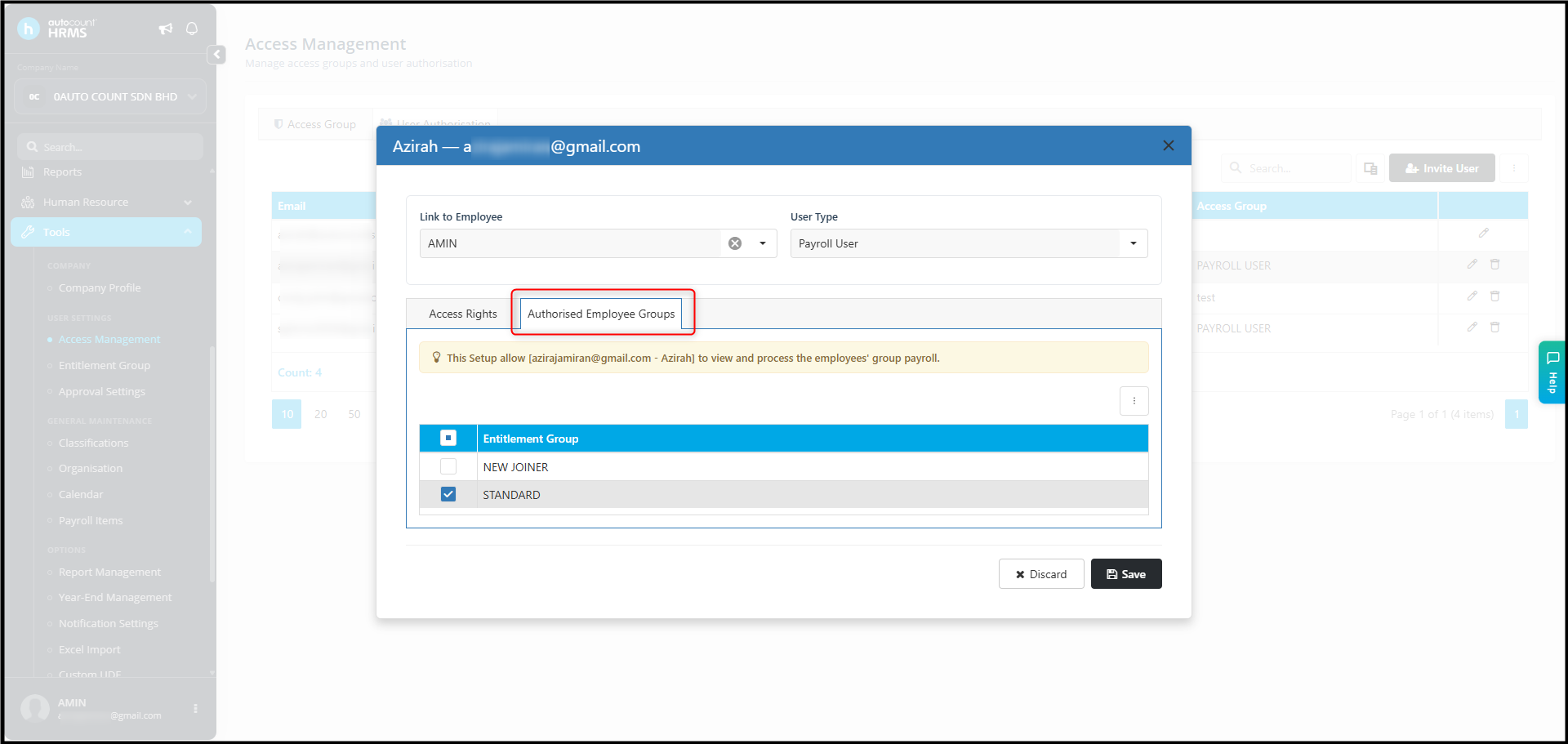
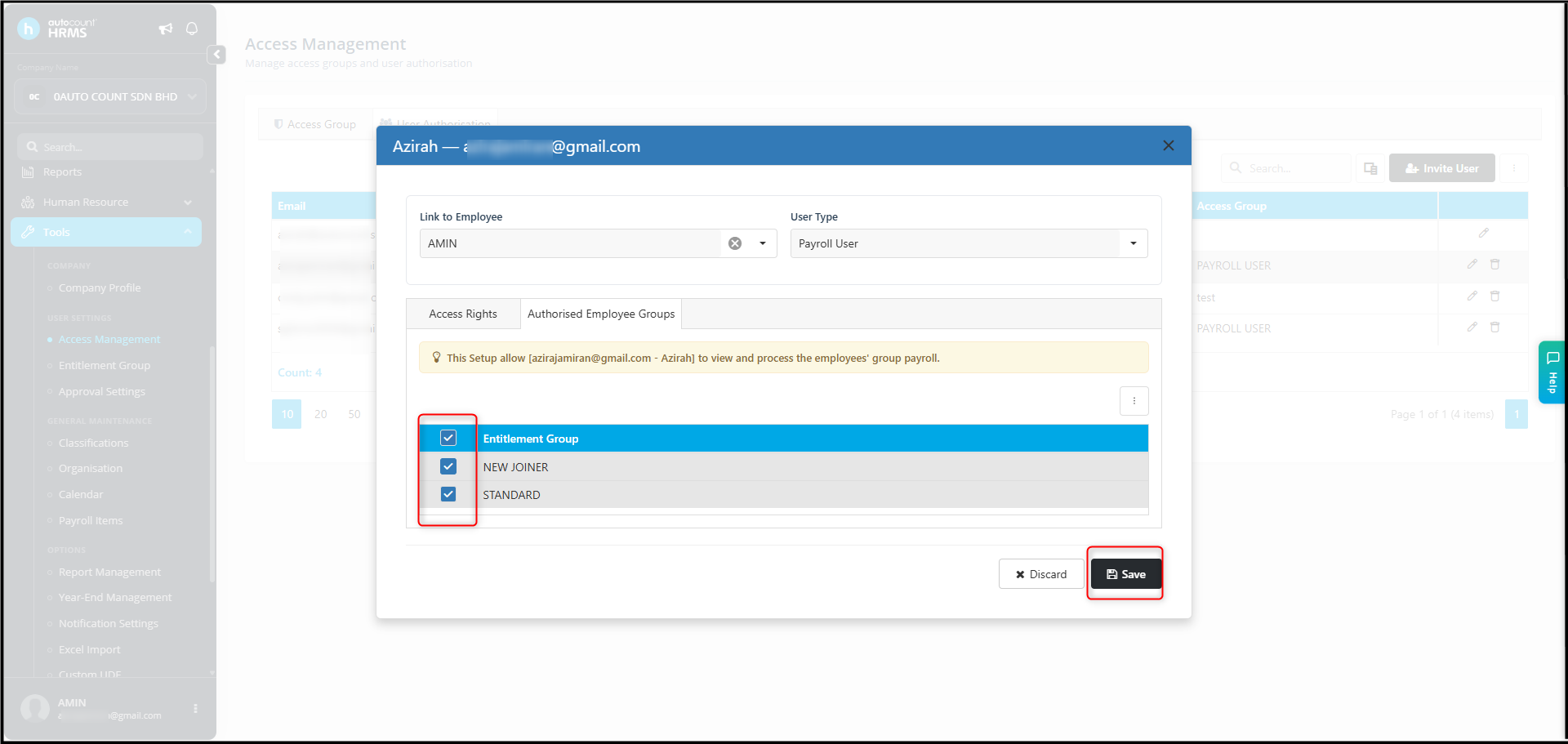
- Make sure the relevant employee group is assigned to your account.
- Click Save.
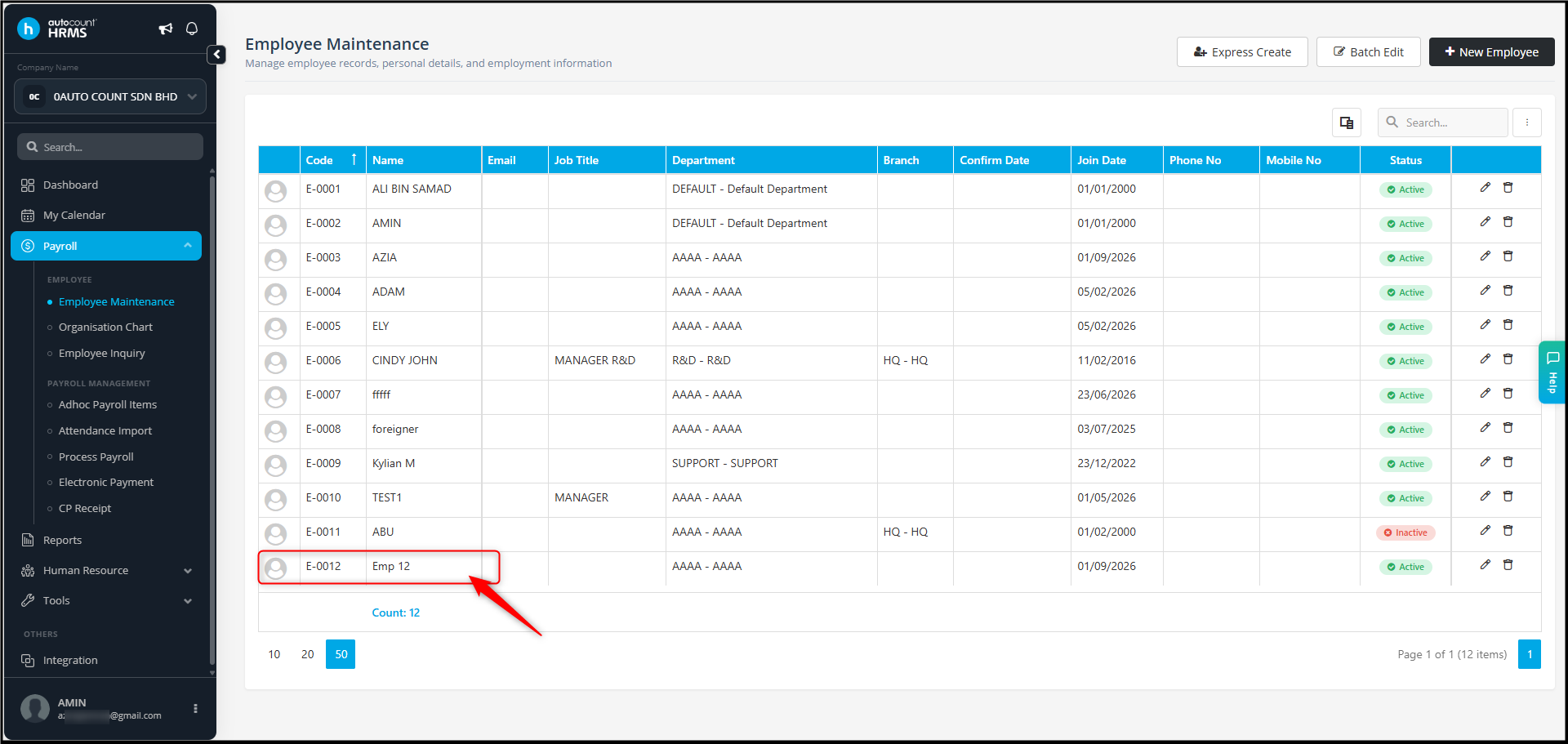
- Refresh the page and check the Employee Listing again.
Once the employee group is authorised, you should be able to view the employee in the relevant employee listings.
By Azirah 260922